서론
redux 글 쓰면서 리덕스 공부해야지 하고 구상해 놓은 코드 작성하다가 우연히 만들게 된 custom hook
참고
Custom hook이란?
react hooks를 사용해 직접 만든 hook
쉽게 말하면 여러 컴포넌트에서 반복적으로 사용되는 hooks를 재사용 하기 위해 함수로 만든 것
- hooks를 포함한 코드의 재사용성을 높임
- 일반 함수 내부에서는 React hooks를 사용할 수 없지만 custom hook에서는 가능
custom hook 형태
function useCustomHook (매개변수) {
	// hooks...

  	return {
    	// 반환할 상태 값, 변수, 함수 ...
    }

}
custom hook 사용
function Component () {
	const {반환한_상태값, 변수, 함수} = useCustomHook(인수)
}
훅 생성 시 유의 사항
- use를 접두사로 사용하여 생성 해야 함
- 내부에서 hooks를 사용하고 있다는 사실을 알게 함
- jsx를 내보내지 않기 때문에 파일 확장자는 .js 또는 .ts 사용 가능
- 생성한 custom hook도 일반 react hook과 마찬가지로 컴포넌트나 또 다른 custom hook 내부에서만 호출 가능
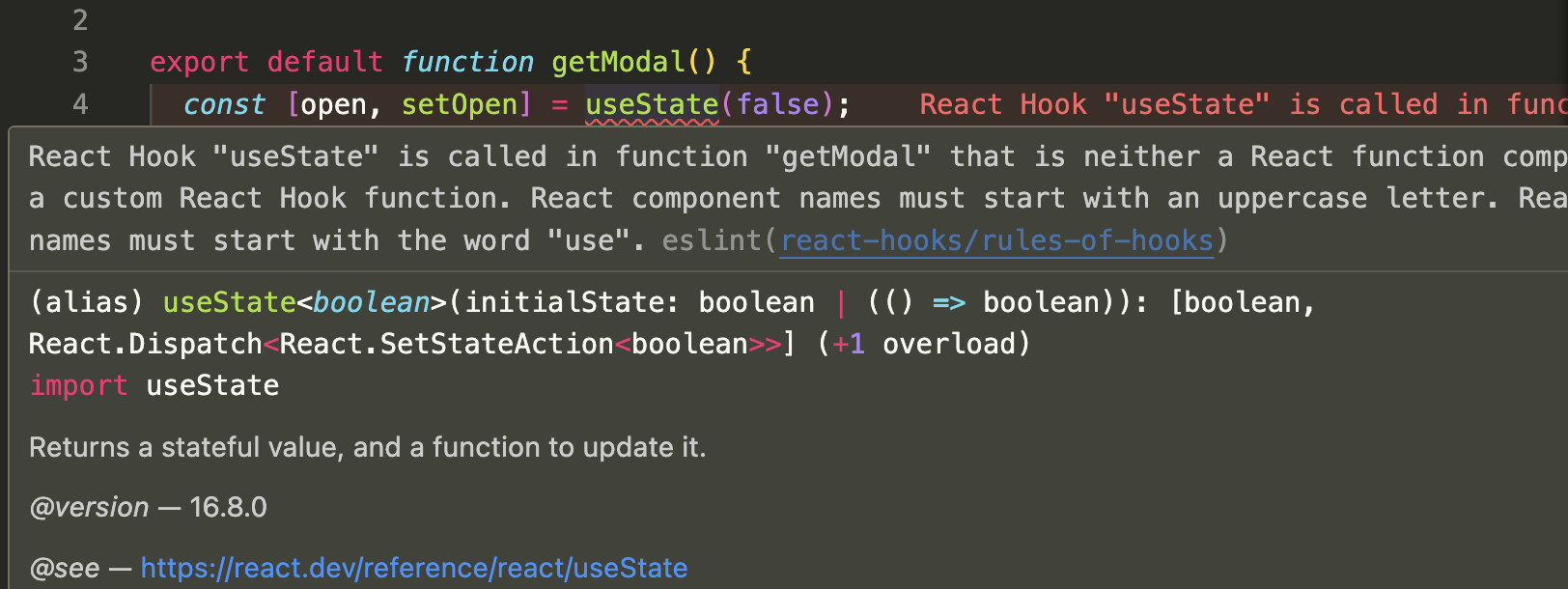
useModal을getModal로 변경해서 일반 함수인 척 하니까 에러로 알려준다.eslint-plugin-react-hooks설치된 eslint 플러그인에서 알려준 거였다.
hook 적용 전
- modal 컴포넌트를 만들던 중,,,
모달 컴포넌트 코드
import Button from "./Button";

interface ModalProps {
  open: boolean;
  message: string;
  onClose: () => void;
}

function Modal({ open, onClose, message }: ModalProps) {
  return (
    <div
      className={`${
        open ? "visible" : "hidden"
      } flex justify-center items-center fixed z-10 top-0 left-0 bottom-0 right-0 backdrop-blur-xl`}
      onClick={onClose}
    >
      <div role="alertdialog" className="bg-white p-5 rounded-sm flex flex-col gap-3 m-2 w-full max-w-96 shadow-2xl">
        <span className="font-semibold text-lg text-gray-700">{message}</span>
        <div role="group">
          <Button label="확인" onClick={onClose} />
        </div>
      </div>
    </div>
  );
}

export default Modal;- modal을 사용하는 페이지마다 open 여부에 대한 상태 값을 만들고
- open을 false로 만드는, 모달을 닫는 함수를 만들어 줘야 했다.
- 이 때는 open을 true로 만드는 곳에서는 따로 openModal 이라는 함수를 만들어 사용하지않고 setOpen(true)라고만 작성함
 const [open, setOpen] = useState(false);

  const closeModal = () => {
    setOpen(false);
  };

  return (
    <main className="min-h-screen flex justify-center items-center">
      //...
      <Modal open={open} onClose={closeModal} message={"가입 완료"} />
    </main>
  );
- 여기까지는 모달 컴포넌트 만들고 사용할 때마다 했던 거라 귀찮다는 생각 없었는데
- 에러 메세지마다 모달 message가 달라져야해서 message 상태값도 만들어야 했다
- 여기서 부터 갑자기 귀찮아짐ㅜㅜ
- 상태 두 개를 모달을 열 때 마다 바꿔줘야 해서 추가로 openModal 함수를 만들었다.
- 모달을 사용하는 곳 마다 똑같이 생긴 상태 두 개(open,message) 함수 두 개(openModal, closeModal)를 작성해야 했다.
const [open, setOpen] = useState(false);
const [message, setMessage] = useState(""); // 추가

const openModal =({message}:{message:string})=>{
  setOpen(true);
  setMessage(message); // 추가
}

const closeModal = () => {
  setOpen(false);
};

// 에러가 나면 모달로 사용자에게 보여줘야 하는 async 통신 함수
const handleSignIn = async () => {
  // ...

  if (!email || !password) {
    openModal({ message: "이메일 인증을 해 주세요" });
    return;
  }

  //....

  if (response.error.code === "email_not_confirmed") {
    openModal({ message: "아이디 또는 비밀번호를 확인해 주세요" });
    return;
  }
};
hook 적용 후
useModal 코드
import { useState } from "react";

export default function useModal() {
  const [open, setOpen] = useState(false);
  const [message, setMessage] = useState("");

  const openModal = ({ message }: { message: string }) => {
    setMessage(message);
    setOpen(true);
  };

  const closeModal = () => {
    setOpen(false);
  };

  return {
    open,
    message,
    openModal,
    closeModal,
  };
}
useModal 사용 코드
function SignIn() {
  const { open, message, openModal, closeModal } = useModal();

  const handleSubmit = async () => {
    try {

      	// 생략

      if (!email || !password) {
        openModal({ message: "아이디와 비밀번호를 모두 작성해 주세요" });
        return;
      }

        if (response.error.code === "email_not_confirmed") {
          openModal({ message: "이메일 인증을 해 주세요" });
        } else {
          openModal({ message: "아이디 또는 비밀번호를 확인해 주세요" });
        }

  	// 생략


    } catch (error) {
      console.error("[error]", error);
    }
  };

  return (
    <main className="min-h-screen flex justify-center items-center">
     	// ...
      <Modal open={open} onClose={closeModal} message={message} />
    </main>
  );
}

export default SignIn;
단축된 코드 체감!
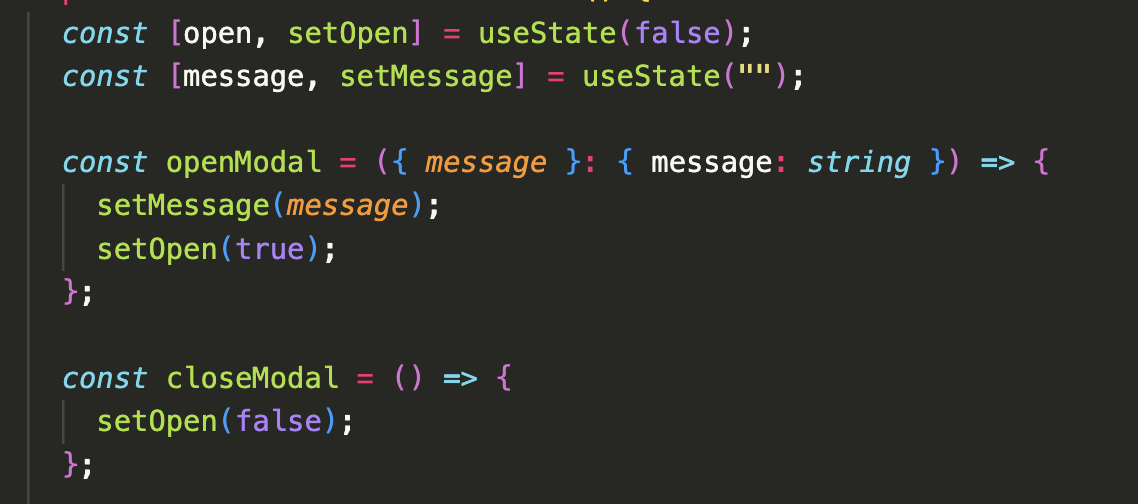
- 매 모달 컴포넌트를 사용할 때마다 위와 같이 작성해 줬어야 했는데
- useModal 커스텀 훅 생성으로 이렇게 아래와 같이 한 줄이면 위와 같은 기능을 다 사용할 수 있다!

마무리
퇴사 이 후에 딱히 커스텀 훅을 만들어 본 적이 없었는데 어쩌다 보니 만들게 되었다!
회사에서는 누가 만들어 놓은 커스텀 훅 가져다 쓰거나 일 시키시는 분 요청 사항에 이거 커스텀 훅으로 만들어 주세요~ 해서 만들었던 것 같은데 뭔가 내 필요에 의해 만드니 코드가 간결해지고 컴포넌트를 사용하기 편해져 작은 뿌듯함이 생겼다 ㅎㅎ

프론트엔드 개발 블로그