지금까지 배운 과정
- 빠진 부분도 있겟지만 큰틀은 이 과정을 따라감
- root 접속
- koreast 계정 생성 및 비밀번호 세팅
- 포트포워딩
- putty로 koreast 계정 접속
- koreast 계정에 sudo 권한 부여
- dnf 통해 필요한 프로그램 설치
- 방화벽 끄기
- selinux 끄기
- 컴퓨터 재시작
- 버추얼 호스팅 (11.24 수업)
80 => /usr/share/nginx/html
sudo locate nginx.conf
sudo vim /etc/nginx/nginx.conf
이 파일 경로를 확인하면 됨/etc/nginx/conf.d
cd /etc/nginx/conf.d
/etc/nginx/conf.d로 이동하는 명령어
vim default.conf
default.conf 파일이 없으면 만들고 파일 안으로 들어가는 명령어
server {
    listen 80;
    server_name _;

    location / {
        root /web/site0/public;
        index index.html index.htm;
    }
}
이 내용이 들어가야함 (오타가 절대로 나면 안됨!)
현재 웹루트 경로 변경.
기존에는 /usr/share/nginx/html 경로가 이렇게 되어있엇는데 우리가 경로(설정)를 변경하였기 때문에 시스템을 한번 껐다 켜야함
sudo systemctl restart nginx
현재 진행상황
변경된 경로 -> /web/site0/public
/web/site0/public 폴더를 만들고, chown -R로 소유권 변경
1. cd /
루트로 경로 이동
2. sudo mkdir -p /web/site0/public
폴더 만들기
3. cd web
web폴더로 경로 이동
4. sudo chown koreast:koreast -R .
koreast로 권한을 전부 다 넘기기
5. cd site0/public
6. vim a.html
a.html 만들고 그 안으로 들어가기
7. 내용작성
localhost:8011/a.html
7-2. 이 경로로 들어가서 확인해보면 내가 작성한 내용이 그대로 나옴!
8. mv a.html index.html
a.html 파일을 index.html로 이름을 변경한다!
9. localhost:8011(인덱스는 생략가능)
홈페이지 경로 확인해봤을때 잘 나오면 이름이 잘 바뀐 것
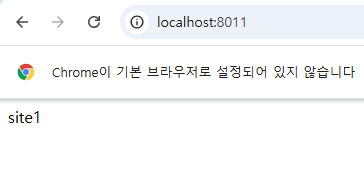
10. vim index.html
내용(index.html~) 변경 후 저장
localhost:8011
변경된 내용까지 잘 나옴.
virtual hosting 설정
virtual hosting 설정을 담당할 /etc/nginx/conf.d/vhost.conf 파일
cd /etc/nginx/conf.d/
=> /etc/nginx/conf.d/ 이 경로로 가서 설정 파일을 만들어야함

설정 파일경로
80 => /web/site0/public => default.conf
8011 => /web/site1/public => vhost.conf
8012 => /web/site2/public => vhost.conf
sudo updatedb
sudo locate nginx.conf


8011, 8012 포트에 대해서 각각의 웹루트폴더를 연결
sudo vim vhost.conf

server {
    listen 8011;
    server_name _;

    location / {
        root /web/site1/public;
        index index.html index.htm;
    }
}

server {
    listen 8012;
    server_name _;

    location / {
        root /web/site2/public;
        index index.html index.htm;
    }
}
sudo systemctl restart nginx
설정을 바꿨으니 재시작을 해야함
만약 오타가 났다면?
sudo systemctl restart nginx 할때 오류메세지가 나옴
ex)
Job for nginx.service failed because the control process exited with error code.
See "systemctl status nginx.service" and "journalctl -xeu nginx.service" for details.

오류 확인 방법
sudo systemctl status nginx.service | less
어느 위치에 오류가 났는지 확인가능
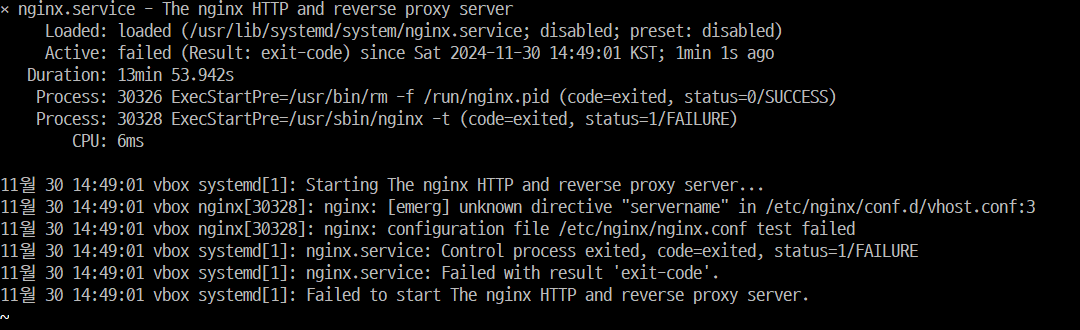
less 를 붙이는 이유?
오류를 좀 더 쉽게 확인하고 가독성을 높이기 위해
cd /web
웹폴더로 이동

현재 site0 존재

cp -r site0 site1
cp -r site0 site2
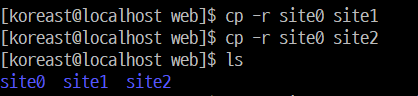
내용 넣어주는 작업
echo "site0" > /web/site0/public/index.html
echo "site1" > /web/site1/public/index.html
echo "site2" > /web/site2/public/index.html

당연히 vhost.conf에 경로를 설정 해줬기 때문에 위와 같이 반드시 작업 해줘야된다.
위 작업을 하고 난 후에도 localhost:8010~8012 는 오류가 날것이다!
오류가 나는 이유?
포트포워딩을 해주지 않았기 때문에
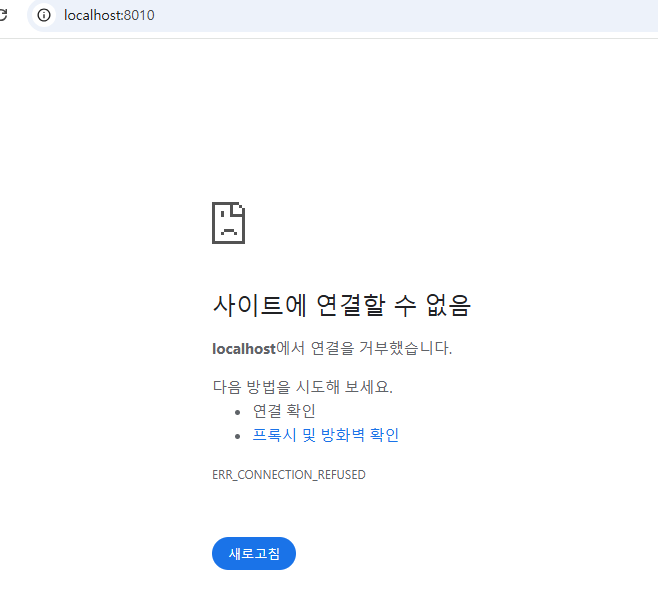
포트 포워딩을 수정하면?
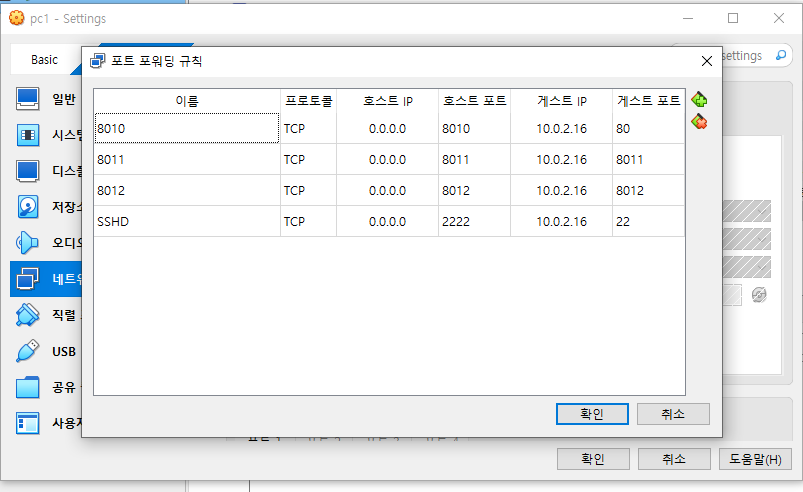
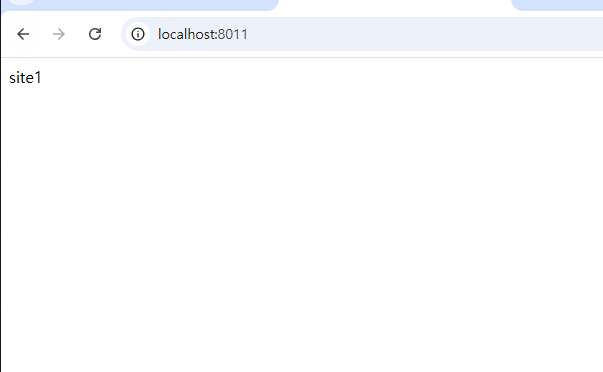
아주 잘나옴