✋ 구현 기능 목표
로그인 회원가입 마이 페이지
게시판(페이지네이션)
websocket(채팅)
filter, Interceptor..AOP
Dependencies
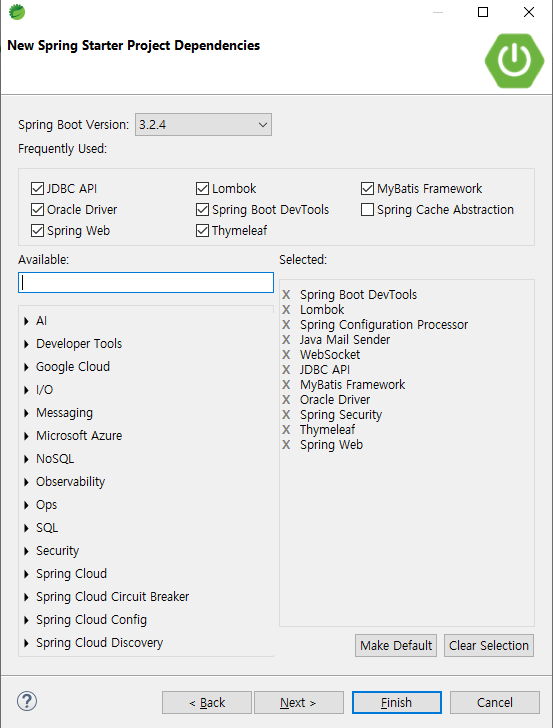
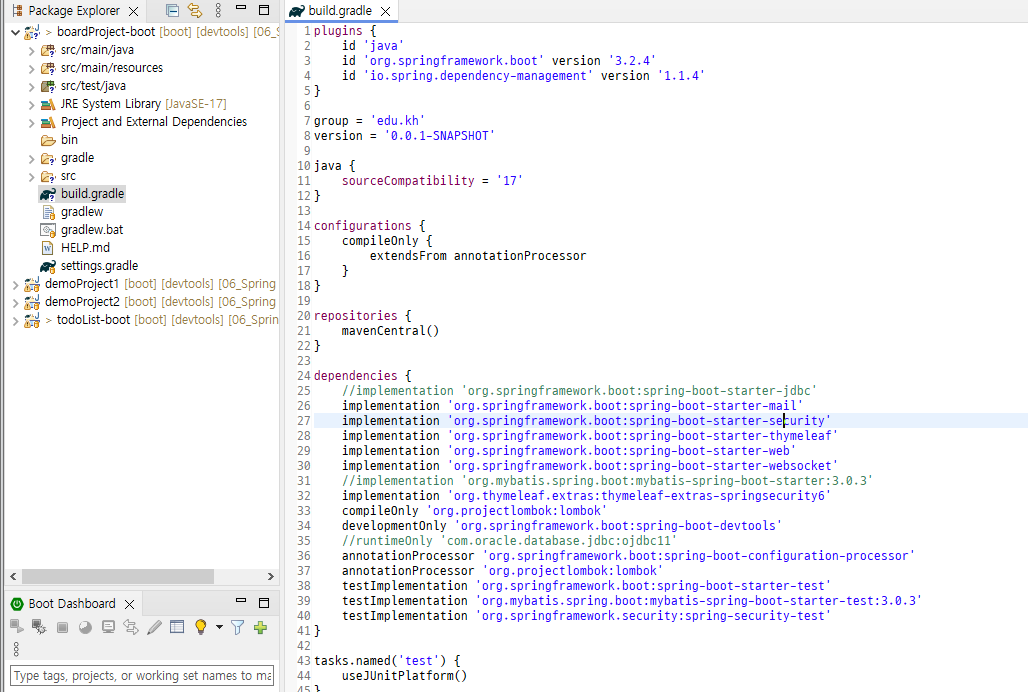
✅ 주석 처리 + gradle 리프레시 후 서버 정상 생성 여부 확인
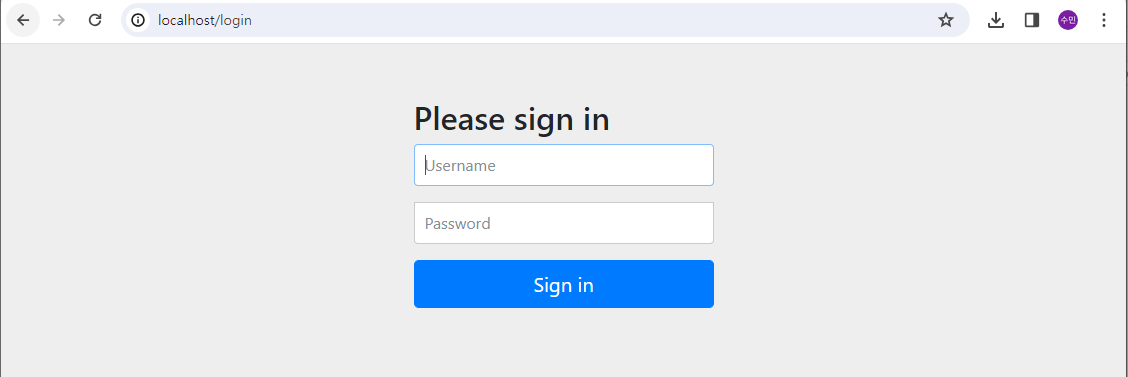
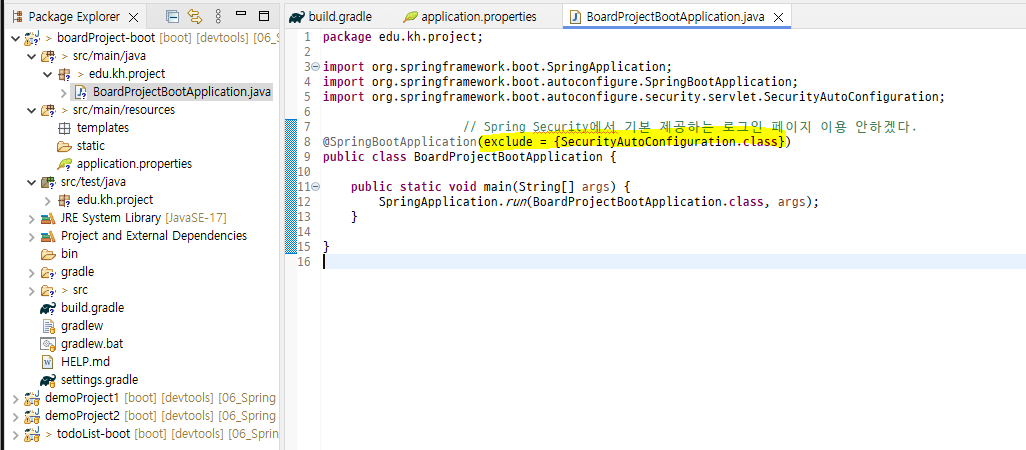
→ Spring Security 라이브러리 기본 제공 / 기본 생성 클래스에서 구문 추가하여 이용 X 처리
✅ application.properties 설정
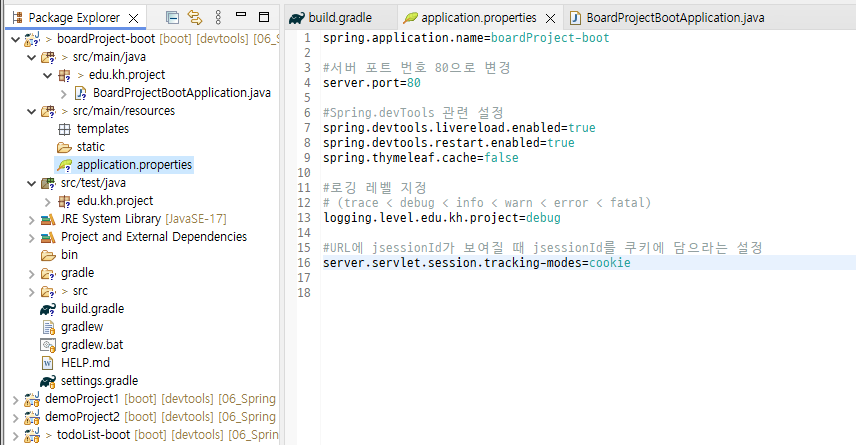
쿠키(클라이언트 관리) vs 세션(서버에서 관리)
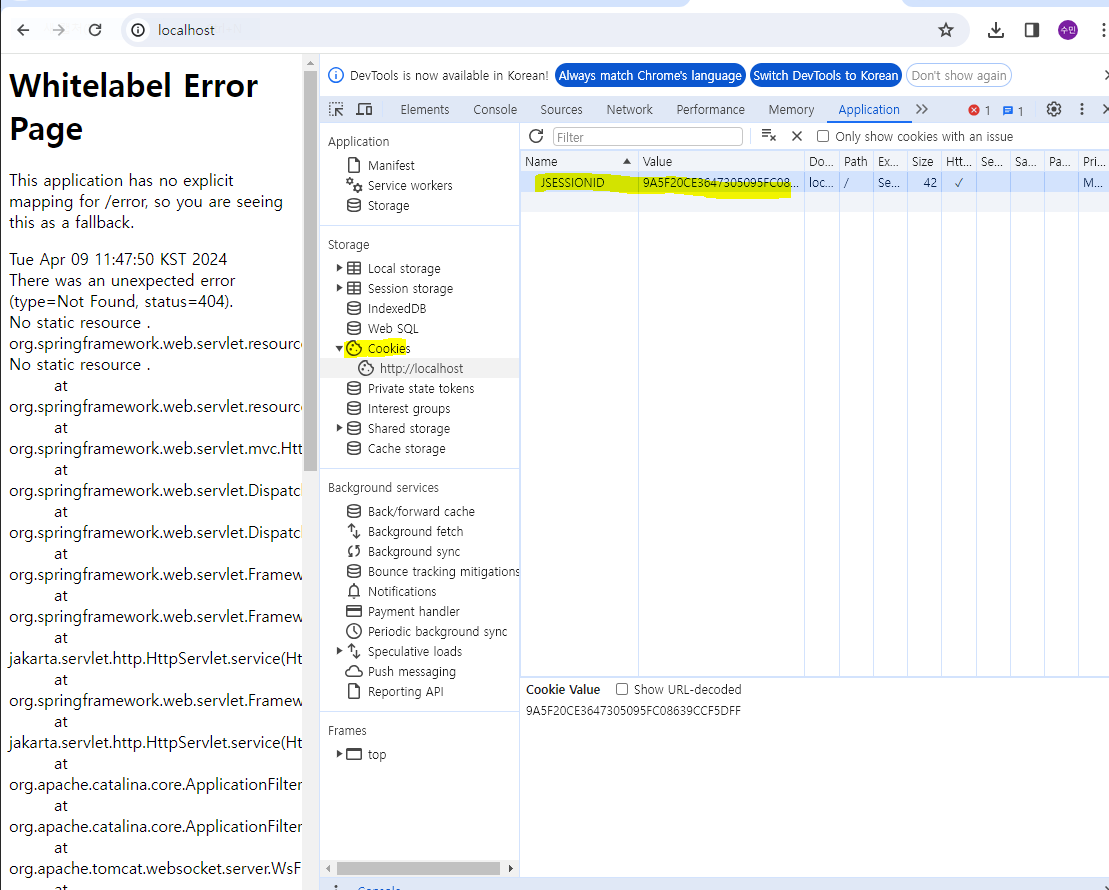
✅ src/main/resources 폴더에 이전 사용 파일 옮기기
config.properties (DB 연결 정보 - 계정 수정)
mybatis-config.xml
✅ DBConfig.java 파일 옮기고 gradle 주석 제거 후 리프레시
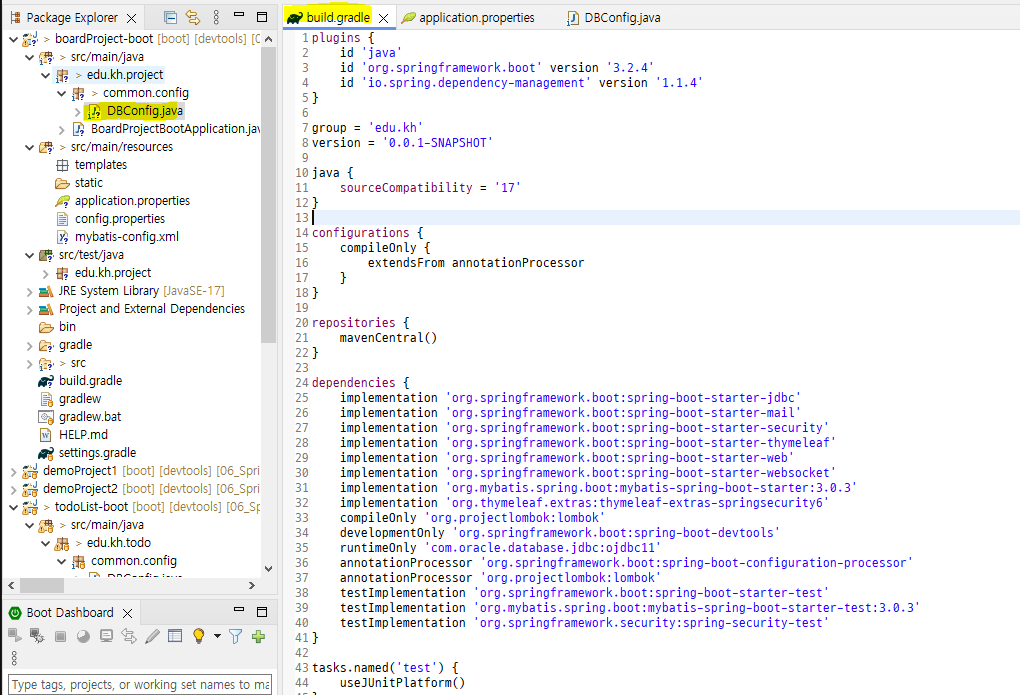
✅ DBConfig 부분 수정
→ 클래스패스 하위에 mappers 폴더 생성 및 별칭 수정
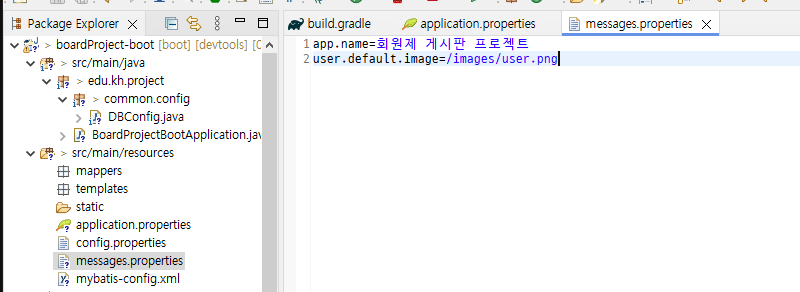
✅ messages.propertis 파일 생성
- 정적 텍스트 관리, 다국어 지원 등의 역할
✅ html, css, img 강사님 공유 파일 다운 받아 각 경로에 세팅
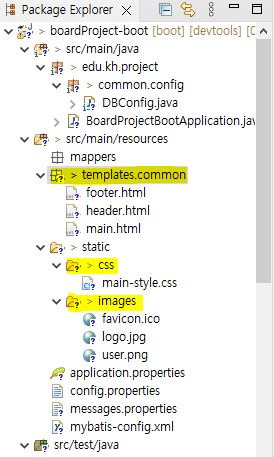
main.html
- css, header, footer, js 연결
<!DOCTYPE html>
<html lang="en" xmlns:th="http://www.thymeleaf.org">
<head>
  <meta charset="UTF-8">
  <meta name="viewport" content="width=device-width, initial-scale=1.0">
  <title th:text="#{app.name}">messages.properties 값 출력</title>

  <!-- templates/common/common.html 조각으로 추가 -->
  <th:block th:replace="~{common/common}"></th:block>

</head>
<body>

  <main>

    <!-- common/header.html 을 조각으로 추가 -->
    <th:block th:replace="~{common/header}"></th:block>
    <!-- 메인 페이지 내용  -->
    <section class="content">

      <section class="content-1"></section>

      <section class="content-2">
        <!-- 로그인, 회원가입 버튼 -->

          <!-- 로그인 박스 -->
          <form action="/member/login" method="POST" id="loginForm">
            <fieldset class="id-pw-area">

              <!-- 아이디/비밀번호 입력 -->
              <section>
                <input type="text"
                       name="memberEmail"
                       placeholder="이메일">

                <input type="password"
                       name="memberPw"
                       placeholder="비밀번호">
              </section>

              <!-- 로그인 버튼 -->
              <section>
                <button>로그인</button>
              </section>
            </fieldset>

            <label>
              <!-- label 태그 : input 태그의 제목을 나타내는 태그  -->
              <input type="checkbox" name="saveId">
              아이디 저장
            </label>

            <article class="signup-find-area">

              <a href="/member/signup">회원가입</a>

              <span> | </span>
              <a href="#">ID/PW 찾기</a>
            </article>

          </form>

      </section>

    </section>
  </main>

  <!-- common/footer 추가 -->
  <th:block th:replace="~{common/footer}"></th:block>
  <script src="/js/main.js"></script>
</body>
</html>
📌 Member 세팅
- DTO, Service(Interface), mapper(Interface + xml), 컨트롤러 세팅
❗ member-mapper.xml 만들 때 next 항목 까먹지 말고 설정
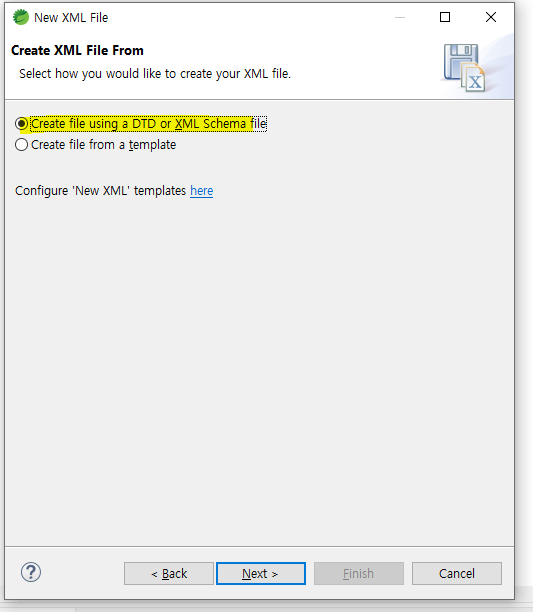
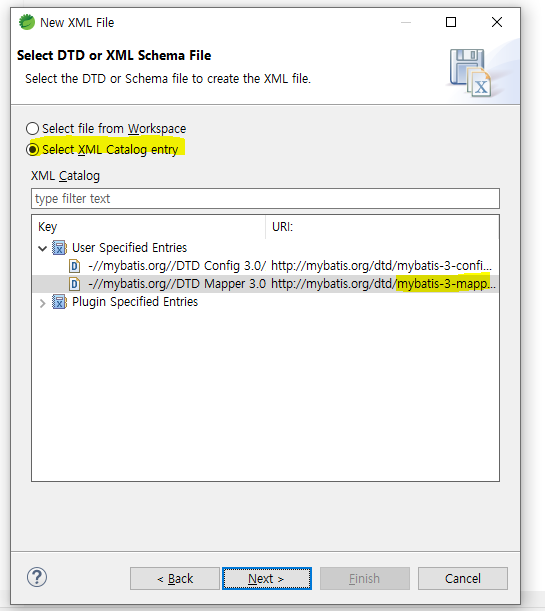
✅ 컨트롤러, 서비스, 매퍼 Bean 등록 및 주입
@Controller
@Slf4j
@RequestMapping("member")
public class MemberController {

	@Autowired // 의존성 주입(DI)
	private MemberService service;
}


↑ (Service 어노테이션이 사용하여 상속 관계 MemberService 의존성 주입 가능)

@Transactional(rollbackFor = Exception.class) // 해당 클래스 메서드 종료 시 까지
			   // - 예외(RuntimeException)가 발생하지 않으면 commit
			   // - 예외(RuntimeException)가 발생하면 rollback
@Service // 비즈니스 로직 처리 역할
public class MemberServiceImpl implements MemberService {

    // 등록된 bean 중에서 같은 타입 또는 상속관계인 bean을
	// 자동으로 의존성 주입
	@Autowired
	private MemberMapper mapper;
}

↑ == 등록된 bean 중에서 같은 타입 또는 상속관계인 bean

@Mapper
public interface MemberMapper {

}
↑ member-mapper.xml 네임스페이스 속성 설정
<mapper namespace="edu.kh.project.member.model.mapper.MemberMapper">
	<!--
		namespace에 연결할 Mapper 인터페이스 패키지명+인터페이스명 작성
		- 매퍼 인터페이스 메서드 호출 시 xml 파일에 작성된 태그 중
		  메서드명과 같은 id를 가진 SQL이 수행됨
	-->
</mapper>