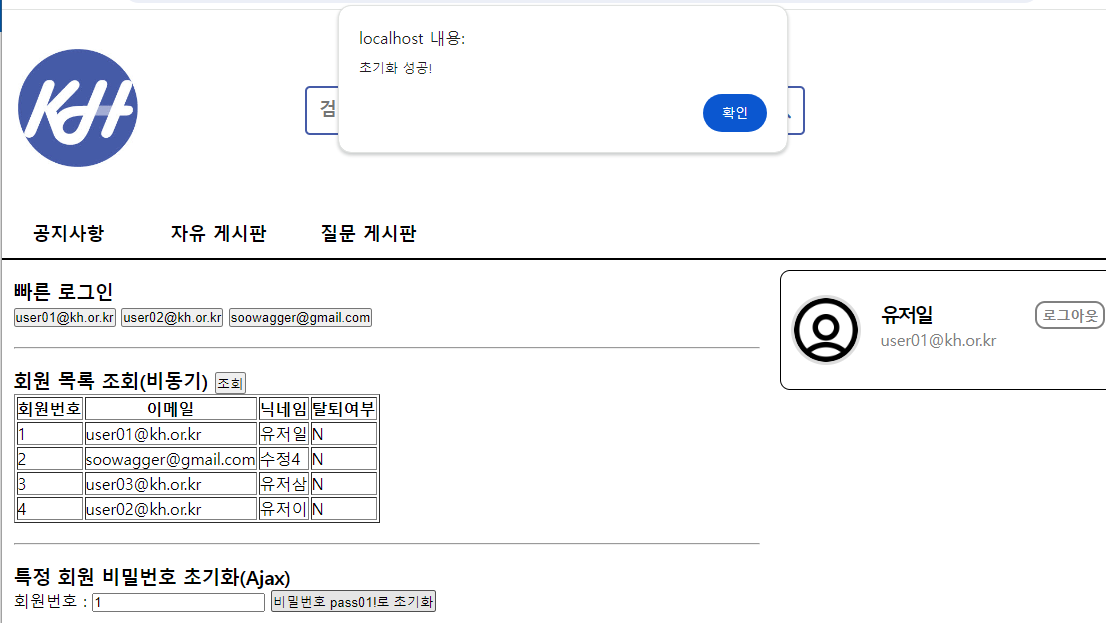
6. 메인페이지 - 비동기 예제
main.html 추가
<section class="content">
<section class="content-1">
<h3>빠른 로그인</h3>
<button class="quick-login">user01@kh.or.kr</button>
<button class="quick-login">user02@kh.or.kr</button>
<button class="quick-login">soowagger@gmail.com</button>
<hr>
<h3>
회원 목록 조회(비동기)
<button id="selectMemberList">조회</button>
</h3>
<table border="1">
<thead>
<th>회원번호</th>
<th>이메일</th>
<th>닉네임</th>
<th>탈퇴여부</th>
</thead>
<tbody id="memberList">
</tbody>
</table>
<hr>
<h3>특정 회원 비밀번호 초기화(Ajax)</h3>
<div>
회원번호 :
<input type="text" id="resetMemberNo">
<button id="resetPw">비밀번호 pass01!로 초기화</button>
</div>
<hr>
<h3>특정 회원(회원번호) 탈퇴 복구(Ajax)</h3>
<div>
회원번호 :
<input type="text" id="restorationMemberNo">
<button id="restorationBtn">복구하기</button>
</div>
</section>
6-1) 빠른 로그인
main.js
const quickLoginBtns = document.querySelectorAll(".quick-login");
quickLoginBtns.forEach( (item, index) => {
item.addEventListener("click", () => {
const email = item.innerText;
location.href = "/member/quickLogin?memberEmail=" + email;
});
});
6-2) 회원 목록 조회(비동기)
main.js
const selectMemberList = document.querySelector("#selectMemberList");
const memberList = document.querySelector("#memberList");
const createTd = (text) => {
const td = document.createElement("td");
td.innerText = text;
return td;
}
selectMemberList.addEventListener("click", () => {
fetch("/member/selectMemberList")
.then(resp => resp.json())
.then(list => {
console.log(list);
memberList.innerHTML = "";
list.forEach( (member, index) => {
const keyList = ['memberNo', 'memberEmail', 'memberNickname', 'memberDelFl'];
const tr = document.createElement("tr");
keyList.forEach( key => tr.append( createTd(member[key])) )
memberList.append(tr);
});
});
});
6-3) 특정 회원 비밀번호 초기화(Ajax)
const resetMemberNo = document.querySelector("#resetMemberNo");
const resetPw = document.querySelector("#resetPw");
resetPw.addEventListener("click", () => {
const inputNo = resetMemberNo.value;
if(inputNo.trim().length == 0) {
alert("회원 번호를 입력해주세요.");
return;
}
fetch("/member/resetPw", {
method : "PUT",
headers : {"Content-Type" : "application/json"},
body : inputNo
})
.then(resp => resp.text())
.then(result => {
if(result > 0) {
alert("초기화 성공!");
} else {
alert("해당 회원이 존재하지 않습니다 :-(");
}
});
});