1. React & Spring
React는 보통 node.js를 서버로 많이씀
React와 Spring을 실무에서 같이 쓰지는 않을 것임
둘다 무겁고, 용량이 크기 때문
1) React 앱 생성 후 폴더 정리
yarn create react-app react-spring-app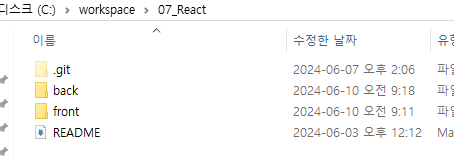
2) Spring 프로젝트 생성
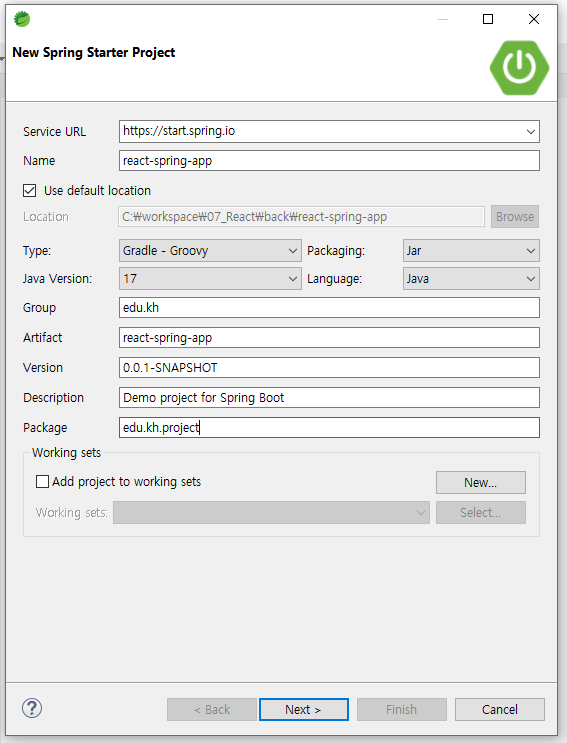
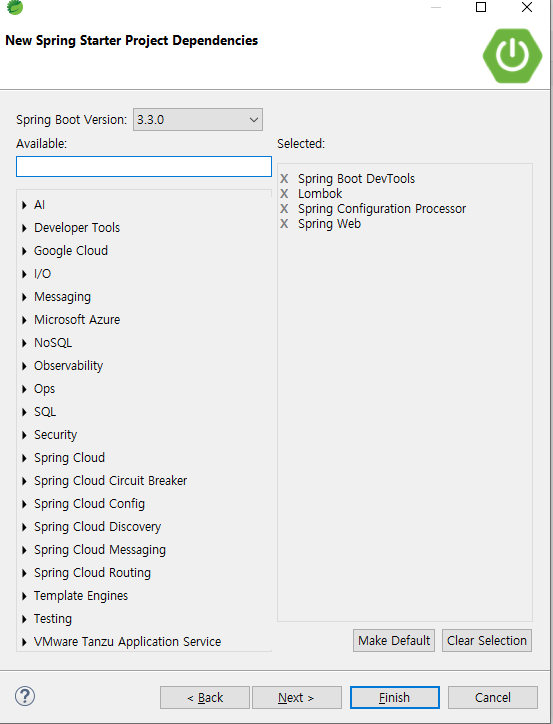
DB까지는 안가고 기본 통신만 할 예정이기 때문에 디펜던시스 기본만 추가
Spring 포트번호 80번 지정
3) React 비동기 요청 구문 작성
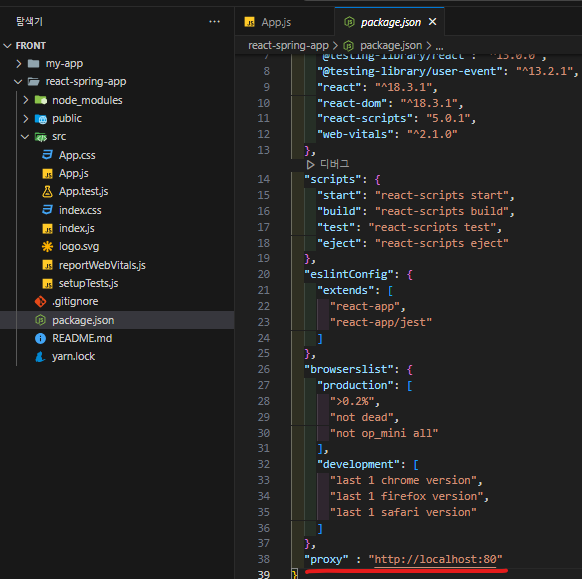
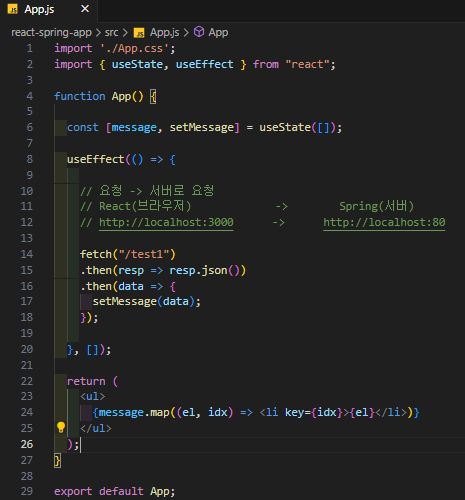
간단하게 테스트 하기 위해 별도 컴포넌트 생성 없이 App.js에서 테스트
4) Spring 서버 응답 내보내기
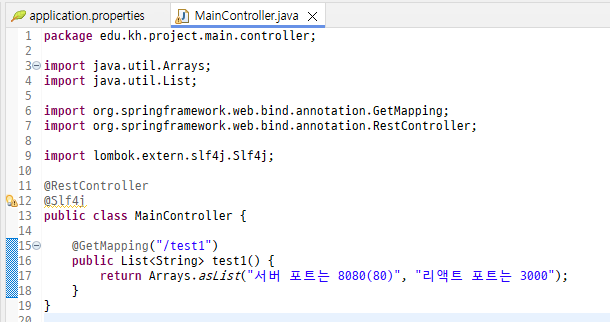

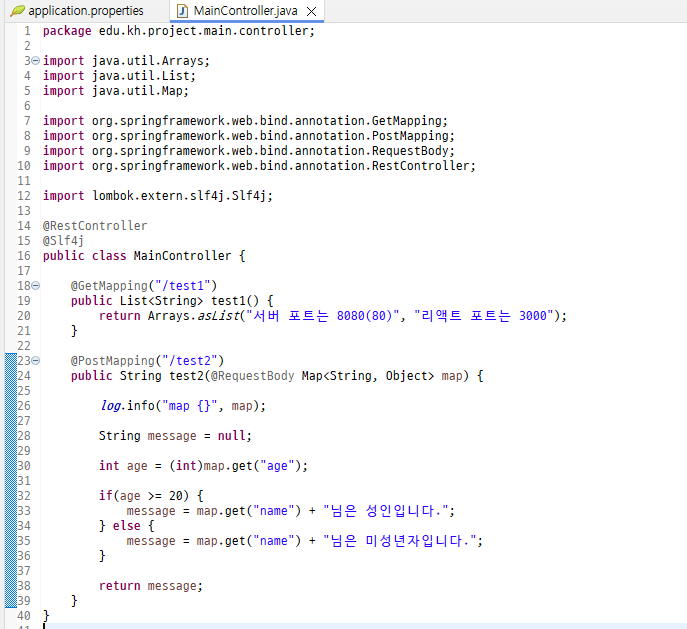
5) fetch / axios 비교
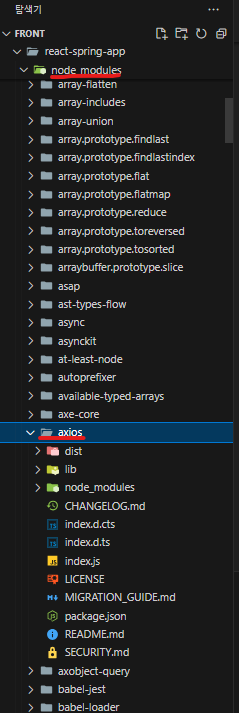
axios 설치 및 import명 변경 체크
import './App.css';
import { useState, useEffect } from "react";
import axios from "axios";

function App() {

  const [message, setMessage] = useState([]);
  const [message2, setMessage2] = useState("");
  const [message3, setMessage3] = useState("");

  useEffect(() => {

    // 요청 -> 서버로 요청
    // React(브라우저)             ->        Spring(서버)
    // http://localhost:3000      ->      http://localhost:80

    fetch("/test1")
    .then(resp => resp.json())
    .then(data => {
      setMessage(data);
    });

  }, []);

  const handleClick = () => {
    fetch("/test2", {
      method : 'post',
      headers : {"Content-Type" : "application/json"},
      body : JSON.stringify({
        name : "홍길동",
        age : 15
      })
    })
    .then(resp => resp.text())
    .then(data => setMessage2(data));

  }


  const axiosTest = () => {

    axios.post("/test2", {
      name : "김유저",
      age : 17
    })
    .then(resp => {
      console.log(resp);

      setMessage3(resp.data);

    })
  }

  // * axios
  // - 브라우저 및 node.js 환경에서 비동기 요청을 쉽게 처리할 수 있게 해주는 Javascript 라이브러리
  // - 터미널에서 npm / yarn 통해 설치
  // $ npm install axios
  // $ yarn add axios

  // 1. post 요청 시 데이터를 자동으로 JSON 데이터 형태로 처리해주므로,
  //    fetch와 달리 JSON.stringify를 명시적으로 호출할 필요가 없음
  // 2. 응답을 JSON으로 자동 파싱해주기 때문에, fecth 처럼 두번째 then으로 응답을 파싱할 필요가 없음
  // 3. header와 body를 명시적으로 설정하지 않아도 된다.
  //    headers의 경우에는 기본적으로 Content-Type : application/json으로 설정되어 있음
  //    단, headers 내용 변경 시 명시적으로 작성해야 함
  //    ex) headers : {'Authorization' : 'Bearer {token}'}


  return (
    <ul>
      {message.map((el, idx) => <li key={idx}>{el}</li>)}

      <hr />

      <button onClick={handleClick}>fetch로 서버 통신</button>
      <br />
      <h1>{message2}</h1>

      <hr />

      <button onClick={axiosTest}>axios로 서버 통신</button>
      <br />
      <h1>{message3}</h1>

    </ul>
  );
}

export default App;