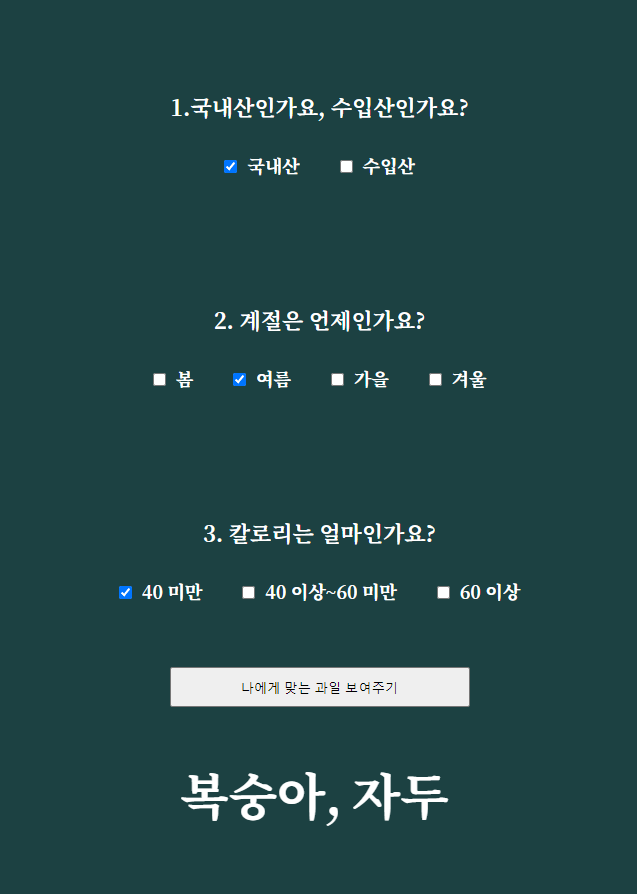
[JavaScript] 취향에 맞는 과일 추천해주기 를 리액트로 리팩토링 해보기
function App () {
    // 과일 목록
    const fruitArr = [
        {fruit: "딸기", producer: "국내산", season: "봄", calorie: 27},
        {fruit: "체리", producer: "수입산", season: "봄", calorie: 60},
        {fruit: "키위", producer: "수입산", season: "봄", calorie: 55},
        {fruit: "파인애플", producer: "수입산", season: "봄", calorie: 55},
        {fruit: "오렌지", producer: "국내산", season: "봄", calorie: 47},
        {fruit: "수박", producer: "국내산", season: "봄", calorie: 131},
        {fruit: "복숭아", producer: "국내산", season: "여름", calorie: 34},
        {fruit: "자두", producer: "국내산", season: "여름", calorie: 34},
        {fruit: "망고", producer: "수입산", season: "여름", calorie: 68},
        {fruit: "블루베리", producer: "수입산", season: "여름", calorie: 56},
        {fruit: "사과", producer: "국내산", season: "여름", calorie: 57},
        {fruit: "배", producer: "국내산", season: "가을", calorie: 51},
        {fruit: "감", producer: "국내산", season: "가을", calorie: 54},
        {fruit: "포도", producer: "국내산", season: "가을", calorie: 58},
        {fruit: "귤", producer: "국내산", season: "가을", calorie: 46},
        {fruit: "대추(생대추)", producer: "국내산", season: "가을", calorie: 104},
        {fruit: "자몽", producer: "수입산", season: "가을", calorie: 35},
        {fruit: "레몬", producer: "수입산", season: "겨울", calorie: 45},
        {fruit: "멜론", producer: "수입산", season: "겨울", calorie: 35},
        {fruit: "바나나", producer: "수입산", season: "봄,여름,가을,겨울", calorie: 80}
    ]

    // 변하는 것 :
    // 1. 레디오 체크 여부 (체크, 해제, 변경은 세모)
    const [isCheck, setIsCheck] = useState([]);

    // 2. 선택한 체크 리스트들
    const [chkedList, setChkedList] = useState({
        producer: "",
        season: "",
        calorie: "",
    });

    // 3. 사용자에게 추천해줄 과일 리스트
    const [recFruitList, setRecFruitList] = useState([]);

    // 4. 칼로리 필터로 걸러진 값
    const [finalCalorie, setFinalCalorie ] = useState([]);

    // 5. 결과보기 버튼
    const [isButtonClicked, setIsButtonClicked] = useState(false);

	// radio 클릭했을 때
    const handleRadio = (e) => {
        // step 1.체크한 값이 A배열에 담긴다.
        let { name, value } = e.target;

        setChkedList((prev) => ({
            ...prev,
            [name]: value,
        }));
    }

	// 렌더링 될 때
    useEffect(() => {
    	// step 2-1. 선택한 칼로리 범위에 해당하는 과일을 거른다.
        let calorieFilter = [];
        if (chkedList.calorie === "0") {
            calorieFilter = fruitArr.filter((fruit) => fruit.calorie < 40);
        } else if (chkedList.calorie === "40") {
            calorieFilter = fruitArr.filter((fruit) => fruit.calorie > 40 && fruit.calorie < 60);
        } else if (chkedList.calorie === "60") {
            calorieFilter = fruitArr.filter((fruit) => fruit.calorie > 60);
        }
        // step 2-2. 거른 값을 setFinalCalorie에 넣어준다.
        setFinalCalorie(calorieFilter);

    }, [chkedList])

	// 버튼 클릭했을 때
    const handleButton = () => {
        // step 3. fruitArr에서 chkedList 기준으로 필터링한 값을 recFruitList에 넣어준다.
        const filteredFruits = fruitArr.filter((fruit) => {
            const matchProducer = chkedList.producer ? fruit.producer === chkedList.producer : true;
            const matchSeason = chkedList.season ? fruit.season.includes(chkedList.season) : true;
            const matchCalorie =
                chkedList.calorie === "0"
                    ? fruit.calorie < 40
                    : chkedList.calorie === "40"
                        ? fruit.calorie >= 40 && fruit.calorie < 60
                        : chkedList.calorie === "60"
                            ? fruit.calorie >= 60
                            : true;

            // 모든 조건이 일치하는 경우만 포함
            return matchProducer && matchSeason && matchCalorie;
        });

        setRecFruitList(filteredFruits);

        // 결과보기 텍스트 띄우기
        setIsButtonClicked(true);
    };


	// 선택지 목록
    const options = {
        producer: ["국내산", "수입산"],
        season: ["봄", "여름", "가을", "겨울"],
        calorie: [
            { value: "0", label: "40 미만" },
            { value: "40", label: "40 이상~60 미만" },
            { value: "60", label: "60 이상" },
        ],
    };

    return (
        <div className="App">
            {Object.entries(options).map(([key, values], index) => (
                <div className="wrap" key={index}>
                    <h6>{index + 1}. {key === "producer" ? "국내산인가요, 수입산인가요?" : key === "season" ? "계절은 언제인가요?" : "칼로리는 얼마인가요?"}</h6>
                    {values.map((value, idx) => (
                        <label key={idx}>
                            <input
                                type="radio"
                                name={key}
                                value={value.value || value}
                                onChange={handleRadio}
                            />
                            {value.label || value}
                        </label>
                    ))}
                </div>
            ))}
            <button onClick={handleButton}>
                나에게 맞는 과일 보여주기
            </button>
            <div className="result">
                {recFruitList.length > 0 ? (
                    recFruitList.map((fruit, index) => (
                        <div key={index}>
                            <p>{fruit.fruit}</p>
                        </div>
                    ))
                ) : (
                    isButtonClicked && <p>조건에 맞는 과일이 없습니다.</p>
                )}
            </div>
        </div>
    );
}
export default App;
useEffect를 사용한 이유
리액트는 상태 업데이트가 비동기적으로 처리되므로, 상태 변경 직후 콘솔 로그를 찍으면 아직 렌더링 전이기 때문에 이전 값이 출력된다. useEffect는 상태가 변경되고 렌더링이 완료된 후에 작업을 실행하므로, 최신 상태를 반영한 콘솔 로그를 확인할 수 있다.
handleButton 기능
    const handleButton = () => {
        const filteredFruits = fruitArr.filter((fruit) => {
            const matchProducer = chkedList.producer ? fruit.producer === chkedList.producer : true;
            const matchSeason = chkedList.season ? fruit.season.includes(chkedList.season) : true;
            const matchCalorie =
                chkedList.calorie === "0"
                    ? fruit.calorie < 40
                    : chkedList.calorie === "40"
                        ? fruit.calorie >= 40 && fruit.calorie < 60
                        : chkedList.calorie === "60"
                            ? fruit.calorie >= 60
                            : true;
            return matchProducer && matchSeason && matchCalorie;
        });
        setRecFruitList(filteredFruits);
        setIsButtonClicked(true);
};- 과일 목록과 선택 목록을 비교하고, matchProducer, matchSeason, matchCalorie 모두 true를 반환하면 해당 과일은 필터링된 리스트에 포함된다.
- 필터링된 과일들을 setRecFruitList(filteredFruits)로 상태에 저장하여 화면에 출력할 수 있게 한다.
- setIsButtonClicked(true)를 호출하여 결과보기 버튼이 클릭되었음을 표시한다.
선택지 목록
<label><input type="checkbox" name="producer" value="국내산" />국내산</label>
<label><input type="checkbox" name="producer" value="수입산" />수입산</label>
<label><input type="checkbox" name="season" value="봄" />봄</label>
<label><input type="checkbox" name="season" value="여름" />여름</label>
.
.
.
▲ 반복되는 코드를 간결화 하고 싶었다.
const options = {
	producer: ["국내산", "수입산"],
	season: ["봄", "여름", "가을", "겨울"],
	calorie: [
		{ value: "0", label: "40 미만" },
		{ value: "40", label: "40 이상~60 미만" },
		{ value: "60", label: "60 이상" },
	],
};

{Object.entries(options).map(([key, values], index) => (
	<div className="wrap" key={index}>
		<h6>{index + 1}. {key === "producer" ? "국내산인가요, 수입산인가요?" : key === "season" ? "계절은 언제인가요?" : "칼로리는 얼마인가요?"}</h6>
			{values.map((value, idx) => (
				<label key={idx}>
                  <input
                      type="radio"
                      name={key}
                      value={value.value || value}
                      onChange={handleRadio}
                  />
                  {value.label || value}
				</label>
			))}
	</div>
))}
- object.entries() : 객체를 배열로 변환해주는 메서드. [key, value] 쌍의 배열로 변환함
<label key={idx}>
  <input value={value.value || value} />
  {value.label || value}
</label>- 만약 value.value가 truthy라면, 그 값을 반환하고 falsy라면, value 자체를 반환한다.
- typeof value === "object" ? value.value : value 와 동일
- input의 value와 화면에 보여지는 텍스트 값이 다르기 때문에 (calorie) value.label도 truthy&falsy 이용해 출력함

개인공부