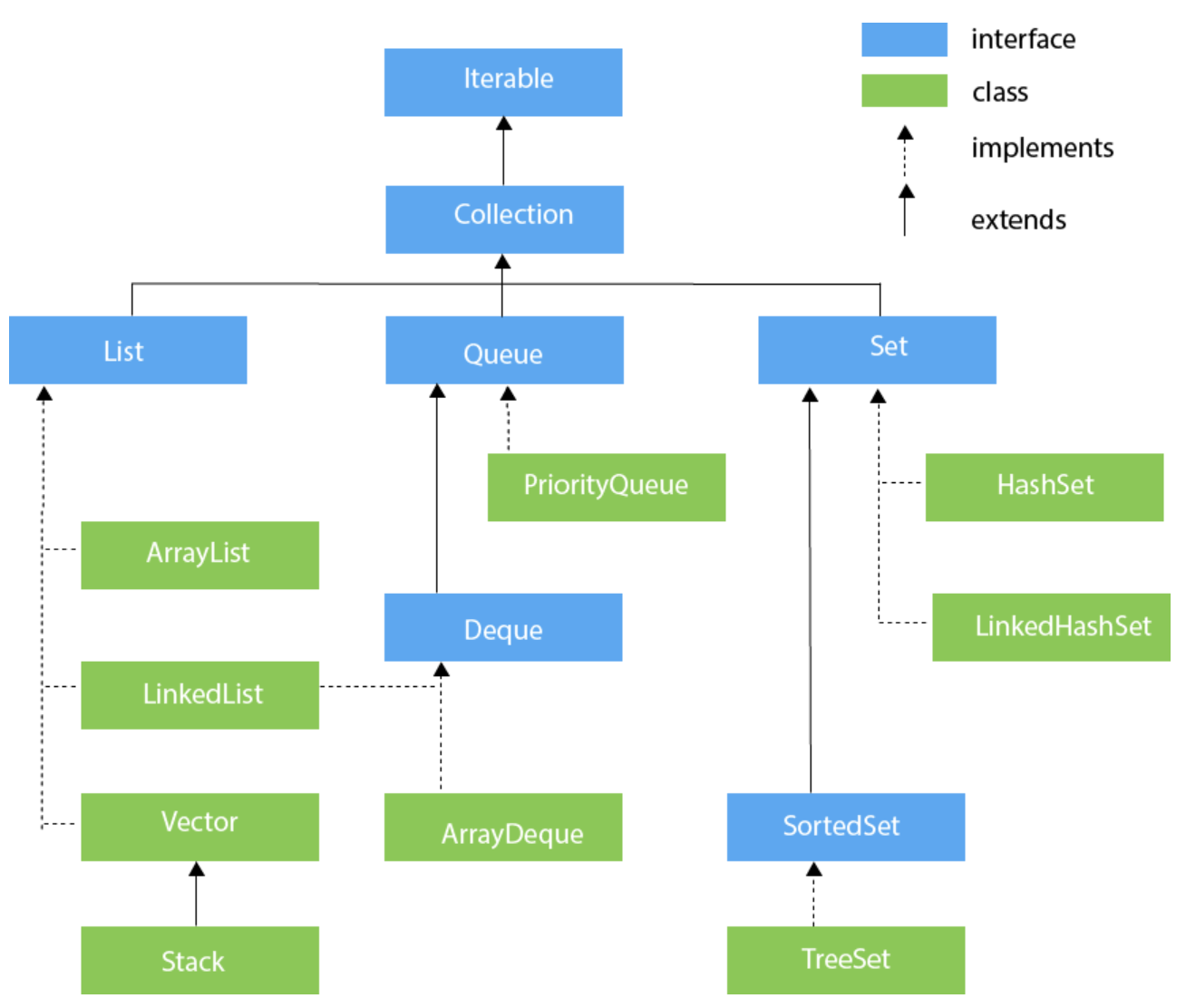
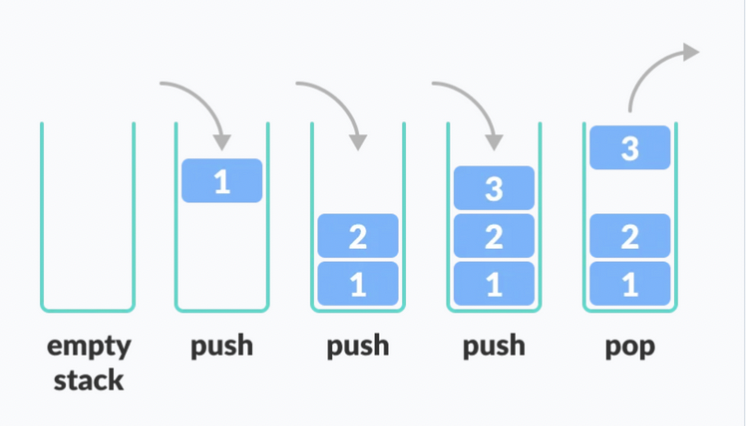
Stack
- last in, first out
- 입력 1 2 3 4 => 출력 4 3 2 1
package me.day21.collection.stack;

import java.util.List;
import java.util.Stack;

class Book {
    private String title;

    public Book() {
    }

    public Book(String title) {
        this.title = title;
    }

    @Override
    public String toString() {
        return "Book{" +
                "title=" + title +
                '}';
    }
}

public class StackExample {
    public static void main(String[] args) {
        Stack<Book> books = new Stack<>(); // Set 으로 왜 캐스팅 안하냐

        // push()
        books.push(new Book("Harry Potter"));

        // add() : Stack 이 Vector 상속 하므로 List 인터페이스 메소드도 사용 가능
        books.add(new Book("Christmas Carol"));

        // addAll()
        // List.of()
        books.addAll(List.of(
                new Book("Effective Java"), new Book("Clean Code"), new Book("Spring Framework Bible")));

        System.out.println("books = " + books);
        System.out.println("books.size() = " + books.size());
        System.out.println();

        // get(i)
        for (int i = 0; i < books.size(); i++) {
            System.out.println("books.get(i) = " + books.get(i));
        }
        System.out.println();

        // peek() : 스택에서 맨 위의(맨 뒤에 삽입한) 객체를 가져옴 (제거 ❌)
        Book peekBook = books.peek();
        System.out.println("peekBook = " + peekBook);
        System.out.println("books = " + books);
        System.out.println("books.size() = " + books.size());
        System.out.println();

        // pop() : 스택에서 맨 위의 객체를 가져옴 (제거 ⭕️)
        Book popBook = books.pop();
        System.out.println("popBook = " + popBook);
        System.out.println("books = " + books);
        System.out.println("books.size() = " + books.size());
        System.out.println();

        // remove() : Stack 이 Vector 상속 하므로 List 인터페이스 메소드도 사용 가능
        // Stack의 순서 무시 하므로 권장하지 않음
        Book popBook2 = books.remove(1);
        System.out.println("popBook2 = " + popBook2);
        System.out.println("books = " + books);
        System.out.println("books.size() = " + books.size());
        System.out.println();

        // 삽입의 역순(맨 위의) 꺼내옴 (제거O)
        while(!books.isEmpty()) {
            System.out.println("books.pop() = " + books.pop());
        }
    }
}
Queue
- first in, first out
- 입력 1 2 3 4 => 출력 1 2 3 4
ADT: 추상적인 자료구조- queue는 인터페이스!
- 인터페이스만 있고, LinkedList가 구현 (실제 객체는 LinkedList에 저장)

``java
public class QueueExample {
public static void main(String[] args) {
System.out.println("========= 큐 =========");
    // Queue는 순서대로 유지하면 되므로 LinkedList를 사용해서 구현
    Queue<Student> queue = new LinkedList<>();
// List queue = new LinkedList<>(); 와 다른 점은 Queue 인터페이스의 api 이용??
    // offer()
    queue.offer(new Student("20211111", "이순신"));
    queue.offer(new Student("20219873", "자바킹"));
    queue.offer(new Student("20212222", "이제이"));
    queue.offer(new Student("20171234", "이텔리"));
    queue.offer(new Student("20045555", "이초잉"));

    // add(), addAll(List.of())
    // Queue는 LinkedList로 구현하므로 List 인터페이스 메소드도 사용 가능
    queue.add(new Student("20089212", "이수근"));
    queue.addAll(List.of(
            new Student("20011222", "강호동"),
            new Student("20071231", "유재석")));
    System.out.println("queue = " + queue);
    System.out.println("queue.size() = " + queue.size());
    System.out.println();

    // peek() : 큐 원소 가져옴 (제거 ❌)
    Student peekStudent = queue.peek();
    System.out.println("peekStudent = " + peekStudent);
    System.out.println("queue = " + queue);
    System.out.println("queue.size() = " + queue.size());
    System.out.println();

    // poll() : 큐 원소 가져옴 (제거 ⭕️)
    Student pollStudent = queue.poll();
    System.out.println("pollStudent = " + pollStudent);
    System.out.println("queue = " + queue);
    System.out.println("queue.size() = " + queue.size());
    System.out.println();

    //
    while (!queue.isEmpty()) {
        Student pollStudent2 = queue.poll();
        System.out.println("pollStudent2 = " + pollStudent2);
        System.out.println("queue = " + queue);
        System.out.println("queue.size() = " + queue.size());
        System.out.println();
    }
    System.out.println();


    System.out.println("========= 우선 순위 큐=========");

    // 우선순위가 존재하는 Queue (최소 힙 / 최대 힙을 통해 구현)
    PriorityQueue<Student> priorityQueue = new PriorityQueue<>();

    // offer()
    // PriorityQueue Queue에 원소 추가
    priorityQueue.offer(new Student("20211111", "이순신"));
    priorityQueue.offer(new Student("20219873", "자바킹"));
    priorityQueue.offer(new Student("20212222", "이제이"));
    priorityQueue.offer(new Student("20171234", "이텔리"));
    priorityQueue.offer(new Student("20045555", "이초잉"));

    // poll()
    while (!priorityQueue.isEmpty()) {
        Student pollStudent2 = priorityQueue.poll();
        System.out.println("pollStudent2 = " + pollStudent2);
        System.out.println("priorityQueue = " + priorityQueue);
        System.out.println("priorityQueue.size() = " + priorityQueue.size());
        System.out.println();
    }
    System.out.println();
}
}
