Bean
Bean : 객체
Bean Container : 객체를 담아두는 컨테이너 (보관)
- 나중에 가져다가 꺼내서 쓰면 됨
Inversion of Control, IOC
Dependency, 의존 관계
- 스프링이 알아서 객체를 생성하고 의존 관계를 주입한다.
chapter 01
- bean 등록, 저장, 사용
- bean 등록 설정 (java, xml로 설정 가능/둘 다 알아야함)
- 빈 설정 방법
-
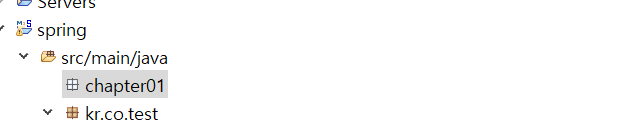
spinrg 내 src/main/java 안에 chapter01 패키지 만들어서 시작
-
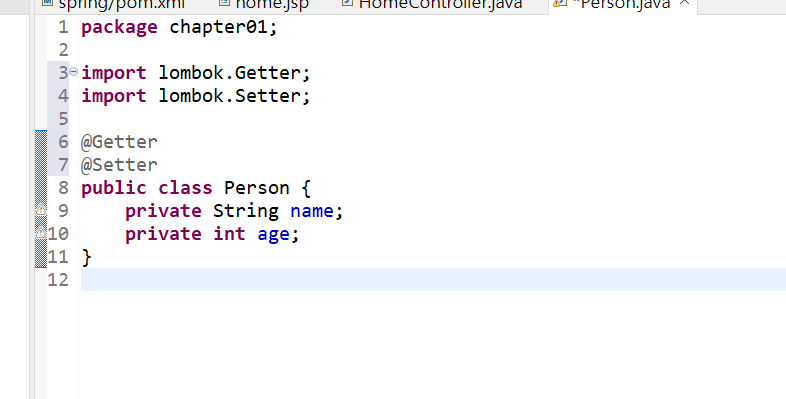
Person.java 작성 => Person 객체 생성
bean을 등록할 때 꼭 알아야 할 것
- 빈 이름, 타입(class)
- 두 가지를 알아야 등록하고 꺼낼 수 있다.
bean Configuration File
<?xml version="1.0" encoding="UTF-8"?>
<beans xmlns="http://www.springframework.org/schema/beans"
	xmlns:xsi="http://www.w3.org/2001/XMLSchema-instance"
	xsi:schemaLocation="http://www.springframework.org/schema/beans http://www.springframework.org/schema/beans/spring-beans.xsd">

	<bean id="person" class="chapter01.Person"></bean>
</beans>
bean 설정 파일을 생성하고, bean의 id를 설정해준다. class는 미리 만들어둔 class에 연결한다.
- bean은 tomcat 실행하면 생성되고, container로 들어간다. 꺼내 쓰기만 하면 됨
String name, int age 라는 속성을 가진 Person 객체를 만들고 각각 value를 xml 파일에서 설정해보자
package chapter01;

import lombok.Getter;
import lombok.Setter;
import lombok.ToString;

@Getter
@Setter
@ToString
public class Person {
	private String name;
	private int age;
}
xml 파일 코드
<bean id="person" class="chapter01.Person">
	<property name="name">
		<value>홍길동</value>
	</property>
	<property name="age">
		<value>30</value>
	</property>
</bean>
차곡 차곡 기록 쌓기