소프트웨어 테스트
결함확인 - 에러 사전방지 - 시간절약 - 구조 개선 - 품질개선 - 확장성
테스트 전략 3가지
End to End Tests(E2E) / Integration Tests(통합테스트) / Unit Tests(단위 테스트)
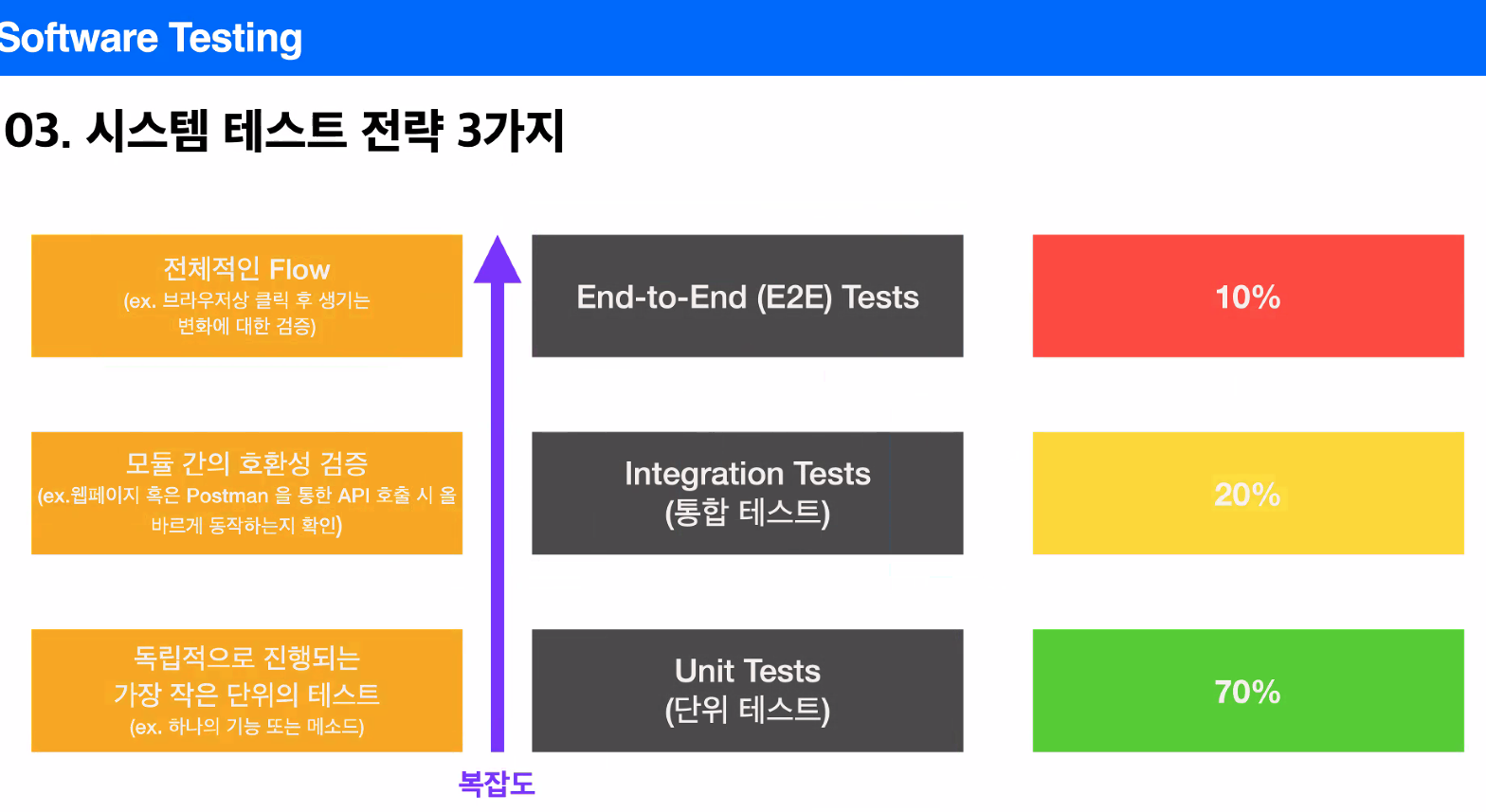
각 테스트별로 사용할 수 있는 툴이 있음.
(Ex) E2E - Cypress / Integration - Postman / unit - code
code coverage : 테스트가 코드를 얼마나 커버하는지에 대한 정보
함수 / 구문 / 조건 / 분기 커버리지 등
jest 커맨드라인 참고 : https://dev.to/pat_the99/basics-of-javascript-test-driven-development-tdd-with-jest-o3c
toBeGreaterThan, toBeLessThan, toBeCloseTo etc etc
기본 테스트 시 오류(npm test specified와 비슷한) 가 지속 발생하였으나,
vscode를 껐다 켜니까 실행이 되었음...(or npm i -D jest)
//terminal 실행 명령어 순서
1. npm init -y // for making json file
2. npm i --save-dev jest // test library
> after download, need to change "test" in "script" to "jest"
like "script " : { "test" : "jest" or "jest --coverage"}
3. npm test
// simple test
---------------------------------------------------------------
//sum.js
function sum(a, b) {
return a + b
}
module.exports = sum
//sum.test.js
const sum = require('./sum')
test('properly adds two numbers', () => {
expect(
sum(1, 2)
).toBe(3)
})
-----------------------------------------------------------------
// subtract.js
function subtract(a, b) {
return a - b
}
module.exports = subtract
//subtract.test.js
const subtract = require('./subtract')
test('properly calculat ed two numbers', () => {
expect(
subtract(1, 2)
).toBe(-1)
})
--------------------------------------------------------------------
// cloneArray.js
function cloneArray(array){
return [...array]
}
module.exports = cloneArray
// cloneArray.test.js
const cloneArray = require('./cloneArray')
test('properly clones array', ()=>{
const array = [1, 2, 3]
expect(cloneArray(array)).toEqual(array)
expect(cloneArray(array)).not.toBe(array)
})
// expect toBe, toEqual, not.toBe,
------------------------------------------------------------------ < jest —coverage 의 html 파일을 live server 로 실행시킨 모습>
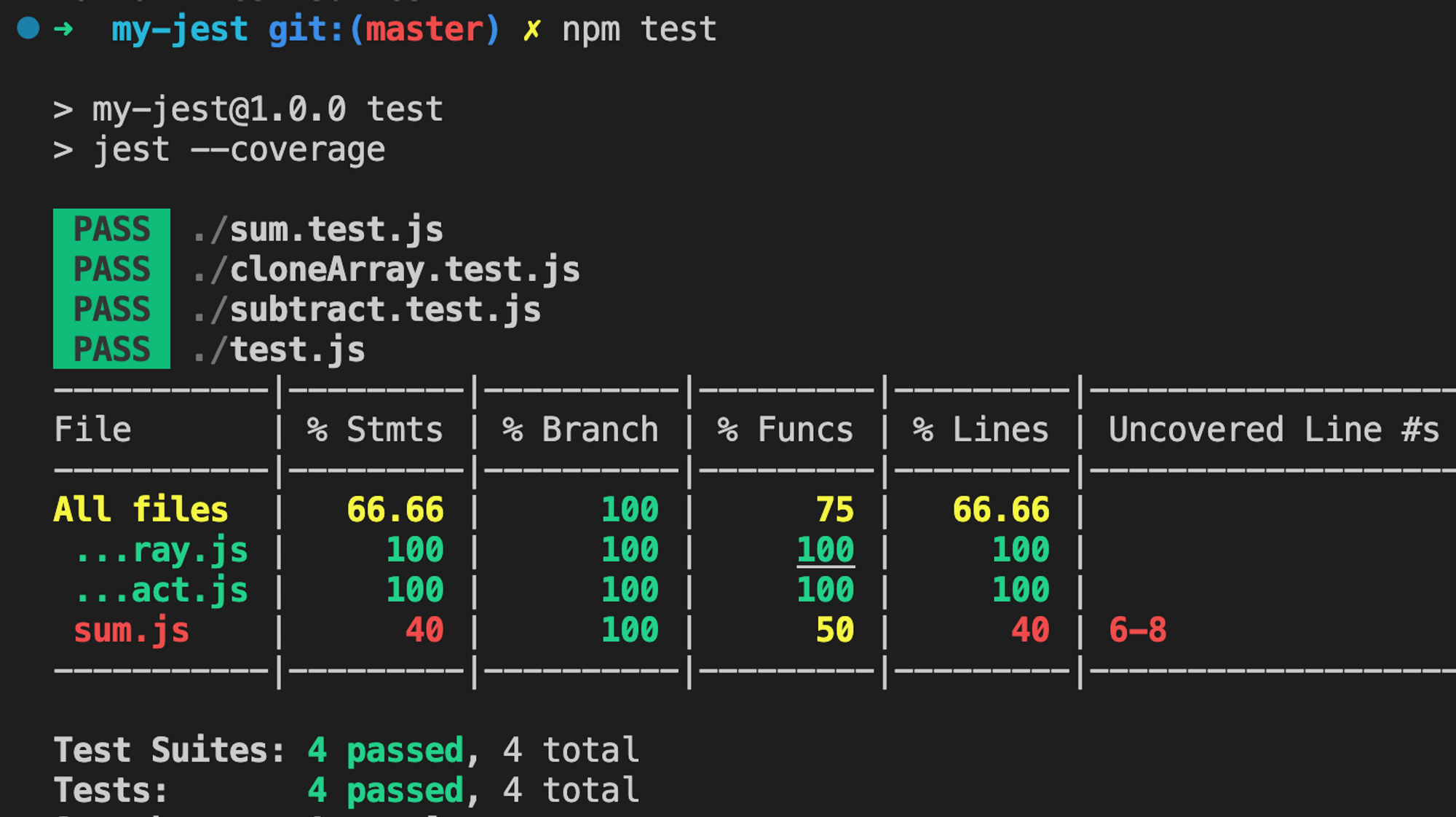
그림 과 같이 테스트에 포함되지 않는 내용이 들어가면 npm test 를 통해 확인할 수 있다(붉은색 표기 부분)
에러 메시지 작성시 메시지가 안맞으면 실행안됨
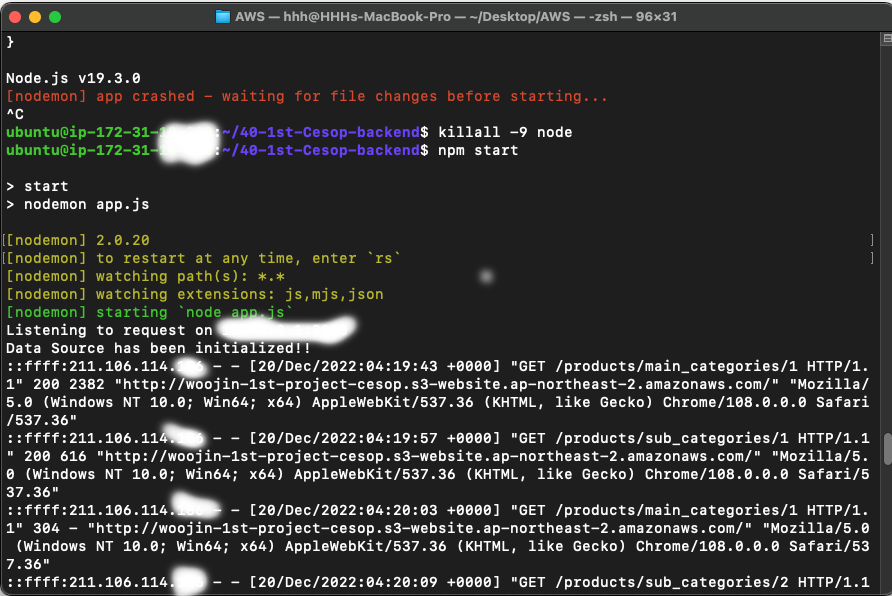
https://www.notion.so/Node-js-a0fd82293cc747c5af98f0db43a6ccf7