사이드 프로젝트 하면서 Alert 모달 사용을 위해 둘러보던 중 SweetAlert2라는 라이브러리를 처음 알게 되었다.
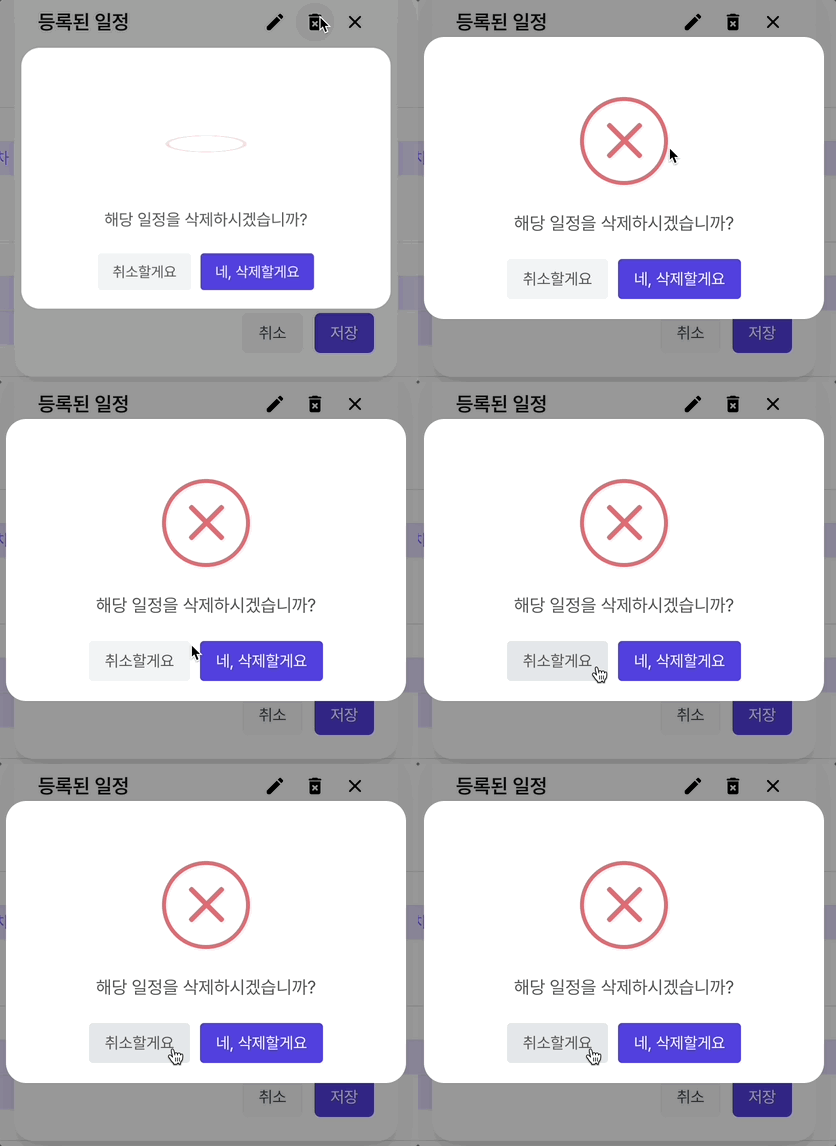
무엇보다 사용이 간단하고, icon을 띄울 때 기본 제공되는 애니메이션이 맘에 들어서 도입하게 되었다.

SweetAlert2란
Javascript로 만들어진 모달(Alert) 라이브러리로, A beautiful, responsive, customizable, accessible 하다고 한다😍
설치 방법
npm install sweetalert2사용 방법
import Swal from "sweetalert2"

const result = await Swal.fire({
      text: "해당 일정을 삭제하시겠습니까?",
      icon: "warning",
      iconColor: "#ffcd1e",
      showCancelButton: true,
      confirmButtonColor: "#3085d6",
      cancelButtonColor: "#d33",
      cancelButtonText: "취소할게요",
      confirmButtonText: "네, 삭제할게요",
      customClass: {
        popup: "custom-popup",
        actions: "custom-action",
        confirmButton: "custom-confirm-button", // 확인 버튼 커스텀 클래스
        cancelButton: "custom-cancel-button", // 취소 버튼 커스텀 클래스
      },
      reverseButtons: true, // 버튼 순서를 뒤집음
      buttonsStyling: false,
    });
주요 속성
- title : 알림의 제목
- text : 알림의 본문 텍스트
- icon : 알림의 아이콘(success, error, warning, info, - question)
- confirmButtonText : 확인 버튼의 텍스트
- cancelButtonText : 취소 버튼의 텍스트
- timer : 모달이 자동으로 닫히는 시간 (ms 단위)
- input : 사용자 입력 필드 (text, number, email 등)
- customClass : 스타일 커스터마이징을 위한 클래스 설정
- didOpen : 모달이 열릴 때 실행할 콜백 함수
적용 화면

🐥집요함과 꾸준함🪽