
개요
대용량 트래픽에 관해 공부하던 중 우아한테크에서 선착순 이벤트에 관한 발표 영상을 보았다.
어떤 내용이 있었는지 정리하고, 선착순 이벤트에 대한 가설을 세워 대용량 트래픽 관리 구현을 시도해보려 한다.
목표
- 순간적인 대용량 트래픽을 소화한다.
- 이벤트에 영향받지 않도록 일반 주문을 위한 장애 격리를 구현한다.
큐 시스템
- 모든 이벤트 대상에게 번호표를 발급한다.
- 번호표를 발급받은 사람들을 줄 세워 대기열을 만든다.
- 대기열의 사용자에게 현재 자신의 대기 순번을 알려준다.
- 서비스가 소화할 수 있을 만큼만 입장시킨다.
Redis Sorted Set
Sorted Set은 하나의 키에 여러 개의 스코어와 값을 가지는 자료구조로, 주로 정렬이 필요한 곳에 사용된다.
- 값은 스코어로 정렬되며 중복되지 않는다.
- 스코어가 같으면 값으로 정렬된다.
명령어
- ZADD: 데이터를 추가할 때 부여한 스코어에 따라 정렬한다.
- ZRANK: 대기 중인 사용자에게 현재 대기 순번을 제공한다.
- ZRANGE: 일정한 수 만큼 리스트를 조회한다.
구현
상황
선착순 30명에게만 치킨 쿠폰을 제공하는 이벤트를 진행 중인데, 동시에 100명이 몰리는 상황이다. 순차적으로 쿠폰을 분배하며, 아직 쿠폰을 받지 못한 사람들은 자신의 대기 순번을 확인할 수 있어야 한다.
목표 2에 있는 장애 격리는 구현하지 않는다.
build.gradle
dependencies {
	implementation 'org.springframework.boot:spring-boot-starter-data-redis'
}
redis 의존성을 추가한다.
applicaion.yml
spring:
  redis:
    host: localhost
    port: 6379
Configuration
@Configuration
public class RedisConfig {

    @Bean
    public RedisConnectionFactory redisConnectionFactory() {
        return new LettuceConnectionFactory("localhost", 6379);
    }

    @Bean
    public RedisTemplate<?, ?> redisTemplate() {
        RedisTemplate<?, ?> redisTemplate = new RedisTemplate<>();
        redisTemplate.setConnectionFactory(redisConnectionFactory());
        return redisTemplate;
    }
}
redis와 서버를 연결하고 상호작용하는 설정을 작성한다.
Entity
@Getter
public enum Event {

    CHICKEN("치킨");

    private final String name;

    Event(String name) {
        this.name = name;
    }
}
@Entity
@Getter
@NoArgsConstructor
public class EventCount {
@Id
@GeneratedValue(strategy = GenerationType.IDENTITY)
private Long id;
private Event event;
private int limit;
private static final int END = 0;
public EventCount(Event event, int limit) {
this.event = event;
this.limit = limit;
}
public synchronized void decrease() {
this.limit--;
}
public boolean end() {
return this.limit == END;
}
}decrease() 메서드를 통해 제한 수를 감소시키고, end() 메서드로 제한 수가 0인지를 검사한다.
@Entity
@Getter
@NoArgsConstructor
public class Coupon {

    @Id
    @GeneratedValue(strategy = GenerationType.IDENTITY)
    private Long id;

    @Enumerated(EnumType.STRING)
    private Event event;
    private String code;

    public Coupon(Event event) {
        this.event = event;
        this.code = UUID.randomUUID().toString();
    }
}
Service
@Slf4j
@Service
@RequiredArgsConstructor
public class CouponService {

    private final RedisTemplate<String, Object> redisTemplate;

    private static final long FIRST_ELEMENT = 0;
    private static final long LAST_ELEMENT = -1;
    private static final long PUBLISH_SIZE = 10;
    private static final long LAST_INDEX = 1;
    private EventCount eventCount;

    public void setEventCount(Event event, int queue) {
        this.eventCount = new EventCount(event, queue);
    }

    public void addQueue(Event event) {
        final String people = Thread.currentThread().getName();
        final long now = System.currentTimeMillis();

        redisTemplate.opsForZSet().add(event.toString(), people, (int) now);
        log.info("사용자 '{}'이(가) 이벤트 '{}'의 대기열에 추가되었습니다. 시간: {}", people, event.getName(), now);
    }

    public void getOrder(Event event) {
        final long start = FIRST_ELEMENT;
        final long end = LAST_ELEMENT;

        Set<Object> queue = redisTemplate.opsForZSet().range(event.toString(), start, end);

        for (Object people : queue) {
            Long rank = redisTemplate.opsForZSet().rank(event.toString(), people);
            log.info("사용자 '{}'의 현재 대기 순번은 {}번 입니다. 이벤트: '{}'", people, rank, event.getName());
        }
    }

    public void publish(Event event) {
        final long start = FIRST_ELEMENT;
        final long end = PUBLISH_SIZE - LAST_INDEX;

        Set<Object> queue = redisTemplate.opsForZSet().range(event.toString(), start, end);
        for (Object people : queue) {
            final Coupon coupon = new Coupon(event);
            log.info("사용자 '{}'에게 이벤트 '{}'의 쿠폰이 발급되었습니다. 쿠폰 코드: {}", people, event.getName(), coupon.getCode());
            redisTemplate.opsForZSet().remove(event.toString(), people);
            this.eventCount.decrease();
        }
    }

    public boolean validEnd() {
        return this.eventCount != null && this.eventCount.end();
    }

    public Long getSize(Event event) {
        return redisTemplate.opsForZSet().size(event.toString());
    }
}setEventCount(): 특정 이벤트와 대기열 크기를 설정한다.addQueue(): 현재 스레드 이름을 사용자로 간주하고 이벤트 대기열에 추가하며, 현재 시간을 스코어로 사용하여 ZSet에 추가한다.getOrder(): 특정 이벤트의 대기열을 조회하고, ZSet에서 대기열 순서를 가져와 각 사용자의 순번을 로그로 출력한다.publish(): ZSet에서 일정 수의 사용자를 조회하여 쿠폰을 발급하고, 발급된 사용자를 대기열에서 제거한다.validEnd(): eventCount 객체의 end 메서드를 호출하여 남은 쿠폰 수가 0인지 확인하고 이벤트가 종료되었는지 확인한다.getSize(): Redis의 ZSet크기를 조회하여 특정 이벤트의 대기열 크기를 반환한다.
Scheduler
@Slf4j
@Component
@RequiredArgsConstructor
public class EventScheduler {

    private final CouponService couponService;

    @Scheduled(fixedDelay = 1000)
    private void chickenEventScheduler() {
        if (couponService.validEnd()) {
            log.info("===== 선착순 이벤트가 종료되었습니다. =====");
            return;
        }

        couponService.publish(Event.CHICKEN);
        couponService.getOrder(Event.CHICKEN);
    }
}
@Scheduled(fixedDelay = 1000) : 1초마다 chickenEventScheduler 메서드를 실행한다.
Test
@SpringBootTest
class CouponServiceTest {

    @Autowired
    private CouponService couponService;

    @Test
    void 선착순이벤트_100명에게_기프티콘_30개_제공() throws InterruptedException {

        final Event chickenEvent = Event.CHICKEN;
        final int people = 100;
        final int limitCount = 30;
        final CountDownLatch countDownLatch = new CountDownLatch(people);
        couponService.setEventCount(chickenEvent, limitCount);

        List<Thread> workers = Stream
                .generate(() -> new Thread(new AddQueueWorker(countDownLatch, chickenEvent)))
                .limit(people)
                .collect(Collectors.toList());

        workers.forEach(Thread::start);
        countDownLatch.await();
        Thread.sleep(5000);

        final long failEventPeople = couponService.getSize(chickenEvent);
        assertEquals(people - limitCount, failEventPeople);
    }

    private class AddQueueWorker implements Runnable {

        private CountDownLatch countDownLatch;
        private Event event;

        public AddQueueWorker(CountDownLatch countDownLatch, Event event) {
            this.countDownLatch = countDownLatch;
            this.event = event;
        }

        @Override
        public void run() {
            couponService.addQueue(event);
            countDownLatch.countDown();
        }
    }
}
선착순으로 30명에게만 치킨 쿠폰이 주어지는데, 동시에 100명의 사용자가 몰리는 상황을 테스트하는 코드이다.
workers.forEach(Thread::start): 모든 스레드를 시작한다.countDownLatch.await(): 모든 스레드가 작업을 완료할 때 까지 기다린다.Thread.sleep(5000): 5초 동안 대기하여 이벤트가 완료되도록 한다.
getSize() 를 사용하여 대기열에 남아있는 사용자의 수를 가져온다.
그리고 남아있는 사용자가 people(100) - limitCount(30) = failEventPeople(70) 과 일치하는 지 확인한다.
결과
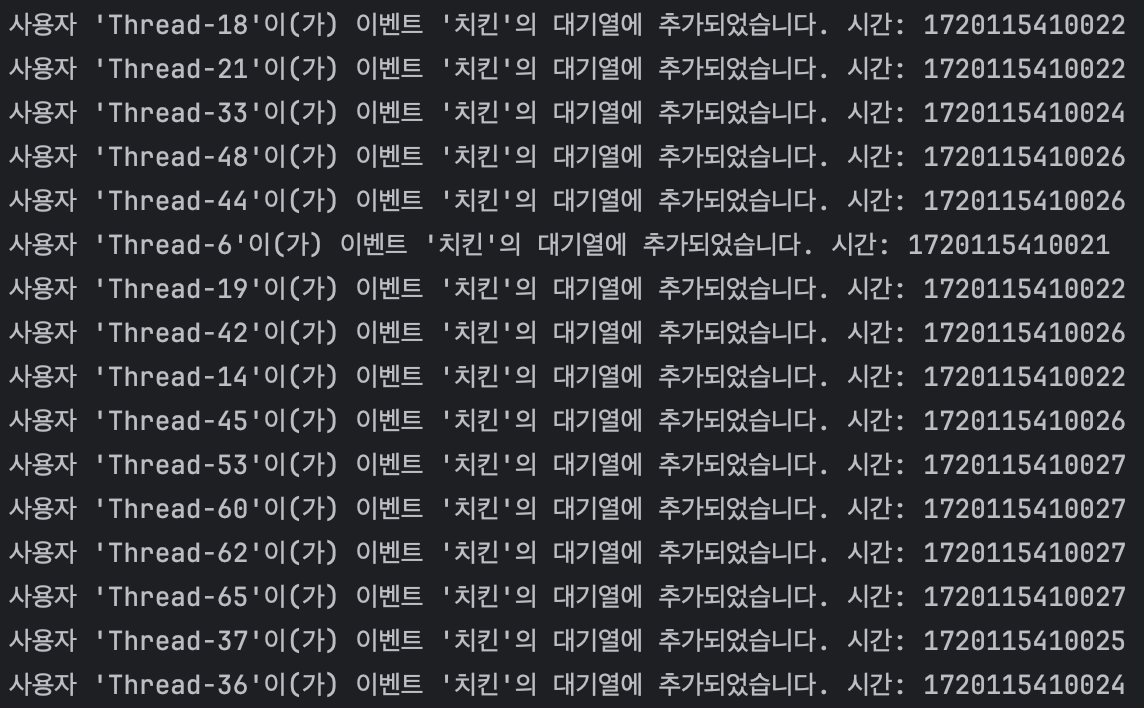
사용자들이 대기열에 등록되었다.
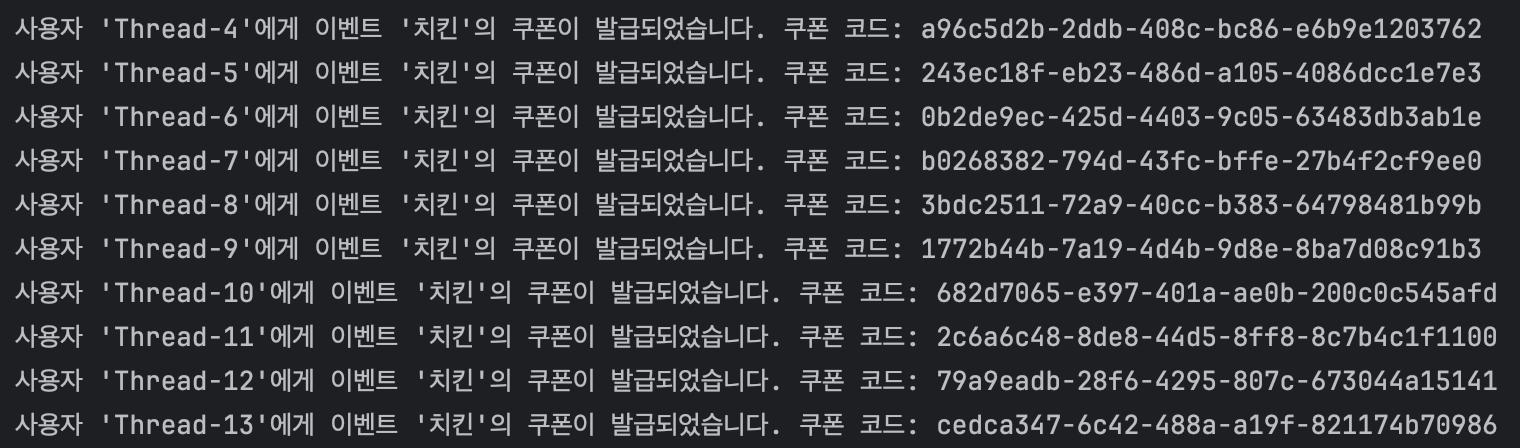
데이터베이스 부하를 줄이기 위해 10건씩 제한하여 10건의 쿠폰이 순서대로 발급되었다.
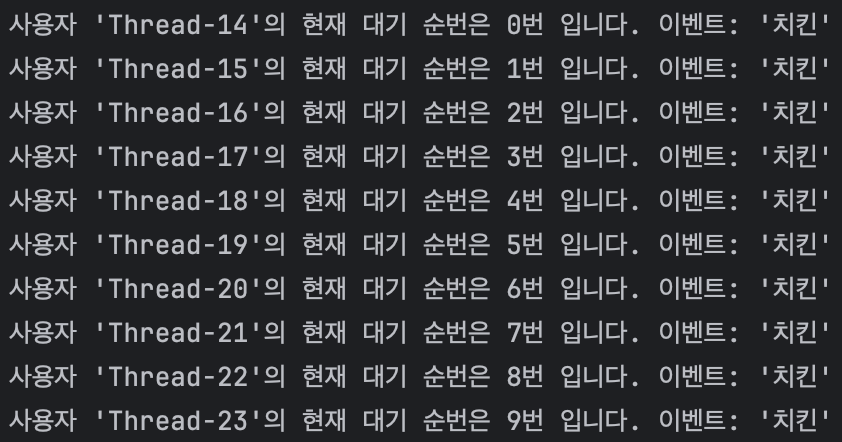
다음 순서의 사용자들에게 대기 번호가 주어졌다.

위 과정을 거쳐 선착순 30명에게 쿠폰을 발급한 후 이벤트가 종료되었다.
