[Node.js 숙련주차 개인과제 #1]
개요
- API 명세서를 작성하여, 최종적 결과물을 미리 파악합니다.
- MySQL, Prisma를 이용해 데이터베이스를 설계하고 활용합니다.
- 데이터 모델링을 통해 ERD 작성
- Prisma를 이용한 마이그레이션 코드 및 스키마 코드 작성
- JOI*을 통해 다른 Table의 데이터와 결합
- 인증 관련 기능을 구현합니다.
- JWT(AccessToken)의 이해
- 회원가입 API, 로그인 API, 내 정보 조회 API, 인증 Middleware 구현
- 상품 관련 기능에 인증 로직 추가
기술스택
- 웹 프레임워크 : Express
- 패키지 매니저 : yarn
- 모듈 시스템 : ESModule
- 데이터베이스 : MySQL
- ORM : Prisma
[요구사항]
프로젝트 순서
- 프로젝트 기본 세팅
- .env 파일을 이용하여 개인정보 관리
- .gitignore 파일을 생성해서 .env, node_modules 등 Github에 올라가지 않도록 설정
- .prettierrc 파일을 생성하여 코드형태 유지
- package.json 파일에 scripts 항목에 dev 이름 추가하여 nodemone을 이용해 서버 실행
초기 세팅
yarn init -y

yarn add express prisma @prisma/client cookie-parser jsonwebtoken

yarn add -D nodemon

npx prisma init
.prettierrc 설정
yarn add prettier -D

.prettierrc.json 기본 설정
{
  "printWidth": 80,
  "tabWidth": 2,
  "singleQuote": false,
  "trailingComma": "all"
}

package.json에 script 추가
"scripts": {
  "format": "prettier --write *.js **/*.js"
},

yarn run format
nodemone 이용하여 서버 실행
"scripts": {
  "dev": "nodemon api.js"
},
schema.prisma 작성
model Users {
  userId Int @id @default(autoincrement()) @map("userId")
  email String @unique @map("email")
  password String @map("password")
  confirmpassword String @map("confirmpassword")
  name String @map("name")

  resumes Resumes[]

  @@map("Users")
}

model Resumes {
  resumeId Int @id @default(autoincrement()) @map("resumeId")
  userId Int @map("userId")
  title String @map("title")
  content String @map("content") @db.Text
  author String @map("author")
  status Status @default(APPLY)
  createdAt DateTime @default(now()) @map("createdAt")
  updatedAt DateTime @updatedAt @map("updatedAt")

  user Users @relation(fields: [userId], references: [userId], onDelete: Cascade)

  @@map("Resumes")
}

enum Status {
  APPLY
  DROP
  PASS
  INTERVIEW1
  INTERVIEW2
  FINAL_PASS
}

model RefreshToken {
  refreshtoken String @id @map("refreshtoken")

  @@map("RefreshToken")
}

테이블과 컬럼들을 생성해주고, Users 와 Resumes를 1:N관계 설정해주었다.- 설계 API명세서 작성
-
API 명세서 작성
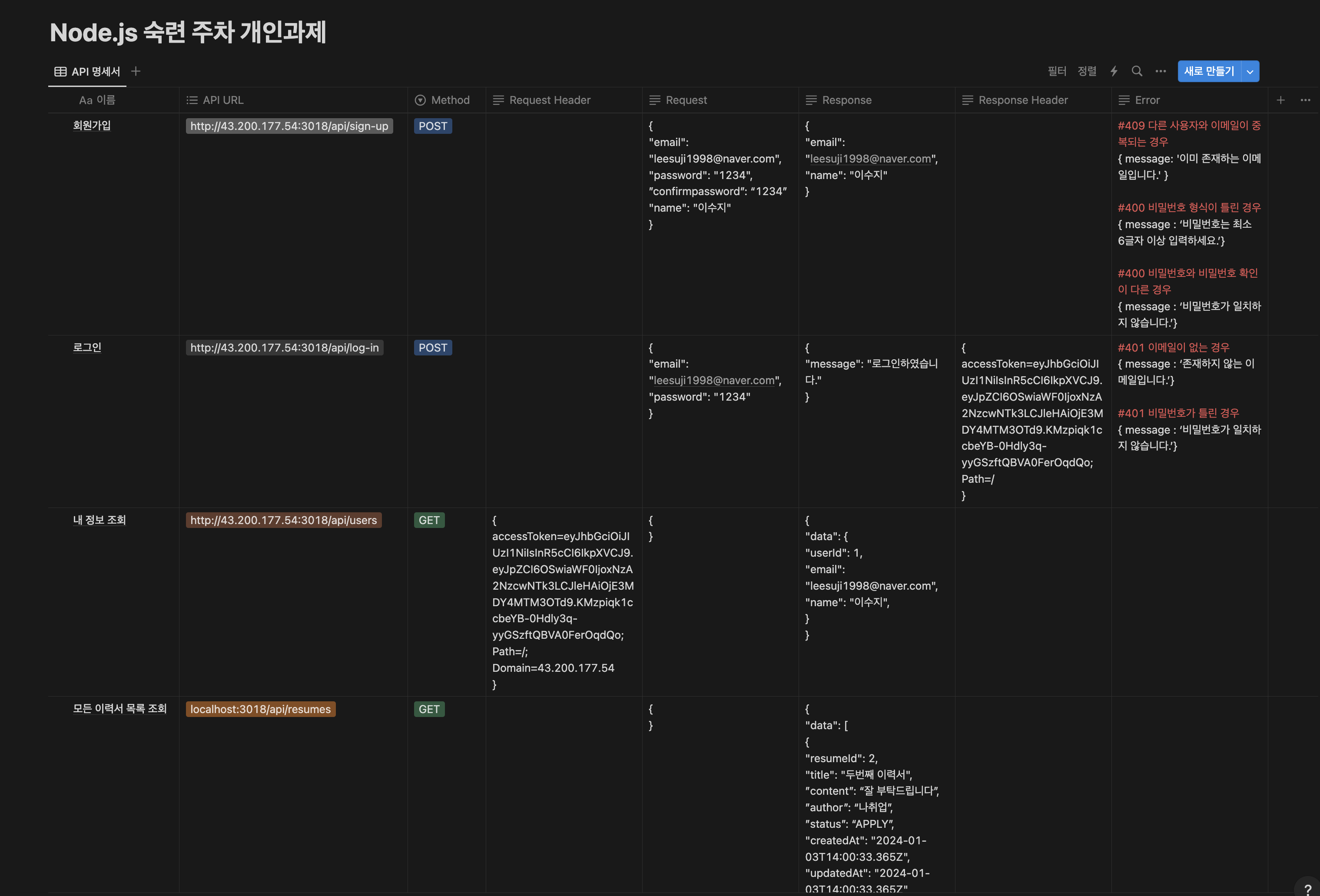
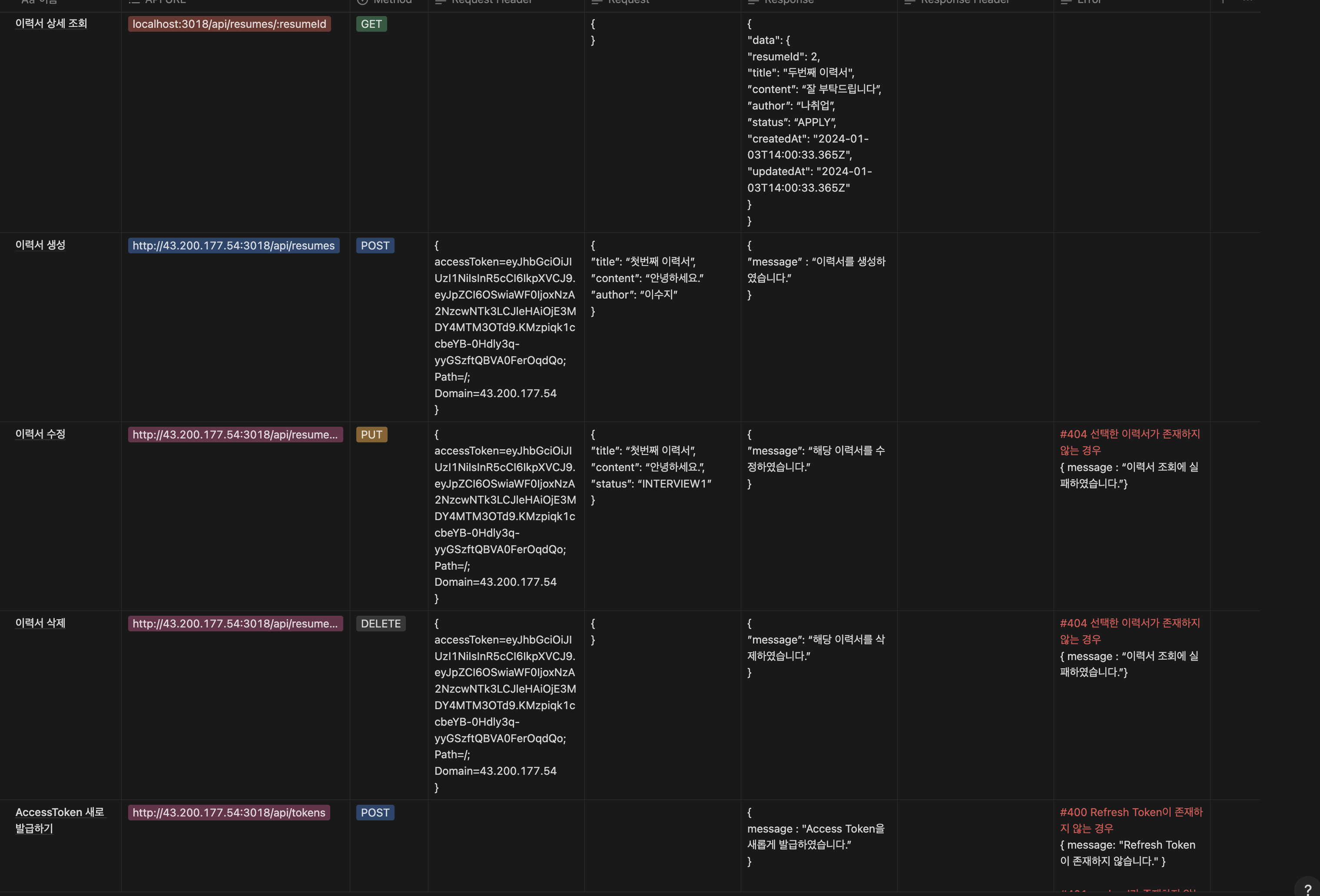
-
ERD 작성
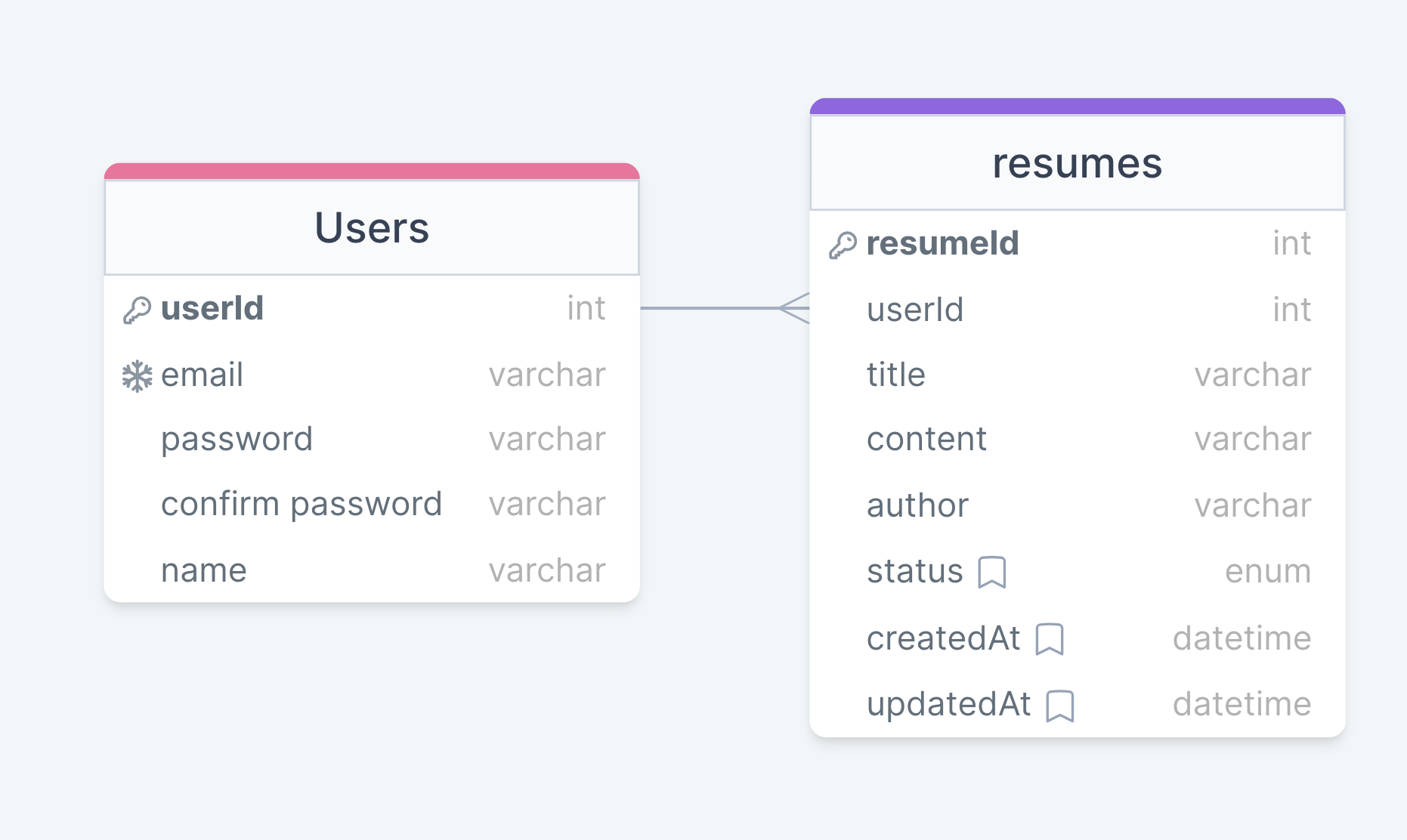
- API 생성
- 회원가입 API
- 로그인 API
- 내 정보 조회 API
- 모든 이력서 조회 API
- 이력서 상세 조회 API
- 이력서 생성 API
- 이력서 수정 API
- 이력서 삭제 API
- API 호출 도구로 동작 확인
- Insomnia 사용
- 배포
- AWS EC2 인스턴스에 프로젝트 배포
- PM2 이용하여 Express 서버가 종료되어도 다시 실행되도록 설정
- 선택요구사항 중 ACCESS Token, Refresh Token 사용
[가장 어려웠던 것]
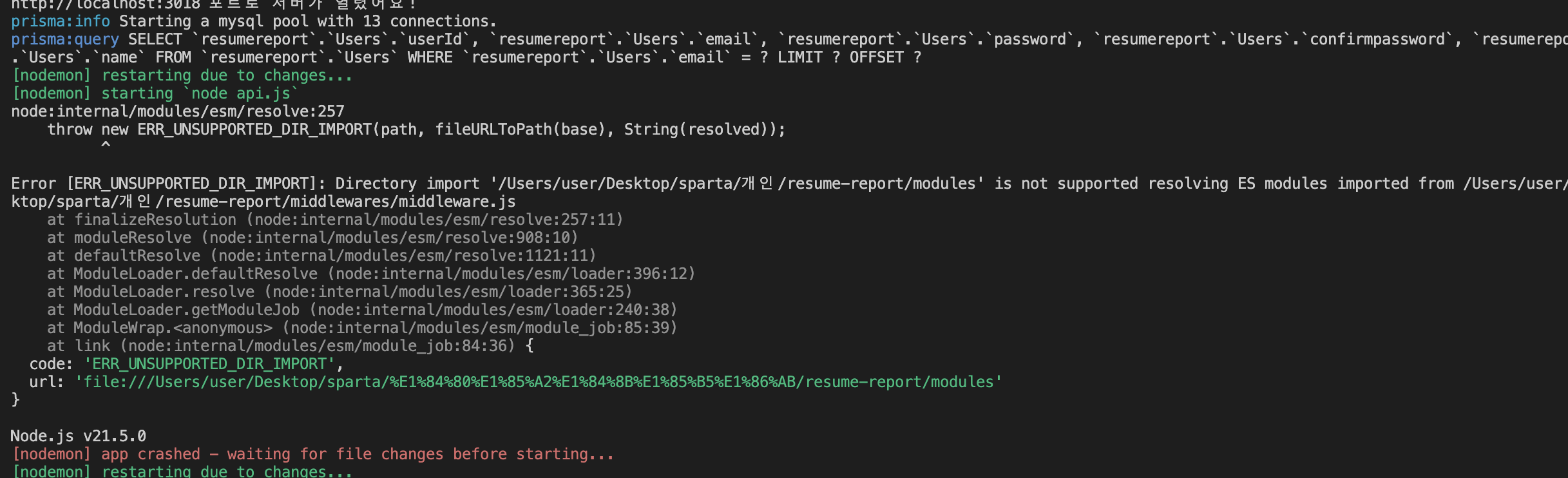
위의 ERROR와 비슷하게 yarn run dev 실행 시 node api.js가 실행되지 않았다.
여러가지 방법을 찾아보며 했지만 문제해결을 하지 못해서 튜터님께 질문을 했는데,
바로 api.js의 오타였다..
"scripts": {
  "dev": "nodemon api.js"
},
위의 scripts를 추가했어야하는데 강의를 참고하여 하다보니 app.js로 오타를 내서 서버가 실행이 되지 않았던것이였다..
1시간 넘게 error를 찾아보고 수정하고 다시 만들고 여러가지 했지만 안되었던 점이 오타라니..
이런 실수를 겪고 나니 다른 코드 작성 시 오타가 나지 않도록 더더욱 신경을 써서 작성했다!
