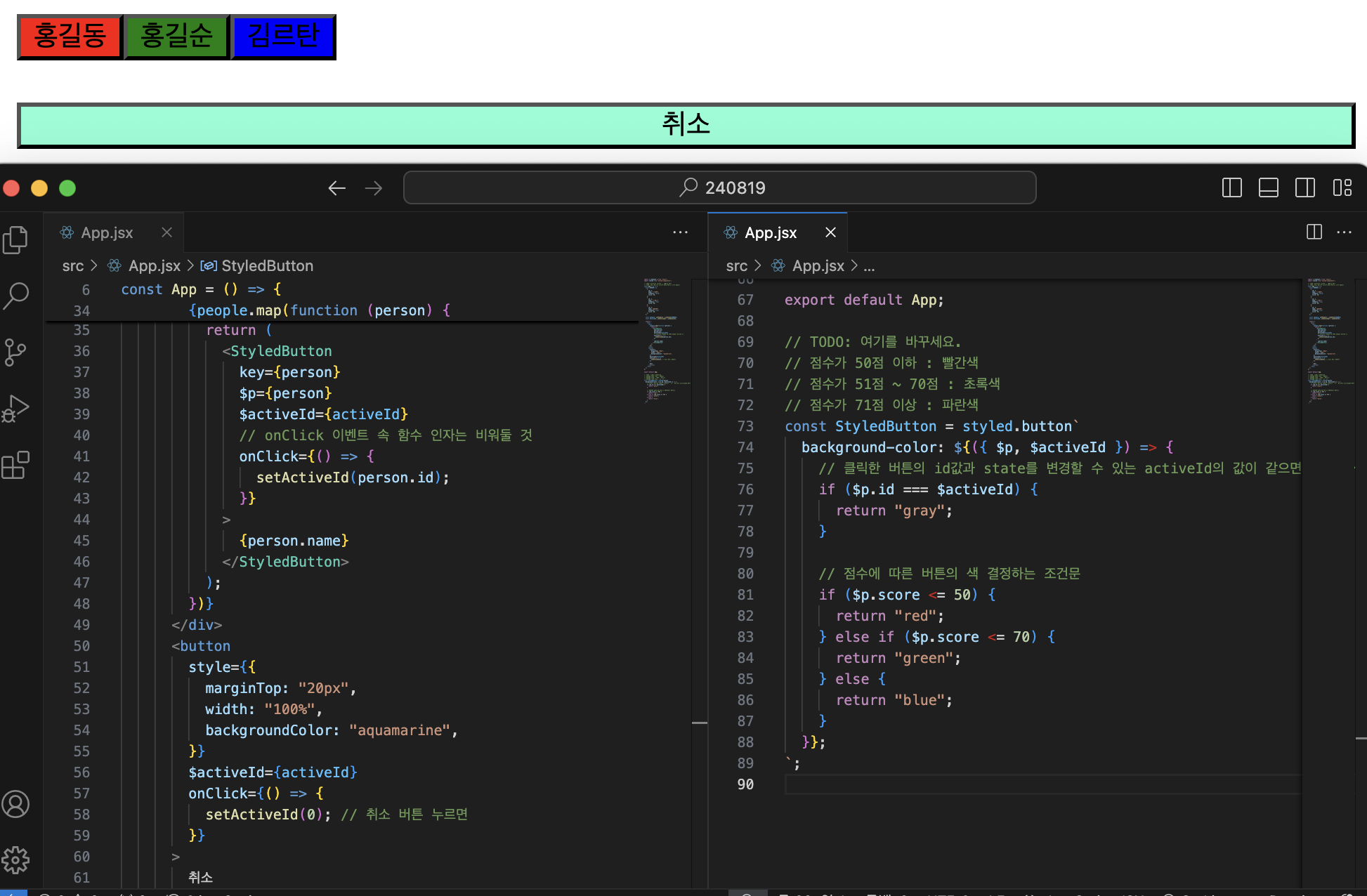
1. yarn으로 styled-components 설치
yarn add styled-components
몰랐는데, 매 프로젝트를 만들 때마다 yarn을 설치하는 것처럼 yarn으로 styled-components를 설치해줘야 함을 알게되었다.
2. 전역스타일링
다양한 브라우저에서 스타일이 일관돼야 하므로, reset이 필요하다.
index.css 나 App.css 대신 createGlobalStyle 를 사용해서 GlobalStyle 컴포넌트를 만들 수 있다.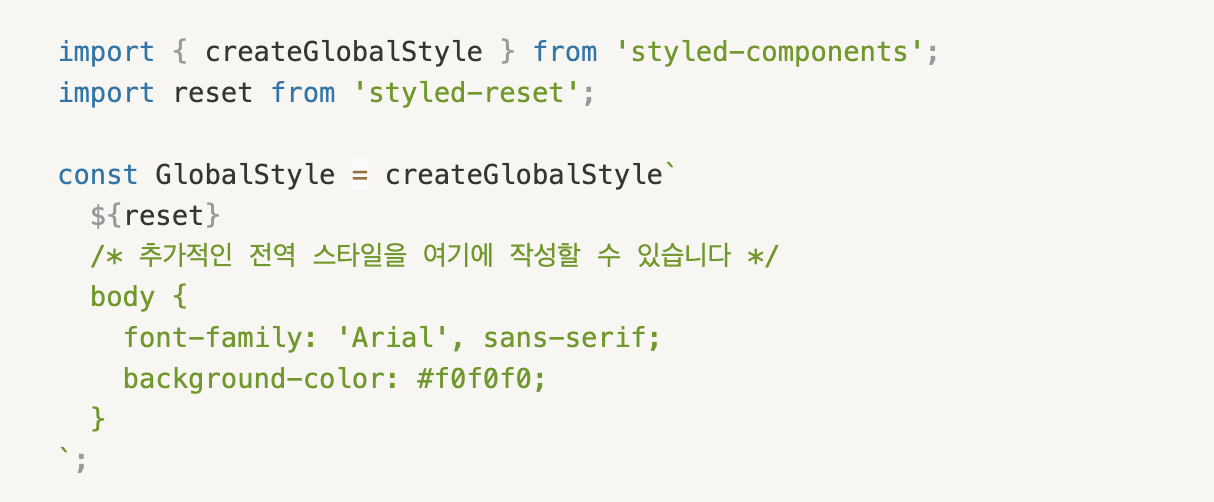
3. ⭐️조건부 스타일링⭐️
아래 코드를 사용하여 문제를 해결해보면,
import { useState } from "react";
import styled from "styled-components";

// TODO: button이 눌렸을 때, gray 처리
// TODO: 취소 버튼이 눌리면 gray 처리된 것이 없도록
const App = () => {
  const 초기값 = [
    {
      id: 1,
      name: "홍길동",
      isFemale: false,
      score: 30,
    },
    {
      id: 2,
      name: "홍길순",
      isFemale: true,
      score: 60,
    },
    {
      id: 3,
      name: "김르탄",
      isFemale: true,
      score: 80,
    },
  ];

  const [people, setPeople] = useState(초기값);
  const [activeId, setActiveId]

  return (
    <div>
      <div>
        {people.map(function (person) {
          return (
            <StyledButton

            >
            </StyledButton>
          );
        })}
      </div>
      <button
        style={{
          marginTop: "20px",
          width: "100%",
          backgroundColor: "aquamarine",
        }}
      >
        취소
      </button>
    </div>
  );
};

export default App;

// TODO: 여기를 바꾸세요.
// 점수가 50점 이하 : 빨간색
// 점수가 51점 ~ 70점 : 초록색
// 점수가 71점 이상 : 파란색
const StyledButton = styled.button``;
📃문제
각 이름의 버튼 색은 사람 정보의 점수에 따라 빨강/초록/파랑으로 나뉘고,
각 '이름버튼'을 클릭하면 회색으로 바뀌고,
'취소'버튼을 클릭하면 회색으로 바뀐 버튼이 원래 색으로 돌아오게 코드를 바꾸는 게 문제이다.
🔍결과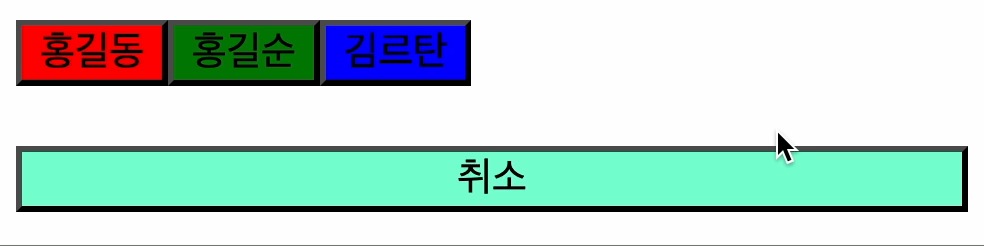
💡답안
- onClick 이벤트를 실행하는 함수 속 인자는 비워둘 것
- 구조분해할당
- useState의 초기값이 무엇인지 확인
- useState의 set함수가 실행되면 어떤 것이 리렌더링 되는지 확인!(console.log로 찍어보면 더 좋음!)
- StyledButton으로 가져오는 props가 무엇인지 생각
- 백틱(``)안은 '${}' 형태로 적는 것 잊지 않기

24.07.15 프론트엔드 개발 첫 걸음