1. 인자
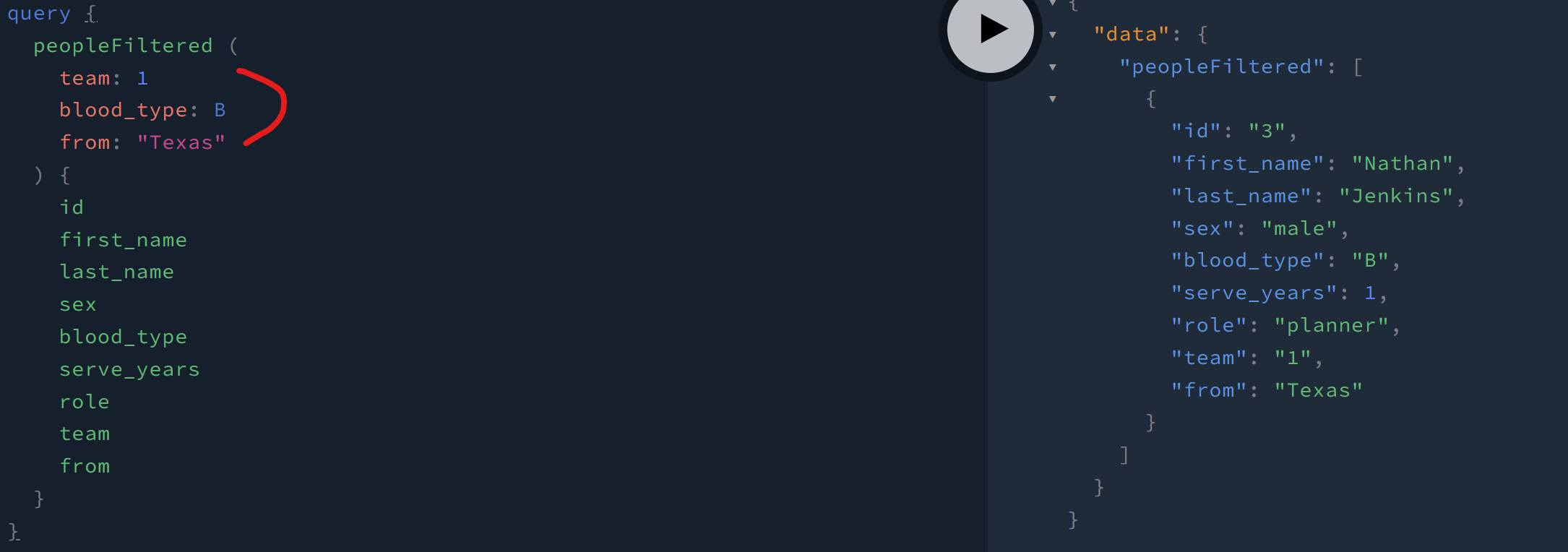
- 여러 인자들이 들어가 있는 것을 볼 수 있다. 아래 인자에 따라서 데이터를 걸러서 받게된다.
    type Query {
        ...
        peopleFiltered(
            team: Int, //인자
            sex: Sex, //인자
            blood_type: BloodType, //인자
            from: String //인자
        ): [People]
        ...
    }
아래 받아와지는 데이터를 보면 인자 값에 맞는 데이터가 걸려서 받아와진다.
pagenation같은 기능도 구현할 수 있다. 신기하다.
    type Query {
        ...
        peoplePaginated(
            page: Int!,
            per_page: Int!
        ): [People]
        ...
    }
playground에서 첫번째 페이지에서 7개씩 데이터를 불러올 수 있다.
query {
	peoplePaginated(page: 1, per_page: 7) {
    id
    first_name
    last_name
    sex
    blood_type
    serve_years
    role
    team
    from
  }
}
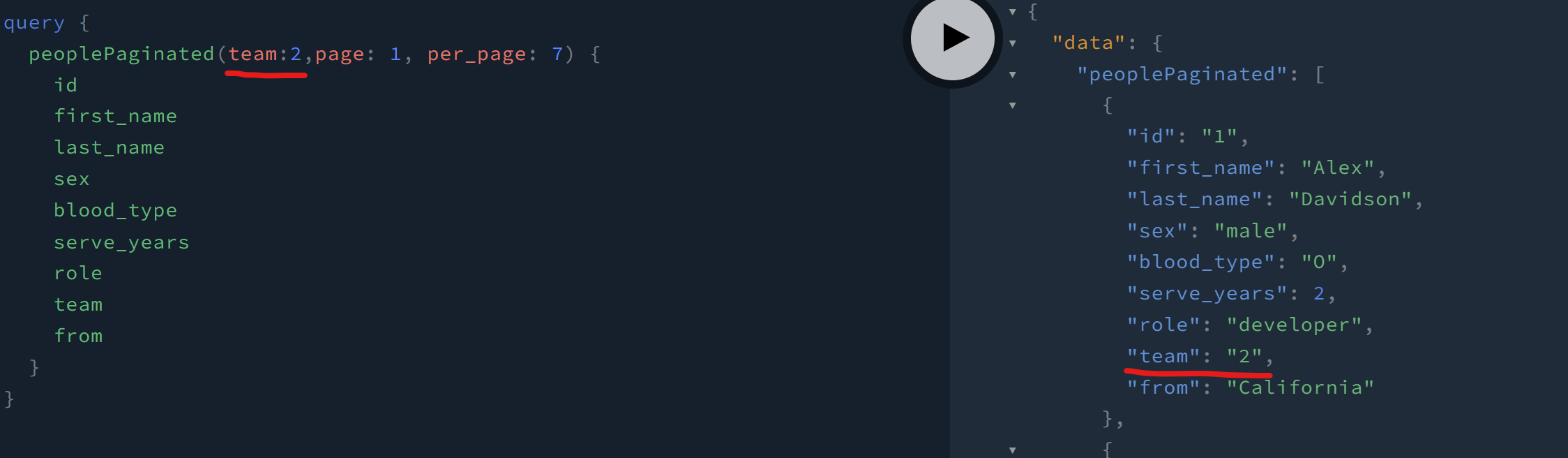
다른 방식으로 타입을 설정해줄 때 추가적으로 인자를 추가해주면 필터링도 가능해진다.
    type Query {
        ...
        peoplePaginated(
            team: Int,
            sex: Sex,
            blood_type: BloodType,
            from: String
            page: Int!,
            per_page: Int!
        ): [People]
        ...
    }
2. 별칭으로 받아오기
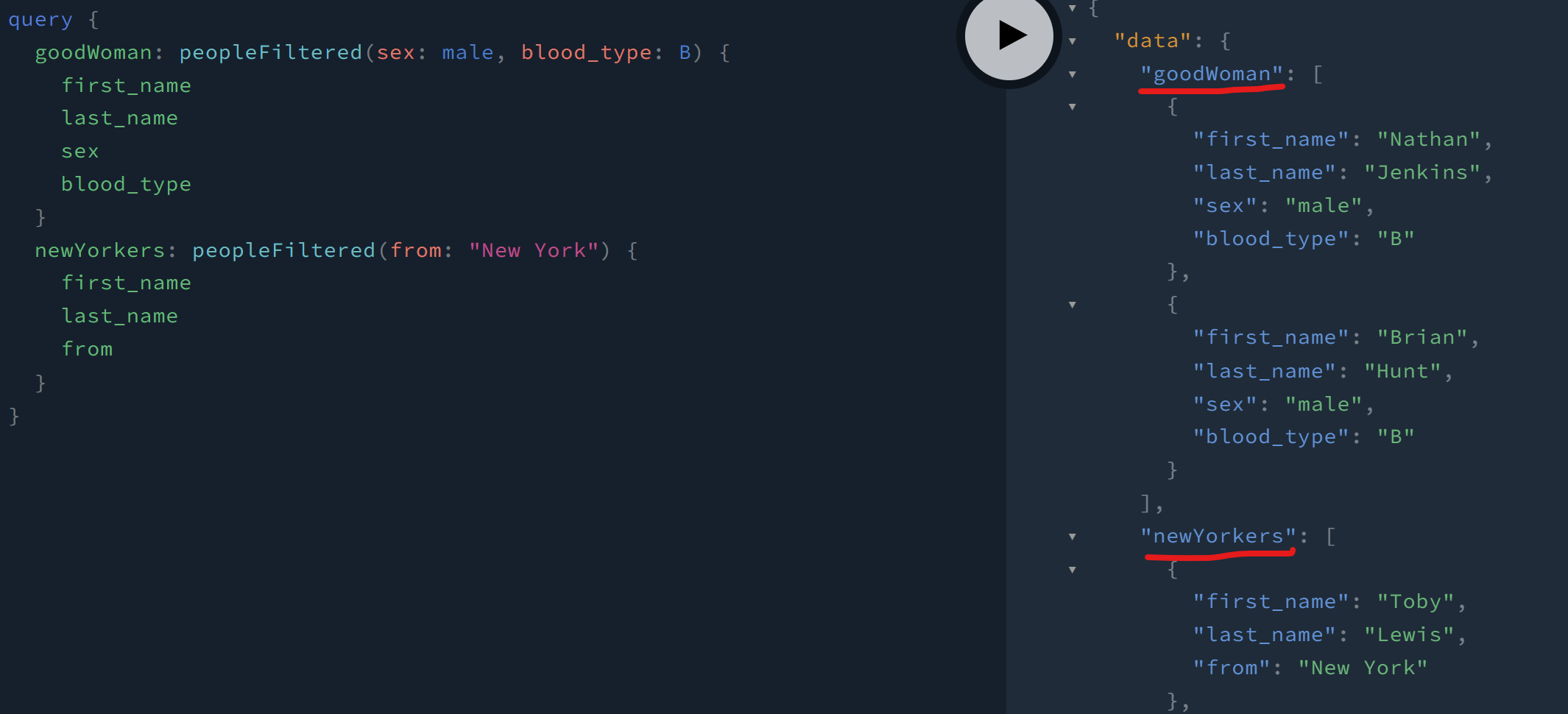
아래 코드와 같이 인자로 sex:male과 blood_type:B 데이터를 goodWoman으로 별칭을 잡아주어 데이터를 받아올 수 있다.
query {
  goodWoman: peopleFiltered(sex: female, blood_type: B) {
    first_name
    last_name
    sex
    blood_type
  }
  newYorkers: peopleFiltered(from: "New York") {
    first_name
    last_name
    from
  }
}
playground에서 각 별칭의 맞춰 데이터가 불러와진다.
3. 인풋타입
people.js
const typeDefs = gql`
    ....
    input PostPersonInput {
        first_name: String!
        last_name: String!
        sex: Sex!
        blood_type: BloodType!
        serve_years: Int!
        role: Role!
        team: ID!
        from: String!
    }
`
const resolvers = {
    // ...
    Mutation: {
        postPerson: (parent, args) => dbWorks.postPerson(args),
    }
}
_mutation.js
type Mutation {
    postPerson(input: PostPersonInput): People!
    ...
}
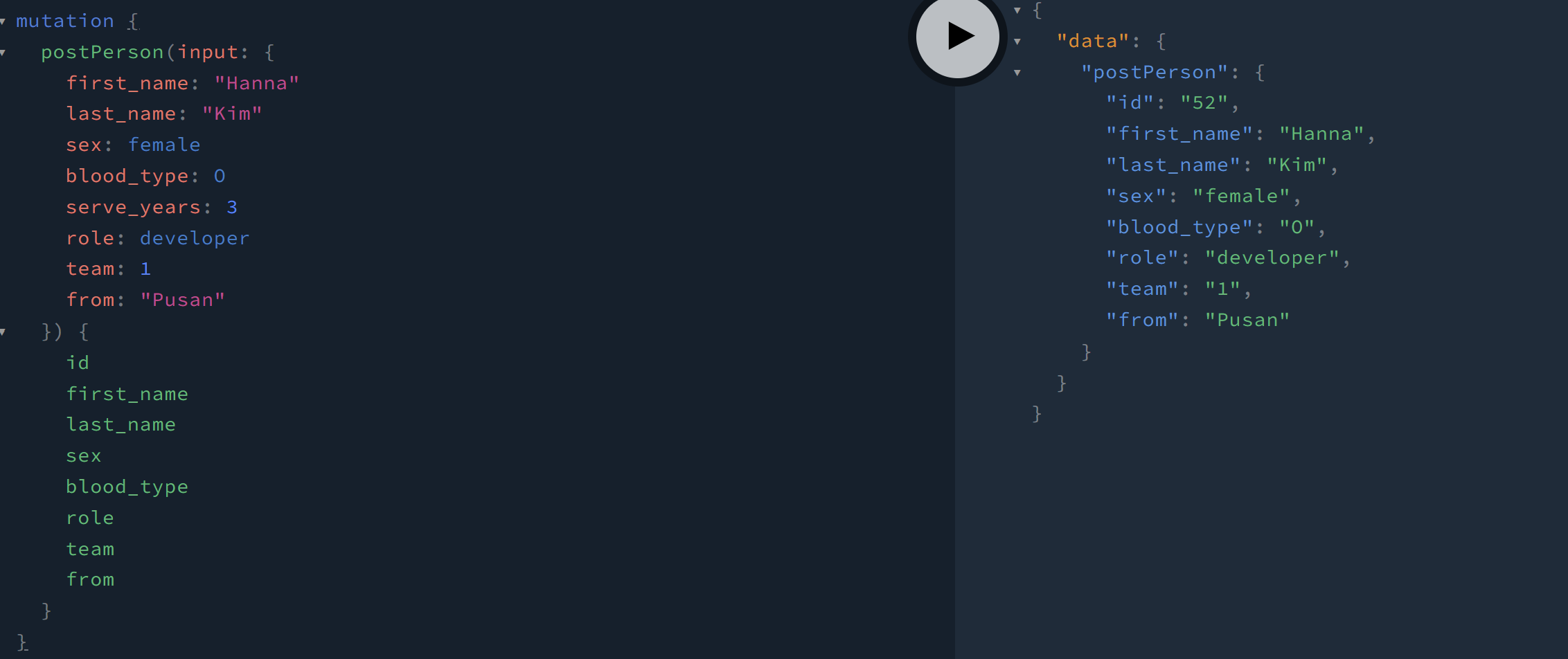
playground에서 아래와 같이 데이터를 부르면 데이터가 추가되는 것을 볼 수 있다.