What is a LAN Test? Complete Guide for Network Performance
What is a LAN Test?
A LAN Test is a set of checks performed on a Local Area Network (LAN) to measure the quality of cables, connections, and data speed between devices like computers, switches, routers, and servers. It helps you confirm that your network can support daily activities such as file sharing, IP CCTV, VoIP calls, cloud access, and business software without delays or errors.
During a LAN Test, both the physical layer (cables, connectors, ports) and the performance layer (speed, latency, packet loss, jitter) are checked. This complete approach shows whether your LAN is not only connected but also performing at the level your applications require.
Why LAN Test is important for network performance
Regular LAN Test is important because it finds hidden issues early, such as damaged cables, loose connectors, or poorly terminated links. Fixing these problems before they grow helps avoid unexpected network downtime and user complaints.
LAN Test also confirms whether your network can handle modern, high‑bandwidth applications like video conferencing, IP surveillance, and cloud backup. For IT teams, it provides proof that a new installation or upgrade meets performance expectations and standards.
Types of LAN Tests
Different LAN Test types focus on different parts of the network. The main ones are:
Basic continuity and wiring tests: These tests check if every wire in an Ethernet cable is correctly connected end‑to‑end. They detect opens, shorts, crossed pairs, and split pairs.
Performance and speed tests: These measure real data throughput (in Mbps or Gbps), latency, jitter, and packet loss between two devices, showing how fast and stable your LAN really is.
Certification and compliance tests: These are advanced LAN Tests that verify cables and links against international cabling standards, often required in commercial buildings and data centers.
By combining these types of LAN Test, you can move from just knowing “it connects” to knowing “it performs reliably at the required speed.”
LAN Test vs LAN tester
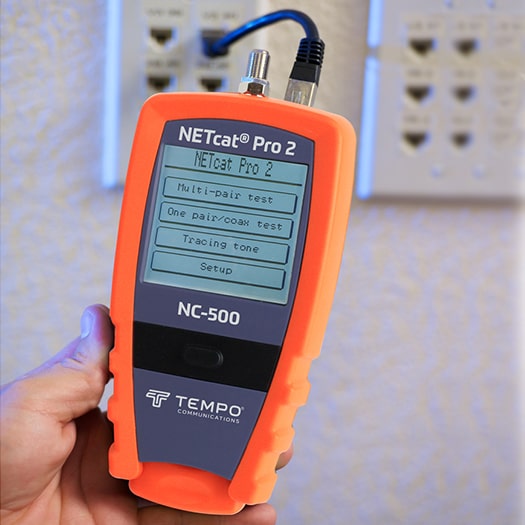
LAN Test is the overall process and methodology of checking the health and performance of a local network. A LAN tester is the specific tool or device used to carry out many of these tests, mainly on network cables and ports.
Basic LAN testers focus on checking cable continuity and wiring. Advanced LAN testers can also check cable length, distance to fault, PoE (Power over Ethernet), and sometimes run basic network tests like ping. Using a LAN tester makes LAN Test faster, more accurate, and repeatable compared to only using trial‑and‑error methods.
Key parameters checked in a LAN Test
A complete LAN Test usually checks several important parameters:
Connectivity and wire map: Confirms that each wire is correctly mapped from one connector to the other.
Speed and throughput: Measures how much data can be transferred over the LAN in a given time, showing real‑world performance.
Latency, jitter, and packet loss: Shows how stable the connection is for real‑time applications like voice and video.
Cable length and quality: Some LAN testers estimate cable length and help locate where a break or fault is present along the cable.
When these LAN Test parameters are within the desired range, your network is generally ready for current and future workloads.
Simple steps to perform a LAN Test
Even in a small office or home setup, you can follow a simple LAN Test process:
Visual and cable check
Inspect patch cords, wall jacks, and patch panels for damage or loose connections.
Use a LAN tester to run a basic continuity and wire map test on important cable runs.
Speed and performance check
Use LAN Test software or tools to send data between two devices on the same network.
Measure key values like upload and download speed, latency, and packet loss.
Fix issues and retest
Replace faulty cables, re‑terminate connectors, or move devices to better ports if needed.
Run the LAN Test again to confirm that performance has improved.
In larger networks, this LAN Test process is repeated on multiple outlets, floors, and backbone links, and the results are documented for future reference.
Tools and methods used in LAN Test
LAN Test uses a mix of hardware and software tools. Hardware LAN testers are used mainly for checking cables, wiring, PoE, and sometimes distance to fault. They are essential during installation, upgrades, and physical troubleshooting.
Software tools are used to test the performance of active network paths. These can include utilities that generate traffic, measure throughput, and monitor network health over time. Together, hardware LAN testers and software tools give a complete picture of network performance and reliability.
How LAN Test improves reliability and productivity
By doing LAN Test regularly, you reduce the chances of sudden network failures, dropped calls, and slow application performance. Users get a more stable experience when working with large files, making video calls, or accessing cloud platforms.
For businesses, this means less downtime and faster problem resolution when complaints arise. Over time, LAN Test results also guide smarter decisions about where to upgrade cabling, switches, or access points instead of guessing.
LAN Test solutions from Stanlay’s
Stanlay’s provides test and measurement solutions designed to help professionals build and maintain reliable LAN and telecom networks. With a dedicated range of LAN testers, Stanlay’s supports system integrators, installers, and IT teams in verifying cable installations and solving network issues quickly.
Using Stanlay’s LAN Test solutions, you can confidently certify new installations, troubleshoot faults, and create clear test reports for clients or internal records. To explore the full range of LAN testers and choose the right instrument for your projects,
