구현 이유
기존에 certbot을 통해 인증서를 발급받을 때 사용한 옵션인 --keep-until-expiring을 사용하면 90일 뒤, 즉 인정서고 만료된 직후 인증서를 다시 갱신을 하게 되는데, 이렇게 되면 인증서가 제대로 갱신이 안될 가능성이 높다.
따라서 한달 주기로 인증서를 자동으로 갱신할 수 있도록 certbot 옵션으로 --force-renewal 옵션을 사용해준다.
docker-compose.yml 수정
version: "3"

services:
  nginxproxy:
    depends_on:
      - nginx
      - db
      - wordpress
    image: nginx:alpine
    container_name: proxyserver
    restart: always
    ports:
      - "80:80"
      - "443:443"
    volumes:
      - ./nginx/nginx.conf:/etc/nginx/nginx.conf
      - ./certbot-etc:/etc/letsencrypt
      - ./myweb:/usr/share/nginx/html

  nginx:
    image: nginx:latest
    container_name: mywebserver
    restart: always
    volumes:
      - ./myweb:/usr/share/nginx/html

  db:
    image: mysql:5.7
    container_name: mysqldb
    volumes:
      - mydb:/var/lib/mysql
    restart: always
    environment:
      MYSQL_ROOT_PASSWORD: somewordpress
      MYSQL_DATABASE: wordpress
      MYSQL_USER: wordpress
      MYSQL_PASSWORD: wordpress

  wordpress:
    depends_on:
      - db
    build:
      context: ./wp
      dockerfile: Dockerfile
    container_name: wp
    restart: always
    volumes:
      - ./html:/var/www/html
    environment:
      WORDPRESS_DB_HOST: db:3306
      WORDPRESS_DB_USER: wordpress
      WORDPRESS_DB_PASSWORD: wordpress
      WORDPRESS_DB_NAME: wordpress
 certbot:
    depends_on:
      - nginxproxy
    image: certbot/certbot
    container_name: certbot
    volumes:
      - ./certbot-etc:/etc/letsencrypt
      - ./myweb:/usr/share/nginx/html
    command: certonly --webroot --webroot-path=/usr/share/nginx/html --email kom347@naver.com --agree-tos --no-eff-email -d inkyung.site -d www.inkyung.site --force-renewal

volumes:
  mydb:
- --force-renewal
certbot 컨테이너의 command 부분에 위 옵션을 추가해주어, 기존 인증서를 강제로 갱신한다. 해당 옵션은 현재 인증서의 만료 시기와 관계없이 새로운 인증서를 발급받고 기존 인증서를 대체한다. 기본적으로 Certbot은 인증서가 만료되기 30일 전에 갱신을 한다.
테스트 시 주의 사항
테스트 시에는 아래와 같이 --dry-run 옵션을 사용하여 테스트 하는 것이 좋다.
command: certonly --dry-run --webroot --webroot-path=/usr/share/nginx/html --email kom347@naver.com --agree-tos --no-eff-email -d inkyung.site -d www.inkyung.site
crontab
crontab은 Unix 및 Unix 계열 운영 체제(예: Linux)에서 주기적으로 실행되어야 하는 작업을 스케줄링하는 데 사용되는 스케줄러이다. 해당 도구는 주기적인 작업 자동화에 유용하며, 특정 시간, 날짜, 간격에 따라 명령어나 스크립트를 실행하도록 설정할 수 있다.
crontab 사용법
-
크론탭 설정 입력 파일 열기
crontab -e
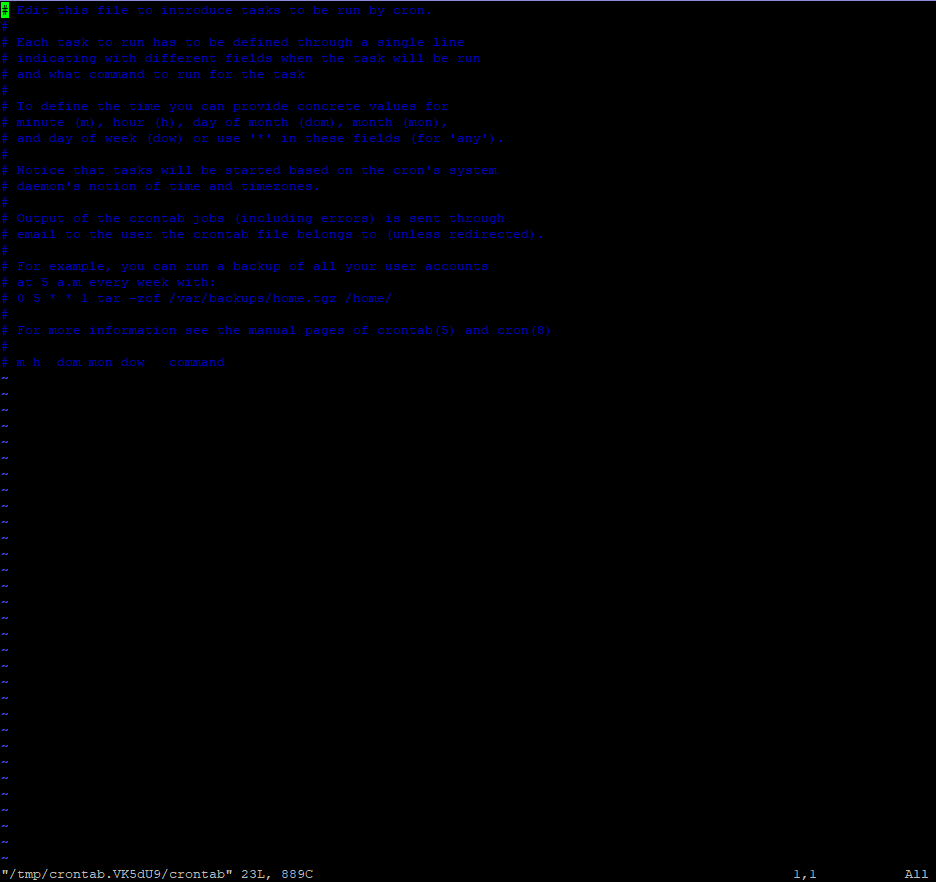
- 처음 실행할 경우에는 에디터를 선택하라는 문구가 나오는데, 2번을 선택하여 vi 편집기를 사용한다.
-
crontab 명령어 입력법
* * * * * /root/scripts/status_check.sh
->*분(0-59) *시간(0-23) *일(1-31) *월(1-12) *요일(0-7)- 0과 7은 일요일 1부터 6은 월요일부터 토요일을 의미한다.위 같이 앞 별표 5개는 시간을 의미하며 뒤에는 실행할 명령어를 입력한다.
crontab 설정
-
certvot 컨테이너 재실행
docker-compose restart certbot(certbot 컨테이너 이름)
-
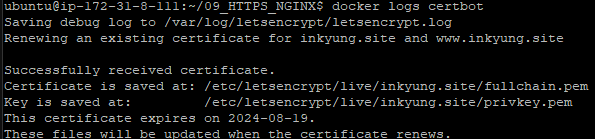
certbot 컨테이너 로그를 확인하여 인증서 발급이 성공적으로 되었는지 확인한다.
-
certbot 설정
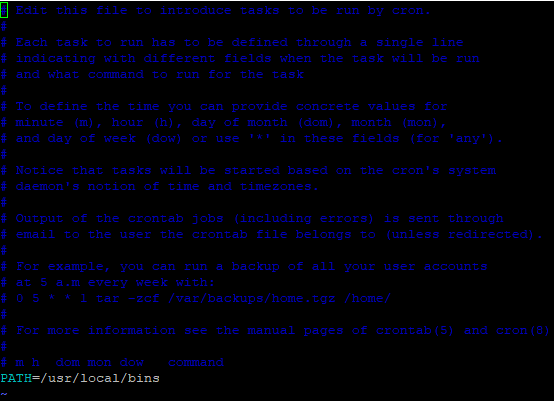
certbot은 환경변수가 적용이 안되기 때문에 직접 PATH 옵션으로 직접 경로를 설정해주어야 환경변수 적용이 된다.-
docker-compose 경로 확인
which docker-compose

-
위 경로를 certbot 파일에 PATH 옵션을 사용하여 적어준다.
-
docker-compose.yml 파일의 절대 경로 확인.
pwd

-
위 경로를 옵션에 적어준다.
* * * * * docker-compose -f /home/ubuntu/09_HTTPS_NGINX/docker-compose.yml restart certbot >> /home/ubuntu/09_HTTPS_NGINX/cron.log 2>&1* * * * *로 적는 이유는 테스트를 하기 위함이다. 해당 시간 설정으로 장시간 있을 시 인증서 발급 요청이 너무 많이 되므로 오류가 발생할 수도 있으니 빠르게 테스트를 하고 crontab 설정을 수정하도록 한다.
-
crontab 설정을 확인해준다.
crontab -l
-
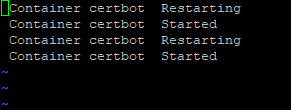
cron.logs를 확인해 로그를 확인해준다.
vi cron.log
-
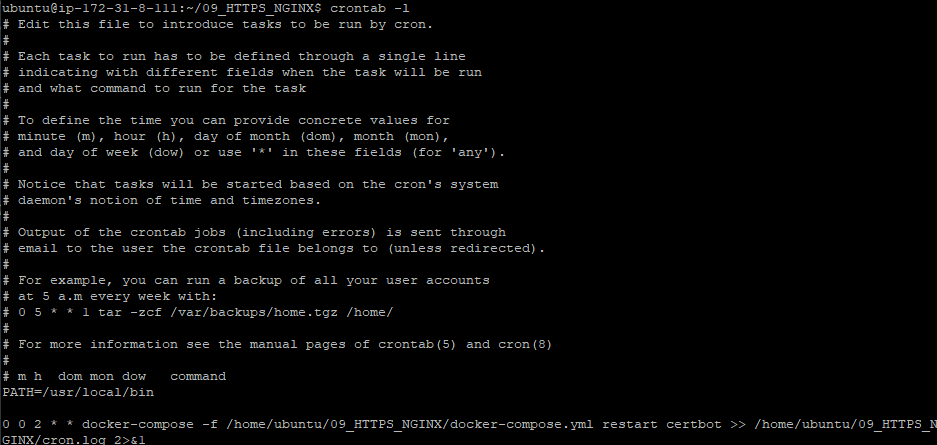
crontab 옵션을 수정하여 매달 2일 0시 0분에 인증서를 갱신하도록 설정한다.
0 0 2 * * docker-compose -f /home/ubuntu/09_HTTPS_NGINX/docker-compose.yml restart certbot >> /home/ubuntu/09_HTTPS_NGINX/cron.log 2>&1-
본래 docker-compose 명령은 docker-compose.yml 파일이 존재하는 경로에서 실행되어야 하지만, 그러지 못하므로 -f 옵션을 지정하여 docker-compose.yml 파일이 있는 경로를 직접 지정하여 docker-compsoe 명령을 사용한다.
-
>> /home/ubuntu/09_HTTPS_NGINX/cron.log 2>&1
ocker-compose -f /home/ubuntu/09_HTTPS_NGINX/docker-compose.yml restart certbot의 출력 결과가
/home/ubuntu/09_HTTPS_NGINX/cron.log으로 리다이렉션 된다. (cron.log 파일이 없을 시 생성된다.)- 2>&1
2>&1는 Unix 및 Linux 시스템에서 표준 오류(stderr)를 표준 출력(stdout)으로 리다이렉트하는 데 사용된다. 이를 통해 두 출력 스트림을 하나의 파일 또는 디바이스로 결합할 수 있게된다. 여기서 2는 표준 오류를, 1은 표준 출력을 의미한다.ex. command >> file.log 2>&1
명령어(command)의 표준 출력(stdout)및 오류를 file.log 파일에 추가(리다이렉션)된다.
- 2>&1
-
-
crontab 설정을 확인해준다.
crontab -l
-
cerbot 컨테이너가 마지막에 실행된 시점에 인증서가 발급이 잘 되었는지를 docker logs 명령어를 통해 확인한다.
docker logs certbot

정상 작동 하는 것을 확인할 수 있다.
-
해당 글은 다음 강의의 내용을 참고한 글임을 밝힙니다. 자세한 내용은 다음 강의에서 확인해볼 수 있습니다.
인프런, 잔재미 코딩, ⌜풀스택을 위한 도커와 최신 서버 기술(리눅스, nginx, AWS, HTTPS, flask 배포) [풀스택 Part3]⌟