useSWR + getServerSideProps = 데이터 페치 시 CSR+SSR 장점 합치기
NextJS에서는 데이터를 어떻게 페치할까?
- 클라이언트 사이드에서
useSWR()을 사용하여 데이터를 불러오는 방식 - 서버 사이드에서 NextJS가 제공하는
함수를 통해 데이터를 불러오는 방식
1. CSR: useSWR()을 사용하여 데이터 불러오기
-
useSWR("/api/products")로 api 경로에 요청을 보낸다. -
api 핸들러에서 프리즈마 서버로 요청을 보내고 응답을 받는다.
💡 useSWR()을 사용하는 이유
- 데이터를 캐싱하여 불필요한 데이터 페치를 막을 수 있다.
- 정적 최적화(static optimization) 기능을 사용하여 최신 데이터를 불러 올 수 있다.
- 사용자가 페이지 접속 시 아직 모든 데이터가 다 표시되지 않더라도 사용자가 전반적인 사이트의 틀을 볼 수 있고, 로딩 상태를 통해 데이터가 불러오는 중인 것을 확인 할 수 있는 장점이 있다.
📝 CSR에서 useSWR만 사용한 경우 소스코드
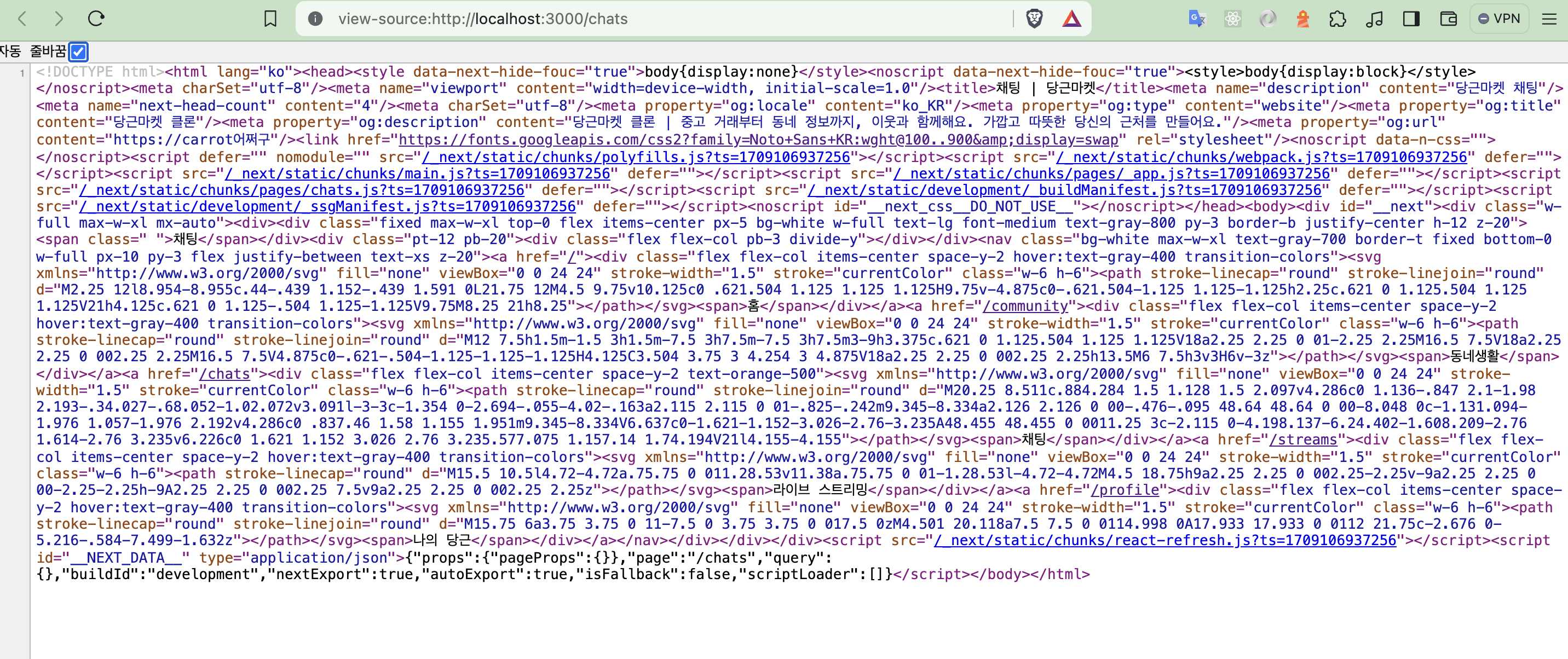
보다시피 기본 뼈대가 있지만 data 내용이 들어 있지 않다.
2. SSR: getServerSideProps()을 사용하여 데이터 불러오기
getServerSideProps()는 요청 시 데이터를 가져오고 페이지 콘텐츠를 렌더링하는 데 사용할 수 있는 Next.js 함수이다.
이 함수는 서버 사이드에서만 호출 된다.
getServerSideProps가 API에서 데이터를 가져오고 해당 데이터를 props로 페이지에 전달하는 방법
import Item from "@/components/Item";
import Layout from "@/components/Layout";
import { Product } from "@prisma/client";
import type { NextPage } from "next";
//import useSWR, { SWRConfig } from "swr";
import client from "@/libs/server/client";

export interface ProductWithCountWishesAndStateChecks extends Product {
  _count: { wishes: number };
  reservation?: { id: number };
  review?: { id: number; length: number };
}

interface ProductsResponse {
  ok: boolean;
  products: ProductWithCountWishesAndStateChecks[];
}

//✅ getServerSideProps 함에서 props으로 내보낸 products를 가져온다.
const Home: NextPage<{ products: ProductWithCountWishesAndStateChecks[] }> = ({
  products,
}) => {

  //const { data } = useSWR<ProductsResponse>("/api/products");

  return (
    <Layout title="홈" hasTabBar>
        {products.map((product) => (
          <Item
            productName={product.name}
            //...
            />
         }
    </Layout>
  );
};


//✅ getServerSideProps 함수 안에서 프리즈마 데이터를 페치 해 옿ㄴ다.
export async function getServerSideProps() {
  const products = await client.product.findMany({
    //wishes 카운트도 포함해서
    include: {
      _count: {
        select: { wishes: true },
      },
      reservation: { select: { id: true } },
      review: { select: { id: true } },
    },
    orderBy: { created: "desc" },
  });

  return {
    props: { products: JSON.parse(JSON.stringify(products)) },
    // ☄️ Error serializing props ~ 에러 해결 위해 parse
  };
}


export default Home;
페이지에서 getServerSideProps 함수를 export하면 NextJS는 반환된 props가 포함된 오브젝트 데이터를 사용하여 각 요청에서 페이지를 미리 렌더링 한다.
💡 getServerSideProps() 사용하는 이유
- 데이터를 미리 서버 사이드에서 받아오기 때문에 사용자가 페이지 접속 시, 로딩 상태 없이 사용자에게 바로 데이터를 보여줄 수 있다.
- 또한 data를 get할 때 getServerSideProps() 함수 안에서 프리즈마 클라이언트를 요청하여 사용하면 되기 때문에 api 핸들러를 따로 만들지 않아도 된다. (POST 요청시 핸들러는 따로 만들어야 함)
그래서 코드를 줄일 수 있다.
❌ getServerSideProps()의 단점
- 데이터를 불러오는 과정에서 오류가 나면 유저는 아무 것도 볼수가 없게 된다. 이에 반해 useSWR()의 경우는 사용자가 데이터를 볼 수 없더라도 나머지 html 구조는 볼 수 있다.
- 서버 사이드에서 데이터를 가져오기 때문에 SWR의 장점인 데이터 캐싱 및 변형(mutate)과 최신 데이터를 가져오는 정적 최적화 기능을 사용할 수 없게 된다.
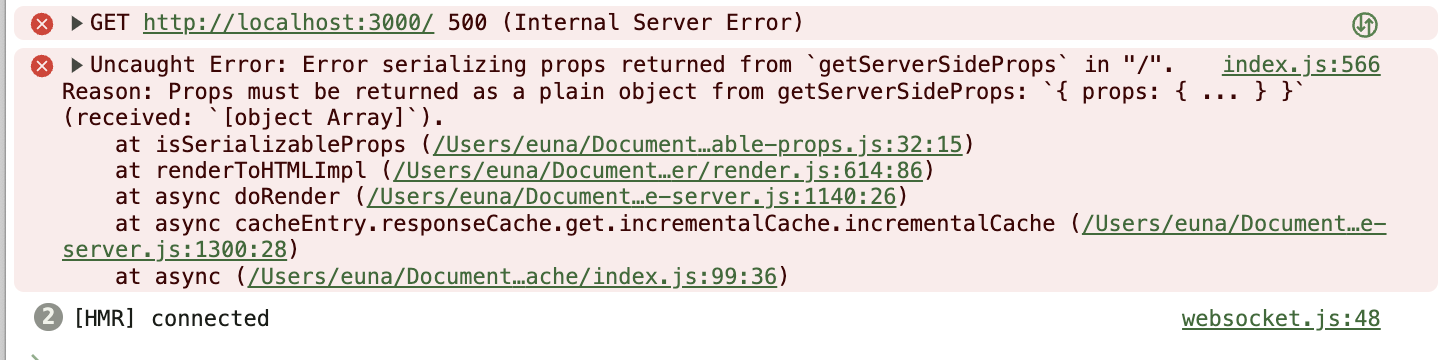
☄️ Error serializing props ~ 에러
위 오류는 NextJS가 Prisma가 제공하는 날짜 포맷을 이해하지 못해서 발생하는 에러다.
props: { products: JSON.parse(JSON.stringify(products)) },이렇게 하면 오류를 해결 할 수 있다.
그렇다면 어떻게 하면 이 두가지 장점을 다 살릴 수 있을까?
3. useSWR() + getServerSideProps() 장점 합치기
간단하다. 둘 다 사용하면 된다.
useSWR()은 데이터를 캐싱한다는 점을 기억해보자.
- 처음 useSWR()을 실행했을 때는 캐시가 비어 있기 때문에 로딩 상태가 표시된다.
- 하지만 처음 실행되고 나서부터는 캐시 안에 데이터가 이미 들어 있기 때문에 다른 페이지를 갔다가 다시 돌아와도 로딩 상태가 표시되지 않는다.
💡 useSWR에 캐시 데이터 미리 제공하기
<SWRConfig />컴포넌트에fallback을 제공하여 캐시 초기값을 설정할 수 있다.
이렇게 하면 캐시 데이터가 있는 상태로 client side가 시작할 수 있다.
import FloatingButton from "@/components/FloatingButton";
import Item from "@/components/Item";
import Layout from "@/components/Layout";
import Seo from "@/components/Seo";
import { Product } from "@prisma/client";
import type { NextPage } from "next";
import useSWR, { SWRConfig } from "swr";
import client from "@/libs/server/client";

export interface ProductWithCountWishesAndStateChecks extends Product {
  _count: { wishes: number };
  reservation?: { id: number };
  review?: { id: number; length: number };
}

interface ProductsResponse {
  ok: boolean;
  products: ProductWithCountWishesAndStateChecks[];
}

const Home: NextPage = () => {
  //4. Page 컴포넌트 안엫서 캐시 초기값을 설정해 뒀기 때문에
  //CSR에 있는 useSWR은 캐시에서 데이터를 불러오게 된다.
  //따라서 로딩 상태는 안 보이고 바로 데이터를 가져오는 것 처럼 보인다
  const { data } = useSWR<ProductsResponse>("/api/products");

  return (
    <Layout title="홈" hasTabBar>
      <Seo
        title="홈 | 당근마켓"
        description="당근마켓 클론 | 중고 거래부터 동네 정보까지, 이웃과 함께해요. 가깝고 따뜻한 당신의 근처를 만들어요."
      />
      <div className="flex flex-col space-y-5 pb-3 divide-y">
        {data?.products?.map((product) => (
          <Item
            productName={product.name}
            productCreated={product.created}
            productImage={product.image}
            price={product.price}
            hearts={product._count.wishes}
            id={product.id}
            key={product.id}
            productReservation={product?.reservation?.id ? true : false}
            productReview={
              (product?.review?.length as number) > 0 ? true : false
            }
          />
        ))}
      </div>
      <FloatingButton href="/products/upload" text="글쓰기" />
    </Layout>
  );
};

//3. Page 컴포넌트가 Home 컴포넌트를 SWRConfig로 감싸줌
//SWRConfig 컴포넌트는 fallback 프로퍼티로 캐시 초기 값을 설정할 수 있음
//⭐️ 키 값으로 useSWR에 적은 api 경로를 작성한다.
//이 키는 url일 뿐만 아니라 SWR이 캐시를 불러올 때 사용하는 키이기도 하므로 중요하다.
//⭐️ 키에 해당하는 값으로는 api 핸들러에서 받는 요청의 리턴 값과 동일하게  { ok: true, products }을 입력하면 된다.
//products는 getServerSideProps에서 불러온 products 데이터이다.
//이렇게 Home 컴포넌트가 api주소 키를 이용하여 캐시를 불러온다.
const Page: NextPage<{ products: ProductWithCountWishesAndStateChecks[] }> = ({
  products,
}) => {
  return (
    <SWRConfig
      value={{
        fallback: {
          "/api/products": {
            ok: true,
            products,
          },
        },
      }}
    >
      <Home />
    </SWRConfig>
  );
};

//1. getServerSideProps 함수 안에서 products를 가져온다.
export async function getServerSideProps() {
  const products = await client.product.findMany({
    //거기에 wishes 카운트도 포함해서
    include: {
      _count: {
        select: { wishes: true },
      },
      reservation: { select: { id: true } },
      review: { select: { id: true } },
    },
    orderBy: { created: "desc" },
  });

  return {
    props: { products: JSON.parse(JSON.stringify(products)) },
  };
}

//2. 내보내는 컴포넌트는 상품 정보를 prop으로 받는 컴포넌트인 Page 컴포넌트로
export default Page;
📝 SSR + useSWR인 경우 소스코드
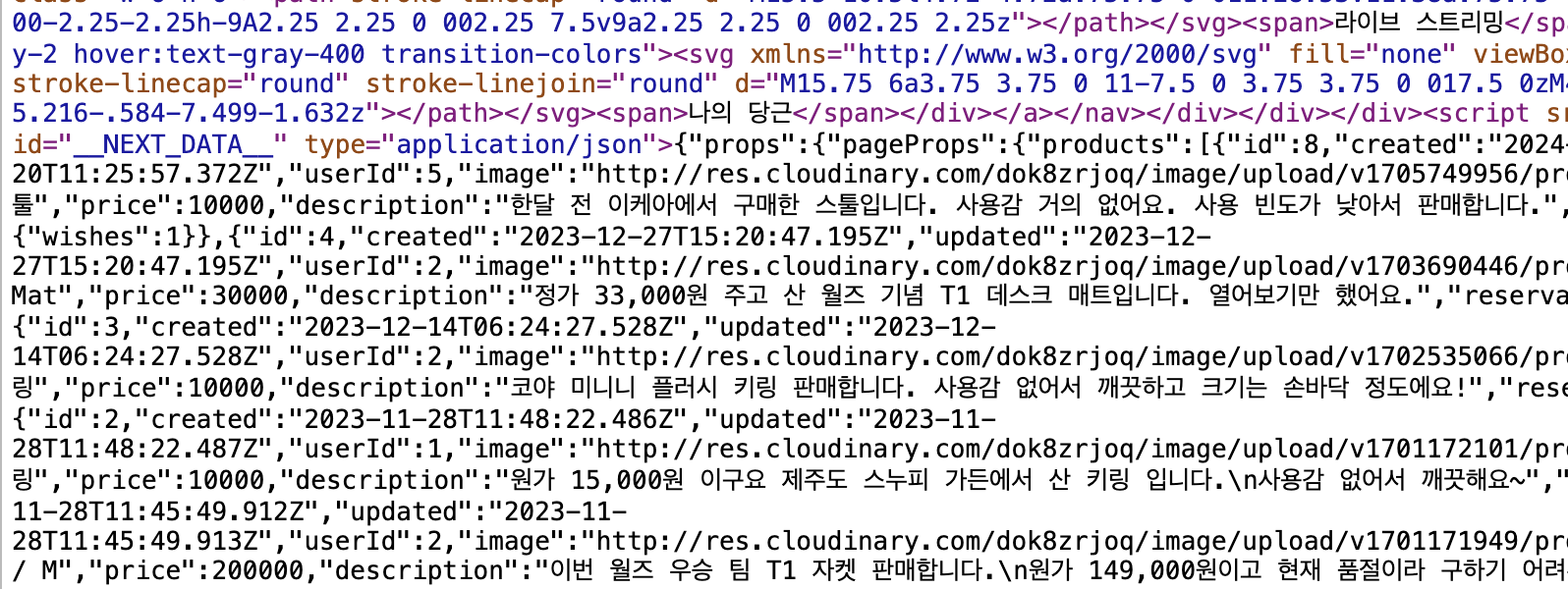
사이트 렌더링 시 이미 서버에서 데이터를 페치했기 때문에 데이터도 다 들어 있다.

Always have hope🍀 & constant passion🔥