
1. 기획자님 게시글에 좋아요를 눌렀다가 취소했더니 조회수가 올라가요
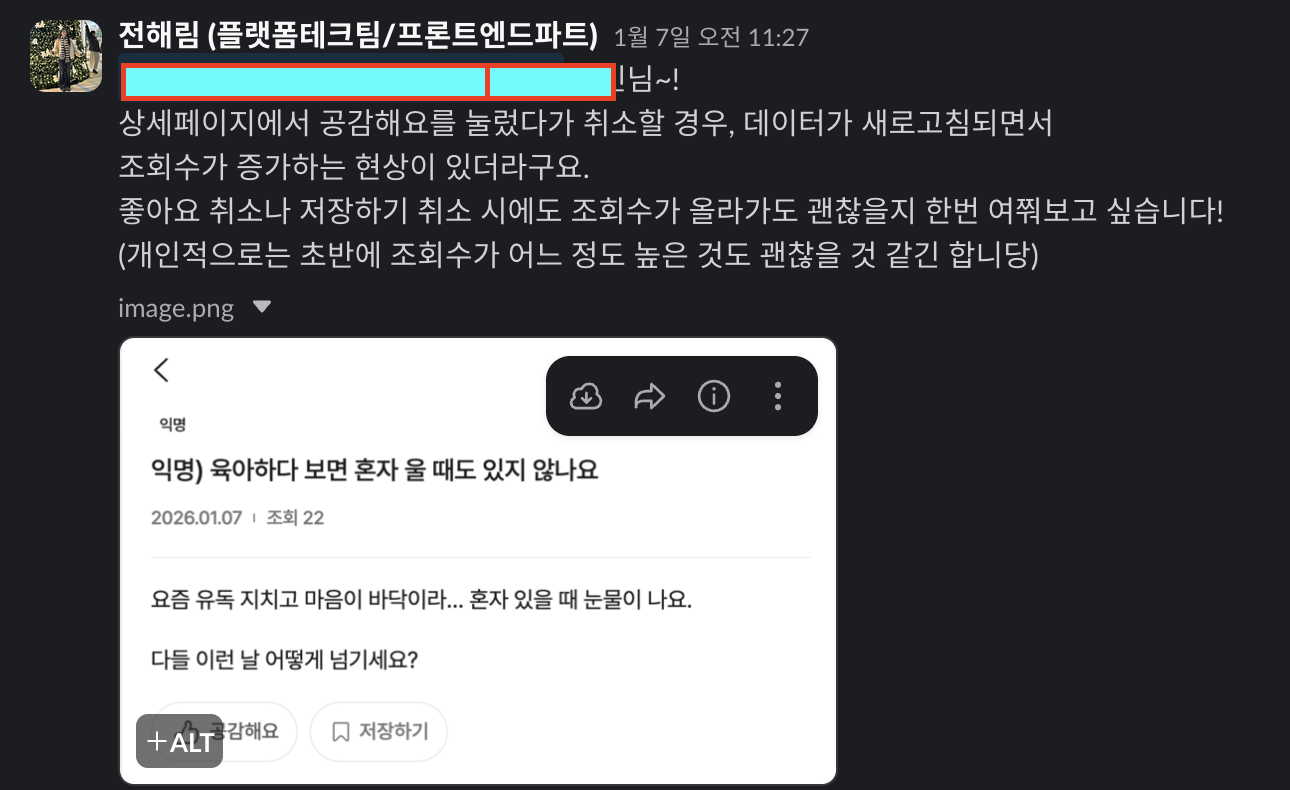 커뮤니티 서비스 오픈을 앞두고 게시글의 좋아요 버튼을 눌렀다가 취소했을 때 데이터가 새로고침되면서 조회수가 올라가고 있었다. 당연히 버그라고 생각했지만 서비스 오픈 초반.. 유저가 적을 때 게시글의 조회수를 높게 보일 수 있는 수단이라는 이상한 생각으로 기획자에게 그대로 두자고 했다가 바로 빠꾸를 먹고 고치면서 공부해본
ReactQuery의 캐시 업데이트에 대해 이야기 해보려 합니다.
2. 이전의 상태
const { mutate: toggleLike, isPending: isLikePending } = useMutation({
  mutationFn: async () => {
    const query = contentBody?.myLikeFlag ? postsQueries.deleteLike(postId) : postsQueries.postLike(postId);

    return await query.queryFn();
  },
  // 이미 공감상태면 toast
  onSuccess: () => {
    setLikeInfo({ likeCount: likeCount + 1, isLiked: true });
  },
});

const handleToggleLike = useThrottle(() => toggleLike(), 200); <Button
size={'sm'}
variant={'line-secondary'}
startIcon={isLiked ? <ThumbsFillIcon /> : <ThumbsIcon />}
className={clsx('rounded-full px-3 py-2')}
onClick={handleToggleLike}
>
{isLikePending ? <CircularProgress /> : <span className={'heading-sm-500'}>공감해요</span>}
</Button>이전의 상태에서는 ContentBody(게시글 상세 데이터)의 myLikeFlag(내가 좋아요했는지 상태)의 상태에 따라 좋아요, 좋아요 취소 api를 호출하고 있었는데 서버에서는 contentBody가 호출되면 조회수를 +1 하게 되는데
deleteLike api를 호출하면 contentBody?.myLikeFlag가 변경되어 refetch 되면서 조회수가 끝없이 올라가는
문제가 있었다.
그리하여 어떤 상황에서 ReactQuery에서 자동 refetch가 일어나는지 찾아보게 되었는데
ReactQuery는 stale 상태인 쿼리가 아래의 조건을 만족할 때 refetch를 실행하게 된다.
stale 상태 : 캐시된 데이터가 만료되어 서버에서 새로운 데이터를 다시 가져와야 하는 오래된 데이터 상태
- 쿼리를 사용하는 컴포넌트가 마운트될 때
- 윈도우가 포커스 될 때
- 네트워크가 재연결 될 때
- refetchInterval 설정을 통해 요청할 때
즉, 위의 조건이 아닌 상태에서는 쿼리가 stale 상태이더라도 refetch되지 않고 이전 데이터를 계속 보여주게 된다.
그리하여 mutation은 결과에 따른 어떤 쿼리가 영향을 받을지 모르기 때문에 Server만 바꾸고 Cache는 자동으로 바꾸지 않아 개발자가 직접 캐시 업데이트를 지정해주어야해서 쿼리가 stable상태가 되어 deleteLike api를 호출
했을 때 stale상태인 쿼리가 refetch가 필요하다고 판단하여 refetch되며 게시글의 조회수가 올라가게 되었다.
3. 이후의 상태
이전의 조회수 증가 문제를 해결하기 위해서는 refetch 자체를 일어나지 않게 해야했는데
const { mutate: toggleLike, isPending: isLikePending } = useMutation({
    mutationFn: async () => {
      const query = isLiked ? postsQueries.deleteLike(postId) : postsQueries.postLike(postId);

      return await query.queryFn();
    },

    onSuccess: () => {
      const newLikeFlag = !isLiked;
      const newLikeCount = newLikeFlag ? likeCount + 1 : likeCount - 1;

      setLikeInfo({
        likeCount: newLikeCount,
        isLiked: newLikeFlag,
        isScraped: isScraped,
      });

      queryClient.setQueryData<IContentBodyResponse>(postsQueries.getContentBody(postId).queryKey, (old) => {
        if (!old) return old;
        return {
          ...old,
          myLikeFlag: newLikeFlag,
          likeCount: newLikeCount,
        };
      });
    },

    onError: ({ message }) => {
      toast({ message: `공감하기중 오류가 발생하였습니다. ${message}` });
    },
});- 먼저 mutation의 기준을 서버에서 로컬 state로 변경하여 UI state 기준으로 stale cache 영향을 받지 않도록 안정적이게 수정했다.
//as-is
const query = contentBody?.myLikeFlag ? postsQueries.deleteLike(postId) : postsQueries.postLike(postId);

//to-be
const query = isLiked ? postsQueries.deleteLike(postId) : postsQueries.postLike(postId);- mutation 성공 후 cache를 직접 갱신했다.
mutation 성공
→ cache 직접 최신화
→ stale 아님
→ refetch 필요 없음
→ GET post 안함
→ 조회수 증가 X
queryClient.setQueryData<IContentBodyResponse>(postsQueries.getContentBody(postId).queryKey, (old) => {
  if (!old) return old;
  return {
    ...old,
    myLikeFlag: newLikeFlag,
    likeCount: newLikeCount,
   };
 });
queryKey는 cache주소로 해당 queryKey지정으로 특정 cache만 수정하고 updater function 구조로 현재 cahce 데이터를 전달했다.
1. Query 찾기 queryCache.find(queryKey)
2. data 교체 query.data = newData
3. timestamp 갱신 query.updatedAt = Date.now()
4. observer notify observer.forEach(re-render)
setQueryData로 서버 refetch 없이 React Query Cache를 직접 최신 상태로 덮어쓰게 했다
3-1 왜 invalidateQueries 대신 setQueryData가 맞았냐
invalidateQueries는
→ active query라면 refetch (inactive query는 stale 처리만)
→ GET post 호출
→ 조회수 증가
setQueryData는
→ cache 최신화
→ refetch 없음
→ 조회수 증가 없음
4. Manual Cache Sync
결론적으로 자동으로 refetch 하게 두지 않고, 내가 원하는 시점에 캐시 데이터를 직접 수정하는 방식을
Manual Cache Sync라고 볼 수 있다.
React Query는 기본적으로 “서버 상태 동기화”를 자동화해주는 라이브러리지만, 모든 상황에서 자동 동기화가 정답은 아니다.
특히 이번 사례처럼:
-
mutation 후 서버 데이터가 크게 변하지 않고
-
UI에 필요한 값만 부분적으로 바뀌며
-
불필요한 refetch가 비용(조회수 증가, 네트워크 낭비)을 만든다면
자동 refetch보다는 의도적으로 캐시를 직접 동기화하는 전략이 더 적절하다.
Manual Cache Sync의 핵심은 다음과 같다:
-
서버는 mutation으로 변경
-
클라이언트 캐시는 setQueryData로 직접 수정
-
쿼리는 stale 상태가 되지 않음
-
불필요한 GET 요청이 발생하지 않음
즉, "서버를 신뢰하되, 네트워크는 아낀다" 는 전략이다.
