
firebase란?
- Backend 기능을 서버 연결없이 대신 로그인,회원가입, CRUD 기능을 구현해놓은 서비스
- Flutter를 공식 지원한다.(구글에서 지원)
firebase를 프로젝트에서 사용하는 방법
-
firebase CLI 프로그램을 설치 후, firebase --version이라는 명령어를 통해 설치 확인
-
firebase login
-
firebase projects:create (파일 이름)
- 이름에서 에러가 날 수 있음 -> 가능하면 이름을 영문소문자로만 변경하면 오류가 걸리지 않고 진행
-
flutter pub add firebase_core 명령어 작성하여 필수적인 요소 설치
-
flutter 선택

-
선택한 페이지에서 차례대로 진행하기(1번 진행)
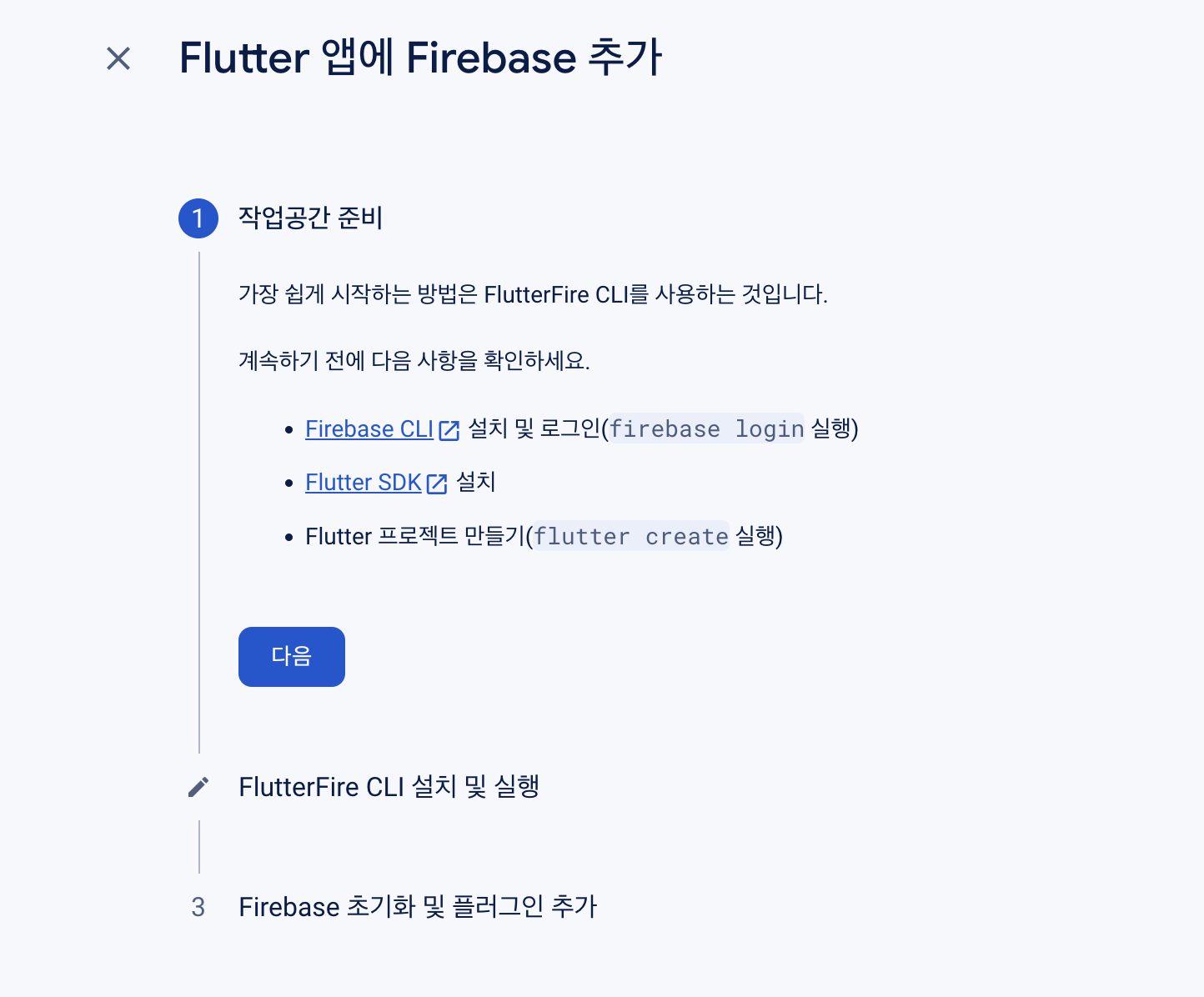
-
2번 진행
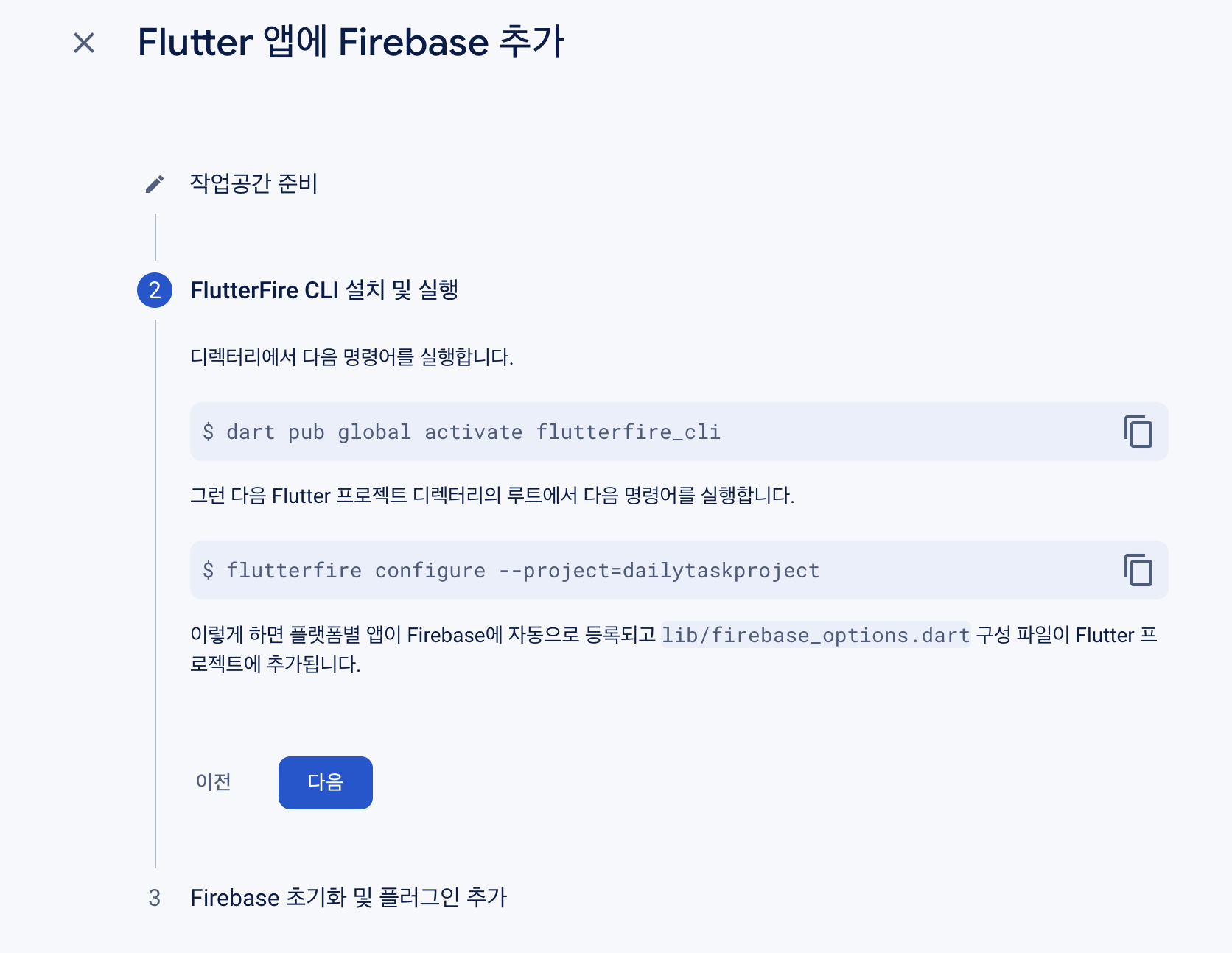
-
3번 진행
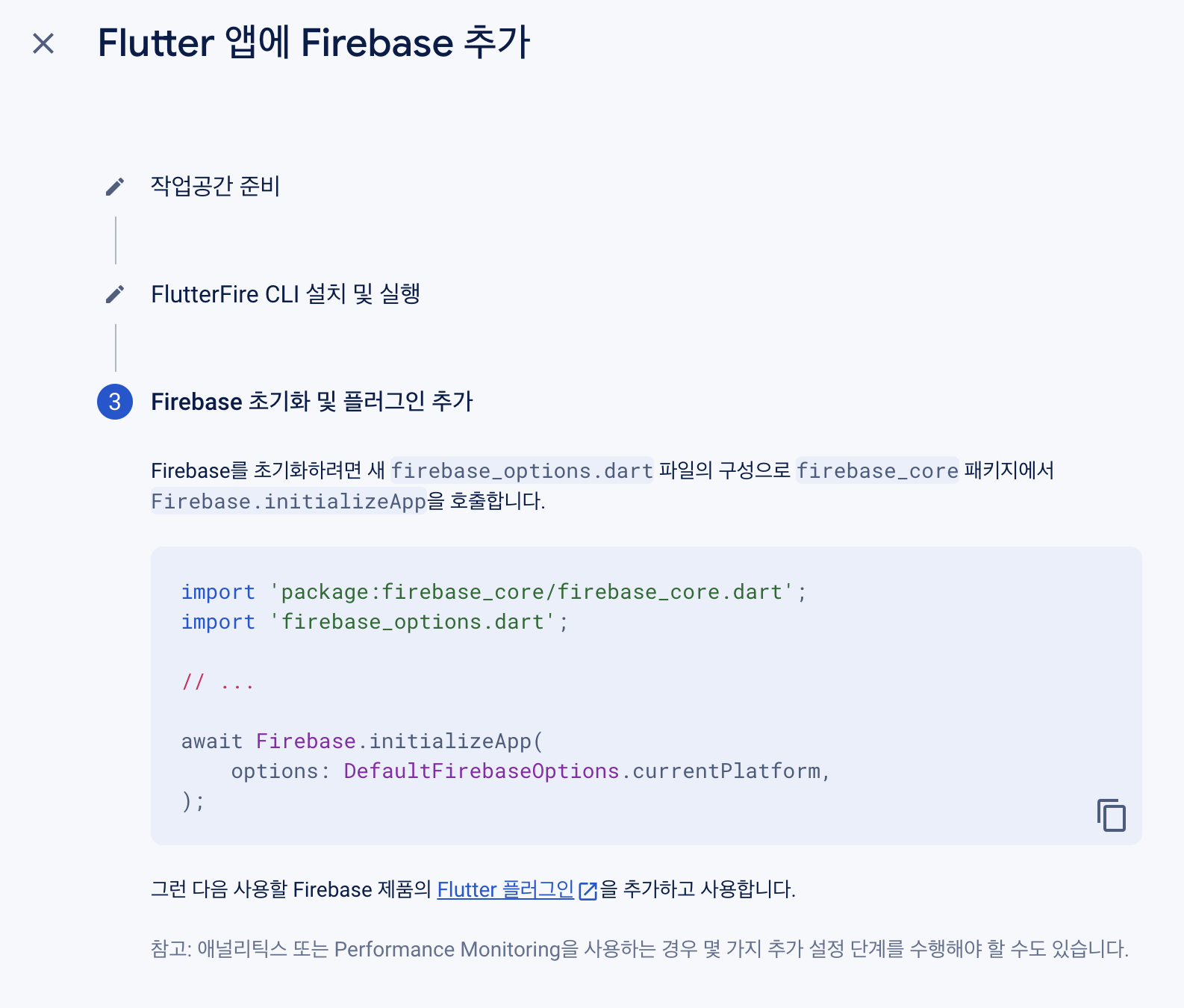
-
3번 내용 추가 작성 ( 대략적인 코드, 위에 설명으로 모를까봐 )
import 'package:flutter/material.dart';
import 'package:firebase_core/firebase_core.dart';
import 'firebase_options.dart';
// authentication 로그인할때 필요함
import 'package:firebase_auth/firebase_auth.dart';

void main() async {
  WidgetsFlutterBinding.ensureInitialized();
  await Firebase.initializeApp(
    options: DefaultFirebaseOptions.currentPlatform,
  );
  runApp(const MyApp());
}


class MyApp extends StatelessWidget {
  const MyApp({Key? key}) : super(key: key);

  @override
  Widget build(BuildContext context) {
    return MaterialApp(
      home: Scaffold(
        appBar: AppBar(
          title: Text('My App'),
        ),
        body: Center(
          child: Text('Welcome to My App!'),
        ),
      ),
    );
  }
}
firebase에서 authentication 사용?
- firebase 인증에서 회원가입, 로그인 등 제공
- 이메일/비밀번호 기반, 다양한 기능 제공(페이지 들어가서 보기)
- 선택에 맞게 구현한다.

개발에 도전하는 문과생입니다.