https://jsonplaceholder.typicode.com/
무료로 dummy JSON 데이터를 받을 수 있는 곳
API 호출
fetch 메소드 이용하여 API 호출
- await 메소드를 이용하기 위해, async 키워드를 붙여서 함수 작성
- API호출 함수 getData = promise를 반환하는 비동기함수
  // api 호출 함수
  // await 키워드와 사용할 수 있도록 async 키워드 붙여서 getData함수가 promise를 반환하는 비동기 함수로 만들기
  const getData = async () => {
    const res = await fetch(
      "https://jsonplaceholder.typicode.com/comments"
    ).then((res) => res.json());
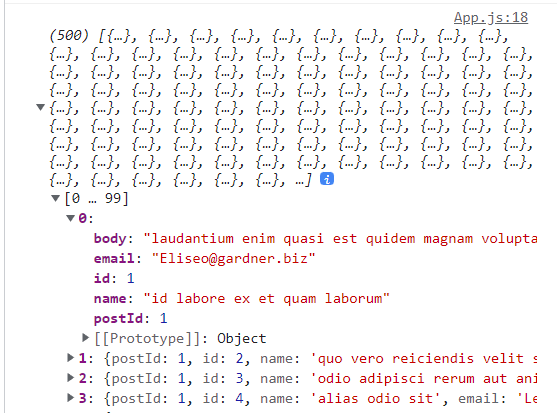
    console.log(res);
  };
컴포넌트 mount시 getData() 호출
  // componentWillMount 함수 이용하여, 컴포넌트 생성 시 API 호출
  useEffect(() => {
    getData();
  }, []);
일기 데이터의 초기값 설정
호출받은 data를 일기의 기본 data로 이용
    // 20개의 data만 가져오기
    // map으로 각 item을 돌면서 author, content, emotion의 값으로 넣어줌
    const initData = res.slice(0, 20).map((it) => {
      return {
        author: it.email,
        content: it.body,
        emotion: Math.floor(Math.random() * 5) + 1,
        // Math.random() * 5 : 랜덤 난수 생성
        // Math.floor() : 정수로 변환
        created_date: new Date().getTime(),
        // dataId 의 초기값 : 0
        // 후위 연산자를 사용하여, 현재의 id를 넣어준 후, 1을 더해줌
        id: dataId.current++,
      };
    });
    // 완성된 dummy data를 setData로 업데이트
    setData(initData);
  };