
Lab. EFS WebServer lab
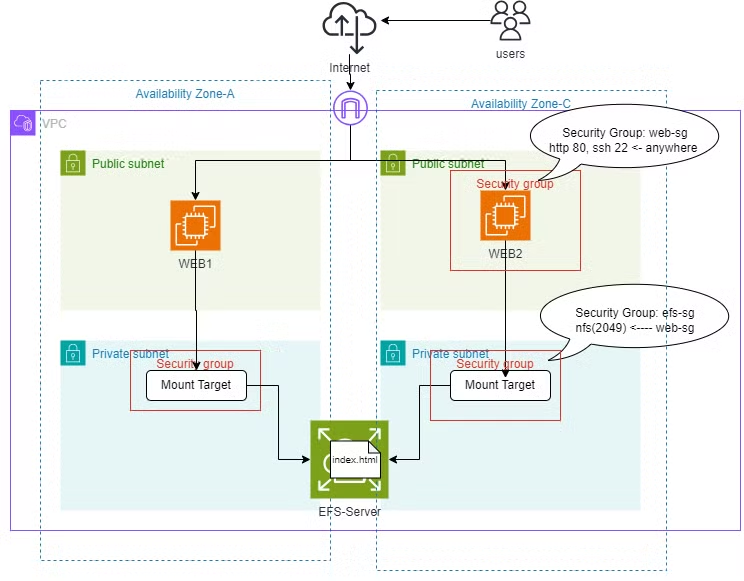
워크플로우
1. 보안 그룹 생성
2. 인스턴스 생성
3. EFS 생성
4. EFS-인스턴스 연결
1. 보안 그룹 생성
- name : web-sg
- inbound : http 80, ssh 22/anywhere
- name : efs-sg
- inbound : nfs 2049/web-sg
2. 인스턴스 생성
- name : WEB1
- az : a
- vpc : lab-vpc
- subnet : public 2a
- sg : web-sg
- user data
#!/bin/bash
yum install -y httpd
systemctl enable --now httpd
echo "<h1> WEB1 TEST </h1>" > /var/www/html/index.html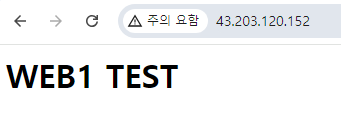
- name : WEB2
- az : c
- vpc : lab-vpc
- subnet : public 2c
- sg : web-sg
- user data
#!/bin/bash
yum install -y httpd
systemctl enable --now httpd
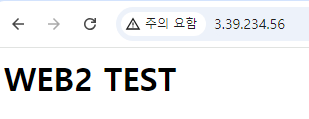
echo "<h1> WEB2 TEST </h1>"  > /var/www/html/index.html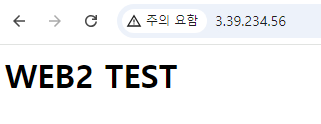
3. EFS 생성
- name : EFS-server
- vpc : lab-vpc
- 파일 시스템 설정
- 유형 - 리전
- 성능 설정 - 버스트
- 네트워크 설정
- vpc : lab-vpc
- subnet : private
- sg : efs-sg
4. EFS-인스턴스 연결
- WEB1 서버 연결
# 장치 연결
[root@ip-10-0-0-159 ~]# mount -t nfs4 -o nfsvers=4.1,rsize=1048576,wsize=1048576,hard,timeo=600,retrans=2,noresvport fs-0b005f1c0789472fb.efs.ap-northeast-2.amazonaws.com:/ /var/www/html

# 장치 연결 확인
[root@ip-10-0-0-159 ~]# df -hT
Filesystem                                              Type      Size  Used Avail Use% Mounted on
devtmpfs                                                devtmpfs  4.0M     0  4.0M   0% /dev
tmpfs                                                   tmpfs     475M     0  475M   0% /dev/shm
tmpfs                                                   tmpfs     190M  456K  190M   1% /run
/dev/xvda1                                              xfs       8.0G  1.6G  6.4G  20% /
tmpfs                                                   tmpfs     475M     0  475M   0% /tmp
/dev/xvda128                                            vfat       10M  1.3M  8.7M  13% /boot/efi
tmpfs                                                   tmpfs      95M     0   95M   0% /run/user/1000
fs-0b005f1c0789472fb.efs.ap-northeast-2.amazonaws.com:/ nfs4      8.0E     0  8.0E   0% /var/www/html

# 디렉토리 이동
[root@ip-10-0-0-159 ~]# cd /var/www/html

# 이미지 저장
[root@ip-10-0-0-159 html]# wget https://img.etnews.com/news/article/2019/04/01/cms_temp_article_01113701404181.jpg
...
2024-09-30 12:48:35 (306 MB/s) - ‘cms_temp_article_01113701404181.jpg’ saved [45735/45735]

# 이미지 이름 변경
[root@ip-10-0-0-159 html]# mv cms_temp_article_01113701404181.jpg mypet.jpg
[root@ip-10-0-0-159 html]# ls
mypet.jpg

# index.html 생성
[root@ip-10-0-0-159 html]# cat > index.html
<html lang="ko">
<head>
    <meta charset="UTF-8">
    <meta name="viewport" content="width=device-width, initial-scale=1.0">
    <title>홈페이지</title>
</head>
<body>
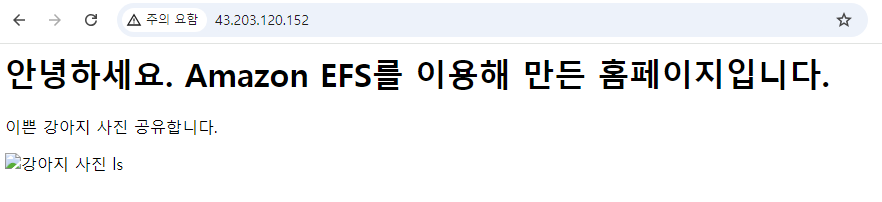
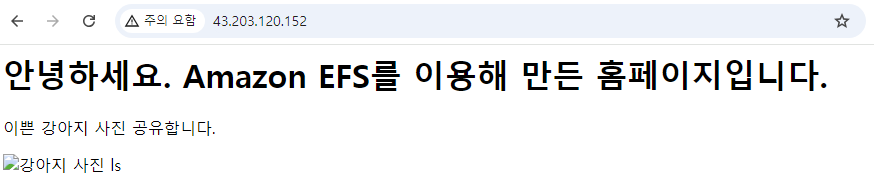
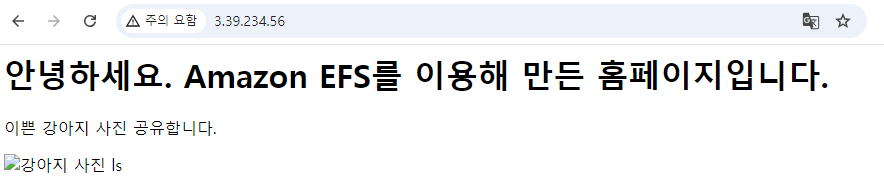
    <h1>안녕하세요. Amazon EFS를 이용해 만든 홈페이지입니다.</h1>
    <p>이쁜 강아지 사진 공유합니다.</p>
    <img src="pet.jpg" alt="강아지 사진">
</body>
</html>

# 디렉토리 리스트 확인
[root@ip-10-0-0-159 html]# ls /var/www/html
index.html  mypet.jpg

# 징치 해제
[root@ip-10-0-0-159 www]# umount /var/www/html
[root@ip-10-0-0-159 www]# cd html
[root@ip-10-0-0-159 html]# ls
index.html

# 장치 자동 연결 설정
[root@ip-10-0-0-159 html]# echo "fs-0b005f1c0789472fb.efs.ap-northeast-2.amazonaws.com:/ /var/www/html nfs4 nfsvers=4.1,rsize=1048576,wsize=1048576,hard,timeo=600,retrans=2,noresvport  0 0"  >> /etc/fstab

# 장치 연결

[root@ip-10-0-0-159 html]# mount -a
[root@ip-10-0-0-159 html]# ls
index.html
[root@ip-10-0-0-159 html]# df -h
Filesystem                                               Size  Used Avail Use% Mounted on
devtmpfs                                                 4.0M     0  4.0M   0% /dev
tmpfs                                                    475M     0  475M   0% /dev/shm
tmpfs                                                    190M  456K  190M   1% /run
/dev/xvda1                                               8.0G  1.6G  6.4G  20% /
tmpfs                                                    475M     0  475M   0% /tmp
/dev/xvda128                                              10M  1.3M  8.7M  13% /boot/efi
tmpfs                                                     95M     0   95M   0% /run/user/1000
fs-0b005f1c0789472fb.efs.ap-northeast-2.amazonaws.com:/  8.0E     0  8.0E   0% /var/www/html
- WEB2 서버 연결
# 장치 자동 연결 설정
[root@ip-10-0-1-214 ~]# echo "fs-0b005f1c0789472fb.efs.ap-northeast-2.amazonaws.com:/ /var/www/html nfs4 nfsvers=4.1,rsize=1048576,wsize=1048576,hard,timeo=600,retrans=2,noresvport  0 0"  >> /etc/fstab

# 장치 연결
[root@ip-10-0-1-214 ~]# mount -a

# 장치 연결 확인
[root@ip-10-0-1-214 ~]# df -h
Filesystem                                               Size  Used Avail Use% Mounted on
devtmpfs                                                 4.0M     0  4.0M   0% /dev
tmpfs                                                    475M     0  475M   0% /dev/shm
tmpfs                                                    190M  460K  190M   1% /run
/dev/xvda1                                               8.0G  1.6G  6.4G  20% /
tmpfs                                                    475M     0  475M   0% /tmp
/dev/xvda128                                              10M  1.3M  8.7M  13% /boot/efi
tmpfs                                                     95M     0   95M   0% /run/user/1000
fs-0b005f1c0789472fb.efs.ap-northeast-2.amazonaws.com:/  8.0E     0  8.0E   0% /var/www/html

[root@ip-10-0-1-214 ~]# ls /var/www/html
index.html  mypet.jpg

지금 이 순간이 다시 넘겨볼 수 있는 한 페이지가 될 수 있게