기초지식
Domain, IP, Port
Domain - name
-
웹사이트는 여러 도메인들을 가질 수 있음
-
아래 두 도메인들은 같은 웹페이지로 이동하게 됨
daum.net
daum.co.kr -
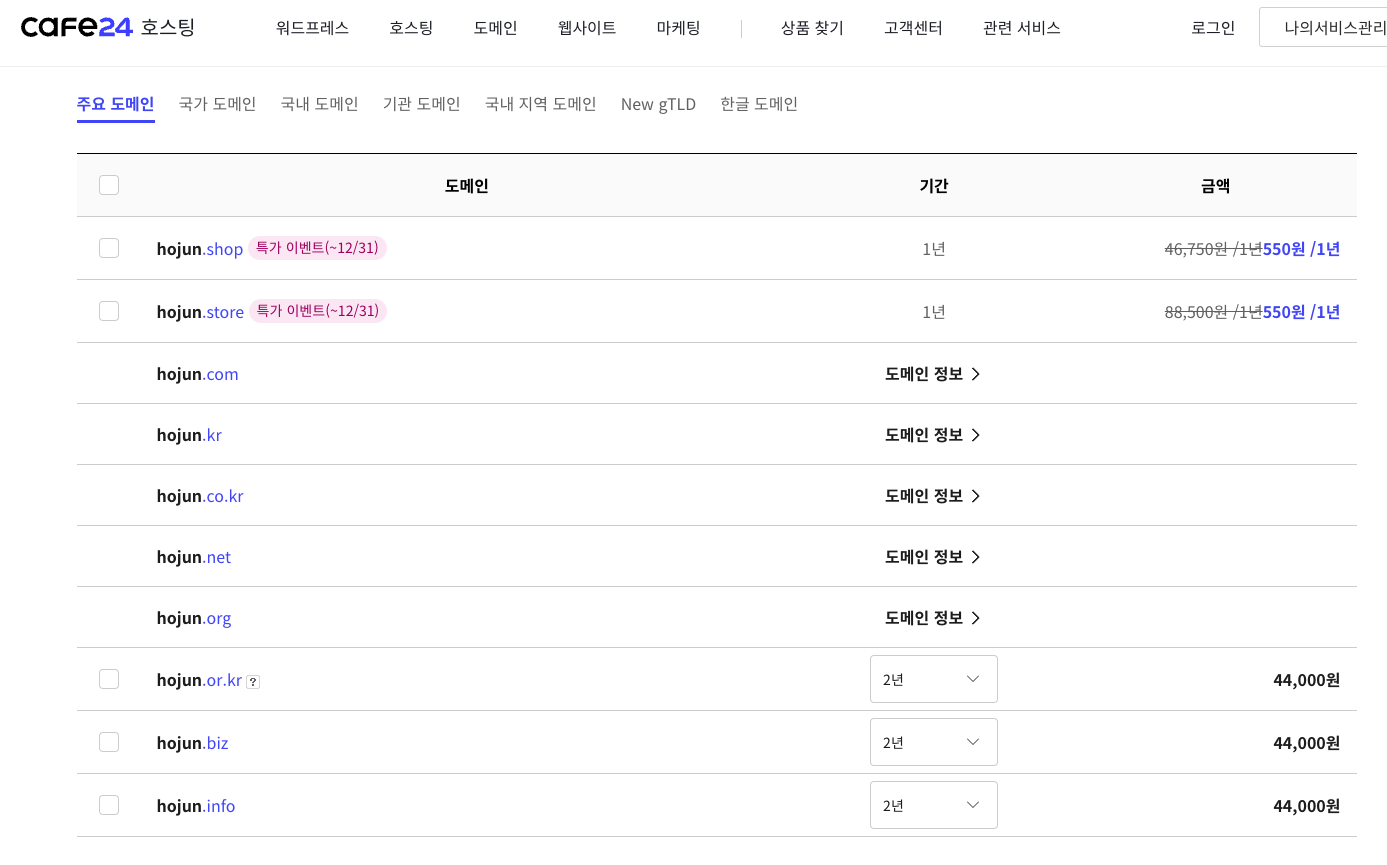
도메인은 살 수 있다.
e.g cafe24
IP - address
웹사이트마다 단 하나의 주소가 존재
Port - gate
-
하나의 웹사이트에 여러개의 port (문)이 존재 가능, 아래와 같이 :5000 혹은 :80 과 같이 포트를 지정하면 다른 페이지가 보임.
http://websitename:5000/
http://websitename:80/ -
3 categories of port numbers
0번 ~ 1023번: 잘 알려진 포트 (well-known port)
1024번 ~ 49151번: 등록된 포트 (registered port)
49152번 ~ 65535번: 동적 포트 (dynamic port) -
well-known ports
e.g-> http -> 80
e.g-> https -> 443(http의 암호화 전송)
e.g-> https://www.naver.com:443 -
우리는 well-known port 사용 x, 대신 registered port을 사용.
Reference : TCP/UDP의 포트 목록-위키백과
VSCode shortcuts for mac
cmd + N : 새로운 파일
cmd + S : 저장
cmd + D : 같은 단어 찾기
cmd + C, cmd + V : 복사붙이기, 마우스로 드래그 하지 않고 사용 가능
Opt + Shift + 위아래 방향키 : 복사붙이기, 잘 사용 x
cmd/fn + <-, cmd/fn + -> : 해당 줄에 맨 앞으로, 해당 줄에 맨 뒤로
cmd + Opt + 위아래 방향키 : 동시수정
cmd + B : 사이드바
cmd + / : 주석
tab : 들여쓰기
Shift+tab : 내어쓰기
Shift + Del
cmd + , : settings => word wrap 검색 후 off -> on으로 해주시면 code가 자동줄바꿈 됨.
Mac 단축키
- Ctrl ⇒ Command
- Alt ⇒ Option
- Ctrl이 Control 단축키로 사용할 경우에는 Ctrl(Control)
VSCode - keyboard shortcut for mac OS
Emmet
def: Emmet (formerly Zen Coding) is a set of plug-ins for text editors that allow for high-speed coding and editing in HTML, XML, XSLT, and other structured code formats via content assist.
Emmet is a word that originally meant ant, a small insect that can carry over 50 times of its weight. This word is also similar to "emit," which is basically what Emmet does when it expands abbreviations.
example code
<body>
    <!-- 시간이 지나면 자동완성이 사라짐. -->
    <!-- 맨 뒤에 것을 지우고 다시 중괄호{} 해주시면 자동완성 됨. -->
    h1{hello world}
    h1+h2
    h1{hello}+p{world}
    p{hello}*5
    h$*6
    .one
    #two
    .one#two
    .btnActive$*10
    p.one
    p#two
    p.one#two
    p.btnActive$*10
    <!-- 6개 단어, lorem 은 의미없는 단어들을 생성하는 명령어 -->
    lorem6
    <!-- 6개 문장 -->
    lorem*6
    .one>.two>.three
    ul>li*5
    table>(tr>td*5)*8

    a[href='https://www.naver.com']
    p[a='one' b='two' c='three']
</body>
</html>Reference: wikipedia - emmit(sofrware)
markdown vs markup
markdown : 주로 설명을 위한 문서
마크다운(.md)의 대제목, 중제목?
# 대제목
## 중제목
markup : 웹에서 사용하는 문서
마크업(.html)의 대제목, 중제목?
<h1>대제목</h1>
<h2>중제목</h2>
기타 개념
확장자란?
파일을 실행시킬 프로그램 명시(그 파일을 어떤 프로그램으로 열어줄지)
클라우드 환경?
빌려쓰는 환경