provider "aws" {
  region = "ap-northeast-2"
}
⇒ provider는 코드를 어떤 인프라 환경에 반영할 것인가를 설정합니다.
provider "aws" {
  region     = "us-west-2"
  access_key = "my-access-key"
  secret_key = "my-secret-key"
}
OR
shared configuration and credentials files($HOME/.aws/config)
이런 파일들을 이용해서
provider "aws" {
  shared_config_files      = ["/Users/tf_user/.aws/conf"]
  shared_credentials_files = ["/Users/tf_user/.aws/creds"]
  profile                  = "customprofile"
}
OR
IAM Role를 이용해서 이렇게 등록을 해도 된다고 합니다.
provider "aws" {
  assume_role {
    role_arn     = "arn:aws:iam::123456789012:role/ROLE_NAME"
    session_name = "SESSION_NAME"
    external_id  = "EXTERNAL_ID"
  }
}
하지만 민감한 정보에 조심해야하기 때문에 aws configure를 이용해서
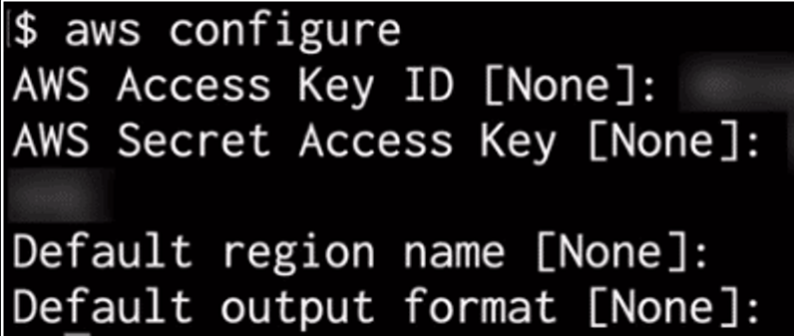
이런 방식으로 Access, Secret Key를 적어놓았습니다
[출처: https://malwareanalysis.tistory.com/427]