css의 display 속성과 size 단위를 html 코드상으로 삽입해 변화 확인해보기
hello_world.html 파일 작성
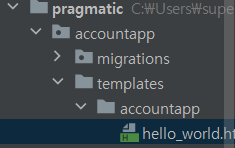
base.css파일에서 따로 분리할 수도 있지만 style태그를 사용해 그 안에 css 내용을 넣어줄 수도 있다.
css 선택자 우선순위
1. 속성 값 뒤에 !important를 붙인 속성
2. HTML에서 style을 직접 지정한 속성
3. #id로 지정한 속성
4. .클래스, : 추상클래스로 지정한 속성
5. 태그이름으로 지정한 속성
6. 상위 객체에 의해 상속된 속성
em 단위
1rem = 16px
3rem = 3x16 = 48px
Display 속성 코드 짜기
<!--hello_world.html-->

{% extends 'base.html' %}

{% block content %}

    <style>
        .testing {
            background-color: white;
            height: 3rem;
            width: 3rem;
            margin: 1rem;
        }
    </style>

    <div style="height: 20rem; background-color: #38df81; border-radius: 1rem; margin: 2rem;">
        <h1>
            testing
        </h1>

        <div class="testing" style="display: block">block</div>
        <div class="testing" style="display: inline">inline</div>
        <div class="testing" style="display: None">None</div>
        <div class="testing" style="display: inline-block">inline-block</div>
        <div class="testing">default</div>

    </div>

{% endblock %}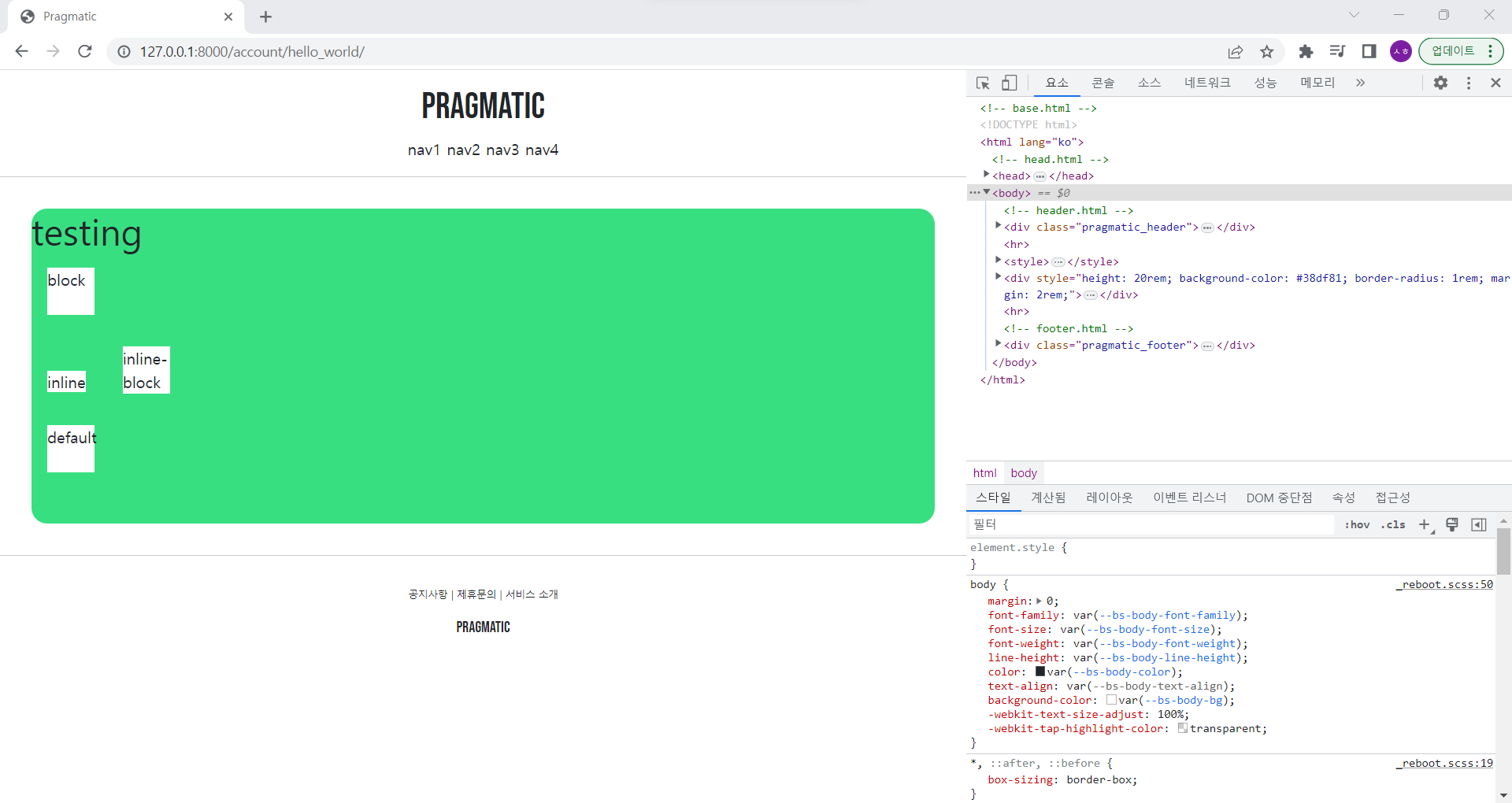
1. block
부모의 모든 너비를 다 가져가는 것을 확인 가능
<div class="testing" style="display: block">block</div> 코드를 2개 추가해 총 3개를 쌓는다면 우리가 설정한 크기와 관계없이 수직으로 쌓이게 됨
2. inline
<div class="testing" style="display: inline">inline</div>
텍스트만 감쌀 정도로 공간 차지
inline 코드를 여러 줄 작성한다면 옆으로 쌓이는 형태를 볼 수 있음
3. None
html 태그 상에서는 존재하지만 화면에 보여지진 않음
<div class="testing" style="display: None">None</div>
4. inline-block
<div class="testing" style="display: inline-block">inline-block</div>
margin은 1rem 정도로 설정돼 있고, 내부는 우리가 설정한 크기대로 대응되는 것을 볼 수 있음
5. default
<div class="testing">default</div>
따로 정해주지 않는 한 display: block 이라는 속성이 기본적으로 적용된다.
6. div와 span의 차이
div : 블록 단위
span : 인라인 단위
  <span style="height: 3rem; width: 3rem;">
  	test
  </span>
html 소스를 고치다가 크기와 너비를 내가 원하는 대로 설정을 했는데, 생각한대로 크기가 나오지 않는다면 display 설정을 보고 확인하면 됨
{% extends 'base.html' %}

{% block content %}

    <style>
        .testing {
            background-color: white;
            height: 3rem;
            width: 3rem;
            margin: 1rem;
        }
    </style>

    <div style="height: 20rem; background-color: #38df81; border-radius: 1rem; margin: 2rem;">
        <h1>
            testing
        </h1>

        <div class="testing" style="display: inline-block; width: 48px; height: 48px;">block</div>
        <div class="testing" style="display: inline-block; width: 3em; height: 3em;">block</div>
        <div class="testing" style="display: inline-block; width: 3rem; height: 3rem;">block</div>
        <div class="testing" style="display: inline-block; width: 30%; height: 30%;">block</div>

    </div>

{% endblock %}
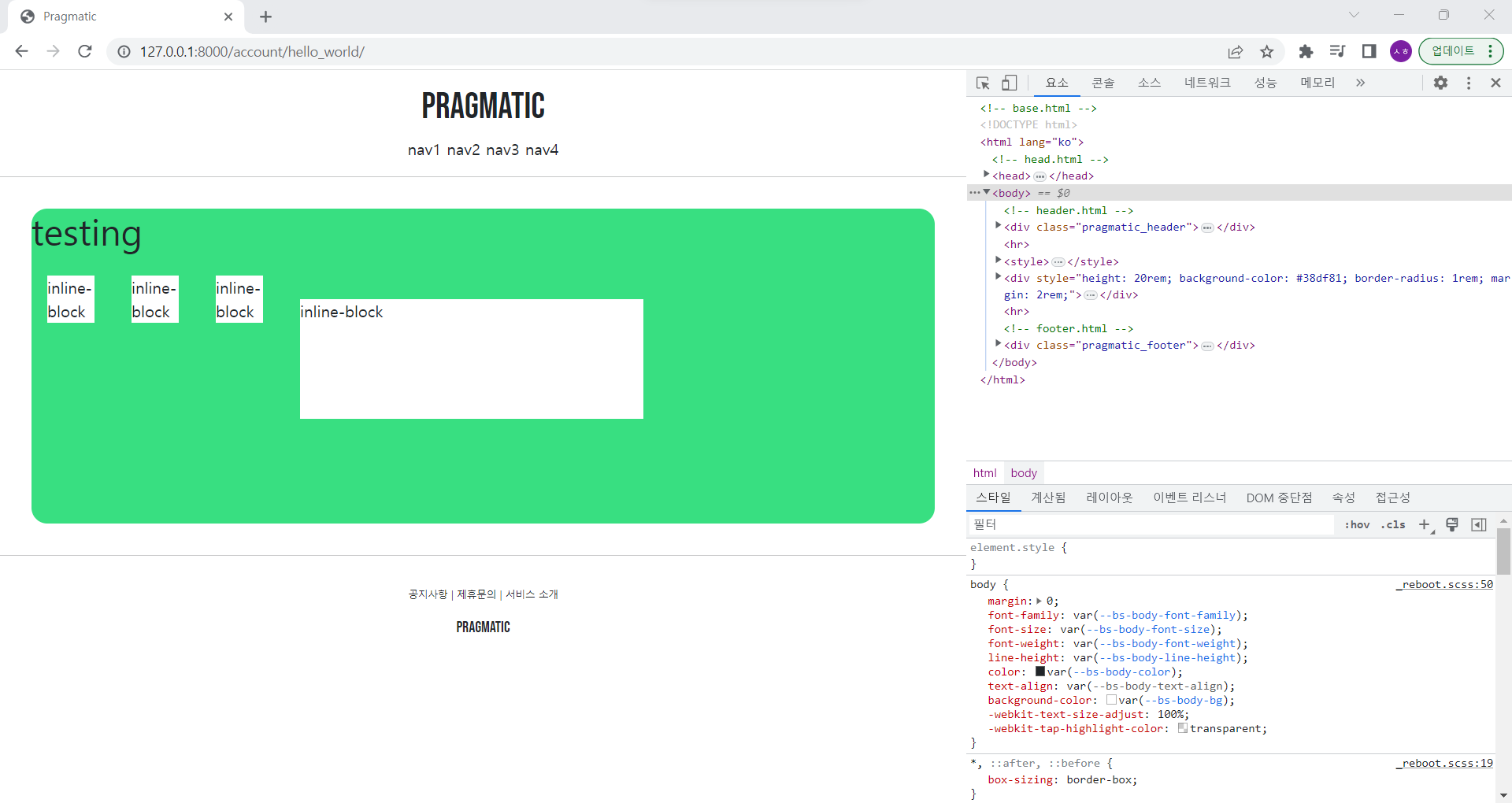
inline 블록을 설정하고 이제 크기 정보에 대한 style 속성을 기입
첫 번째는 16x4=48px width와 height 수정
두 번째는 rem을 em으로 수정
세 번째는 그대로
네 번째는 부모 전체의 30%를 의미하는 30%로 수정
root html문서 font-size 바꾸기
48px, 3em, 3rem 모두 동일한 픽셀의 크기를 같는 것처럼 보이지만 최상위 root html 문서 폰트 사이즈를 기본 16px -> 32px로 증가시킴
-
display: inline-block; width: 48px; height: 48px;
항상 48px로 유지 -
display: inline-block; width: 3em; height: 3em;
96px임 -
display: inline-block; width: 3em; height: 3em;
96px로 em과 동일
부모 div태그의 font-size 바꾸기
<div style="height: 20rem; background-color: #38df81; border-radius: 1rem; margin: 2rem; font-size: 2rem">
위 코드로 수정한 다음 다시 root html의 font-size: 32px로 수정하면 px는 그대로 있고 em은 4배가 됨
git 리셋
git reset --hard HEAD : 최근에 commit한 것에서 모든 변경사항을 날려 가장 최근의 commit으로 돌아감