AccountCreateView 클래스 view 만들기
# pragmatic/accountapp/views.py
from django.contrib.auth.models import User
...
from django.views.generic import CreateView

def hello_world(request): ...

class AccountCreateView(CreateView): # CreateView를 상속받음
    model = User
    form_class = UserCreationForm
    success_url = reverse_lazy('accountapp:hello_world')
    template_name = 'accountapp/create.html'
class기반 view를 만들 때 주요한 파라미터를 입력해줘야 함
1. 무슨 모델을 사용할건지
장고에서 기본적으로 제공해주는 User라는 모델을 사용
Alt + Enter : 자동 import
ctrl + b : User 클래스 정의 부분으로 이동
class User(AbstractUser): : AbstractUser를 상속 받아 User 재정의
class AbstractUser(AbstractBaseUser, PermissionsMixin): : 기본적으로 User 에 대한 검증 내용이 들어간 모델
2. User 모델을 만들려면 form 필요
UserCreationForm이라는 폼 사용
class UserCreationForm(forms.ModelForm): : 검증 작업에 대한 내용이 들어가있음
3. 계정 만들기에 성공했다면 어느 경로로 다시 연결할건가
지금까지 만들어 놓은 hello_world라는 경로로 reverse_lazy를 사용해 redirection
reverse vs reverse_lazy
reverse : 함수형 view에서 사용
reverse_lazy : 클래스형 view에서 사용
4. 템플릿 지정해주기
회원가입 화면을 어느 html 파일을 이용하여 볼지 accountapp/create.html은 이후 만들어 작성해줘야 함
경로 지정
회원가입을 할 경로가 필요하기 때문에 다음과 같이 경로 추가
# pragmatic -> accountapp -> urls.py
from django.urls import path
from accountapp.views import hello_world, AccountCreateView

app_name = "accountapp"

# path 의 두 번째 파라미터에 방금 만들었던 클래스 기반의 view 를 넣어준다
urlpatterns = [
    # 함수형 view 의 경우, 함수 이름 그대로 기입
    path('hello_world/', hello_world, name='hello_world'),

    # 클래스형 view 의 경우, as_view() 사용
	path('create/', AccountCreateView.as_view(), name='create'),
]
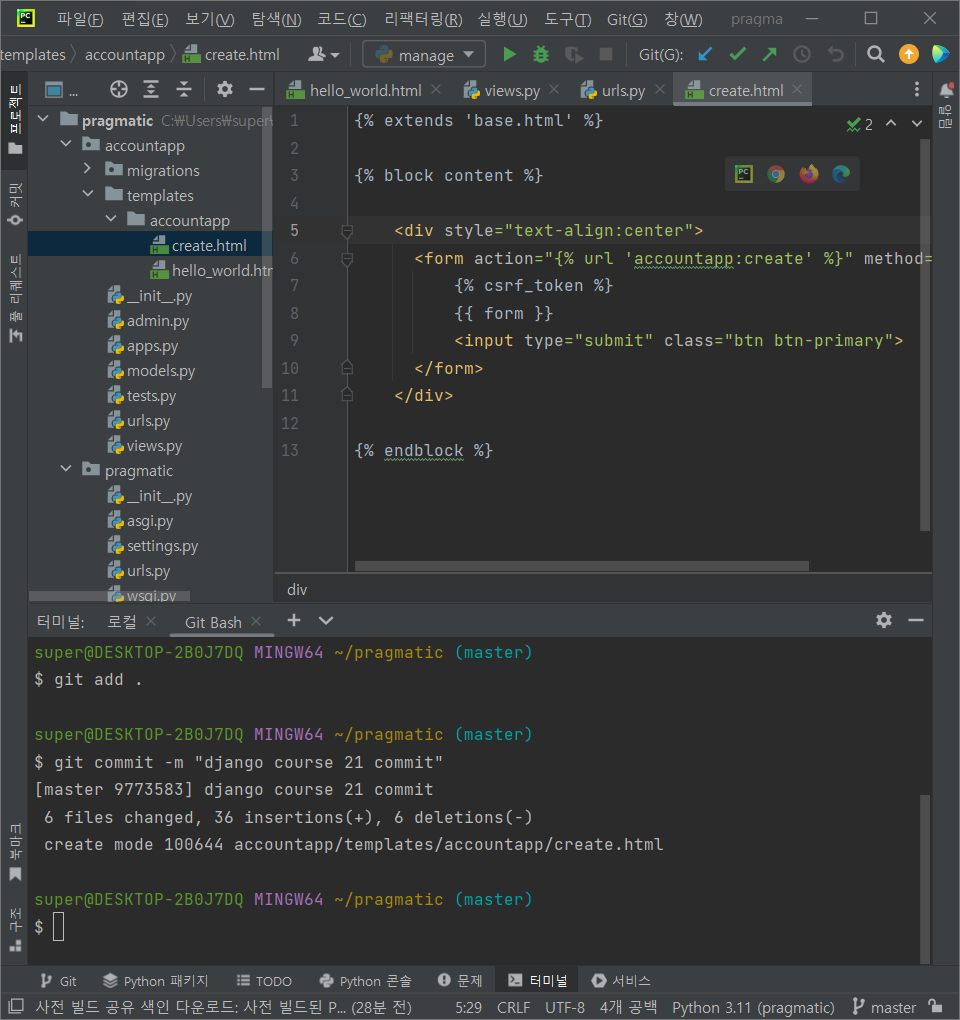
templates 폴더에 Create.html 파일 만들기
<!--accountapp -> templates -> accountapp -> create.html-->
{% extends 'base.html' %}

{% block content %}

<div>
  <form action="{% url 'accountapp:create' %}" method="post">  <!--url 일원화, post 방식 으로 전송 -->
    {% csrf_token %}  <!-- csrf_token은 항상 들어 가야 하는 것 -->
    {{ form }}  <!-- 우리가 원하는 모든 form을 html 로 만들어 준다. -->
    <input type="submit" class="btn btn-primary">
  </form>
</div>

{% endblock %}

<!--{% url 'accountapp:create' %} 부분 해석 -->

<!--액션 내부 에는 요청을 보내는 url 이 필요함, 모두 일원화 하여 작성-->
<!--기존에는 accountapp/hello_world 로 작성했으나 -->
<!--reverse 에서 accountapp:hello_world 이런식으로 작성을 했었는데 -->
<!--이 형식을 템플릿에서도 동일하게 사용-->
<!--accountapp 안에 있는 create 라는 라우트로 연결해라 라는 의미-->
중앙 정렬 : <div style="text-align : center">
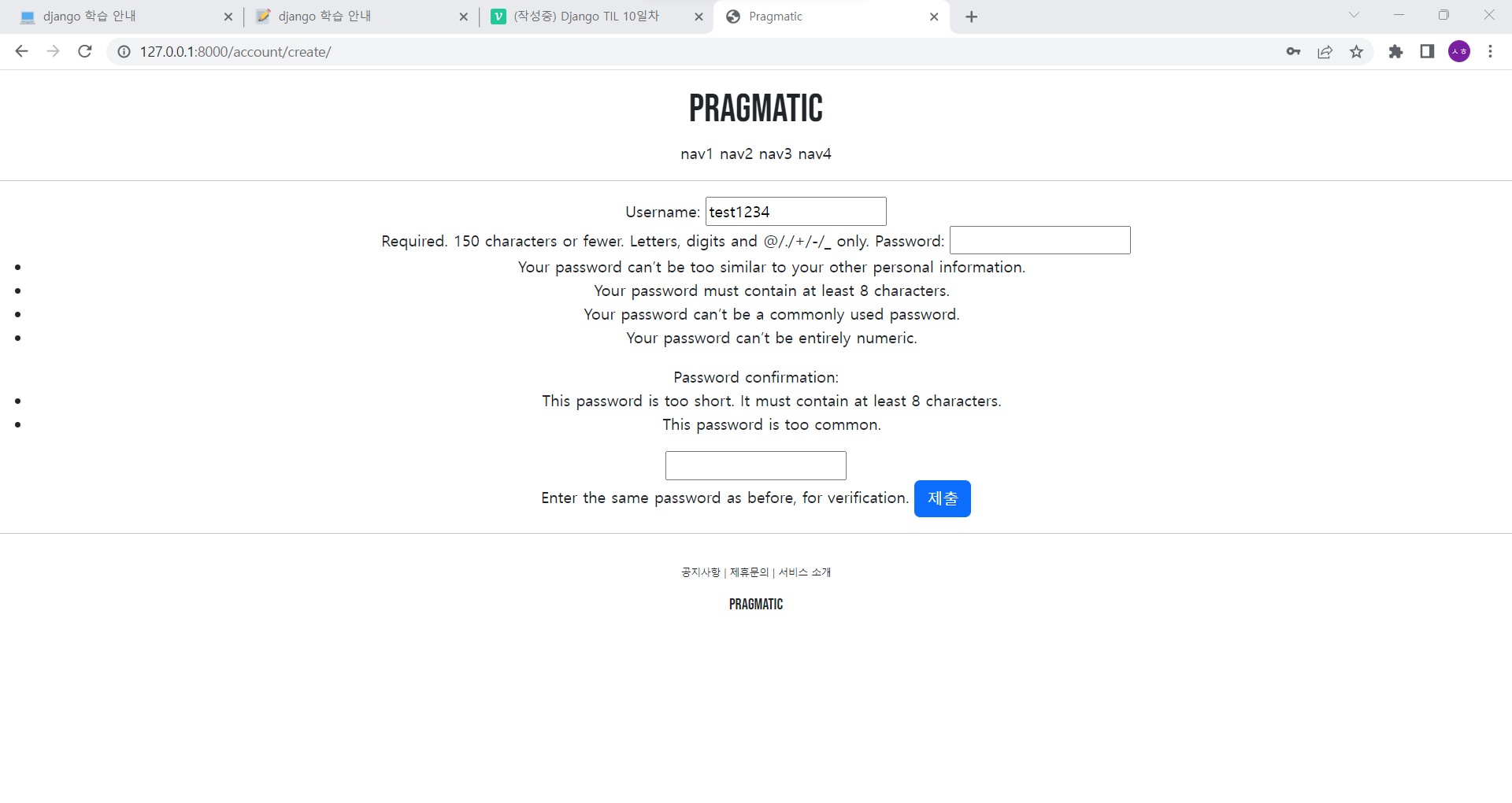
Username, Password, Password Confirm에 입력 후 hello_world 로 리다이렉션 로그인이 되었는지는 아직 확인 불가능
Commit