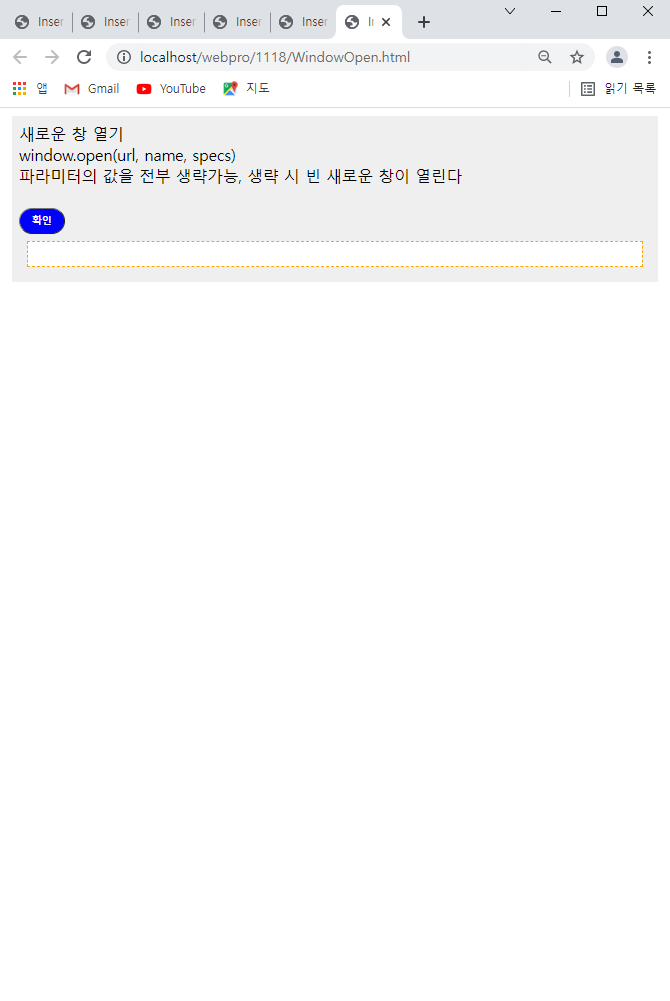
<!DOCTYPE html>
<html>
<head>
<meta charset="UTF-8">
<title>Insert title here</title>
<link rel = "stylesheet" href = "../css/mystyle.css" type="text/css">
<script>
function proc1(){

	a = window.open("windowsub.html", "_blank", "width=200 height=200");
	a.moveTo(100,100);
	a.resizeBy(300,300);
}

</script>
</head>
<body>

<div class = "box">
  새로운 창 열기<br>
  window.open(url, name, specs)<br>
   파라미터의 값을 전부 생략가능, 생략 시 빈 새로운 창이 열린다<br>
   <br>
  <button type = "button" onclick="proc1()">확인</button>
  <div id = "result1"></div>
</div>
</body>
</html>
"width=200 height=200"로 사이즈를 지정해놓음
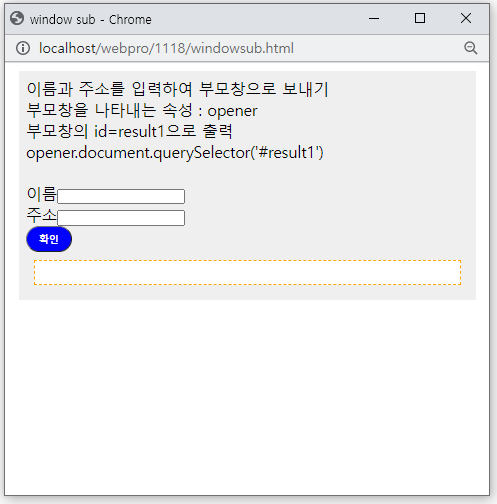
원래 sub코드는 아래와 같지만 Open에서 sub를 열면 다르게 사이즈를 조정할 수 있는 것
<!DOCTYPE html>
<html>
<head>
<meta charset="UTF-8">
<title>window sub</title>
<link rel = "stylesheet" href = "../css/mystyle.css" type="text/css">

<script>
function proc1(){
	//입력한 값 가져오기 = value
	//namevalue = document.getElementById('name').value.trim()
	//namevalue = document.querySelector("#name").value.trim()
	namevalue = document.ff.name.value.trim();
	addrvalue = document.ff.addr.value.trim()

	//값을 부모창으로 보내기
	str = "이름" + namevalue + "<br>";
	str += "주소" + addrvalue + "<br>";

	opener.document.querySelector('#result1').innerHTML = str;

	window.close();

}
</script>
</head>
<body>

<div class = "box">
    이름과 주소를 입력하여 부모창으로 보내기<br>
    부모창을 나타내는 속성 : opener<br>
    부모창의 id=result1으로 출력<br>
    opener.document.querySelector('#result1')<br>

   <br>
   <form name ="ff">
          이름<input type = "text" id="name" name="name"><br>
          주소<input type = "text" id="addr" name="addr"><br>
   </form>

  <button type = "button" onclick="proc1()">확인</button>
  <div id = "result1"></div>
</div>
</body>
</html>
신입 개발자 입니다!!!