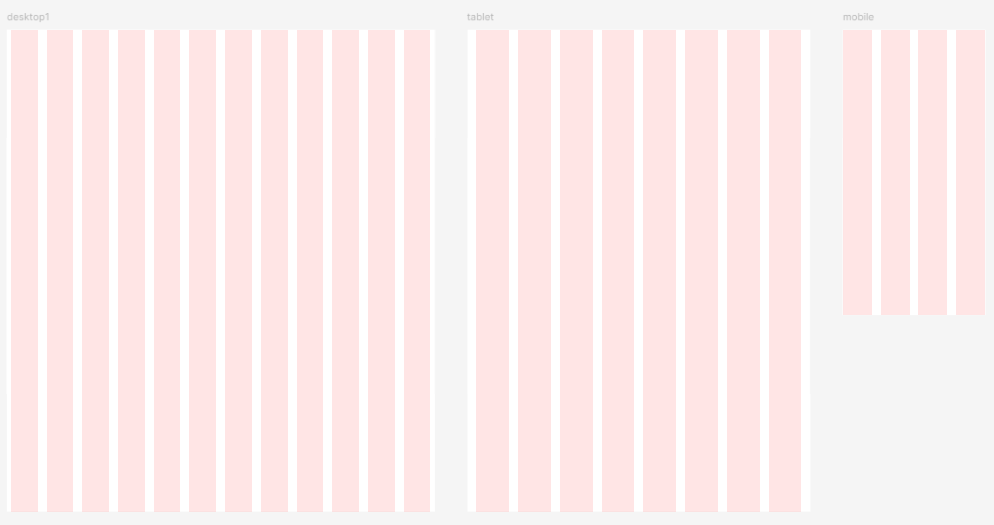
디바이스별 사이즈
1. 데스크탑
- 소형 데스크탑 : 1024x768
- 중형 데스크탑 : 1440x1024
- 대형 데스크탑 : 1920x1080
2. 태블릿
- 아이패드 미니 : 744x1133(iPad mini 8.3)
- 아이패드 가로모드 : 1024x1366 (iPad Pro 12.9)
3. 모바일
- 기본 모바일 : 360x640 (Android)
- 작은 모바일 : 320x568 (iPhone SE)
- 큰 모바일: 430x932(iPhone 14&15 Pro max)
그리드 설정하기
- 웹디자인에 맞는 크기의 프레임을 선택한다.
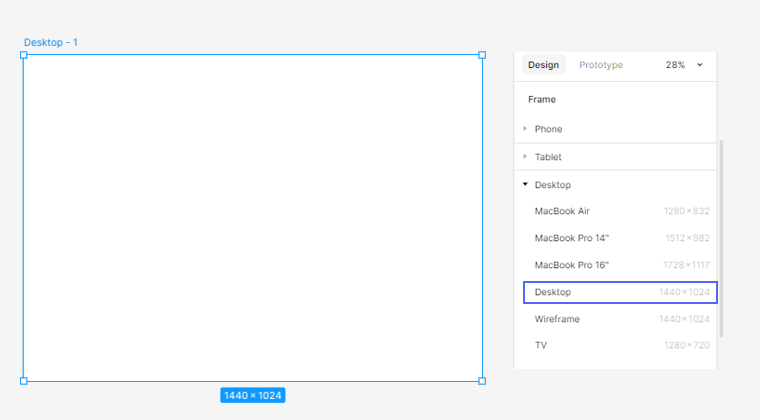
- 우측 패널 Layout Grid에서 +버튼 또는 오른쪽 마우스 클릭으로 Columns을 선택한다.
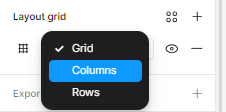
- 원하는 모양의 그리드 옵션을 설정한다.
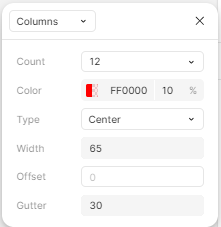
디바이스 별 그리드
1. PC Grid
컨테이너형
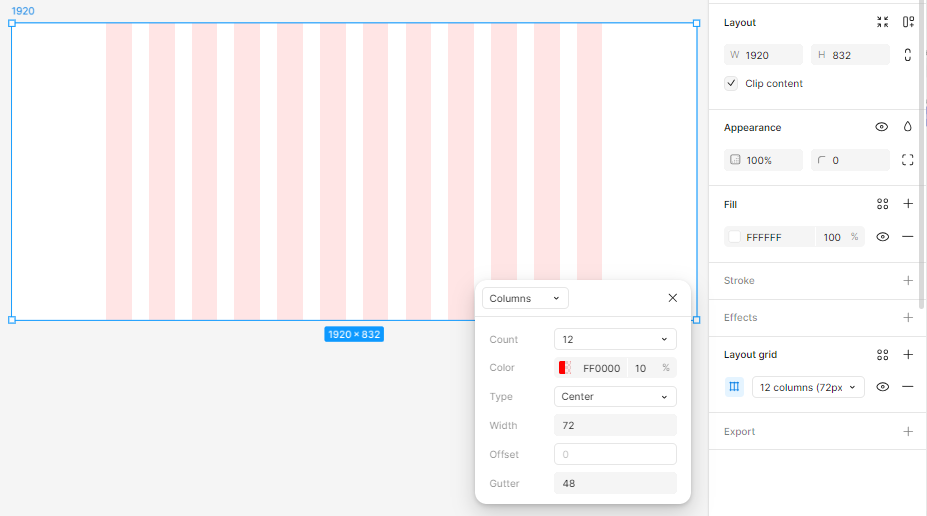
frame: 1920
count: 12 Type:center width: 72 Gutter: 48
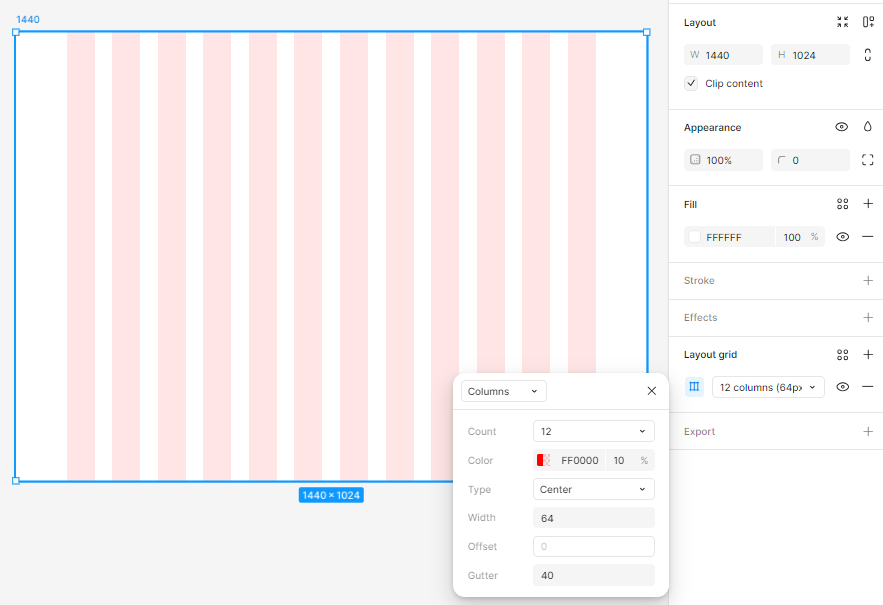
frame: 1440
count: 12 Type:center width: 64 Gutter:40
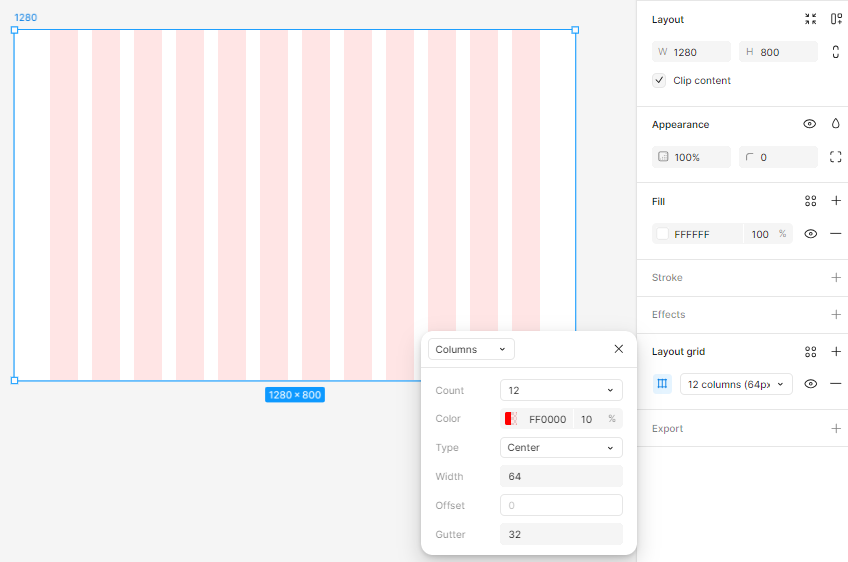
frame: 1280
count: 12 Type:center width: 64 Gutter:32
풀스크린형
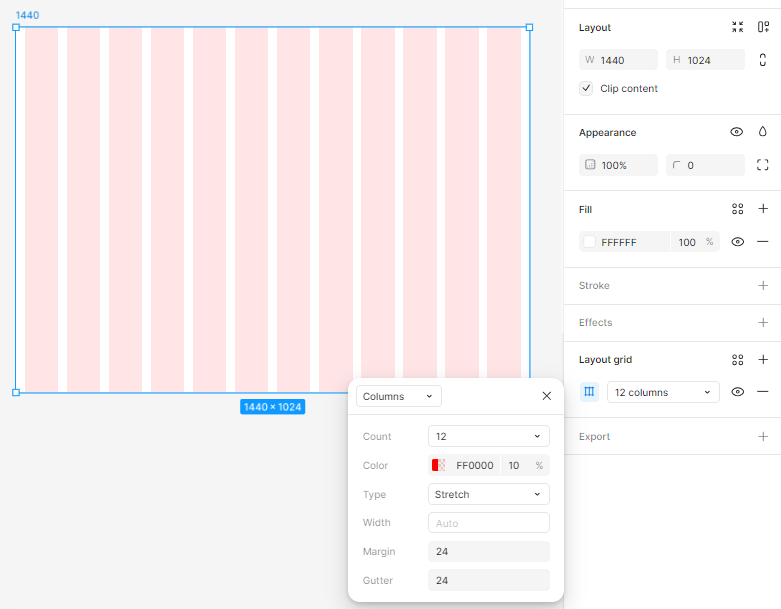
frame: 1440
count: 12 Type:Stretch width:auto Gutter: 24 margin:24
2. Mobile Grid
모바일 그리드 시스템
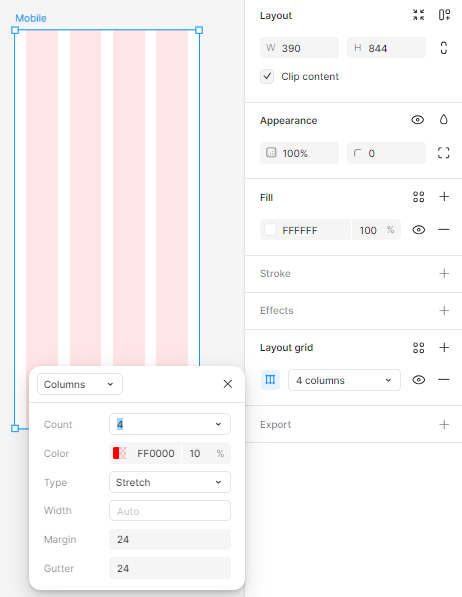
count: 4 Type:Stretch width:auto Gutter: 24 margin:24
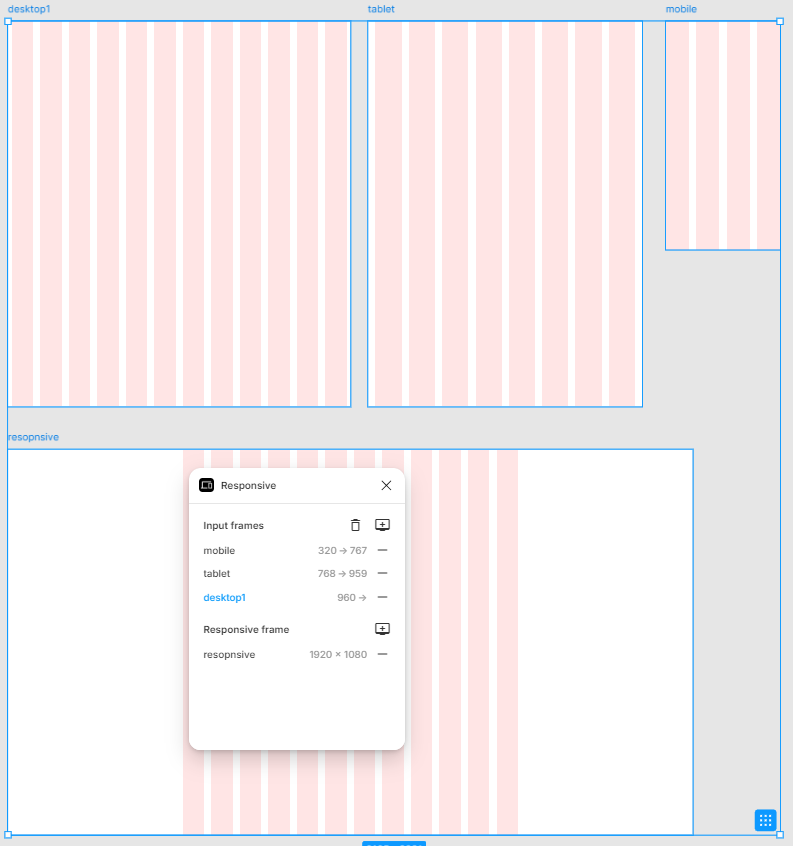
반응형 그리드시스템 만들기
1. 반응형 Breakpoint 으로 그리드 디자인, 대지 만들기
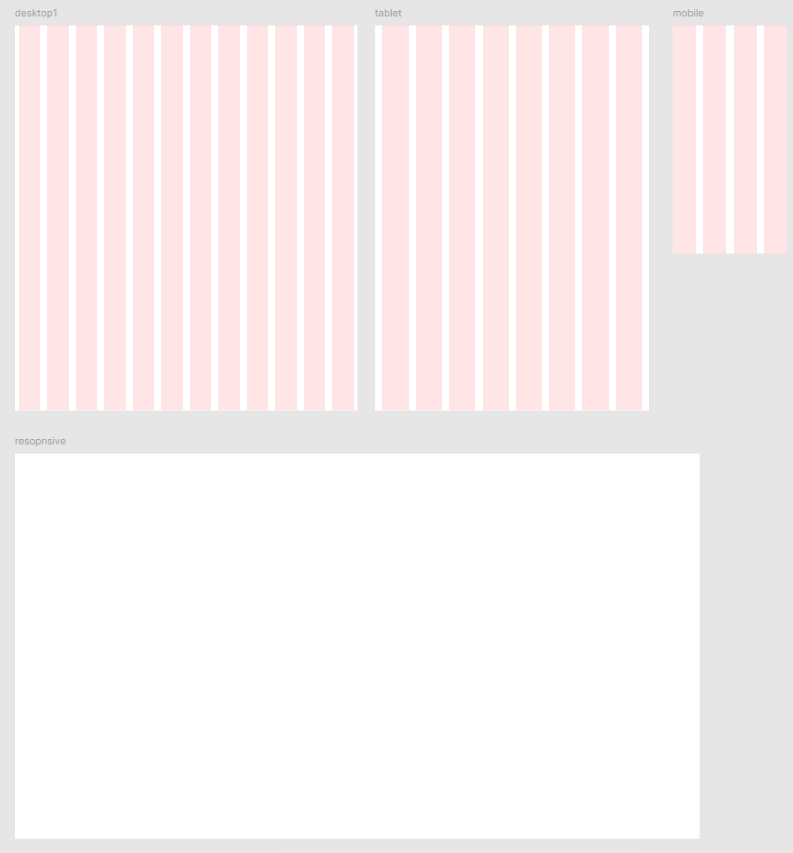
2. 반응형 플러그인 'Responsive'
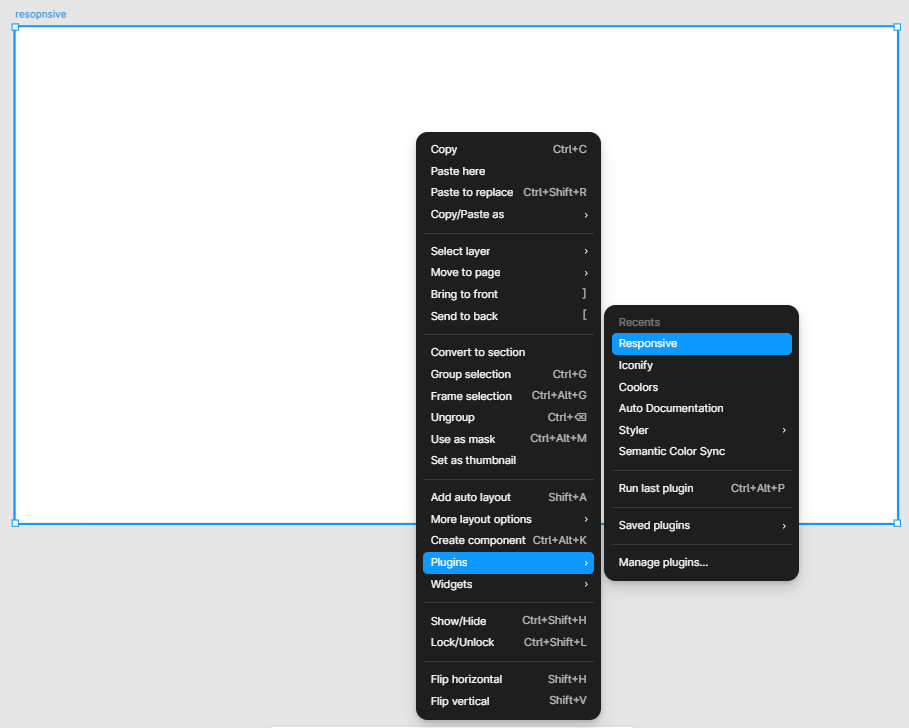
3. Responsive Frame에 대지 클릭
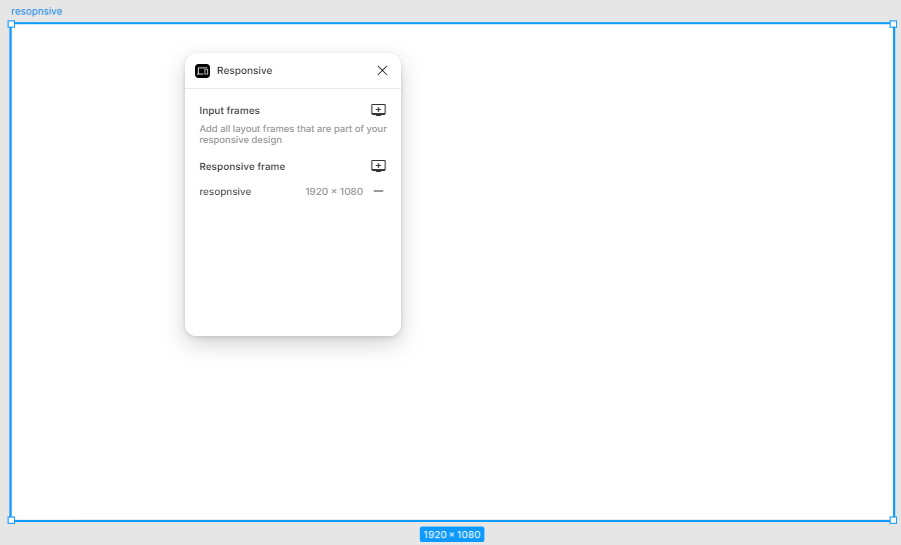
4. Input frames에 desktop,tablet,mobile 클릭
그리드시스템 라이브러리 등록하기
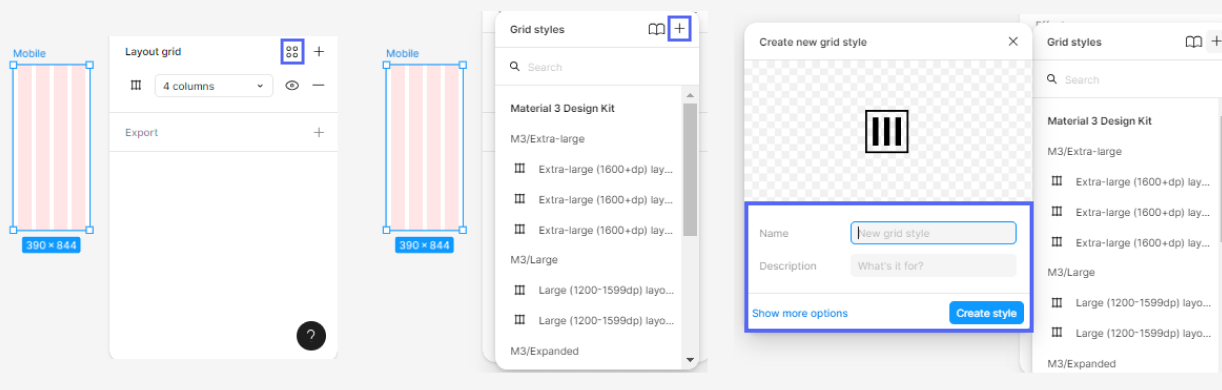
순서대로
1. Layout grid에서 옵션버튼(사각형 4개 아이콘) 클릭
2. Grid Styles에서 + 아이콘 클릭
3. 그리드 스타일 이름,설명 작성 후 create Style
참고 링크
피그마(Figma) 꿀팁 : 그리드 생성 방법 및 라이브러리 스타일로 지정하는 방법
[figma] 반응형 디자인
(Figma 디자인) 반응형 - Grid

퍼블리셔에서 UXUI 디자이너로 전직하기★