Remote 저장소
- GitHub에서 Remote 저장소 생성
- Git Clone하여 사용해봤다
- local repository에서 push, pull(fetch)하여 동기화 가능
Remote 저장소 추가
- git remote add <remote_repo_name> <remote_repo_URL>
- git remote add 이름 <remote_repo_URL> -> 다수 repository를 등록해서 작업할 때 이름을 지정해서 헷갈리지 않도록
- 가장 중요한 repository를 등록할 때 이름을 반드시 origin으로!
Remote 저장소 주소 수정
- 토큰 넣지 않을 때 등등 사용해야 함
- git remote set-url <remote_repo_name> <remote_repo_new_urL>
- git remote set-url origin <remote_repo_new_url>
저장소 이름 수정
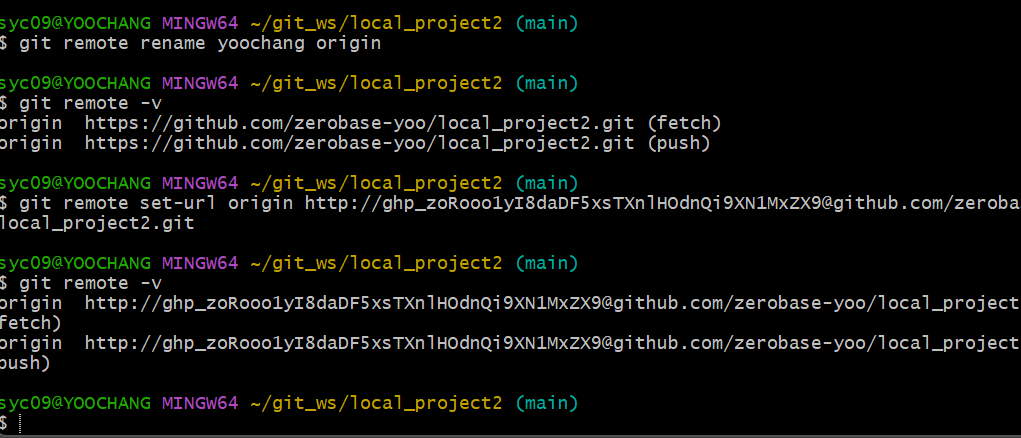
- git remote rename <old_name> <new_name>
저장소 삭제
- git remote remove <remote_repo_name>
- git remote remove origin
저장소 정보 확인
- git remote -v
- 이름과 url 정보 확인 가능
- 누구나 접속할 수 있는 pc에서 확인할 경우 토큰 정보도 알 수 있기 때문에 조심해야 한다!
저장소 상세보기
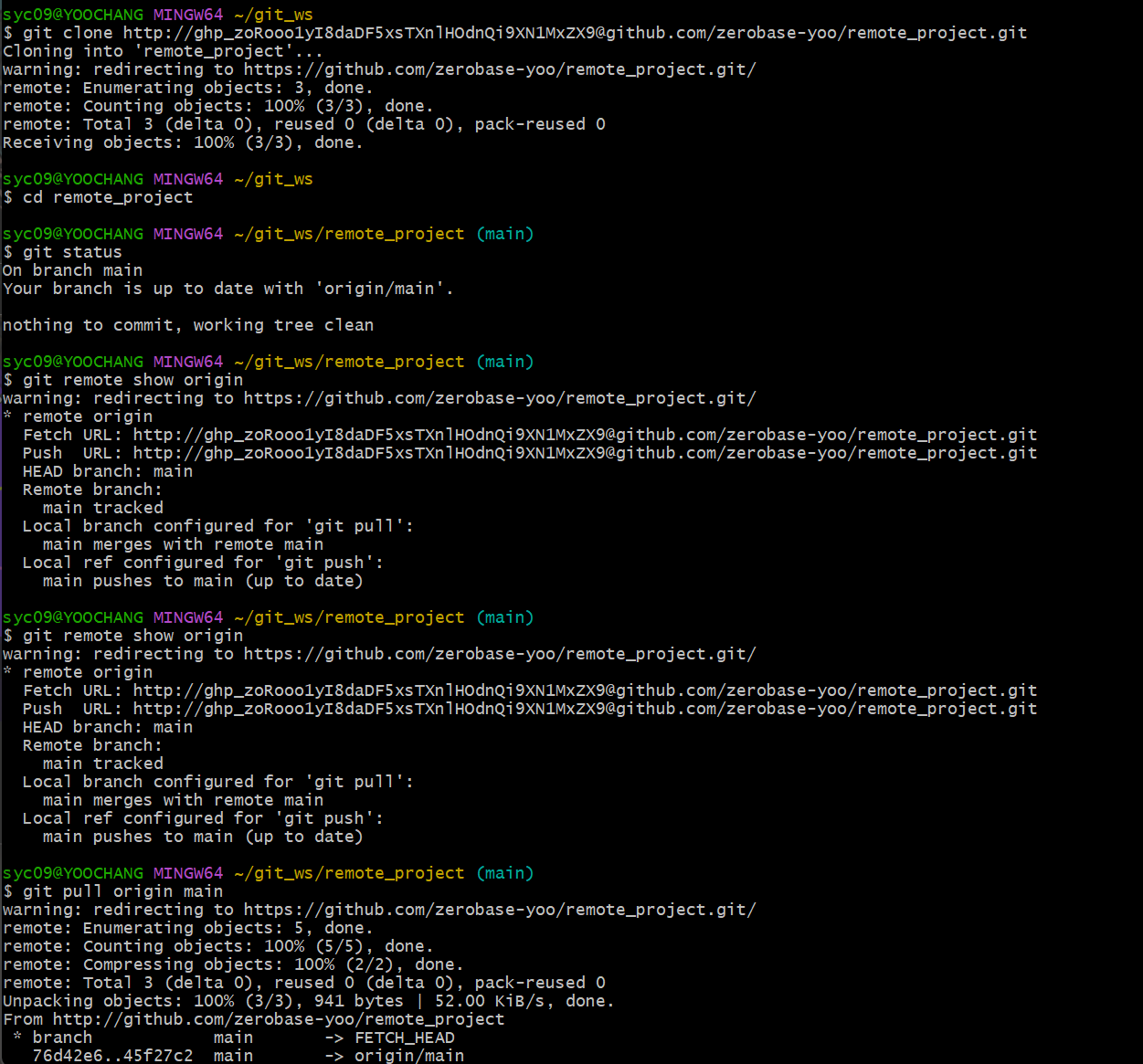
- git remote show <remote_repo_name>
- git remote show origin
Pull
- Remote repository의 작업 내용을 local repository에 동기화
- fetch와 merge(병합)의 과정을 합친 것
- git pull <remote_repo_name> <branch_name>
- git pull origin main
push
- local repository에서 작업한 내용을 remote repository에 배포
- git push <remote_repo_name> <brance_name>
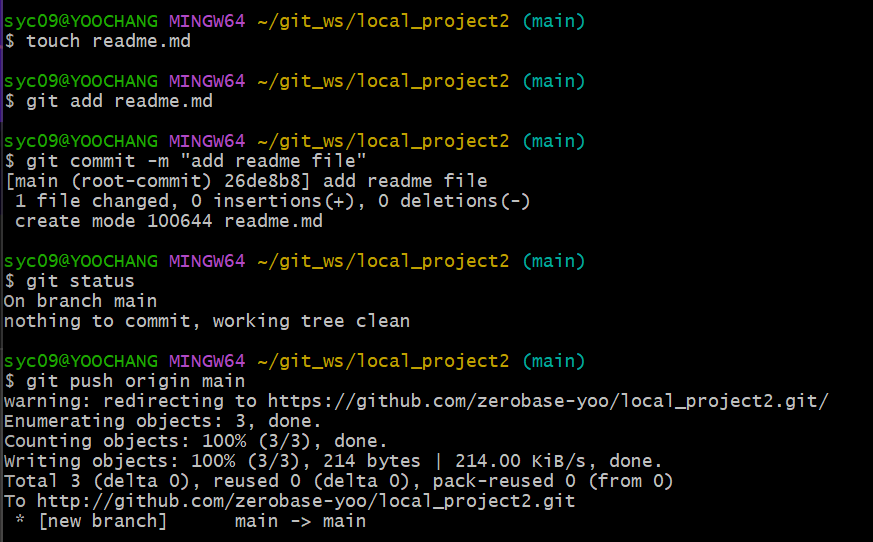
- git push origin main
실습
local 저장소 만들고 remote 연동
-
local repository와 연결할 remote repository 만들기
-
git clone으로 사용하는 것이 아니라 local에서 먼저 작업하다가 remote와 연동할 때는 반드시 완전하게 비어있는 저장소를 만들어주어야 한다!
-
저장소 추가
-
git remote add yoochang https://github.com/zerobase-yoo/local_project2.git

-
자동으로 fetch, push 주소 등록됨. (but, 이름이 적절치 않고 토큰 정보가 빠져있어 수정을 해야 함)
-
git remote set-url origin http://토큰주소@github.com/~~~
push 해보자
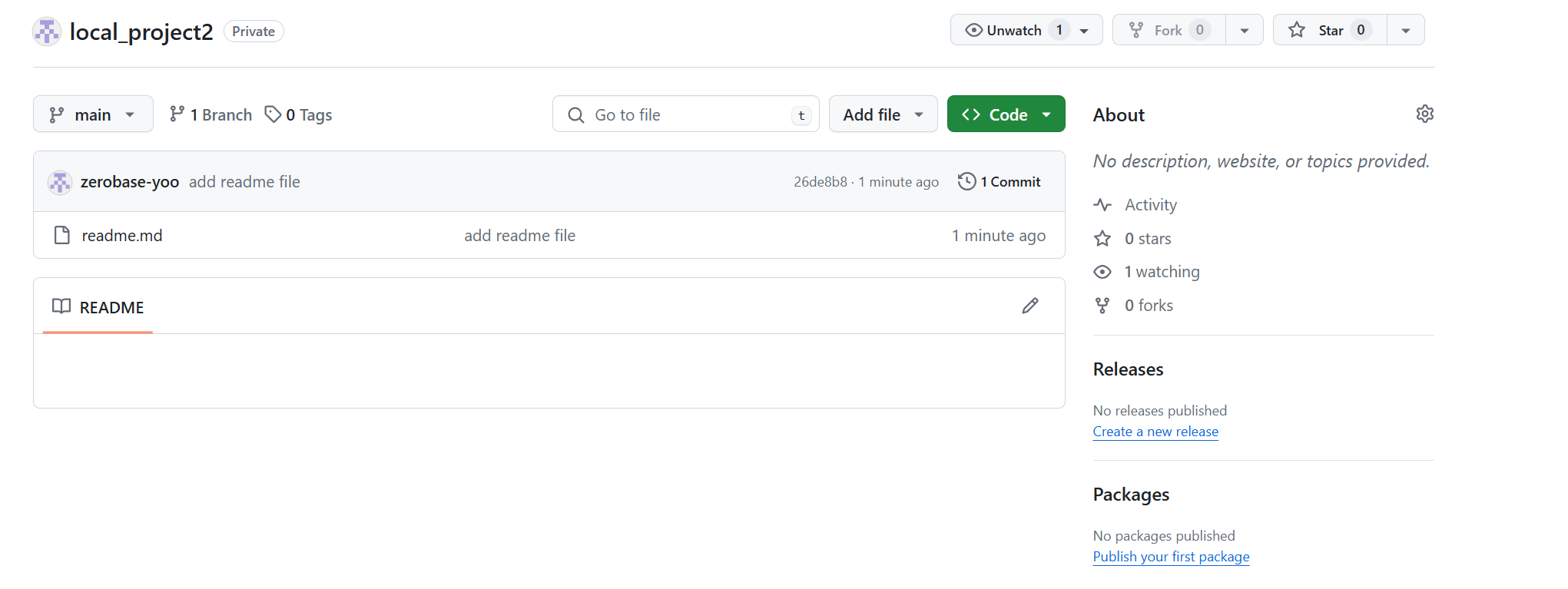
- readme 하나 만들어서 push
remote 저장소 만들고 local과 연동
-
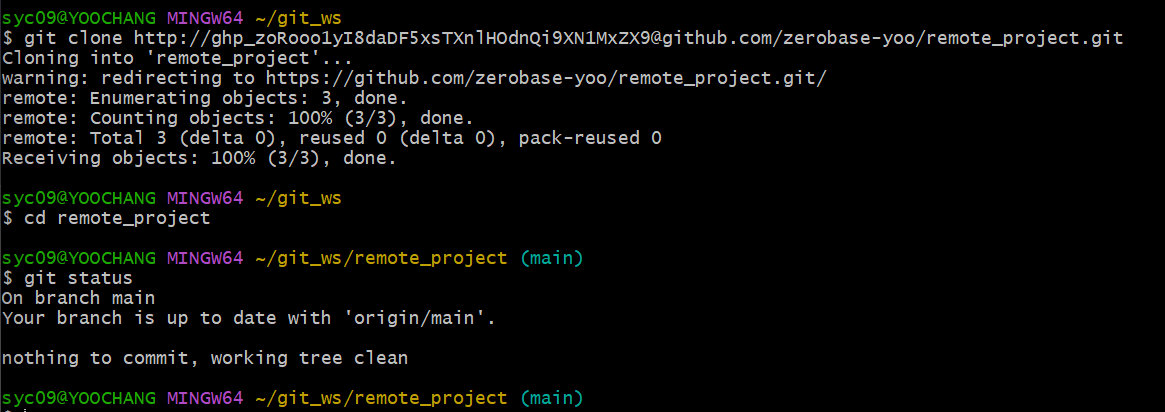
remote저장소와 토큰 준비
-
git init, git remote add, git pull까지 git clone이 다해줌 (선생님 : git clone 만세)
-
저장소 정보 확인
github에서 reamde.md를 수정 후 local 저장소에서 pull

Yoochang Sung