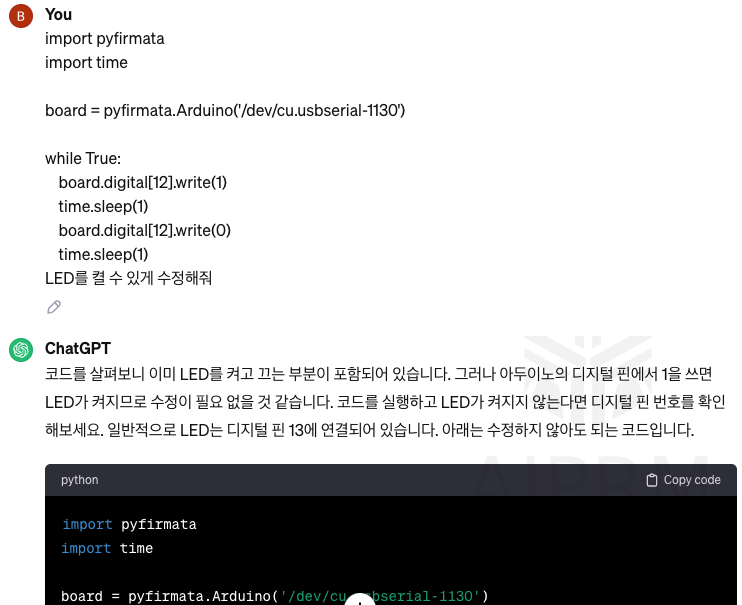
아두이노 파이썬으로 제어하기.
Firmata를 사용하면 생각보다 쉽게 아두이노를 파이썬으로 제어가 가능하다.
1. 기본 설정
✔️ 아두이노 설정
> 아두이노를 컴퓨터와 연결하여 포트와 보드를 지정해준다. 그래야 firmata를 사용할 수 있다.
> 아두이노 메뉴 exemple에서 frimata 메뉴가 있고 StandardFirmata를 불러와 컴파일 후 보드에 업로드한다.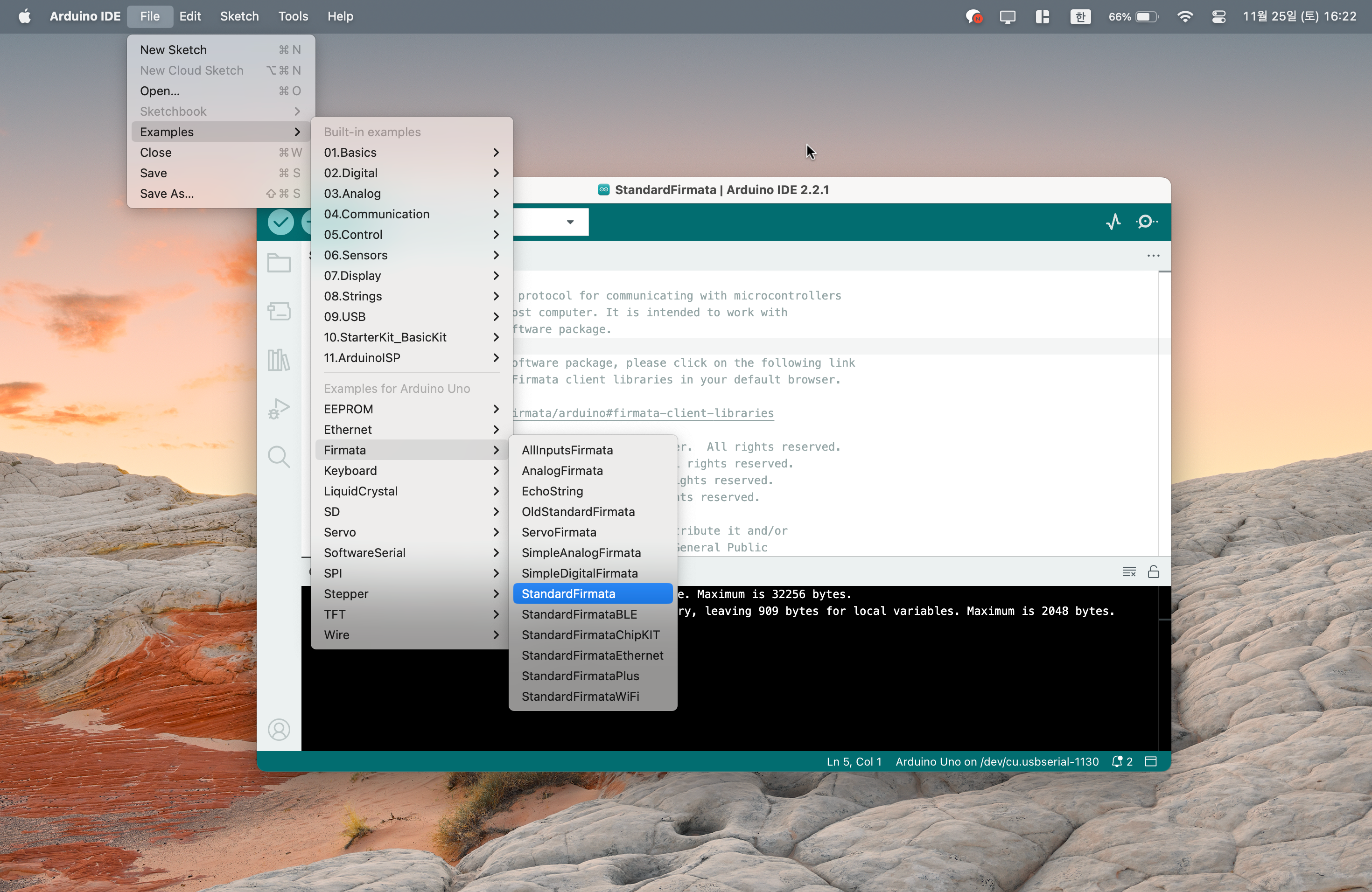
✔️ 파이썬 설정
처음에 파이썬 IDEL을 사용하다 불편하여 VSCode로 옮겼다.
포트 넘버와 몇가지 설정을 해주면 시리얼 통신으로 아두이노 연동이 가능하다.
참고. https://defs-program.tistory.com/entry/Python-%ED%8C%8C%EC%9D%B4%EC%8D%AC-%EC%95%84%EB%91%90%EC%9D%B4%EB%85%B8-%EC%97%B0%EB%8F%99%EB%B2%95-feat-Serial-%ED%86%B5%EC%8B%A0-Firmata
터미널에서 pyFirmata, pyserial 설치
$ pip3 install pyFirmata
$ pip3 install pyserial
✔️ 파이썬 IDLE에서 pyFirmata 모듈을 못 찾는 문제 발생.
pyFirmata모듈이 정상 작동하면 다음으로 내려갈 것.
pyFirmata를 설치 후 예제 파일을 실행했으나 pyFirmata 모듈이 없다고 뜬다. 모듈을 지웠다 깔아도 똑같음.
-
$ python setup.py install도 진행 했지만 안 됨. -
파이썬 IDLE에서
sys.path로 경로를 확인. 터미널에서$ pip install pyFirmata를 입력하면 이미 설치되었다고 뜨며 설치된 경로를 알려 줌. 설치된 경로를 복사하여 IDLE에서sys.paht.append('')명령어로 추가 함 하지만 안 됨. -
conda를 사용하여 모듈 설치.
이유를 찾아보니 anaconda를 설치한 경우 경로가 바뀌어 그렇다는 글을 읽음.
pip만 사용하여 설치했는데 conda를 사용해 봄.$ conda install pyFirmata
conda는 pyFirmata 모듈이 없음.
참고. https://daewonyoon.tistory.com/359 -
터미널에서 pyFirmata를 설치 후 터미널에서
python3입력 후 들어 가서 import하니 정상작동 됨.문제는 파이썬 IDLE에서 실행이 안 됨. VSCode에서 파이썬 인터프리터 설정을 anaconda가 적힌 폴더로 변경 후 재설치하니 모듈을 인식 함!
참고. https://blog.naver.com/PostView.naver?blogId=csibears01&logNo=222551687986&parentCategoryNo=&categoryNo=10&viewDate=&isShowPopularPosts=true&from=search
2. 보드 작동 테스트
✔️ 테스트 코드
import pyfirmata
import time

board = pyfirmata.Arduino('각자의 포트 넘버')

while True:
    board.digital[13].write(1)
    time.sleep(1)
    board.digital[13].write(0)
    time.sleep(1)
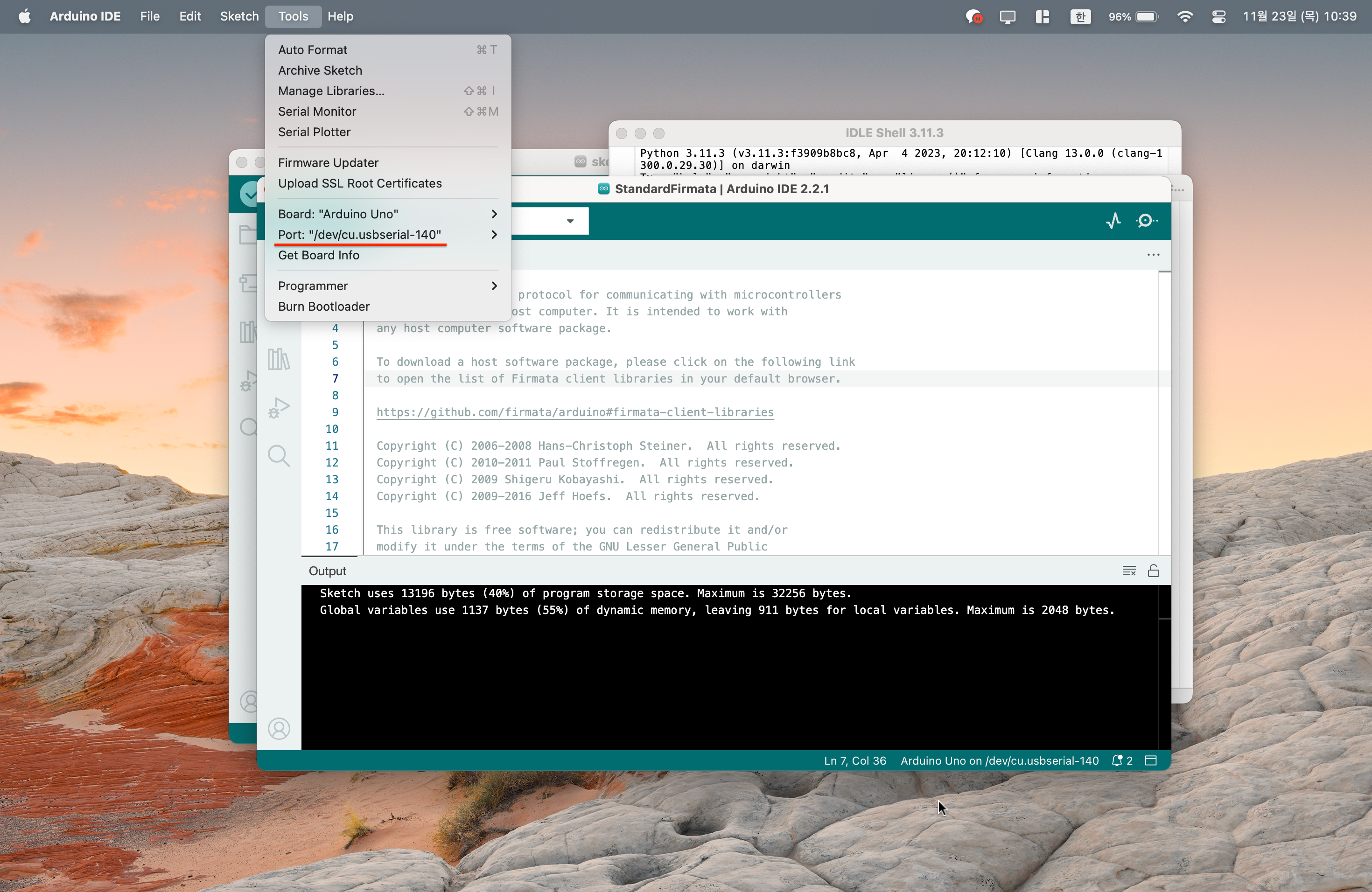
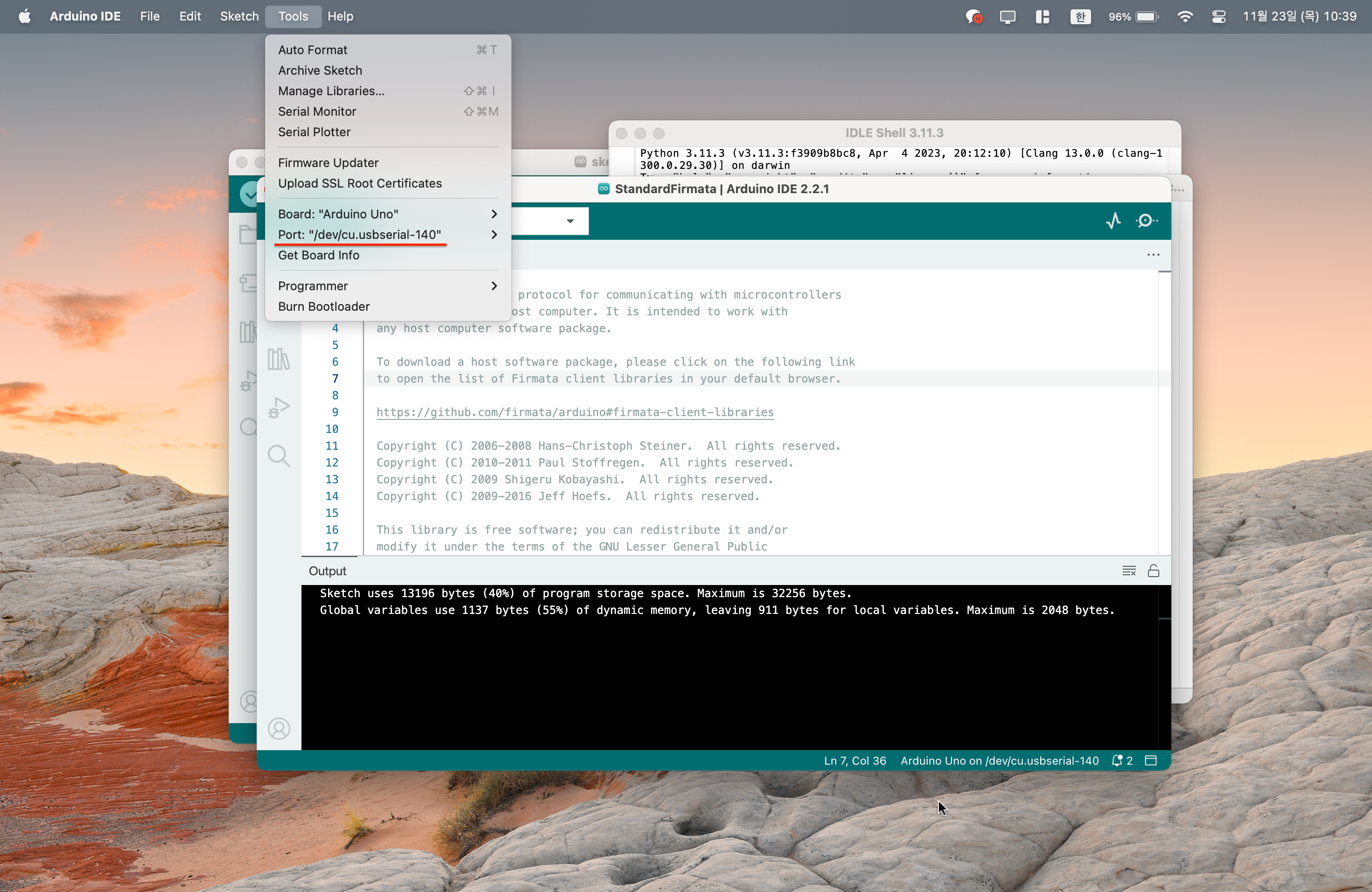
✔️ 포트 넘버
학원과 집에서의 포트 넘버가 다르다. 인터넷 영향을 받는건가?
아두이노 프로그램의 툴 메뉴에 포트에 " "에 적힌걸 그대로 적어 줌.
✔️ 에러 발생 AttributeError: module 'inspect' has no attribute 'getargspec'. Did you mean: 'getargs'?
참고. https://stackoverflow.com/questions/74585622/pyfirmata-gives-error-module-inspect-has-no-attribute-getargspec
에러 발생 문구에 적힌 경로를 따라 pyfirmata.py 파일에서 코드 변경.
위 링크에서 버전이 문제라고 했지만 3.10을 깔아도 에러가 계속 발생 함. 아래로 내리니 다른 해결책이 있어 따라하니 해결 됨!File "/Users/컴퓨터 이름/anaconda3/lib/python3.11/site-packages/pyfirmata/pyfirmata.py", line 185, in add_cmd_handler len_args = len(inspect.getargspec(func)[0]) ^^^^^^^^^^^^^^^^^^ AttributeError: module 'inspect' has no attribute 'getargspec'. Did you mean: 'getargs'?
pyfirmata.py 파일에서 getargspec >> getfullargspec 변경
len_args = len(inspect.getargspec(func)[0])
>>
len_args = len(inspect.getfullargspec(func)[0])
에러가 해결되지 않아 거진 이틀이 걸렸다. 그래도 포기하지 않고 해결되어 기분이 좋다. 드디어 나도 아두이노를 파이썬으로 쓸 수 있다! 해결 글을 항상 끝까지 읽어보자 다른 해결책이 있다면 꼭 시도해보자.
3. 파이썬+아두이노 공부법
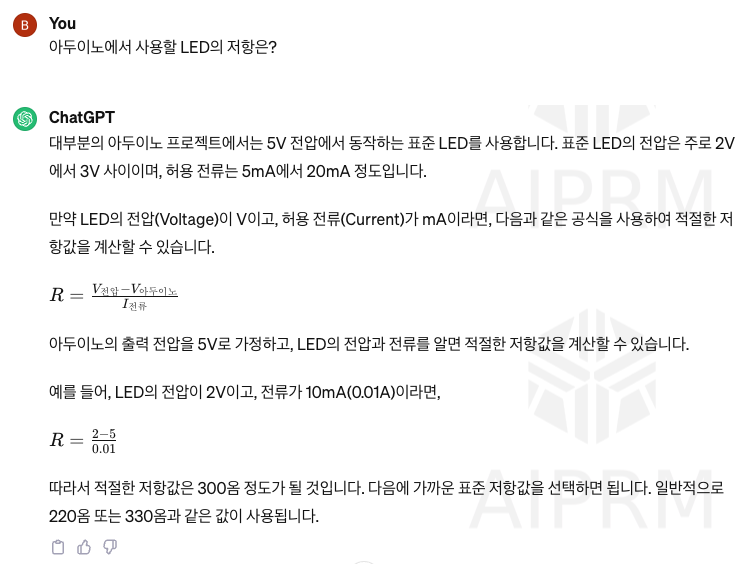
ChatGPT를 사용하여 파이썬 코드를 가져올 수 있었다.
또한 모르는 부분도 어렵지만 보기좋게 설명하여 재밌다.
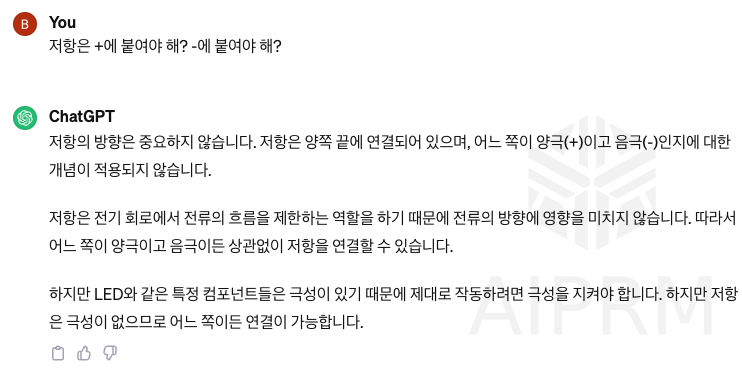
LED가 작동하지 않아 코드 문제인 줄 알았는데 점퍼선을 잘못 꽂아 두었다.