
1. Placeholder 텍스트 스타일링
입력 필드나 텍스트 영역의 플레이스홀더 텍스트를 placeholder 수정자를 사용하여 스타일링할 수 있다.
예시:
<label class="relative block">
  <span class="sr-only">Search</span>
  <span class="absolute inset-y-0 left-0 flex items-center pl-2">
    <svg class="h-5 w-5 fill-slate-300" viewBox="0 0 20 20"><!-- ... --></svg>
  </span>
  <input class="placeholder:italic placeholder:text-slate-400 block bg-white w-full border border-slate-300 rounded-md py-2 pl-9 pr-3 shadow-sm focus:outline-none focus:border-sky-500 focus:ring-sky-500 focus:ring-1 sm:text-sm" placeholder="Search for anything..." type="text" name="search"/>
</label>
2. 파일 입력 버튼 스타일링
파일 입력 버튼을 file 수정자를 사용하여 스타일링할 수 있다.
예시:
<form class="flex items-center space-x-6">
  <div class="shrink-0">
    <img class="h-16 w-16 object-cover rounded-full" src="https://images.unsplash.com/photo-1580489944761-15a19d654956?ixlib=rb-1.2.1&ixid=MnwxMjA3fDB8MHxwaG90by1wYWdlfHx8fGVufDB8fHx8&auto=format&fit=crop&w=1361&q=80" alt="Current profile photo" />
  </div>
  <label class="block">
    <span class="sr-only">Choose profile photo</span>
    <input type="file" class="block w-full text-sm text-slate-500
      file:mr-4 file:py-2 file:px-4
      file:rounded-full file:border-0
      file:text-sm file:font-semibold
      file:bg-violet-50 file:text-violet-700
      hover:file:bg-violet-100
    "/>
  </label>
</form>
파일 입력 버튼에 테두리를 추가하려면 file:border-solid 클래스를 사용해야 한다.
예시:
<input type="file" class="file:border file:border-solid ..." />3. 리스트 마커 스타일링
리스트의 카운터나 불렛을 marker 수정자를 사용하여 스타일링할 수 있다.
예시:
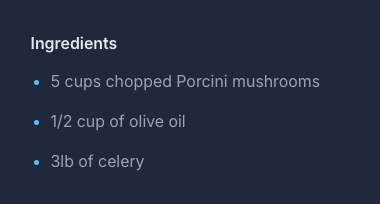
<ul role="list" class="marker:text-sky-400 list-disc pl-5 space-y-3 text-slate-400">
  <li>5 cups chopped Porcini mushrooms</li>
  <li>1/2 cup of olive oil</li>
  <li>3lb of celery</li>
</ul>
LG CNS 클라우드 엔지니어 / 웹 프론트엔드 개발자