문제
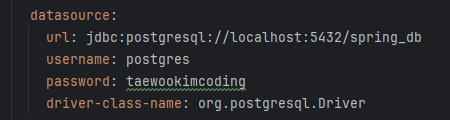
사진 속 예민한 정보는 깃 레포에 계속 노출되어있다. 정보를 바꾼 뒤 노출되지 않도록 해보자.
실행 계획
- 새로운 env.properties를 만들고 민감정보를 추가해주자
- application.yml에 env.properties를 추가해주자
- application.yml에 민감정보 변수를 사용해주자
- env.properties를 .gitignore에 추가해주자
- 새로운 jwt secret키를 발급해서 env.properties에 추가해주자
- (추가예정) postgres docker 컨테이너에서 이전에 쓰던
username,password,database_name을 바꿔주자
해결
1. 새로운 env.properties를 만들고 민감정보를 추가해주자
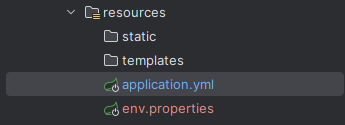
같은 경로에 만들어줬다
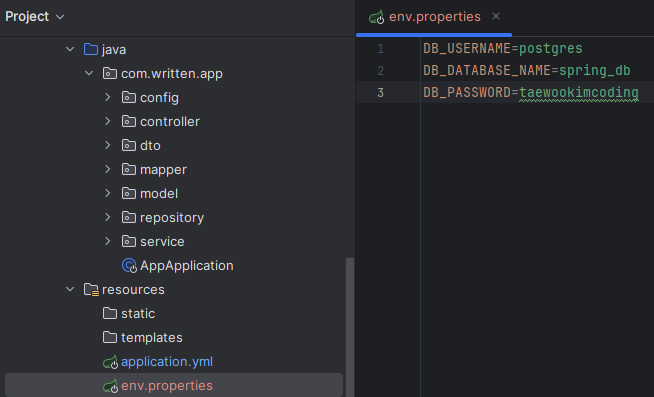
DB_USERNAME=postgres
DB_DATABASE_NAME=spring_db
DB_PASSWORD=taewookimcoding
2. application.yml에 env.properties를 추가해주자
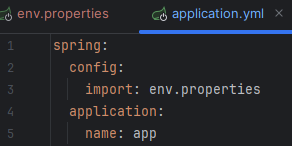
spring:
  config:
    import: env.properties
3. application.yml에 민감정보 변수를 사용해주자
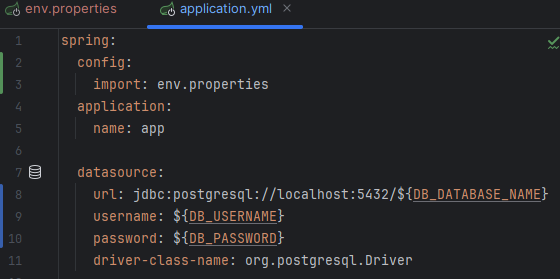
  datasource:
    url: jdbc:postgresql://localhost:5432/${DB_DATABASE_NAME}
    username: ${DB_USERNAME}
    password: ${DB_PASSWORD}
    driver-class-name: org.postgresql.Driver
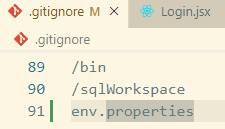
4. env.properties를 .gitignore에 추가해주자
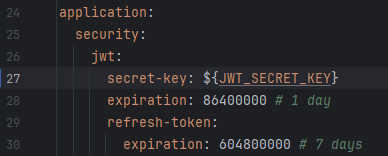
5. 새로운 jwt secret키를 발급해서 env.properties에 추가해주자
import secrets

def generate_256bit_hex_key():
    random_bytes = secrets.token_bytes(32) # Generate 32 random bytes (256 bits)
    return random_bytes.hex() # Convert to a 64-character hexadecimal string

# Generate and print the key
key = generate_256bit_hex_key()
print("256-bit Encryption Key (64 characters):")
print(key)
파이썬 사용으로 만든 256bit hex 키 예시이다: 432e45079f4e12bd53c89f0db85402688509ca382fa5b956f893689ca1d0eaa4

6. (추가예정) postgres docker 컨테이너에서 이전에 쓰던 username, password, database_name을 바꿔주자
결론
예민한 정보는 처음부터 가리고 시작하자. 이렇게 따로 신경쓰지 않아도 되니까.