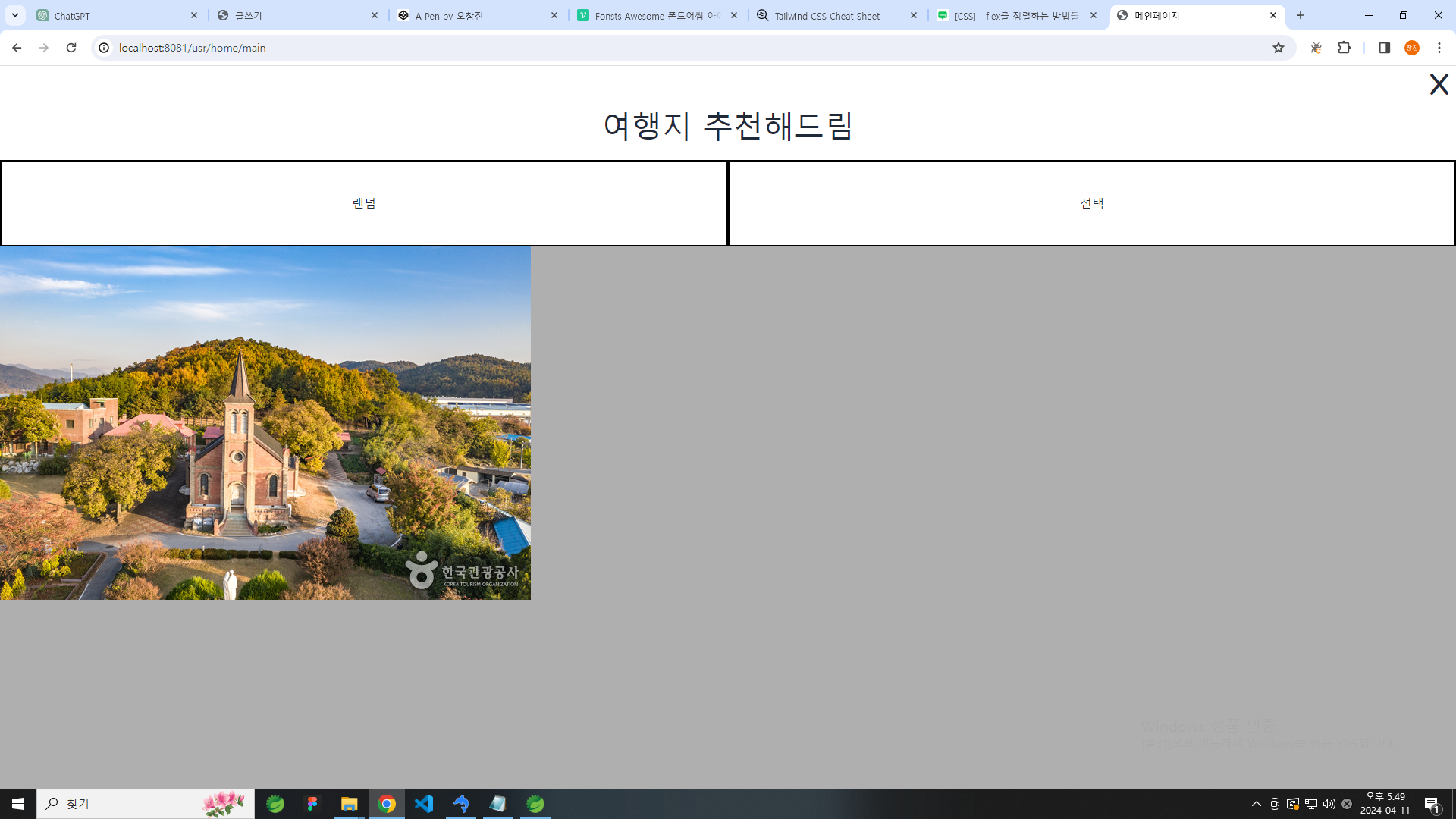
기본적인 틀 구성
<%@ page language="java" contentType="text/html; charset=UTF-8"
    pageEncoding="UTF-8"%>
<!DOCTYPE html>
<html>
<head>
<meta charset="UTF-8">
<title>메인페이지</title>
</head>
<style>
.mainPage-top {
  height : 5vh;
}


.mainPage-top > button {
  margin-right:10px;
}

/* 상단 끝 */

/* 중단 */
.mainPage-center{
  height : 20vh;
  text-align : center;
}

.mainPage-center > .center-text-box{
  height : 40%;
  font-size : 40px;

}

.mainPage-center > .mainPage-btn-box {
  height: 60%;
  display: flex;
  justify-content: space-around;
  align-items: center;
}

.mainPage-center > .mainPage-btn-box > button {
  border:2px solid black;
  height: 100%;
  display: flex;
  justify-content: center;
  align-items: center;
}

.mainPage-center > .mainPage-btn-box > button:hover{
  background-color: black;
  color:white;
}


/* 하단 */
.mainPage-transform{
  height : 75vh;
  background-color: #afafaf;
}
</style>

<body>
<!-- 테일윈드 불러오기 -->
<link rel="stylesheet" href="https://cdnjs.cloudflare.com/ajax/libs/tailwindcss/2.2.19/tailwind.min.css" />

<!-- daisy ui 불러오기 -->
<link rel="stylesheet" href="https://cdnjs.cloudflare.com/ajax/libs/daisyui/4.6.1/full.css" />

<!-- 폰트어썸 불러오기 -->
<link rel="stylesheet" href="https://cdnjs.cloudflare.com/ajax/libs/font-awesome/6.2.1/css/all.min.css">

<!-- 제이쿼리 불러오기 -->
<script src="https://cdnjs.cloudflare.com/ajax/libs/jquery/3.7.1/jquery.min.js"></script>

<div class="mainPage-top flex items-center justify-end">
  <button><i class="fa-solid fa-x fa-2xl"></i></button>
</div>

<div class="mainPage-center">
  <div class="center-text-box">여행지 추천해드림</div>

  <div class="mainPage-btn-box">
    <button class="flex-1">랜덤</button>
    <button class="flex-1">선택</button>
  </div>

</div>
<div class="mainPage-transform">
<img src="http://tong.visitkorea.or.kr/cms/resource/86/2687486_image2_1.jpg" alt="" />


</div>

</body>
</html>
상단 x바 누르면 홈페이지 메인(기본적으로 리스트 보여주게) 이동
랜덤 버튼 누르면 사진 사라지고 랜덤이니까 그냥 아무거나 하나 추천
선택 누르면 필터창 나오면서 지역 태그 정도 고를수 있게 하고 그중에서 랜덤으로 하나 보여주기
이런식으로 만들 예정
수정과정
<div class="mainPage-top flex items-center justify-end">
  <a href="/usr/article/list" onClick="confirm('메인으로 이동할래?')"><i class="fa-solid fa-x fa-2xl"></i></a>
</div>
x 버튼 눌렀을떄 메인페이지 (리스트) 로 이동하도록 만듬
버튼을 눌렀을때 보여줄 화면들
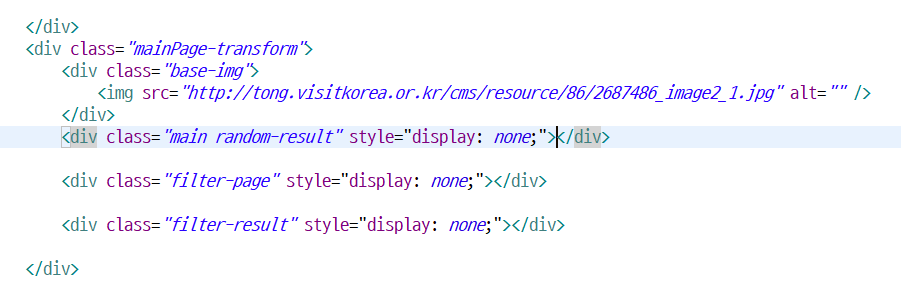
기본이미지
base img는 기존의 쓰여있는 게시물들의 사진을 보여줌
일단 한장만 고정해서 보여주고 있음
랜덤결과
여기에서는 랜덤 버튼을 눌렀을때 기존 게시물들을 랜덤으로 가져옴
ajax 활용 및 리스트에서 보여주던 카드 형식 가져오기
<!-- 랜덤선택 ajax -->
	<script>
		function randomChoice() {
			$('.base-img').css('display', 'none');
			$('.random-result').css('display', 'block');

			var action = "/usr/article/random"
			$
					.get(
							action,
							{},
							function(data) {
								$('.random-title').text(data.title);
								$('.random-body').text(data.body);
								$('.random-hitCount').text(data.hitCount);
								$('.random-goodReactionPoint').text(
										data.goodReactionPoint);
								if (data.firstImage
										&& data.firstImage.length > 0) {
									$('.random-firstImage').attr('src',
											data.firstImage);
								} else {
									$('.random-firstImage').attr('src',
											data.firstImage);
								}
								if (data.firstImage2
										&& data.firstImage2.length > 0) {
									$('.random-firstImage2').attr('src',
											data.firstImage2);
								}
								var id = parseInt(data.id);
								$('.random-detail').attr('href',
										'/usr/article/detail?id=' + id).text(
										"더보기");

								$('.random-text')
										.html(
												`<i class="fa-solid fa-heart fa-xl"></i><span class="random-goodPoint"></span> <i class="fa-solid fa-eye fa-xl"></i><span class="random-hitCount"></span><i
										class="fa-solid fa-comment-dots fa-xl"></i><span class="random-repliesCount"></span>`);

								$('.random-goodPoint').text(
										data.goodReactionPoint);
								$('.random-hitCount').text(data.hitCount);
								$('.random-repliesCount').text(
										data.extra__repliesCnt);
							}, 'json');
		}
</script><div class="main random-result" style="display: none;">
<ul class="cards">
<li class="cards_item">
<div class="card">
<div class="card_image">
<img class="random-firstImage" src="">
</div>
<div class="card_content">
<h2 class="card_title random-title"></h2>
<p class="card_text random-text"></p>
<button class="btn1 card_btn">
<a class="random-detail" href="">더보기</a>
</button>
</div>
</div>
</li>
</ul>
</div>문제점
랜덤 선택 쿼리문
SELECT * FROM article
ORDER BY RAND()
LIMIT 1;
이렇게 하면 랜덤으로 아무 게시물 한개 가져옴
SELECT A.*
FROM article AS A
INNER JOIN reply AS R
ON A.id = R.relId
AND R.relTypeCode = 'article'
ORDER BY RAND()
LIMIT 1;
이렇게 했더니 가져오긴 하는데 랜덤이 적용되지 않음
쿼리문에 문제가 있어 보여서 수정
SELECT A.*, COUNT(R.id) AS extra__repliesCnt
FROM article AS A
INNER JOIN reply AS R ON A.id = R.relId AND R.relTypeCode = 'article'
ORDER BY RAND()
LIMIT 1;
이 또한 하나만 가져오고 그 이후로는 바뀌지 않음
해결
SELECT A.*,
       (SELECT COUNT(*) FROM reply AS R WHERE R.relId = A.id AND R.relTypeCode = 'article') AS extra__repliesCnt
FROM article AS A
ORDER BY RAND()
LIMIT 1;
서브쿼리를 사용해서 게시물에 달린 댓글의 수도 가져올수 있고 매번 랜덤으로 선택할수 있다