Python For Loop Tutorial With Examples To Practice
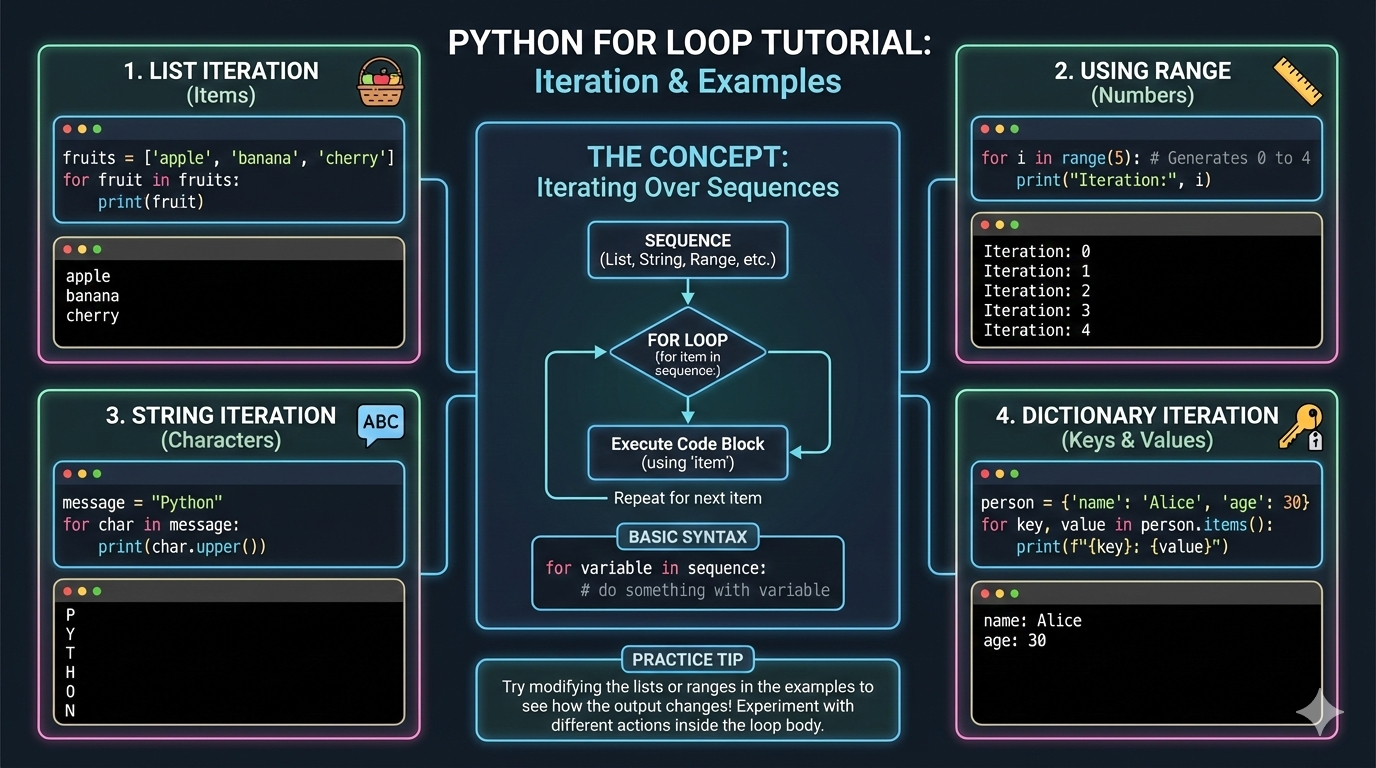
Loops are a fundamental concept in programming that allow you to execute a block of code repeatedly. In Python, the for loop is one of the most commonly used loops because it is simple, readable, and powerful.링크텍스트
Whether you are a beginner learning Python or preparing for coding interviews, understanding the Python for loop is essential. This tutorial explains the syntax, working, examples, and practice problems to help you master the for loop in Python.
What Is a For Loop in Python?
A for loop in Python is used to iterate over a sequence such as:
List
Tuple
String
Dictionary
Set
Range
In simple words:
A for loop repeats a block of code for each element in a sequence.
Syntax of Python For Loop
for variable in sequence:
statements
variable → Takes the value of each element
sequence → Collection or range
statements → Code executed in each iteration
Basic Example of For Loop
for i in range(5):
print(i)
Output
0
1
2
3
4
How Python For Loop Works
The loop picks the first element from the sequence
Executes the block of code
Moves to the next element
Repeats until the sequence ends
For Loop Using range()
The range() function is commonly used with for loops.
Example
for i in range(1, 6):
print(i)
Output
1
2
3
4
5
For Loop With List
languages = ["Python", "Java", "C++"]
for lang in languages:
print(lang)
Output
Python
Java
C++
For Loop With String
for ch in "Python":
print(ch)
Output
P
y
t
h
o
n
For Loop With Tuple
numbers = (10, 20, 30)
for n in numbers:
print(n)
For Loop With Dictionary
student = {"name": "Alice", "age": 21}
for key, value in student.items():
print(key, value)
Nested For Loop
A nested for loop means a loop inside another loop.
Example
for i in range(1, 4):
for j in range(1, 3):
print(i, j)
Output
1 1
1 2
2 1
2 2
3 1
3 2
For Loop With break
The break statement stops the loop immediately.
for i in range(1, 6):
if i == 4:
break
print(i)
For Loop With continue
The continue statement skips the current iteration.
for i in range(1, 6):
if i == 3:
continue
print(i)
For Loop With else
The else block executes after the loop finishes normally.
for i in range(3):
print(i)
else:
print("Loop completed")
Practice Examples for Python For Loop
1. Print Numbers From 1 to 10
for i in range(1, 11):
print(i)
-
Find Sum of Numbers
total = 0
for i in range(1, 6):
total += i
print(total) -
Print Even Numbers
for i in range(1, 21):
if i % 2 == 0:
print(i) -
Multiplication Table
num = 5
for i in range(1, 11):
print(num, "x", i, "=", num * i) -
Count Characters in a String
count = 0
for ch in "Python":
count += 1
print(count)
Common Beginner Mistakes
Forgetting indentation
Using wrong range values
Confusing for with while
Modifying the sequence inside loop
Time Complexity of For Loop
The time complexity depends on:
Number of iterations
Operations inside the loop
Usually:
O(n) for simple loops
For Loop Interview Questions
What is a for loop in Python?
Difference between for loop and while loop?
What is range()?
Can for loop be used with else?
Difference between break and continue?
When to Use For Loop
Iterating over sequences
Repeating tasks fixed number of times
Processing data collections
Writing clean and readable code
Conclusion
The Python for loop is one of the most powerful and beginner-friendly looping constructs. It helps you iterate over data efficiently, write clean code, and solve real-world programming problems.
By practicing the examples in this tutorial, you will gain confidence and build a strong foundation in Python programming. Mastering for loops is a crucial step toward learning advanced Python concepts and cracking coding interviews.