들어가며
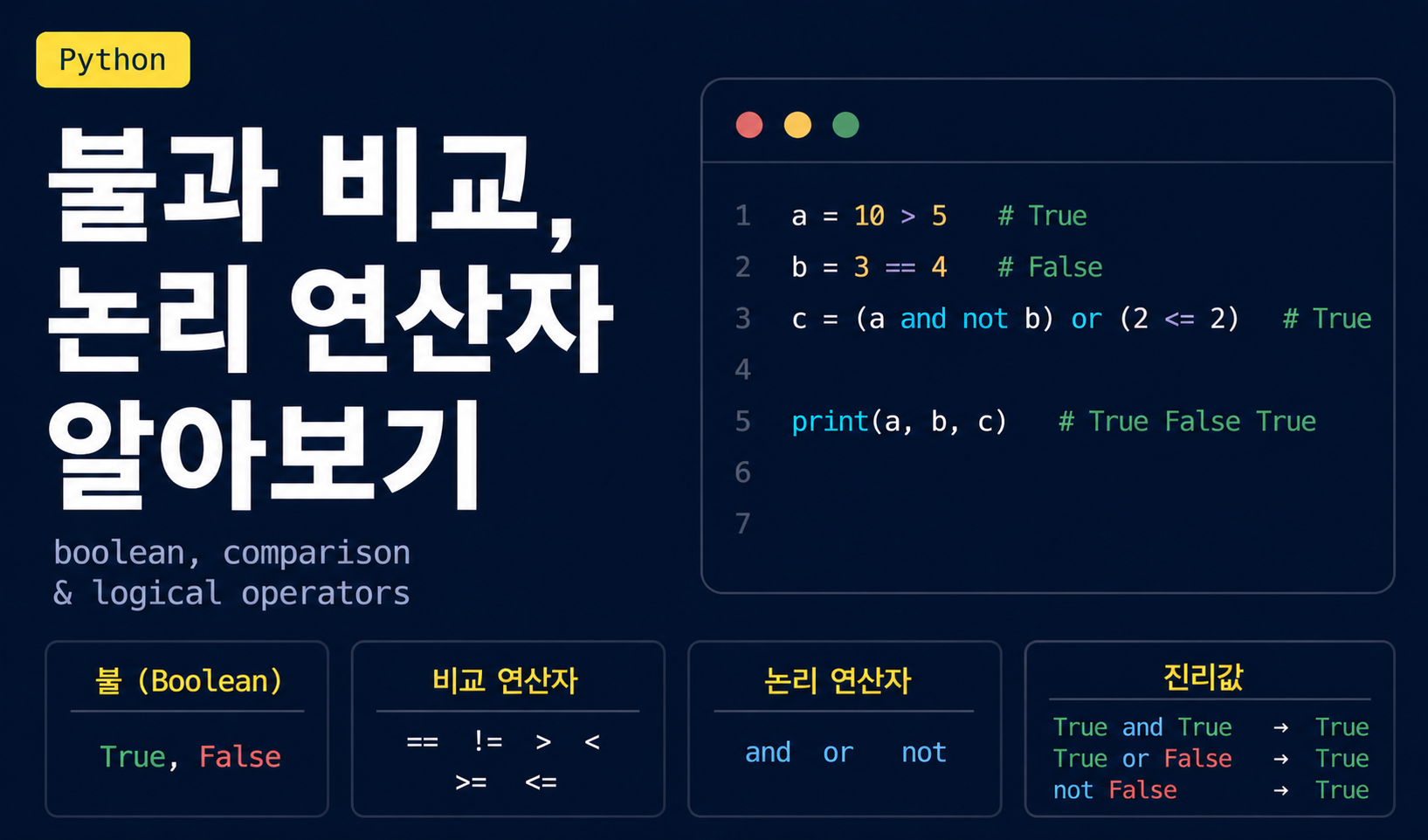
프로그래밍에서 가장 중요한 능력 중 하나는 조건을 판단하는 것입니다. "사용자가 로그인했는가?", "입력된 값이 올바른가?", "재고가 충분한가?" 같은 질문들은 모두 참(True) 또는 거짓(False)으로 답할 수 있습니다. 이번 포스트에서는 참과 거짓을 다루는 불(bool) 자료형과 비교·논리 연산자에 대해 알아보겠습니다.
불(bool) 자료형이란?
불(bool) 자료형은 참(True) 또는 거짓(False) 두 가지 값만 가질 수 있는 자료형입니다.
is_student = True
is_adult = False

print(type(is_student))  # <class 'bool'>
print(type(is_adult))    # <class 'bool'>
불 자료형의 중요성
프로그래밍을 하다 보면 참, 거짓을 판단해야 하는 경우가 굉장히 많습니다.
# 로그인 상태 확인
is_logged_in = True

# 재고 확인
has_stock = False

# 성인 인증
age = 25
is_adult = age >= 18  # True
이러한 불 값을 기반으로 프로그램의 흐름을 제어하게 됩니다 (조건문, 반복문 등).
비교 연산자
비교 연산자는 두 값을 비교하여 불(bool) 값을 반환합니다.
기본 비교 연산자
| 연산자 | 의미 | 예시 | 결과 |
|---|---|---|---|
== | 같다 | 10 == 10 | True |
!= | 같지 않다 | 10 != 5 | True |
> | 크다 | 10 > 5 | True |
< | 작다 | 10 < 5 | False |
>= | 크거나 같다 | 10 >= 10 | True |
<= | 작거나 같다 | 10 <= 5 | False |
숫자 비교
x = 10
y = 20

print(x == y)   # False (10과 20은 같지 않음)
print(x != y)   # True (10과 20은 다름)
print(x > y)    # False (10은 20보다 크지 않음)
print(x < y)    # True (10은 20보다 작음)
print(x >= 10)  # True (10은 10보다 크거나 같음)
print(x <= 5)   # False (10은 5보다 작거나 같지 않음)
문자열 비교
문자열도 비교할 수 있습니다. 문자열은 사전 순서(알파벳 순)로 비교됩니다.
print('apple' == 'apple')   # True
print('apple' != 'banana')  # True
print('apple' < 'banana')   # True (사전 순서상 apple이 앞)
print('Apple' < 'apple') # True (대문자가 소문자보다 앞)주의: 대소문자를 구분합니다.
print('Python' == 'python')  # False
print('Python'.lower() == 'python')  # True (소문자로 변환 후 비교)
실수 비교 시 주의사항
실수는 부동소수점 오차 때문에 정확한 비교가 어려울 수 있습니다.
print(0.1 + 0.2 == 0.3)  # False (!)
print(0.1 + 0.2)         # 0.30000000000000004
해결 방법: 작은 오차 범위 내에서 비교
a = 0.1 + 0.2
b = 0.3

# 오차 범위(epsilon) 내에서 비교
epsilon = 1e-10
print(abs(a - b) < epsilon)  # True
또는 math.isclose() 함수 사용:
import math

print(math.isclose(0.1 + 0.2, 0.3))  # True
객체 비교: is vs ==
==: 값 비교
== 연산자는 두 객체의 값이 같은지 비교합니다.
a = [1, 2, 3]
b = [1, 2, 3]

print(a == b) # True (값이 같음)is: 객체 동일성 비교
is 연산자는 두 변수가 같은 객체를 가리키는지 비교합니다.
a = [1, 2, 3]
b = [1, 2, 3]
c = a

print(a == b)  # True (값이 같음)
print(a is b)  # False (다른 객체)
print(a is c)  # True (같은 객체를 가리킴)
메모리 관점:
a와b는 값은 같지만 메모리의 다른 위치에 저장a와c는 메모리의 같은 위치를 가리킴
print(id(a))  # 예: 140234567891234
print(id(b))  # 예: 140234567892345 (다른 주소)
print(id(c))  # 예: 140234567891234 (a와 같은 주소)
is not: 객체가 다른지 확인
a = [1, 2, 3]
b = [1, 2, 3]

print(a is not b)  # True (다른 객체)
None 비교 시 is 사용
None과 비교할 때는 ==보다 is를 사용하는 것이 권장됩니다.
value = None

# 권장
if value is None:
    print('값이 없습니다')

# 비권장 (동작은 하지만 스타일 가이드 위반)
if value == None:
    print('값이 없습니다')
논리 연산자
논리 연산자는 불 값을 결합하거나 반전시킵니다. 파이썬에는 세 가지 논리 연산자가 있습니다.
1. and 연산자
and 연산자는 모든 조건이 True일 때만 True를 반환합니다.
print(True and True)    # True
print(True and False)   # False
print(False and True)   # False
print(False and False) # False진리표:
| A | B | A and B |
|---|---|---|
| True | True | True |
| True | False | False |
| False | True | False |
| False | False | False |
실용 예시:
age = 25
has_license = True

# 성인이고 면허가 있어야 운전 가능
can_drive = age >= 18 and has_license
print(can_drive)  # True

# 여러 조건 결합
score = 85
attendance = 90
can_pass = score >= 60 and attendance >= 80
print(can_pass)  # True
2. or 연산자
or 연산자는 하나라도 True이면 True를 반환합니다.
print(True or True)    # True
print(True or False)   # True
print(False or True)   # True
print(False or False) # False진리표:
| A | B | A or B |
|---|---|---|
| True | True | True |
| True | False | True |
| False | True | True |
| False | False | False |
실용 예시:
is_weekend = True
is_holiday = False

# 주말이거나 공휴일이면 쉬는 날
is_day_off = is_weekend or is_holiday
print(is_day_off)  # True

# 할인 조건: VIP이거나 첫 구매
is_vip = False
is_first_purchase = True
gets_discount = is_vip or is_first_purchase
print(gets_discount)  # True
3. not 연산자
not 연산자는 불 값을 반전시킵니다.
print(not True)   # False
print(not False) # True진리표:
| A | not A |
|---|---|
| True | False |
| False | True |
실용 예시:
is_raining = False
can_go_outside = not is_raining
print(can_go_outside)  # True

# 로그인하지 않은 경우
is_logged_in = False
if not is_logged_in:
    print('로그인이 필요합니다')  # 출력됨
논리 연산자 결합
여러 논리 연산자를 결합하여 복잡한 조건을 표현할 수 있습니다.
age = 25
has_ticket = True
is_vip = False

# (성인이고 티켓이 있음) 또는 VIP
can_enter = (age >= 18 and has_ticket) or is_vip
print(can_enter)  # True
연산자 우선순위
논리 연산자의 우선순위:
1. not (가장 높음)
2. and
3. or (가장 낮음)
# not이 먼저 실행됨
print(not True and False)  # False
# → (not True) and False
# → False and False
# → False

# 괄호로 명확하게 표현 (권장)
print((not True) and False)  # False
복잡한 조건은 괄호를 사용하여 명확하게 표현하는 것이 좋습니다.
# 헷갈리기 쉬운 경우
result = True or False and False
print(result)  # True

# 괄호로 명확하게
result = True or (False and False)
print(result)  # True
단락 평가 (Short-circuit Evaluation)
파이썬은 논리 연산 시 필요한 만큼만 평가합니다.
and의 단락 평가
and는 첫 번째 조건이 False면 두 번째 조건을 확인하지 않습니다.
# 첫 번째가 False이므로 두 번째는 실행되지 않음
result = False and print('이 메시지는 출력되지 않습니다')
print(result)  # False
or의 단락 평가
or는 첫 번째 조건이 True면 두 번째 조건을 확인하지 않습니다.
# 첫 번째가 True이므로 두 번째는 실행되지 않음
result = True or print('이 메시지는 출력되지 않습니다')
print(result)  # True
실용적 활용
# 0으로 나누기 방지
x = 0
result = x != 0 and 10 / x  # x가 0이므로 나눗셈 실행 안 됨
print(result)  # False (에러 없이 안전하게 처리)
비교 연산자 체이닝
파이썬은 수학처럼 비교 연산자를 연결하여 사용할 수 있습니다.
x = 15

# 일반적인 방법
print(10 < x and x < 20)  # True

# 체이닝 (더 직관적)
print(10 < x < 20)  # True
# 여러 비교 연결
age = 25
print(18 <= age <= 65) # True (성인 ~ 정년)
# 등호 체이닝
a = b = c = 10
print(a == b == c) # TrueTruthy와 Falsy 값
파이썬에서는 불이 아닌 값도 조건문에서 참/거짓처럼 평가됩니다.
Falsy 값 (거짓으로 간주)
False0,0.0''(빈 문자열)[](빈 리스트)()(빈 튜플){}(빈 딕셔너리)None
print(bool(0))     # False
print(bool(''))    # False
print(bool([]))    # False
print(bool(None))  # False
Truthy 값 (참으로 간주)
Falsy가 아닌 모든 값은 Truthy입니다.
print(bool(1))        # True
print(bool('Hello'))  # True
print(bool([1, 2]))   # True
print(bool(-1))       # True
실용적 활용
# 빈 문자열 체크
name = input('이름을 입력하세요: ')
if name:  # name이 비어있지 않으면 True
    print(f'안녕하세요, {name}님!')
else:
    print('이름을 입력해주세요.')

# 리스트 비어있는지 확인
items = []
if items:
    print('항목이 있습니다')
else:
    print('항목이 없습니다')  # 출력됨
실전 예제: 사용자 권한 확인
# 사용자 정보
age = int(input('나이를 입력하세요: '))
is_member = input('회원이신가요? (y/n): ').lower() == 'y'
has_coupon = input('쿠폰이 있나요? (y/n): ').lower() == 'y'

# 입장 가능 조건: 성인이고 회원
can_enter = age >= 18 and is_member
print(f'입장 가능: {can_enter}')

# 할인 가능 조건: 회원이거나 쿠폰 보유
gets_discount = is_member or has_coupon
print(f'할인 가능: {gets_discount}')

# 무료 입장 조건: 성인이 아니거나 회원
free_entry = not (age >= 18) or is_member
print(f'무료 입장: {free_entry}')