DB setting
DB console
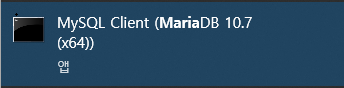
- MySQL client (MariaDB) 실행한다.
DB 생성
- 사용하고자 할 데이터베이스를 생성한다.
$] create database 데이터베이스이름;사용자 계정 생성
사용자 계정 생성
$] create user '아이디'@'%'identified by '비밀번호';

권한 주기
$] grant all privileges on messagetome.* to '아이디'@'%';
application.yml 설정
- application.properties -> application.yml 로 변경한다.
- 포트 번호는 기본적으로 3306
- 포트 자리에 Maria DB 설치 당시 사용했던 포트 번호를 입력한다.
spring:
  datasource:
    url: jdbc:mariadb://localhost:3306/데이터베이스이름?serverTimezone=UTC&characterEncoding=UTF-8
    driver-class-name: org.mariadb.jdbc.Driver
    username: 사용자계정
    password: 비밀번호
  jpa:
    hibernate:
      ddl-auto: create
    properties:
      hibernate:
#       show_sql: true
        format_sql: true
의존성 추가
- pom.xml 혹은 build.gradle
- Spring Data JPA & Maria DB 의존성을 추가한다.
- 프로젝트 버전에 맞춘다.
<dependency>
    <groupId>org.springframework.boot</groupId>
    <artifactId>spring-boot-starter-data-jpa</artifactId>
    <version>2.6.3</version>
</dependency>
<dependency>
    <groupId>org.mariadb.jdbc</groupId>
    <artifactId>mariadb-java-client</artifactId>
    <scope>runtime</scope>
</dependency>
패키지 & class 생성
- domain에 맞춰 생성
// camel case 맞춰서 생성
private String userId;
// 어노테이션 추가
@Column(name = "userId")
private String userId;Application 실행 후 테이블 생성 확인
Datbase 목록 확인
$] show databases;

Database 선택
$] use messagetome;

테이블 목록 확인
$] show table;

테이블 구조 확인
$] desc user;
내 시행착오 모음집