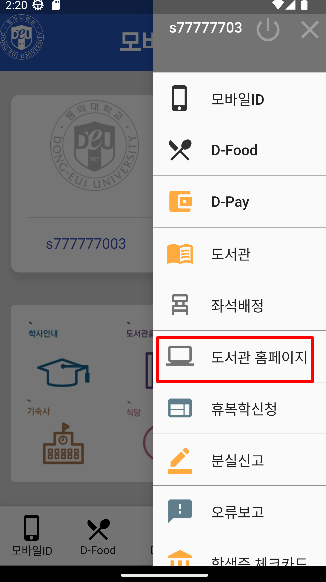
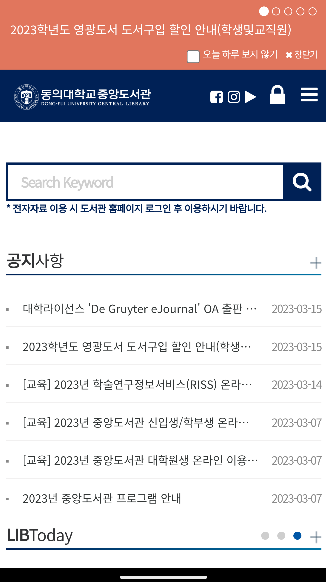
url_launcher를 사용하여 웹 브라우저를 실행하거나, 메일, 전화 등을 실행하는 방법
참고 (https://dev-yakuza.posstree.com/ko/flutter/url_launcher/)
url_launcher 설치
안드로이드 스튜디오 Terminal 에서 다음 명령어 실행
flutter pub add url_launcher실행시 pubspec.yaml 에 url_launcher 가 설치된 것을 확인할 수 있음.
AndroidMainfest.xml 설정
Android에서 url_launcher를 사용하기 위해서는 android/app/src/main/AndroidManifest.xml 파일을 열고 다음과 같이 수정해야 합니다.
<manifest xmlns:android="http://schemas.android.com/apk/res/android"
    package="com.example.url_launcher_example">
    <queries>
        <!-- If your app opens https URLs -->
        <intent>
            <action android:name="android.intent.action.VIEW" />
            <data android:scheme="https" />
        </intent>
        <!-- If your app makes calls -->
        <intent>
            <action android:name="android.intent.action.DIAL" />
            <data android:scheme="tel" />
        </intent>
        <!-- If your sends SMS messages -->
        <intent>
            <action android:name="android.intent.action.SENDTO" />
            <data android:scheme="smsto" />
        </intent>
        <!-- If your app sends emails -->
        <intent>
            <action android:name="android.intent.action.SEND" />
            <data android:mimeType="*/*" />
        </intent>
    </queries>

   <application>
        ...
    </application>
</manifest>
사용법
예제
 title: Text('도서관 홈페이지',style: TextStyle(fontSize: 18)),
                dense: true,
                onTap: () async{
                  final url = Uri.parse(
                      'https://lib.deu.ac.kr/',
                    );
                    if (await canLaunchUrl(url)) {
                       launchUrl(url);
                    } else {
                     print("Can't launch $url");
                    }
                }, //trailing: Icon(Icons.add),
              ),
위 처럼 특정 버튼을 누르면 url이 실행 됩니다.