eslint, prettier 설치
Eslint 설치
https://eslint.org/
명령어 npm init @eslint/config
질문과 선택
How would you like to use ESLint? ...
=> To check syntax, find problems, and enforce code style
Waht type of modiles does your project use?
=> Javascript modules (import/export)
Which framework does your project use?
=> react
Does your project use TypeScript?
=> Yes
Where does your code run?
=> Browser
How would you like to define a style for your project?
=> Use a popular style guide
Which style guide do you want to follow?
=> standard
What format do you want your config file to be in?
=> Javascript
Which package manager do you want to use?
=> yarn
.eslintrc.js 설정하기
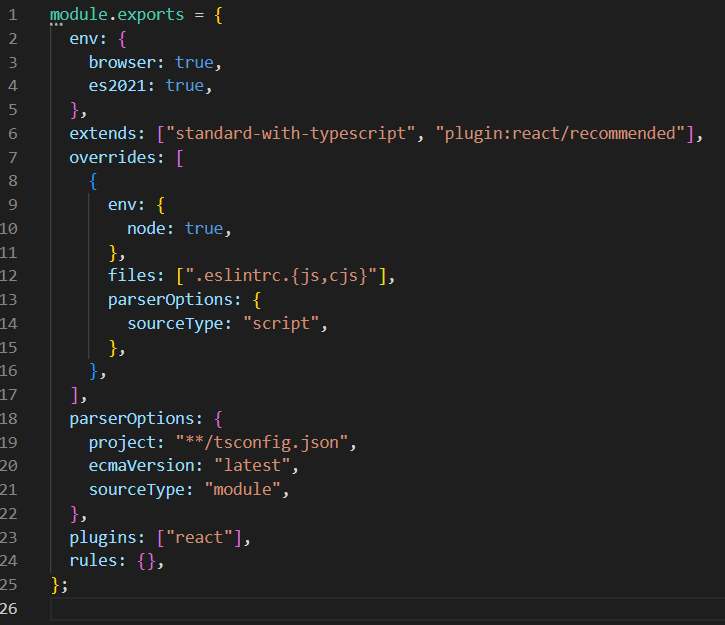
parserOptions에 tsconfig.json 위치 설정해서 typescript와 연동
ruls:{}에는 eslint를 적용시키지 않을 기능을 기재함
prettier 설치
https://prettier.io/docs/en/install.html
yarn add eslint-config-prettier --dev
eslint와 함께 사용시 .eslintrc.js파일 extends 안에 prettier 추가
{
  "extends": [
    "plugin:react/recommended",
		"standard-with-typescript",
    "prettier"
  ]
}
vscode 전체 적용을 위해서 최상단 폴더에 .vscode폴더 생성 후 settings.json 생성
=> 이후 필요한 설정들 입력