let height = Number(prompt("신장입력 (cm) >>"));
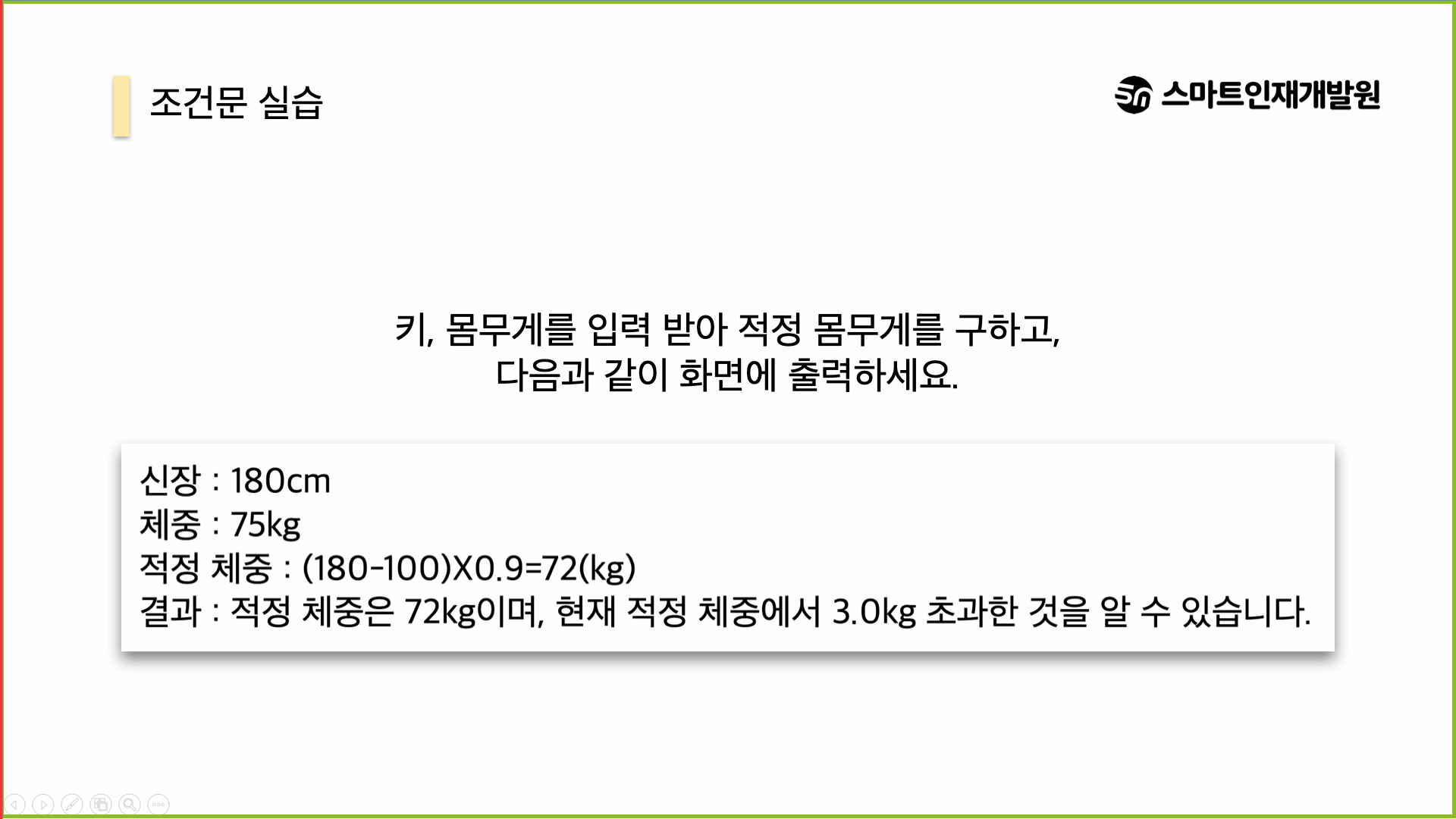
console.log(`신장: ${height} cm`);
let weight = Number(prompt('체중입력 (kg) >>'));
console.log(`체중: ${weight} kg`);
let idealWeight = (height - 100)*0.9;
console.log(`적정 체중: ${idealWeight} `);
let dif = null;
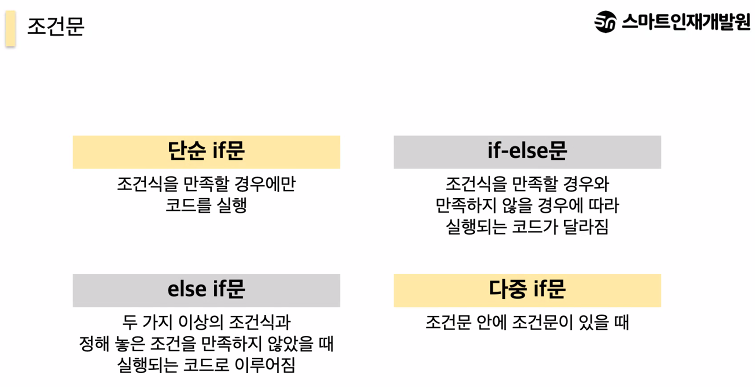
if(weight>idealWeight){
    dif = weight - idealWeight;
    console.log(`결과: 적정 체중은 ${idealWeight}이며, 현재 적정 체중에서 ${dif} kg 초과한 것을 알 수 있습니다`);
}else if(weight>idealWeight){
    dif = idealWeight -weight;
    console.log(`결과: 적정 체중은 ${idealWeight}이며, 현재 적정 체중에서 ${dif} kg 이덜 입니다 `);
}else{
    console.log(`결과: 적정 체중은 ${idealWeight}이며, 현재 적정 체중에서 ${dif} kg 정상 입니다 `);
}
document.write(`
    신장: ${height} cm<br>
    체중: ${weight} kg<br>
    적정 체중: ${idealWeight}<br>
    결과: 적정 체중은 ${idealWeight}이며, 현재 적정 체중에서 ${dif} kg  입니다

    `
)
<!DOCTYPE html>
<html lang="en">
<head>
<meta charset="UTF-8">
<meta name="viewport" content="width=device-width, initial-scale=1.0">
<title>Document</title>
<style>
</style>
</head>
<body>
<script>
//(1)사용자로부터 색상을 입력받는다
document.querySelector('body').style.backgroundColor = 'pink';
//2. 입력한 색상에 따라서 브라우저 배경색을 변경해준다
// 빨간 => red / 초록green /파랑: blue
</script>
</body>
</html>
열심히 공부합시다! The best is yet to come! 💜