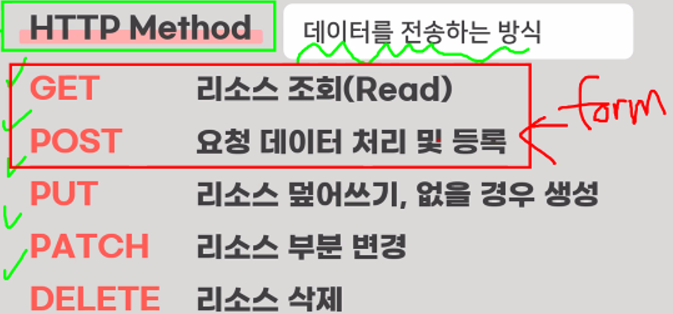
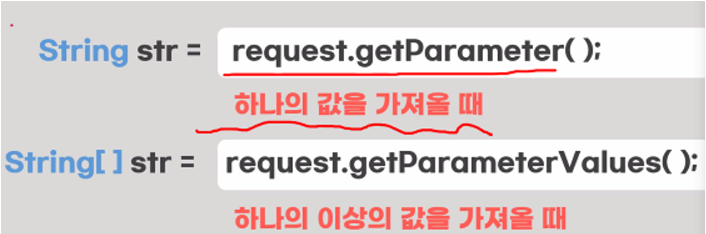
HTTP Method get post
get
- URL에 쿼리스트링 방식으로 데이터 전송
- 데이터 길이의 제한(1024byte)
- URL에 데이터가 노출 되기 때문에 보안의 취약
- 리소스 조회(READ)
- 캐시(임시저장소)에 저장하기 때문에 데이터를 다시 로딩하지 않아도 되서 속도가 빠 름
- form태그에 method속성을 통해서 지정하는데, 따로 작성하지않아도 GET방식을 데이터 전송(기본값으로 지정되었음)
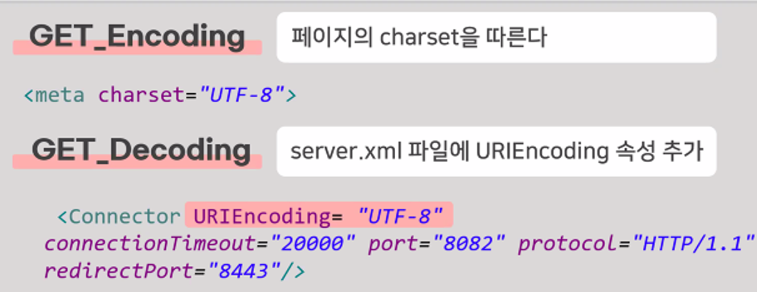
get 인코딩 디코딩 방식
post
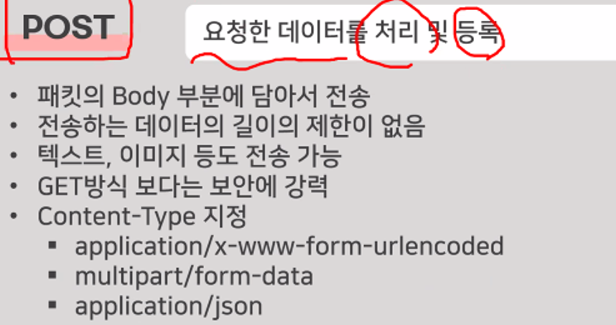
- 패킷(데이터블록)의 body 부분에 데이터를 담아서 전송
- 데이터 길이의 제한이 없음
- 직접 노출이 되지 않아 GET방식보다 보안에 강함
- 데이터 처리 및 등록 할때! 회원가입 등
- method속성에 POST로 지정
- 데이터의 타입을 명시(Content-Type)
- Application/x-www-form-urlencoded(기본값)
-> 데이터를 key=value의 형태로 전송
-> 전송하는 데이터를 url encoding해서 처리- multipart/form-data
->파일업로드와 같은 바이너리(이미지도 가능) 데이터 전송 시 사용
->multipart이름처럼 다른 종류의 여러 파일을 전송 가능- application/json
->text,xml,json 데이터 전송 시 사용- text/plain
->txt 형태로 전송
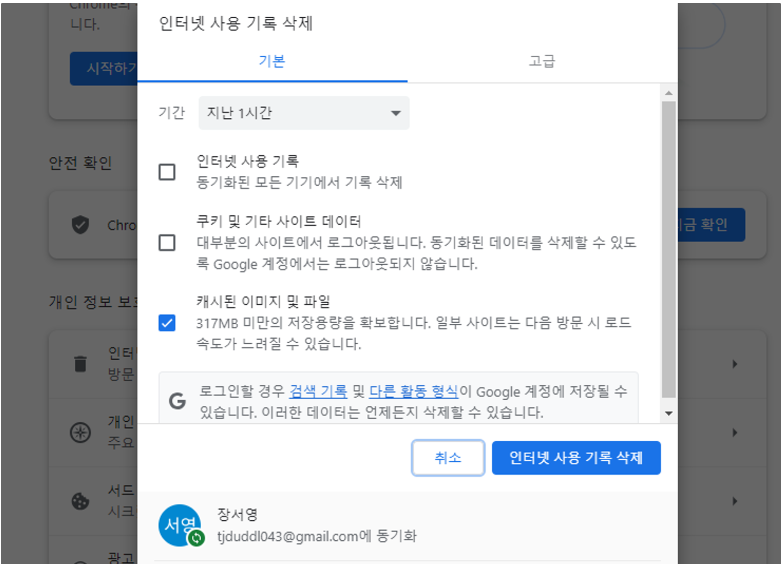
post 방식에 오류가 날때
ex08 post 방식이 안 될 때 캐시 삭제를 해라
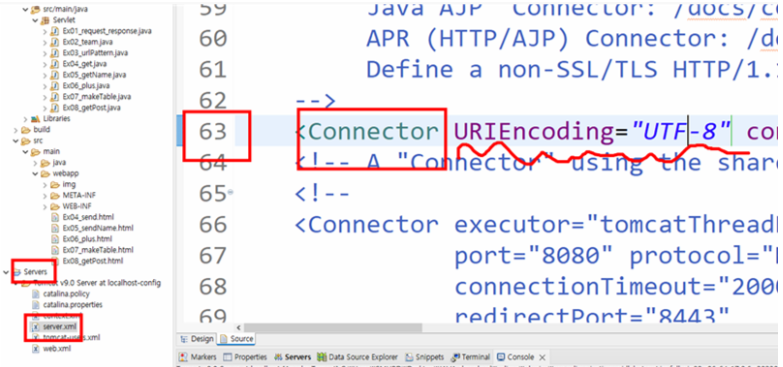
한글이 깨질 때
실습1 get, post 방식 써 보기
html
<h1>GET방식</h1>
<form action="연습08"mehod="get">
	DATA : <input type = "text" name = "data">
	<input type="submit">
</form>
<h1>POST 방식</h1>
<form action="연습08" method="post">
	DATA : <input type ="text" name="data">
	<input type="submit">
</form>
java
// 0. 디코딩
		// GET방식 인코딩 방법 : form태그가 해당 페이지의 charset으로 인코딩 진행
		// GET방식 디코딩 방법 : server.xml파일의 63번째 줄 Connector 태그에
//							URIEncoding="인코딩방식" 속성 추가
//							-> Tomcat 9버전부터는 UTF-8 기본값으로 설정
//		request.setCharacterEncoding("UTF-8");
		//html 방식? 그대로
		// POST방식 인코딩 방법 : form태그가 해당 페이지의 charset으로 인코딩
		// POST방식 디코딩 방법 : 데이터가 담긴 request객체에 setCharacterEncoding
//								메소드를 사용해서 디코딩 방법 설치
		request.setCharacterEncoding("UTF-8");
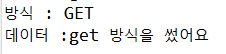
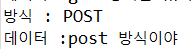
		// 1. 데이터 전송 방식 확인하기
		String method= request.getMethod();
		System.out.println("방식 : "+method);
		// 2. 데이터 확인
		String data = request.getParameter("data");
		System.out.println("데이터 : "+data);
실습2 회원가입 테이블 만들기
- 실습 POST방식 실습 회원가입
체크박스 → 여러개를 담을때는 배열!
회원가입 html 틀 이걸로 복붙해서 만들기
<h2>회원가입</h2>
    <form action="연습09" method="post">
    <table border="1" width="400px">
        <!-- 4행 2열 : tr 4개, td가 2개씩 -->
        <tr>
            <th colspan="2" bgcolor="gray" height="50px" align="left"> Step1 : 아이디/비번 입력 </th>
        </tr>
        <tr height="35" bgcolor="whitesmoke">
            <td align="right"> 아이디 </td>
            <td> <input type="text" name="id"></td>
        </tr>
        <tr height="35" bgcolor="whitesmoke">
            <td align="right"> 비밀번호 </td>
            <td> <input type="text" name="pw"> </td>
        </tr>
        <tr height="35" bgcolor="whitesmoke">
            <td align="right"> 비밀번호 확인 </td>
            <td><input type="text" name="pwCheck"></td>
        </tr>
        <tr>
            <td colspan="2" bgcolor="gray" height="50px" align="left">Step2 : 개인정보 </td>
        </tr>
        <tr height="35" bgcolor="whitesmoke">
            <td align="right"> 성별 :  </td>
            <td> 남<input type="radio" name="gender" value="남성">
                여<input type="radio" name="gender" value="여성">
            </td>
        </tr>
        <tr height="35" bgcolor="whitesmoke">
            <td align="right"> 혈액형 : </td>
            <td>
                <select name="blood">
                    <option value="AB형"> AB형 </option>
                    <option value="A형"> A형 </option>
                    <option value="B형"> B형 </option>
                    <option value="O형"> O형 </option>
                </select>
            </td>
        </tr>
        <tr height="35" bgcolor="whitesmoke">
            <td align="right"> 생일 : </td>
            <td> <input type="date" name="birthday"></td>
        </tr>
        <tr>
            <td colspan="2" bgcolor="gray" height="50px" align="left"> Step3 : 선호도 </td>
        </tr>
        <tr height="35" bgcolor="whitesmoke">
            <td align="right"> 취미 : </td>
            <td>노래듣기 <input type="checkbox" name="hobby" value="노래듣기">
                카페 <input type="checkbox" name="hobby" value="카페가기">
                영화 <input type="checkbox" name="hobby" value="영화보기">
            </td>
        </tr>
        <tr height="35" bgcolor="whitesmoke">
            <td align="right">좋아하는 색깔 : </td>
            <td> <input type="color" name="color"> </td>
        </tr>
        <tr>
            <td colspan="2" bgcolor="gray" height="50px" align="left">Step4 : 적고 싶은 말</td>
        </tr>
        <tr>
            <td colspan="2"><textarea name="board" id="" cols="50" rows="3" ></textarea></td>
        </tr>
        <tr>
            <th colspan="2"><input type="submit" value="제출">
                <input type="reset" value="초기화"> <br></th>
        </tr>
    </table>
</form>
java
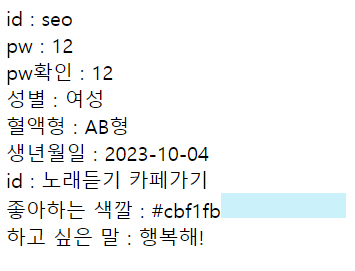
// POST방식 디코딩(코드 -> 문자) html에서 utf-8로 보내서 utf-8로 받음 request.setCharacterEncoding("UTF-8"); //데이터 받아오기 String id = request.getParameter("id"); String pw = request.getParameter("pw"); String pwCheck = request.getParameter("pwCheck"); String gender = request.getParameter("gender"); String blood = request.getParameter("blood"); String birthday = request.getParameter("birthday"); String hobby [] = request.getParameterValues("hobby"); String color = request.getParameter("color"); String board = request.getParameter("board"); //웹에 출력하기 response.setContentType("text/html;charset=utf-8"); PrintWriter out = response.getWriter(); out.print("<style>div{background-color:"+color+";" +"width:100px; height:20px;" +"display : inline-block;}</style>"); out.print("id :"+ id +"<br>"); out.print("pw :"+ pw +"<br>"); out.print("c_pw :"+ pwCheck +"<br>"); out.print("gender :"+ gender +"<br>"); out.print("blood :"+ blood +"<br>"); out.print("birthday :"+ birthday +"<br>"); out.print("hobby : "); for(int i = 0; i<hobby.length; i++) { out.print(hobby[i]+" "); } out.print("<br>"); out.print("color :"+ color); out.print("<div></div><br>");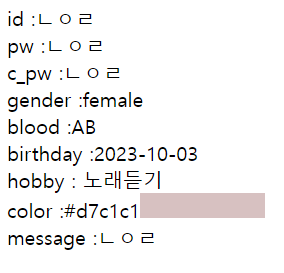
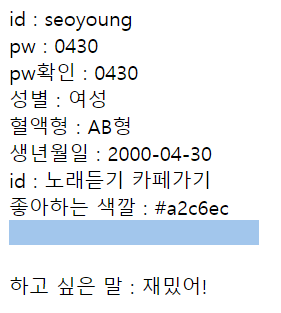
out.print("message :"+ board +"<br>");

영이의 일상은 짱셔요