목표
(1) URL을 이용해서 이미지를 얻어오고
(2) 이미지를 처리하고 (Dispatcher.Default)
(3) 이미지를 UI 에 내보낸다. (Dispatcher.Main)
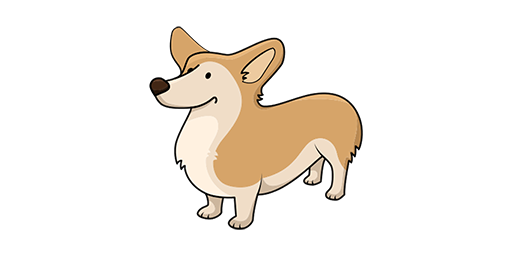
이미지 url 을 이하의 레이아웃에 표시하는 작업을 할 것이다.
<androidx.constraintlayout.widget.ConstraintLayout xmlns:android="http://schemas.android.com/apk/res/android"
    xmlns:app="http://schemas.android.com/apk/res-auto"
    xmlns:tools="http://schemas.android.com/tools"
    android:layout_width="match_parent"
    android:layout_height="match_parent"
    tools:context=".MainActivity">

    <ImageView
        android:id="@+id/imageView"
        android:layout_width="500dp"
        android:layout_height="500dp"
        android:scaleType="fitCenter"
        app:layout_constraintBottom_toBottomOf="parent"
        app:layout_constraintEnd_toEndOf="parent"
        app:layout_constraintStart_toStartOf="parent"
        app:layout_constraintTop_toTopOf="parent"
        android:visibility="gone"
        app:srcCompat="@mipmap/ic_launcher" />

    <ProgressBar
        android:id="@+id/progressBar"
        style="?android:attr/progressBarStyle"
        android:layout_width="wrap_content"
        android:layout_height="wrap_content"
        app:layout_constraintBottom_toBottomOf="parent"
        app:layout_constraintEnd_toEndOf="parent"
        app:layout_constraintStart_toStartOf="parent"
        app:layout_constraintTop_toTopOf="parent" />
</androidx.constraintlayout.widget.ConstraintLayout>
그리고, filter 객체의 apply 함수를 이용해 이미지를 처리할 예정이기 때문에 메인쓰레드에서 처리할 경우 UI 표현이 지연되거나, 예외가 발생할 수 있다.
object Filter {

    fun apply(source: Bitmap): Bitmap {
        val width = source.width
        val height = source.height
        val pixels = IntArray(width * height)
        // get pixel array from source
        source.getPixels(pixels, 0, width, 0, 0, width, height)

        var R: Int
        var G: Int
        var B: Int
        var index: Int
        var threshHold: Int

        for (y in 0 until height) {
            for (x in 0 until width) {
                // get current index in 2D-matrix
                index = y * width + x
                // get color
                R = Color.red(pixels[index])
                G = Color.green(pixels[index])
                B = Color.blue(pixels[index])
                val grey = (R + G + B) / 3
                pixels[index] = Color.rgb(grey, grey, grey)
            }
        }

        // output bitmap
        val bitmapOut = Bitmap.createBitmap(width, height, Bitmap.Config.RGB_565)
        bitmapOut.setPixels(pixels, 0, width, 0, 0, width, height)
        return bitmapOut
    }
}
해결
이러한 문제를 Glade 라이브러리를 이용해서 처리할 수 있겠지만, 우선 라이브러리 없이 코루틴만으로 어떻게 처리하는지 아는 것이 도움이 될 것이다.
코루틴 활용을 위한 의존성을 추가하자
implementation 'org.jetbrains.kotlinx:kotlinx-coroutines-core:1.5.2'
implementation 'org.jetbrains.kotlinx:kotlinx-coroutines-android:1.5.2'
Main 코루틴 스코프를 만들고, 그 내부에서 IO 디스패처 스코프를 따로 만들어 Deferred 된 BitMap 자원을 획득, await() 을 통해 값을 할당해주고, 이를 bitmap 을 Default 디스패처에서 필터를 적용해준뒤, Main 디스패처에서 UI 에 적용하였다.
class MainActivity : AppCompatActivity() {

    private val IMAGE_URL = "{위에 표시된 url}"
    private val coroutineScope = CoroutineScope(Dispatchers.Main)

    override fun onCreate(savedInstanceState: Bundle?) {
        super.onCreate(savedInstanceState)
        setContentView(R.layout.activity_main)

        coroutineScope.launch {
            val originalDeferred = coroutineScope.async(Dispatchers.IO) { getOriginalBitmap() }
            val originalBitmap = originalDeferred.await()

            val filteredDeferred = coroutineScope.async(Dispatchers.Default) { applyFilter(originalBitmap) }
            val filterBitmap = filteredDeferred.await()

            loadImage(filterBitmap)
        }
    }

    private fun getOriginalBitmap() =
        URL(IMAGE_URL).openStream().use{
            BitmapFactory.decodeStream(it)
        }

    private fun loadImage(bmp: Bitmap) {
        progressBar.visibility = View.GONE
        imageView.setImageBitmap(bmp)
        imageView.visibility = View.VISIBLE
    }

    private fun applyFilter(bmp: Bitmap) = Filter.apply(bmp)
}
개발자