1. 다중 slice
이전 포스트에서는 하나의 슬라이스만 사용했는데
여러 개의 slice(state + reducer)를 관리한다면 어떨까?

Redux 첫 번째 포스트의 토글 기능을 useReducer 에서 Redux로 마이그레이션 하면서 다중 슬라이스를 처리해보겠다.
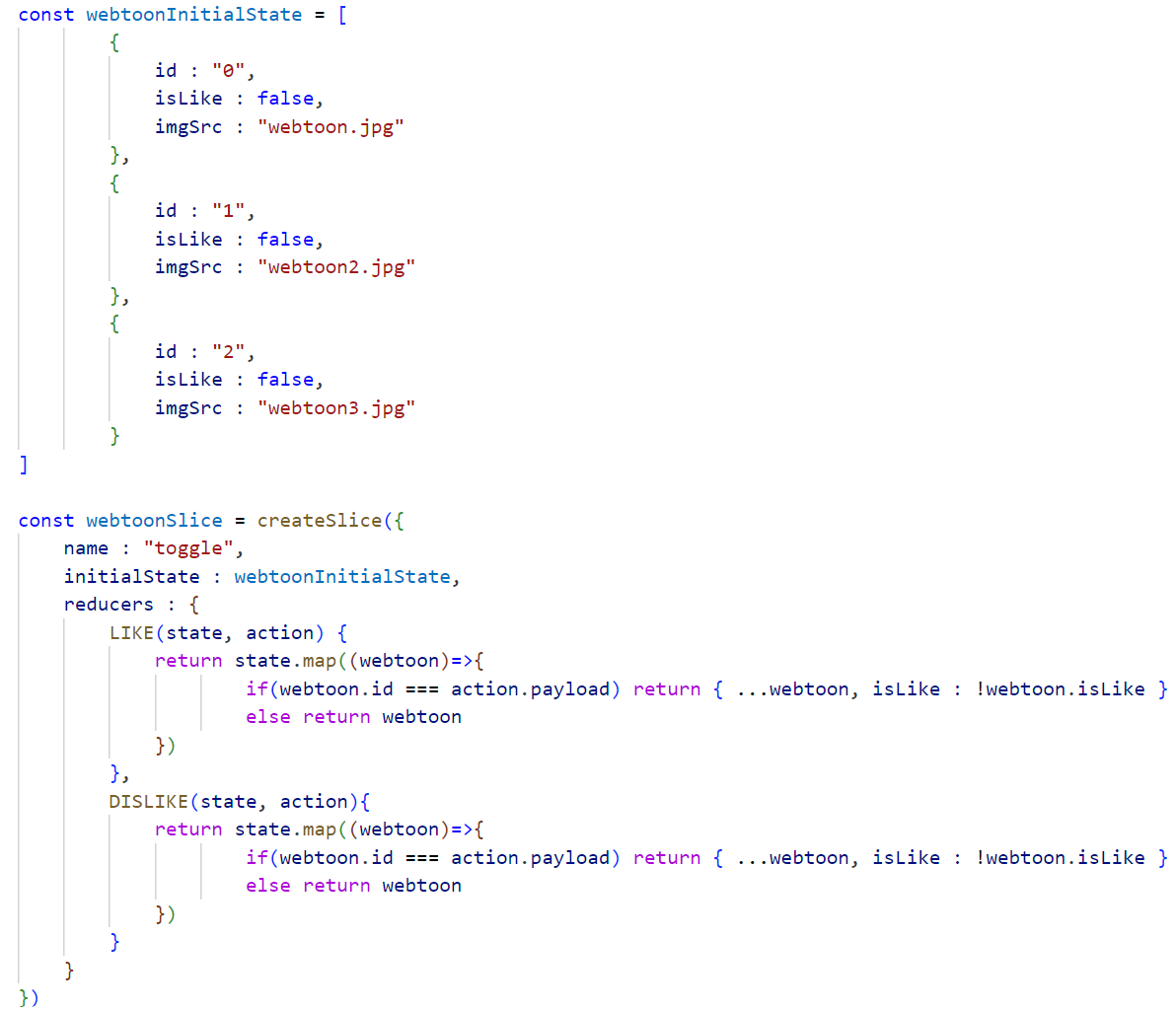
이전 포스트의 토글 reducer 와 initialState 를 그대로 들고왔다.
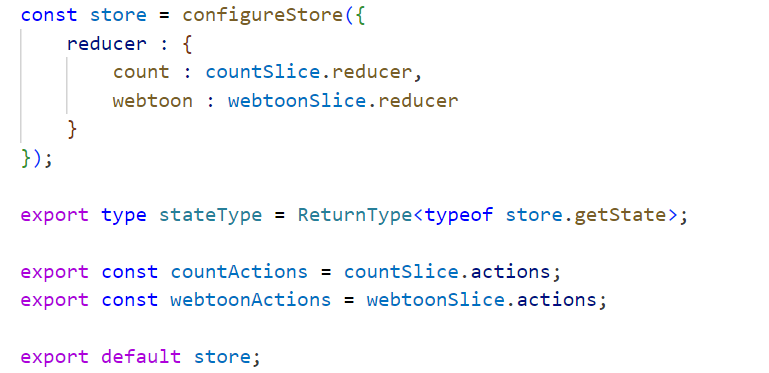
위는 다중 슬라이스를 중앙 저장소에 등록하고 있고,
아래의 코드는 이전 포스트에서 카운터를 만들 때 단일 슬라이스를 등록했던 코드이다.
const store = configureStore({
    reducer : countSlice.reducer
});

export type CountStateType = ReturnType<typeof store.getState>;

export const countActions = countSlice.actions;

export default store;
reducer 속성이 map 형태로 리듀서들을 보관하여 하나의 리듀서로 통합한다.
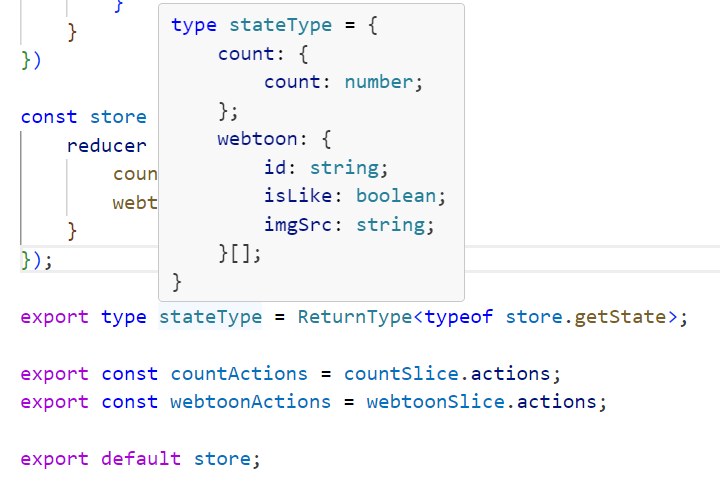
그리고 state 타입에 webtoon 이 추가된 것을 확인할 수 있다.
그렇다면 state와 dispatch 를 가져오는 방법은 또 다를까?
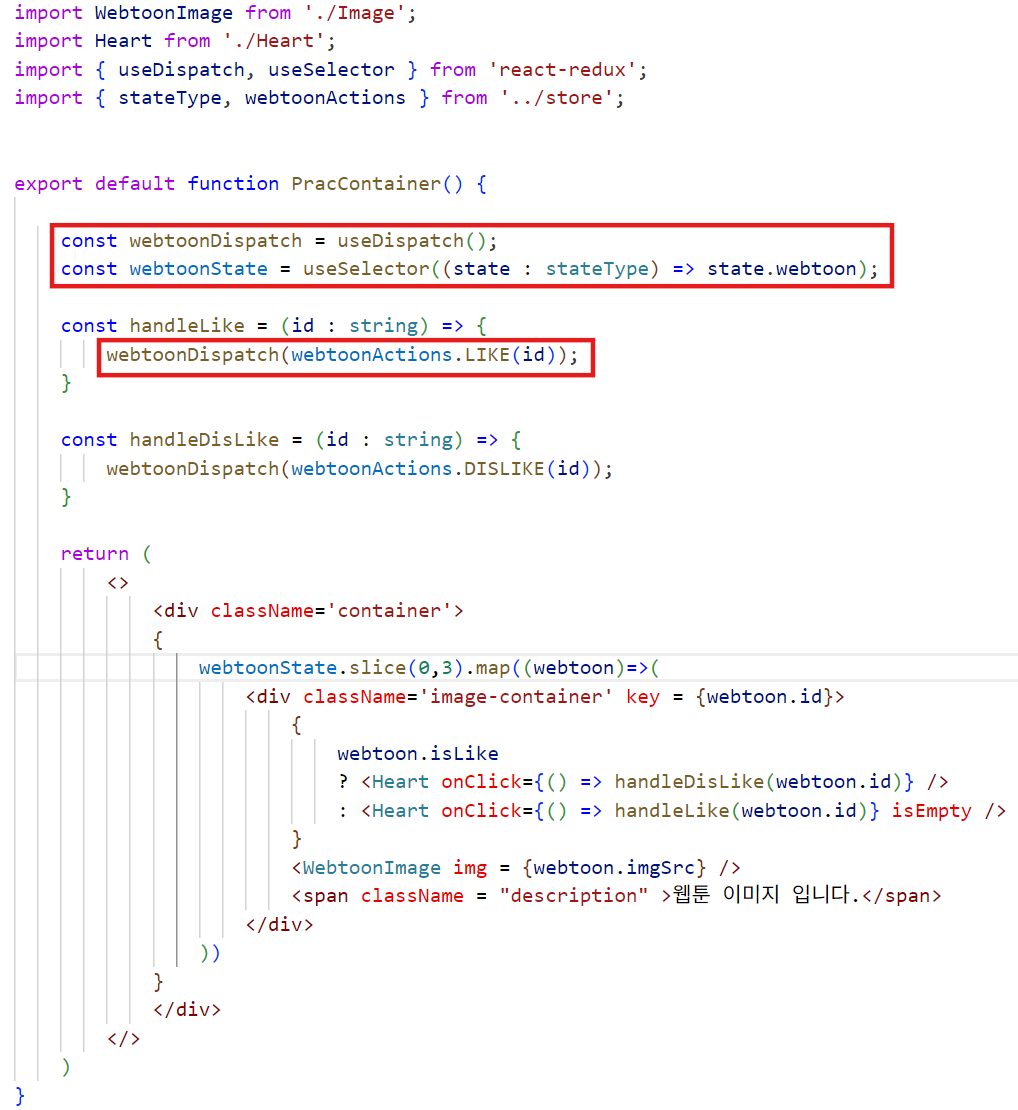
위는 다중 슬라이스를 적용한 토글용 컴포넌트이고,
아래는 단일 슬라이스를 적용한 카운터 컴포넌트이다.
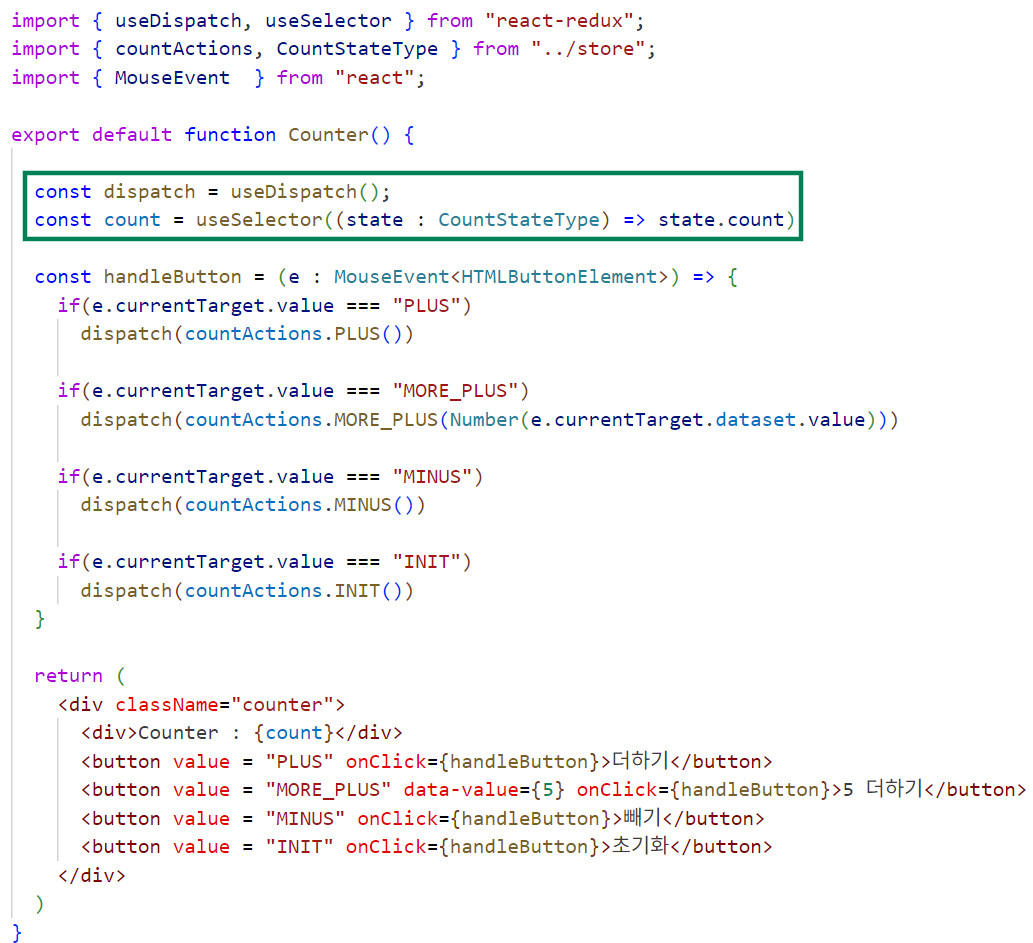
다른 차이가 없다.
2. createAsyncThunk
비동기 로직(API 요청)을 직접 Redux로 구현하면:
요청 시작 → 로딩 상태 관리
요청 성공 → 데이터 저장
요청 실패 → 에러 처리
이걸 전부 수동으로 액션 만들고 dispatch해야 하는데 그럼 너무 복잡하고 코드가 길어진다.
const fetchData = createAsyncThunk('some/fetch', async () => {
  const res = await fetch('/api/data');
  return await res.json();
});
이 하나의 선언만 하면 Redux는
fetch/pending → 요청 시작
fetch/fulfilled → 요청 성공 (데이터 자동 전달)
fetch/rejected → 요청 실패 (에러 자동 전달)
이 3단계 액션을 자동 생성 + 관리해준다.
위의 todofetchs 를 이용한 코드이다.
interface TodoState {
  todos: Todo[];
  loading: boolean;
  error: string | null;
}

const initialState: TodoState = {
  todos: [],
  loading: false,
  error: null,
};

const todoSlice = createSlice({
    name : "todo",
    initialState : initialState2,
    reducers : {
        ADD(state, action : PayloadAction<Todo>){
            state.todos.push(action.payload);
        },
        REMOVE(state, action : PayloadAction<string>){
           const filteringState = state.todos.filter((todo)=> todo.id !== action.payload);
           return {
            ...state,
            todos : filteringState
           }
        },
        TOGGLE(state, action : PayloadAction<string>){
            const todo = state.todos.find(todo => todo.id === action.payload);
            if(todo){
                todo.completed = !todo.completed;
            }
        }
    },
    extraReducers: (builder) => {
    builder
      .addCase(fetchTodos.pending, (state) => {
        state.loading = true;
        state.error = null;
      })
      .addCase(fetchTodos.fulfilled, (state, action: PayloadAction<Todo[]>) => {
        state.loading = false;
        state.todos = action.payload;
      })
      .addCase(fetchTodos.rejected, (state, action) => {
        state.loading = false;
        state.error = action.error.message ?? 'Unknown error';
      });
  },
})

export const todoActions = todoSlice.actions;

export default todoSlice;
그리고 다음과 같이 사용한다.
function TodoList() {
  const dispatch = useAppDispatch();
  const todos = useAppSelector((state) => state.todo.todos);
  const loading = useAppSelector((state) => state.todo.loading);

  useEffect(() => {
    dispatch(fetchTodos());
  }, [dispatch]);

  if (loading) return <p>로딩 중...</p>;

  return (
    <ul>
      {todos.map((todo) => (
        <li key={todo.id}>{todo.title}</li>
      ))}
    </ul>
  );
}