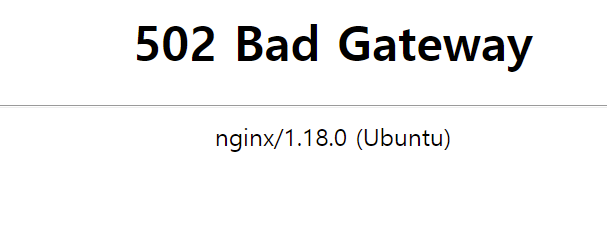
502 에러
우리 서비스는 docker를 활용해 local - ecr(docker push) - ec2 (docker pull) - nginx container 실행 및 서비스 blue/green 배포
웹 서비스 요청 시 ec2에서 돌아가고 있는 nginx container 가 서빙을 담당한다.
우리 서비스는 nginx 가 많은 역할을 하고 있지는 않고 프록시 서버로서 역할만 한다.
502 에러는 보통 port가 맞지 않거나 nginx의 설정이 잘못되었을 때 발생한다고 알고 있다.
port는 확인해 봤을 때 문제없었다.
문제 코드 살펴보기
먼저 우리 서비스는 docker-compose.yaml 파일을 사용해 docker container를 배포한다.
자, docker-compose.yaml 파일을 먼저 살펴보자.
version: '3.9'
services:
    cuma-market-blue:
        image: b857ss
        container_name: 'blue'
    cuma-market-green:
        image: b53s2b
        container_name: 'green'
    cuma-market-nginx:
        image: nginx:latest
        container_name: 'nginx'
        volumes:
            - ./nginx.conf:/etc/nginx/nginx.conf
        ports:
            - '8081:80'
        restart: always
그리고 위 docker compose 파일은
scp -ri ".ssh/haaha.pem" docker-compose.yaml cumamarket@ec2-IP.ap-northeast-2.compute.amazonaws.com:/opt/$DIR
위 경로로 전달이 되었다. 즉, /opt/dir에 저장이 된다.
이를 기억하자.
그리고 배포 코드 중 이미지를 pull 한 이 후 부터 살펴보면
cd /opt/$DIR/nginx/farmer
위 경로로 이동한 뒤
if [ "$1" == "pull" ] ; then
aws ecr get-login-password --region ap-northeast-2 | docker login --username AWS --password-stdin 380840668795.dkr.ecr.ap-northeast-2.amazonaws.com
docker pull FARMER_HELP_DOCKER_TAG
fi
package.json 명령문에 pull 이라는 첫 번째 인자가 있다면 ecr, docker에 로그인 한 후 docker pull을 받아온다.
RUNNING_APP=$(docker ps | grep blue)
그리고 blue 라는 이름을 포함한 컨테이너가 있다면
if [ -n "\$RUNNING_APP" ] ; then
    echo "green deploy"
    docker compose -f /opt/$DIR/docker-compose.farmer.yaml up -d green

    cp $CONF_GREEN ./nginx.conf
    docker exec farmer-help-nginx service nginx reload
    docker compose -f /opt/$DIR/docker-compose.farmer.yaml stop blue

    while [ true ]; do
        if docker exec farmer-help-nginx curl -s -o /dev/null http://localhost; then
            echo "green health check"
            break

        fi
        sleep 3
    done;

    docker compose -f /opt/$DIR/docker-compose.farmer.yaml rm -f farmer-help-blue
green 배포를 시작한다. 이때 docker-compose.farmer.yaml 파일을 참조하여 green 콘테이너를 실행한다.
cp conf_green ./nginx.conf
위 코드에서 ./nginx.conf 의 파일은 green conf파일로 새롭게 덮어씌워진다.
문제는 여기
아까 docker-compose.yaml 파일에서 volumes의 경로를 보면
        volumes:
            - ./nginx.conf:/etc/nginx/nginx.conf
이렇게 되어 있다.
그런데 이 docker-compose.yaml 이 위치한 경로에 존재하는 nginx.conf 파일은
위 변경된 경로 /opt/$DIR/nginx/farmer 경로에 존재하는 nginx.conf가 아니다.
그래서 docker nginx 내부의 conf 파일이 변경이 되지 않아서 발생한 문제였다.
docker-compose.yaml에서 volumes를 통해 etc/nginx/nginx.conf 파일을 덮어씌웠는데
이 덮어씌워지는 nginx.conf가 변경된 nginx.conf 가 아닌 디폴트 nginx.conf 였던 것이다.
(nginx.conf는 green 배포를 default로 설정하여 green에서만 배포되는 문제 발생)
해결
        volumes:
            - /nginx/platform/nginx.conf:/etc/nginx/nginx.conf
경로를 다음과 같이 변경해 준 뒤 배포를 하니 blue-green 성공했다.
해결 방법은 정말 별거 아니지만
세세하게 코드를 살펴보고 동작 흐름을 잘 알아야겠다.
아직.. 배포의 흐름을 전체적으로만 이해할 뿐 세세하게는 잘 모른다.. 그 부분을 이해할 수 있도록 꾸준한 노력이 필요하다