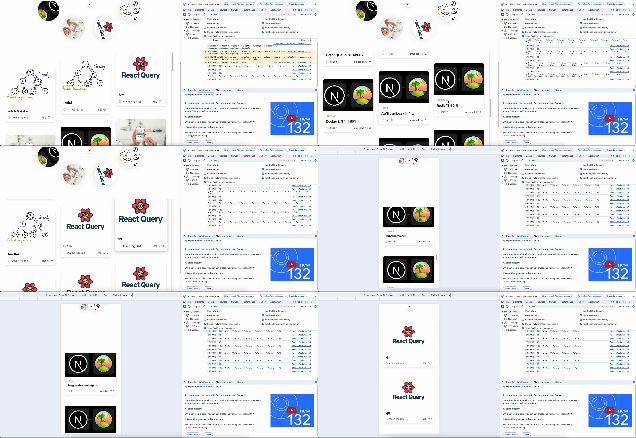
문제 상황
메인 페이지의 최근 게시물 목록 구현에서 다음과 같은 문제점이 발견되었습니다:
렌더링 성능 저하
게시물 목록이 많아질수록 DOM 노드 증가로 인한 렌더링 부담이 커져 전반적인 성능이 저하됨
스크롤 성능 문제
사용자가 스크롤할 때마다 과도한 렌더링이 발생하여 UX가 저하되고 부드러운 스크롤이 방해됨
데이터 로딩 비효율
한 번에 모든 데이터를 로드하는 방식으로 초기 로딩 시간이 길어짐
UX 개선 방법
위 문제를 해결하기 위해 다음 최적화 기법을 적용하였습니다:
데이터 페칭 로직 (useInfinitePostsQuery)
const useInfinitePostsQuery = () => {
  const { handleError } = useApiError();

  const result = useSuspenseInfiniteQuery({
    queryKey: [queryKeys.RecentPost],
    queryFn: fetchPosts,
    getNextPageParam: (lastPage, allPages) =>
      lastPage.hasMore ? allPages.length + 1 : undefined,
    initialPageParam: 1,
  });

  const { error, status } = result;

  useEffect(() => {
    if (status === "error" && error) {
      handleError(error);
    }
  }, [error, status, handleError]);

  const flattenedPosts = result.data?.pages.flatMap((page) => page.posts) || [];

  return {
    posts: flattenedPosts,
    fetchNextPage: result.fetchNextPage,
    hasNextPage: result.hasNextPage,
    isFetchingNextPage: result.isFetchingNextPage,
  };
};

export default useInfinitePostsQuery;
주요 특징:
useSuspenseInfiniteQuery를 사용하여 Suspense 기반 비동기 데이터 페칭- 페이지 단위(30개)로 데이터 로드하여 초기 로딩 시간 단축
- 에러 핸들링 로직 포함
- 다음 페이지 로드를 위한
hasNextPage,fetchNextPage기능 제공
가상 스크롤 (Virtual Scroll) 구현 상세
핵심 개념
- 가상 스크롤: 많은 데이터를 효율적으로 렌더링하기 위해 현재 보이는 영역의 아이템만 렌더링하는 기법
- 성능 최적화: DOM 요소 수를 줄여 메모리 사용량과 렌더링 비용 감소
라이브러리 선택하지 않은 이유
기존 가상 스크롤 라이브러리들이 프로젝트의 디자인 그리드 레이아웃과 완전히 일치하지 않아 직접 구현했습니다. 특히 반응형 컬럼 처리와 복잡한 레이아웃 요구사항을 정확히 반영하기 위해 맞춤형 솔루션이 필요했습니다.
핵심 로직 설명
반응형 컬럼 계산
function getColumnCount() {
  if (window.innerWidth >= 1024) return 3; // 데스크톱: 3열
  if (window.innerWidth >= 640) return 2;  // 태블릿: 2열
  return 1;  // 모바일: 1열
}
보이는 범위 계산
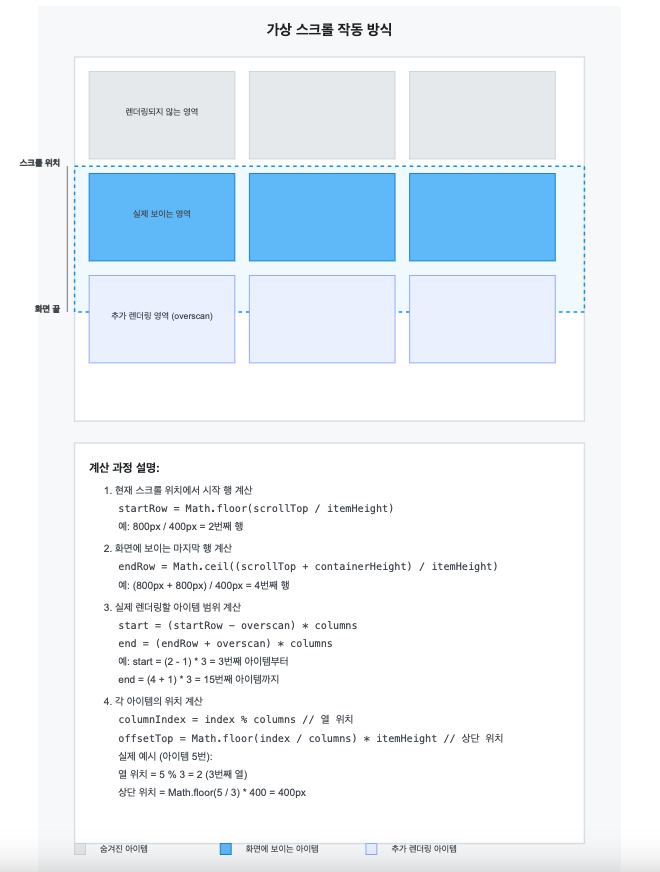
아이템 높이를 열 높이로 지정합니다. 이를 통해 가상 렌더링의 시작과 끝을 결정합니다.
- 시작 열은 현재 스크롤 위치를 열 높이로 나눈 값입니다.
- 끝 열은 (현재 스크롤 위치 + 컨테이너 높이)를 열 높이로 나눈 값입니다.
- overscan은 실제 보이는 영역 외에 추가 아이템을 렌더링하여 사용자 경험을 개선합니다.
const calculateRange = () => {
  const rowHeight = itemHeight; // 예: 400px

  // scrollTop: 현재 스크롤 위치 (예: 800px)
  const startRow = Math.floor(scrollTop / rowHeight); // 800 / 400 = 2

  // containerHeight: 화면에 보이는 높이 (예: 800px)
  const endRow = Math.ceil((scrollTop + containerHeight) / rowHeight); // (800 + 800) / 400 = 4

  // overscan: 추가로 렌더링할 행 수 (예: 1)
  const start = Math.max(0, (startRow - overscan) * columns); // (2 - 1) * 3 = 3
  const end = Math.min(totalItems, (endRow + overscan) * columns); // (4 + 1) * 3 = 15

  return { start, end };
};
가상 아이템 생성
가상 아이템을 반응형으로 어떻게 배치할지 결정합니다.
const virtualItems = Array.from({ length: end - start }, (_, index) => {
  // start가 3이고 index가 0인 경우:
  const absoluteIndex = start + index; // 3 + 0 = 3

  // 3열 그리드에서 아이템 3의 위치:
  const columnIndex = absoluteIndex % columns; // 3 % 3 = 0 (첫 번째 열)

  // 아이템 3의 행 번호:
  const row = Math.floor(absoluteIndex / columns); // 3 / 3 = 1 (두 번째 행)

  return {
    index: absoluteIndex, // 3
    offsetTop: row * itemHeight, // 1 * 400 = 400px
    columnIndex, // 0
    columnWidth: 100 / columns, // 33.33%
  };
});
배치 결과:
[그리드 레이아웃]
absoluteIndex: 3, 4, 5
┌────────┬────────┬────────┐
│   3    │   4    │   5    │
│(0,400px│(1,400px│(2,400px│
│ 33.33%)│ 33.33%)│ 33.33%)│
└────────┴────────┴────────┘
     ↑        ↑        ↑
columnIndex:
     0        1        2
성능 최적화 포인트
스크롤 이벤트 최적화
const onScroll = useCallback(
  _.throttle((e: Event) => {
    const scroll = e.target as HTMLElement;
    setScrollTop(Math.max(0, scroll.scrollTop));
  }, 16), // 60fps에 맞춘 스로틀링
  []
);
성능 개선 결과
렌더링 성능
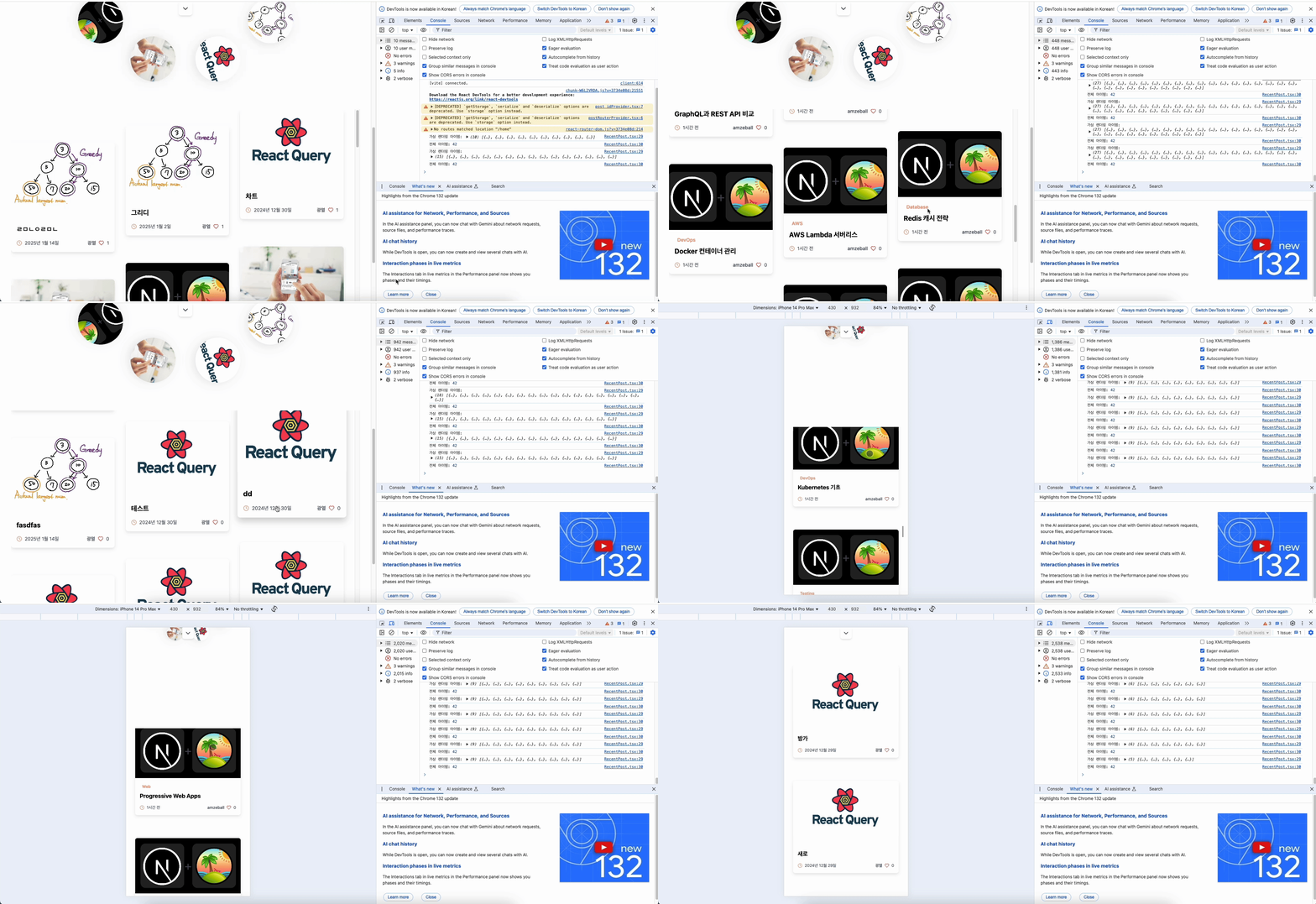
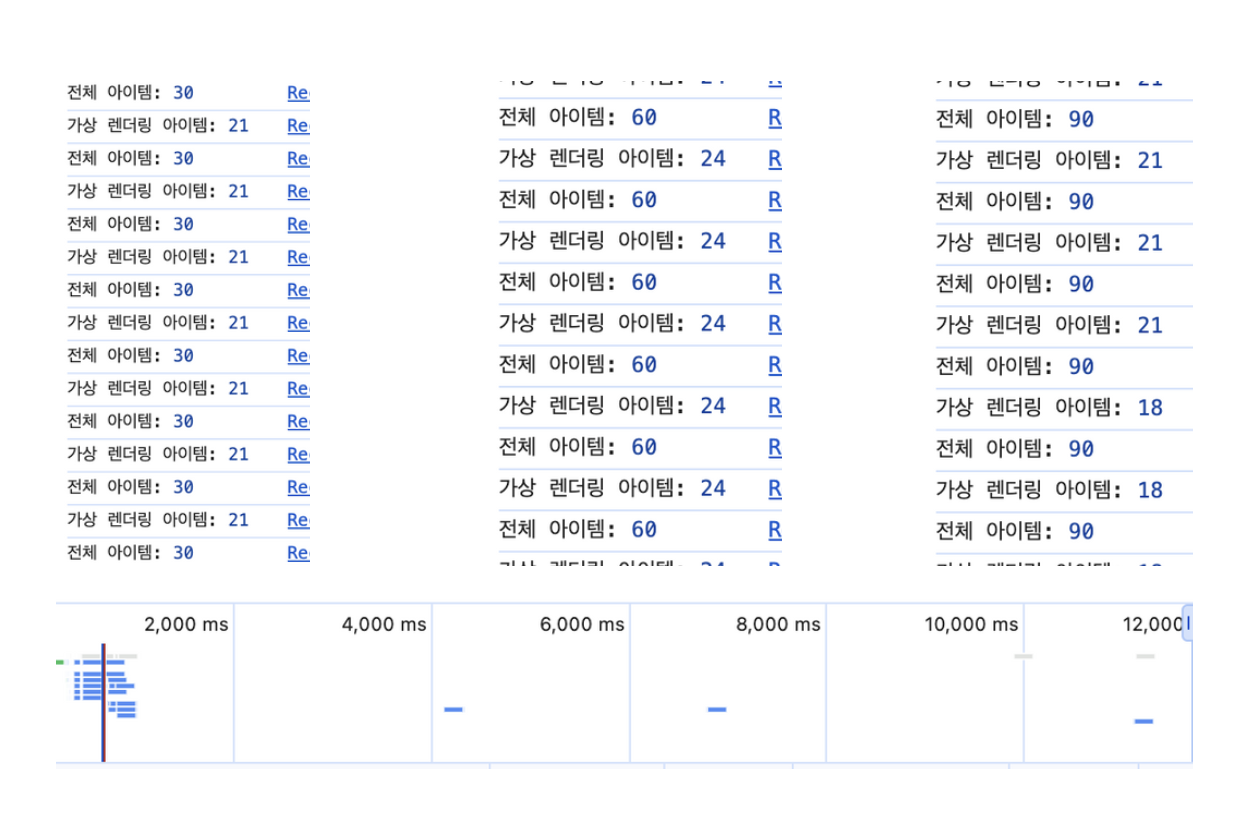
- DOM 노드 감소: 90개 → 18~21개 (약 80% 감소)
- 메모리 사용량: 약 30% 감소
- 렌더링 시간: 초기 로드 시 약 40% 감소
사용자 경험
- 스크롤 부드러움: 60FPS 유지로 끊김 없는 스크롤 제공
- 반응성 향상: 사용자 인터랙션에 대한 즉각적인 응답
- 초기 로딩 시간: 30개 단위 페이지네이션으로 초기 로딩 시간 단축

Interactive Developer