ScrollView 의 contentInset, adjustedContentInset, contentInsetAdjustmentBehavior
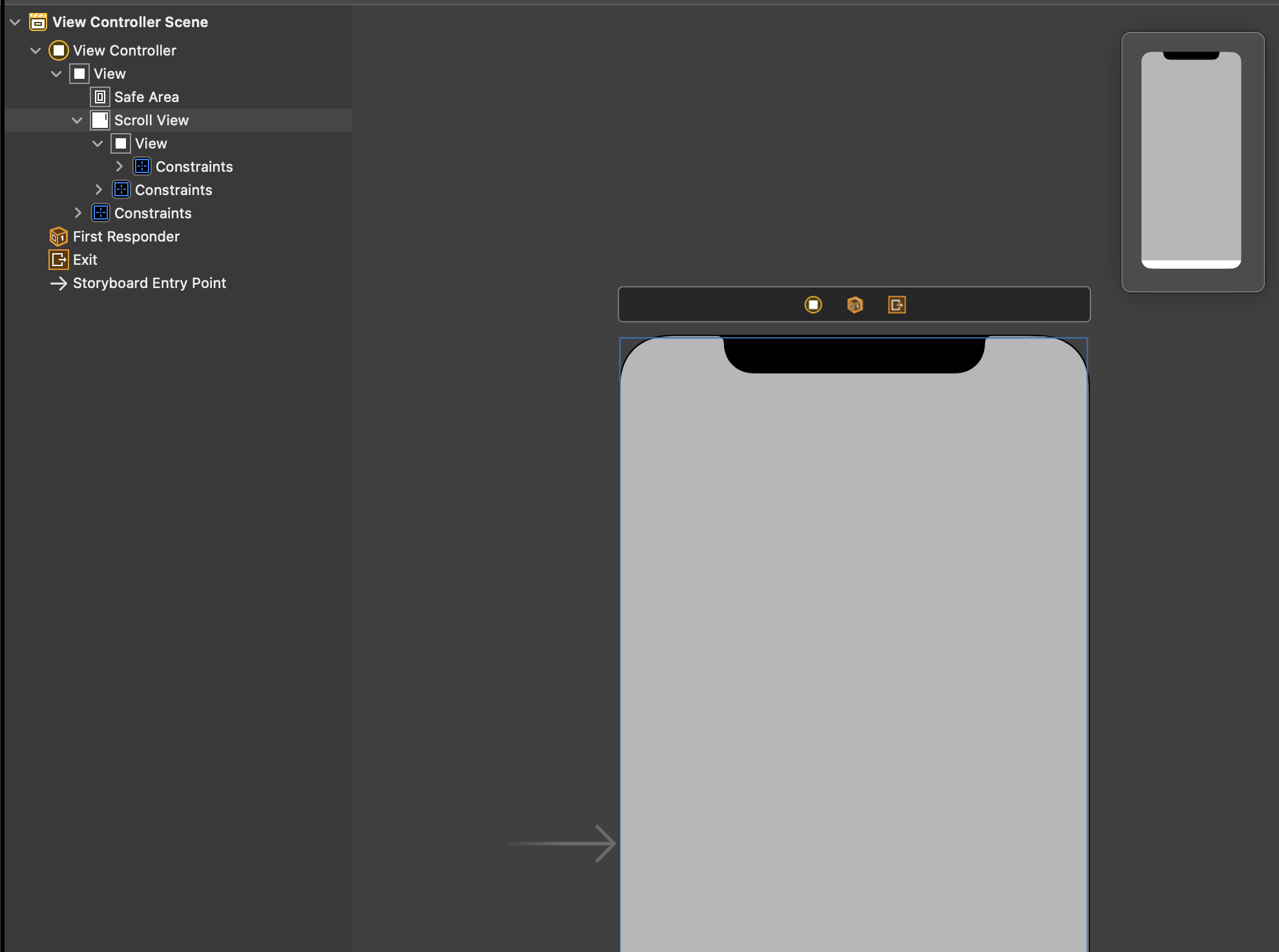
현재 scrollView(핑크색)안에는 scrollView를 꽉 채우는 View(회색)이 들어있다. 즉, ScrollView가 safe area까지 덮기를 바란다. 따라서 현재 ScrollView 의 top Constraint 는 safe area 가 아닌 super view 로 잡았다. 이 상태로 실행하면 다음과 같이 표시된다.
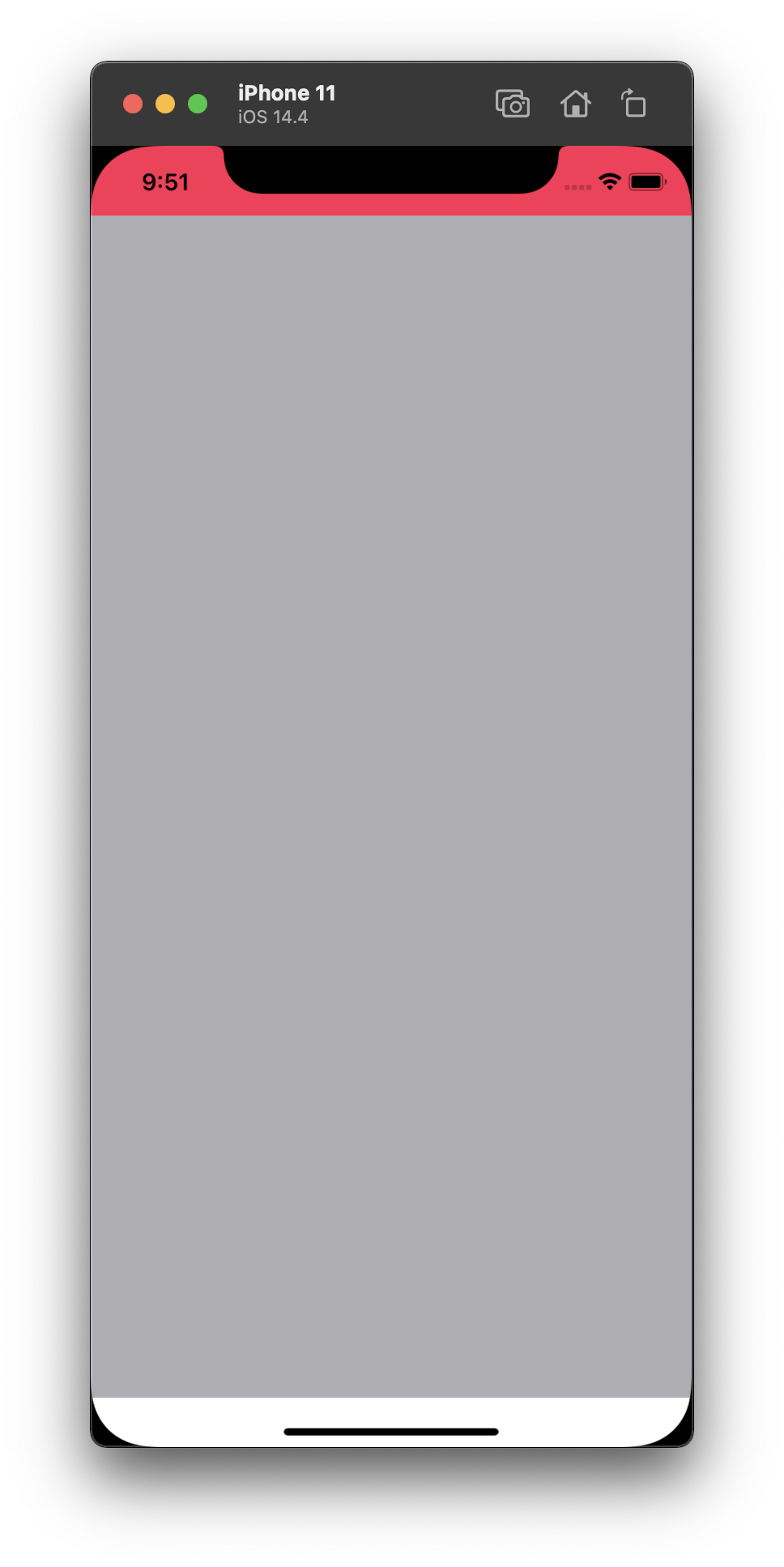
분명 ScrollView가 safe area를 덮어야 하는데? .. 라고 생각할 수 있다. 실제로 ScrollView는 safe area 를 덮고 있긴 하다. 문제는 ScrollView 의 content인 View(회색)가 safe area 를 덮고 있지 않다는 것이다. 즉, content inset 이 적용돼 있음을 의심해볼 수 있다.
그래서 다음과 같이 contentInset 을 줘봤다.
class ViewController: UIViewController {

    @IBOutlet weak var scrollView: UIScrollView!

    override func viewDidLoad() {
        super.viewDidLoad()

        scrollView.contentInset = UIEdgeInsets(top: 0, left: 0, bottom: 0, right: 0)
    }
}
하지만 실행해보면 여전히 같은 결과가 나온다.
contentInset 공식 문서를 찾아 봤다. 눈에 띄는 문구가 있다.
By default, UIKit automatically adjusts the content inset to account for overlapping bars. You use this property to extend that distance even further, perhaps to accommodate your own custom content. Get the total adjustment—that is, the safe area plus your custom insets—using the adjustedContentInset property. To change how the safe area is applied, modify the contentInsetAdjustmentBehavior property.
간단히 요약하면 ScrollView 는 overlapping bars 를 고려해서 content inset 을 조정하는데, 그것이 바로 adjustedContentInset(custom inset + safe area)인 것 같고, 그 adjustedContentInset 을 조정할 수 있는 옵션이 바로 contentInsetAdjustmentBehavior인 것 같다.
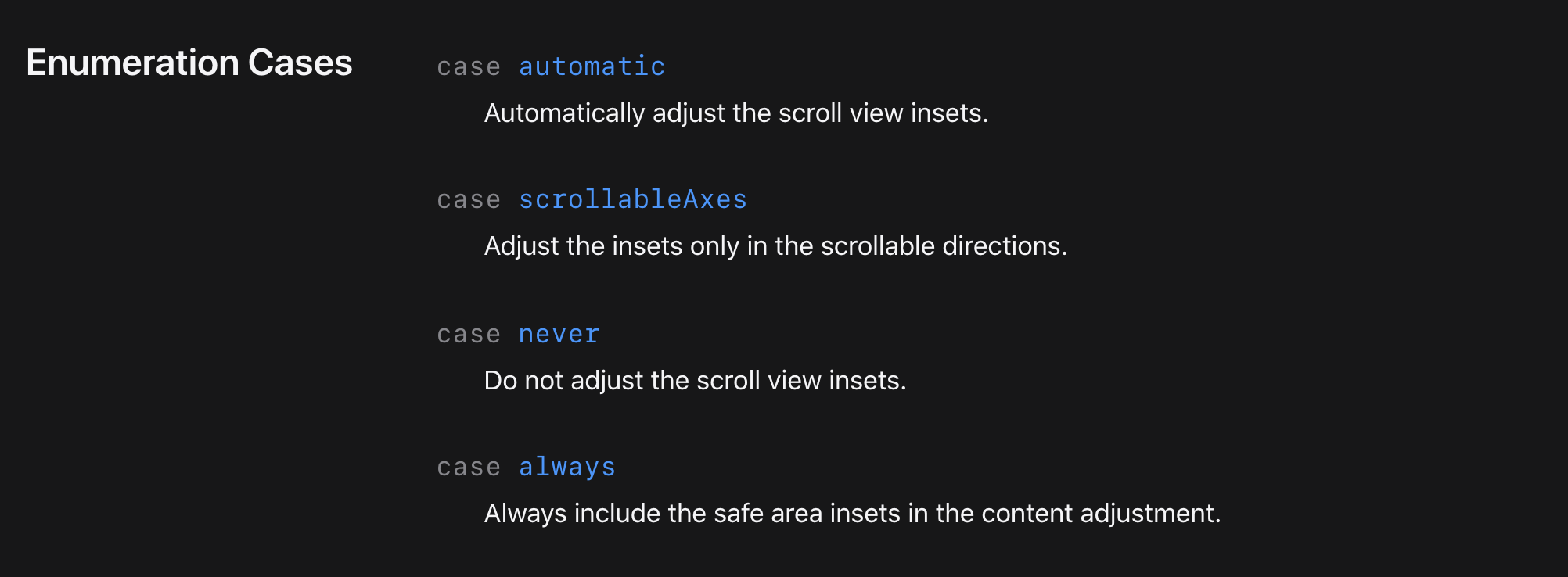
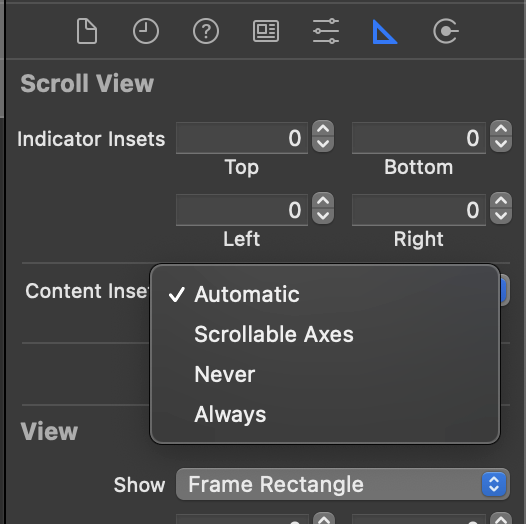
contentInsetAdjustmentBehavior 의 문서를 타고 타고 들어가다 보면 다음과 같은 옵션들이 보인다.
스토리보드에는 automatic 이 기본으로 돼있다. 아까 문서에서도 'By default, UIKit automatically adjusts the content inset to account for overlapping bars' 라고 표현했다. 그러면 never 를 적용해서 자동으로 inset 이 조정되지 않도록 하면 어떨까?
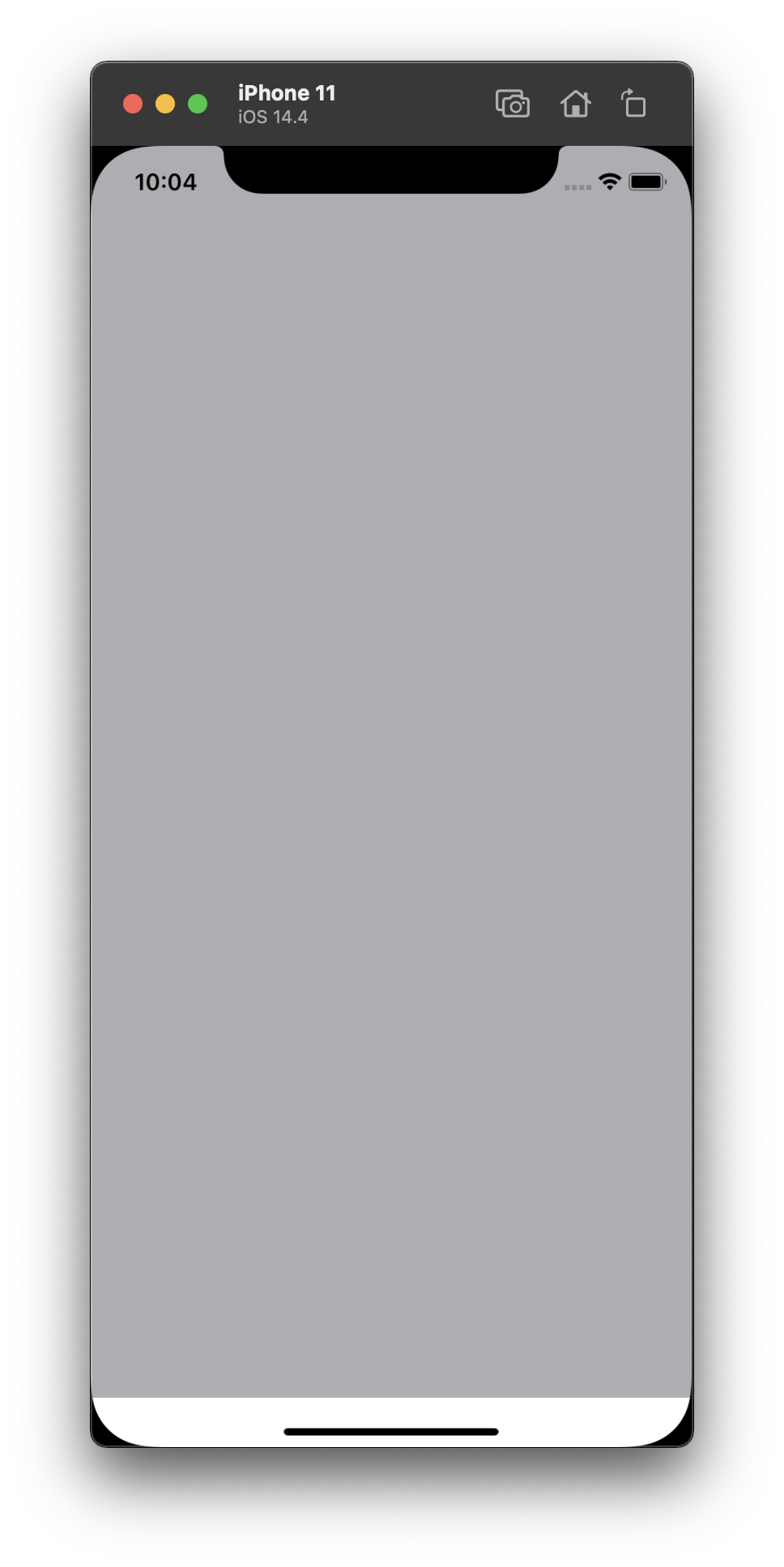
원하는 결과가 나온다.