🐧메일을 보내는 프로그램
🌈메이븐 빌드 처리
📃pom.xml
<!-- https://mvnrepository.com/artifact/org.springframework/spring-context-support -->
<!-- → Spring Context 기능을 지원하는 라이브러리 -->
<dependency>
    <groupId>org.springframework</groupId>
    <artifactId>spring-context-support</artifactId>
    <version>${org.springframework-version}</version>
</dependency>
<!-- https://mvnrepository.com/artifact/com.sun.mail/javax.mail --> <!-- Java Mail 기능을 제공하기 위한 라이브러리 --> <dependency> <groupId>com.sun.mail</groupId> <artifactId>javax.mail</artifactId> <version>1.6.2</version> </dependency>
🌈클래스 생성(핵심관심모듈)
📢메일 전송 기능을 제공하는 클래스 - 메일 서버의 SMTP 서비스를 사용하여 메일 전송
→ 메일 서버(Mail Server) : 메일을 송수신하는 서비스를 제공하는 컴퓨터
→ SMTP(Simple Message Transfer Protocol) 서비스로 메일을 보내고 POP3(Post Office Protocol 3) 서비스나 IMAP(Internet Message Access Protocol) 서비스로 메일을 받아 사용자에게 전달📃EmailSendBean.java
※ xyz.itwill07.aop 패키지에 EmailSendBean.java 클래스 생성
package xyz.itwill07.aop;
//
import javax.mail.internet.InternetAddress;
import javax.mail.internet.MimeMessage;
//
import org.springframework.mail.javamail.JavaMailSender;
//
import lombok.Setter;
//
//Java Mail 기능을 구현하기 위해서는 spring-context-support 라이브러리와 javax.mail 라이브러리가 프로젝트에 빌드되도록 처리 - 메이븐사용 : pom.xml
//
//메일 전송 기능을 제공하는 클래스 - 메일 서버의 SMTP 서비스를 사용하여 메일 전송
//→ 메일 서버(Mail Server) : 메일을 송수신하는 서비스를 제공하는 컴퓨터
//→ SMTP(Simple Message Transfer Protocol) 서비스로 메일을 보내고 POP3(Post Office Protocol 3) 서비스나
//	IMAP(Internet Message Access Protocol) 서비스로 메일을 받아 사용자에게 전달
@Setter
public class EmailSendBean {
	//메일을 전송하는 서비스(SMTP)를 제공하는 서버의 정보가 저장된 JavaMailSender 객체를 저장하기 위한 필드 선언
	private JavaMailSender javaMailSender;
	//
	//메일을 전송하는 메소드
	//→ 메일을 받는 사람의 이메일 주소, 제목, 내용을 매개변수로 전달받아 저장
	//→ 메일을 받는 사람의 이메일 주소를 반환
	public String sendEmail(String email, String subject, String content) throws Exception {
		//JavaMailSender.createMimeMessage() : MimeMessage 객체를 생성하여 반환하는 메소드
		//MimeMessage 객체 : 메일 전송 관련 정보를 저장하기 위한 객체
		MimeMessage message=javaMailSender.createMimeMessage();
		//
		//MimeMessage.setSubject(subject) : 전송할 메일의 제목을 변경하는 메소드
		message.setSubject(subject);
		//
		//MimeMessage.setText(content) : 전송할 메일의 내용(텍스트 메세지)을 변경하는 메소드
		//message.setText(content);
		//
		//MimeMessage.setContent(Object o, String type) : 전송할 메일의 내용을 변경하는 메소드
		//→ type 매개변수에 문서의 형식(MimeType)을 전달하여 저장
		message.setContent(content, "text/html; charset=utf-8");
		//
		//MimeMessage.setRecipient(RecipientType type, Address address) : 받는 사람의
		//이메일 주소 관련 정보를 변경하는 메소드
		//→ RecipientType : 메일 수신 사용자를 구분하기 위한 상수값 전달
		//→ Address : 이메일 주소가 저장된 Address 객체를 전달
		//InternetAddress : 이메일 주소를 저장하기 위한 클래스 - Address 클래스를 상속받은 자식클래스
		message.setRecipient(MimeMessage.RecipientType.TO, new InternetAddress(email));
		//
		//MimeMessage.setRecipients(RecipientType type, Address[] addresses) : 받는 사람의 이메일 주소 관련 정보를 변경하는 메소드 - 다수의 메일을 전송하는 메소드
		//InternetAddress.parse(String emailList) : 문자열로 전달된 이메일 주소 목록을 Address 객체 배열로 반환
		//message.setRecipients(MimeMessage.RecipientType.TO, InternetAddress.parse(email));
		//
		//JavaMailSender.send(MimeMessage message) : 메일을 보내는 서비스를 이용하여 메일을 전송하는 메소드
		javaMailSender.send(message);
		//
		System.out.println("[메세지]메일을 성공적으로 전송 하였습니다.");
		//
		return email;
	}
}
🌈프로그램 생성
📃EmailSendApp.java
※ xyz.itwill07.aop 패키지에 EmailSendApp.java 클래스 생성
package xyz.itwill07.aop;
//
import org.springframework.context.ApplicationContext;
import org.springframework.context.support.ClassPathXmlApplicationContext;
//
public class EmailSendApp {
	public static void main(String[] args) throws Exception {
		ApplicationContext context=new ClassPathXmlApplicationContext("07-4_email.xml");
		EmailSendBean bean=context.getBean("emailSendBean", EmailSendBean.class);
		System.out.println("================================================================");
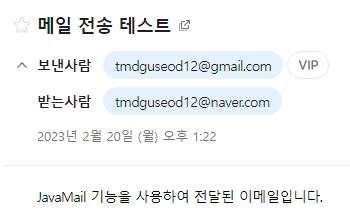
		bean.sendEmail("tmdguseod12@naver.com", "메일 전송 테스트", "JavaMail 기능을 사용하여 전달된 이메일입니다.");
		System.out.println("================================================================");
		((ClassPathXmlApplicationContext)context).close();
	}
}
🌈환경설정파일 생성
📃07-4_email.xml
※ src/main/resources 폴더에 07-4_email.xml 생성
<?xml version="1.0" encoding="UTF-8"?>
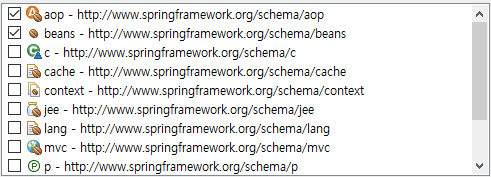
<beans xmlns="http://www.springframework.org/schema/beans"
	xmlns:xsi="http://www.w3.org/2001/XMLSchema-instance"
	xmlns:aop="http://www.springframework.org/schema/aop"
	xsi:schemaLocation="http://www.springframework.org/schema/beans http://www.springframework.org/schema/beans/spring-beans.xsd
		http://www.springframework.org/schema/aop http://www.springframework.org/schema/aop/spring-aop.xsd">
	<!-- ================================================================================ -->
	<!-- JavaMailSender 인터페이스를 상속받은 JavaMailSenderImpl 클래스를 Spring Bean으로 등록 -->
	<!-- → SMPT 서비스를 제공하는 메일 서버의 정보를 JavaMailSenderImpl 객체 필드에 저장되도록 값 주입 -->
	<bean class="org.springframework.mail.javamail.JavaMailSenderImpl" id="javaMailSender">
		<!-- host 필드 : SMTP 서비스를 제공하는 메일 서버의 이름을 전달하여 저장 -->
		<property name="host" value="smtp.gmail.com"/>
		<!-- port 필드 : SMTP 서비스를 제공하는 메일 서버의 POST 번호를 전달하여 저장 -->
		<property name="port" value="587"/>
		<!-- username 필드 : SMTP 서비스를 제공하는 메일 서버의 접속 사용자 이름(아이디)을 전달하여 저장 -->
		<property name="username" value="tmdguseod12"/>
		<!-- password 필드 : SMTP 서비스를 제공하는 메일 서버의 접속 사용자 비밀번호를 전달하여 저장 -->
		<!-- → 사용자 비밀번호 대신 앱 비밀번호를 필드에 저장 -->
		<!-- 구글의 SMTP 서비스를 제공받기 위해서는 계정의 2단계 보안 인증 후 앱 비밀번호를 발급받아 사용 -->
		<!-- → 구글 계정 관리에서 보안 메뉴에 앱 비밀번호를 생성하여 사용 -->
		<property name="password" value="hzctoprbgqfikptj"/>
		<!-- javaMailProperties 필드 : SMTP 서비스를 제공하는 메일 서버의 메일 전송 관련 부가적인 정보를 Properties 객체로 전달하여 저장 -->
		<property name="javaMailProperties">
			<props>
				<prop key="mail.smtp.ssl.trust">smtp.gmail.com</prop>
				<prop key="mail.smtp.starttls.enable">true</prop>
				<prop key="mail.smtp.auth">true</prop>
			</props>
		</property>
	</bean>
	<!-- ================================================================================ -->
	<!-- 핵심관심모듈로 작성된 클래스를 Spring Bean으로 등록 -->
	<!-- → javaMailSender 필드에 JavaMailSender 객체가 저장되도록 의존성 주입 -->
	<bean class="xyz.itwill07.aop.EmailSendBean" id="emailSendBean">
		<property name="javaMailSender" ref="javaMailSender"/>
	</bean>
	<!-- ================================================================================ -->
	<!-- 횡단관심모듈로 작성된 클래스를 Spring Bean으로 등록 -->
	<bean class="xyz.itwill07.aop.EmailSendAdvice" id="emailSendAdvice"/>
	<!-- ================================================================================ -->
	<aop:config>
		<aop:aspect ref="emailSendAdvice">
			<aop:before method="accessLog" pointcut="execution(* sendEmail(..))"/>
			<aop:after-returning method="successLog" pointcut="execution(* sendEmail(..))" returning="email"/>
			<aop:after-throwing method="errorLog" pointcut="execution(* sendEmail(..))" throwing="exception"/>
		</aop:aspect>
	</aop:config>
</beans>
🌈Advice 클래스 생성(횡단관심모듈)
📃EmailSendAdvice.java
※ xyz.itwill07.aop 패키지에 EmailSendAdvice.java 클래스 생성
package xyz.itwill07.aop;
//
import org.aspectj.lang.JoinPoint;
import org.slf4j.Logger;
import org.slf4j.LoggerFactory;
//
//횡단관심모듈 - Advice 클래스
public class EmailSendAdvice {
	private static final Logger logger=LoggerFactory.getLogger(EmailSendAdvice.class);
	//
	//메일을 전송하기 전에 삽입되어 실행될 명령이 작성된 메소드 - Before Advice 메소드
	//→ 받는 사람의 이메일 주소와 제목을 얻어와 저장하기 위해 JoinPoint 매개변수 필요
	public void accessLog(JoinPoint joinPoint) {
		//타겟메소드(sendEmail)의 매개변수에 저장된 값(객체)을 반환받아 저장
		String email=(String)joinPoint.getArgs()[0];//받는 사람의 이메일 주소
		String subject=(String)joinPoint.getArgs()[1];//메일 제목
		logger.info(email+"님에게 <"+subject+"> 제목의 이메일을 전송합니다.");
	}
	//
	//메일 전송이 성공한 경우 삽입되어 실행될 명령이 작성된 메소드 - After Returning 메소드
	//→ 타겟메소드(sendEmail)의 반환값(받는 사람의 이메일 주소)을 얻어와 저장하기 위한 매개변수 필요
	public void successLog(String email) {
		logger.info(email+"님에게 이메일을 성공적으로 전송 하였습니다.");
	}
	//
	//예외가 발생되어 메일 전송이 실패한 경우 삽입되어 실행될 명령이 작성된 메소드 - After Throwing 메소드
	//→ 타겟메소드(sendEmail)의 명령 실행시 발생된 예외(Exception 객체)를 얻어와 저장하기 위한 매개변수 필요
	public void errorLog(Exception exception) {
		logger.error("이메일 전송 실패 = "+exception.getMessage());
	}
}
🐧앱 비밀번호를 발급 방법
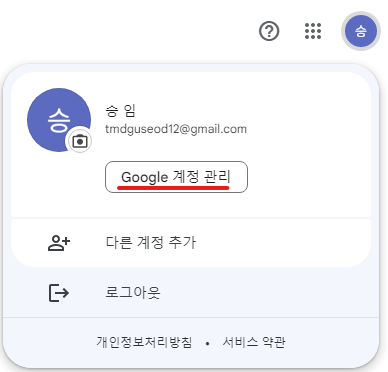
1. 구글 로그인 후 Google 계정 관리 접속
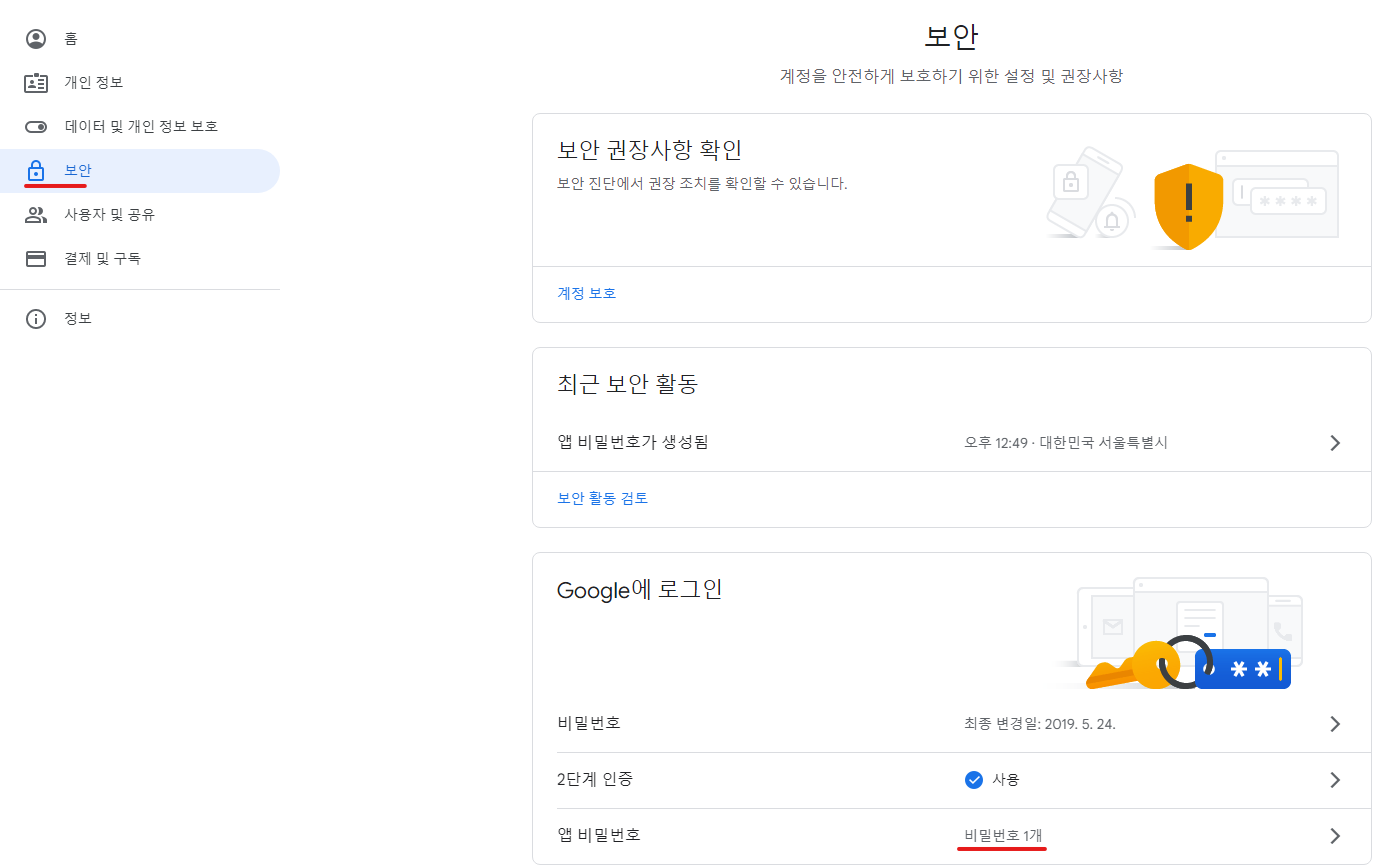
2.보안 → 앱 비밀번호 클릭
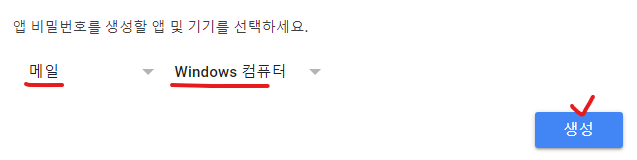
3. 메일, Window 컴퓨터로 생성
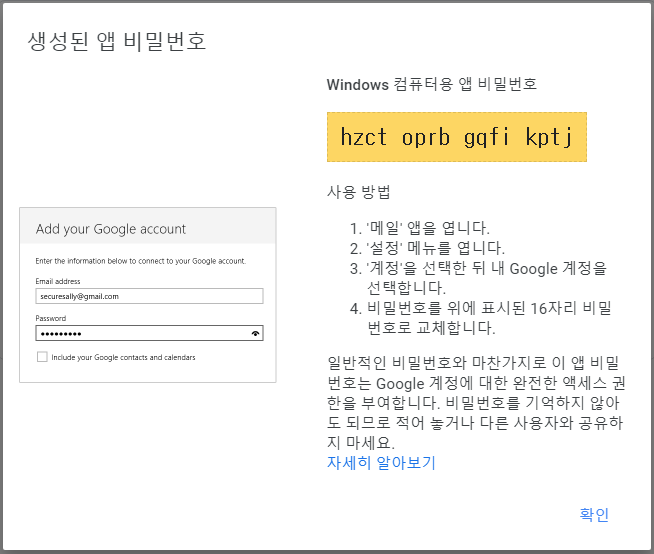
4. 앱 비밀번호 확인