
Firebase란?
Google이 제공하는 모바일 및 웹 애플리케이션을 위한 백엔드 서비스 플랫폼
- 실시간 데이터베이스, 사용자 인증, 파일 저장소, 호스팅, 클라우드 함수 등의 기능을 제공하며 백엔드 없이 프론트엔드 혼자서 웬만한 프로젝트를 모두 제작할 수 있다.
Firebase 사용하기
-
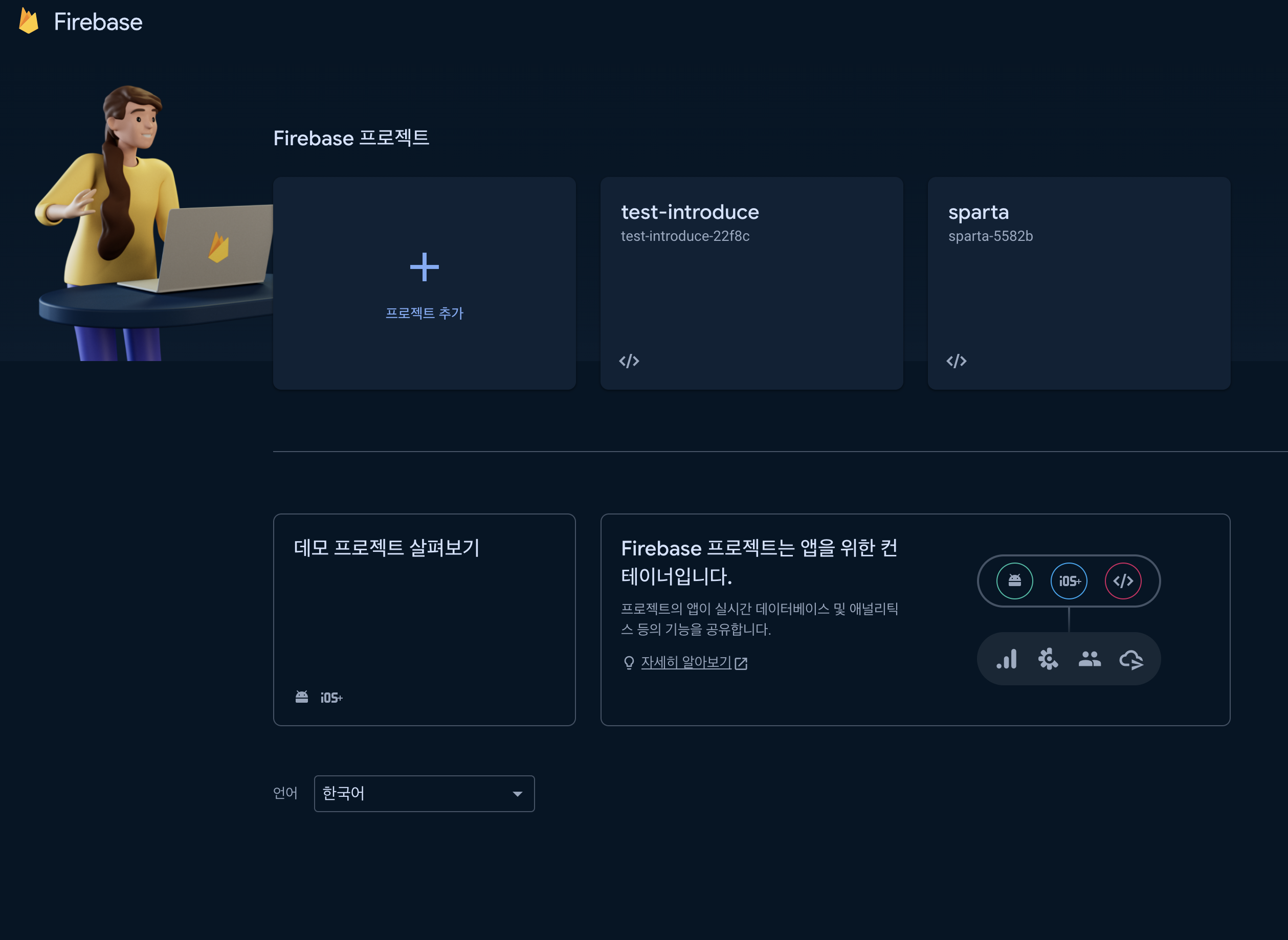
먼저 파이어베이스에서 새 프로젝트 생성하기
-
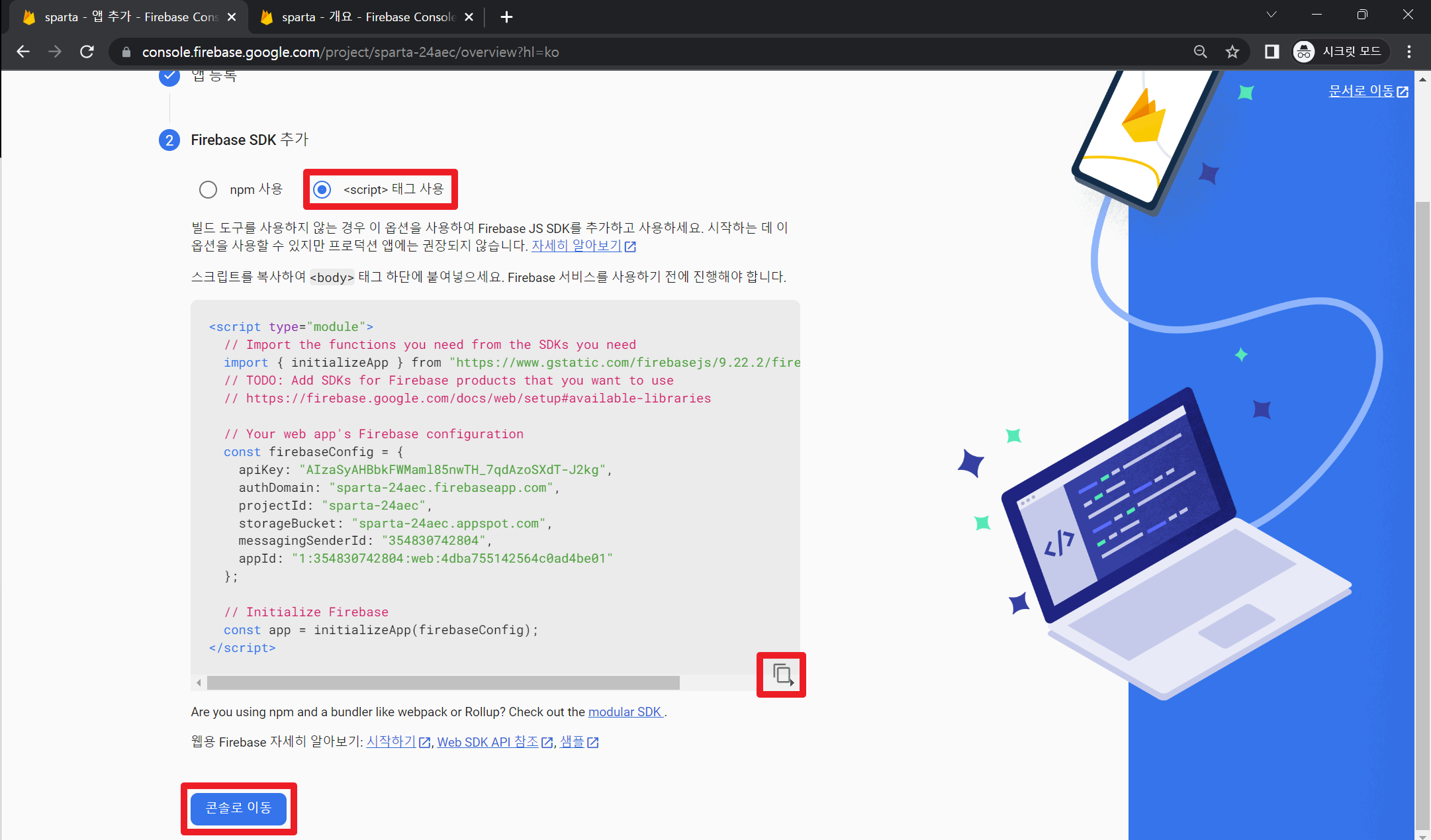
그 다음 </>(웹)표시를 클릭해서 들어가서 앱 이름을 적은 후 앱 등록한 후 script 태그 안에 있는 내용 따로 보관하기
-
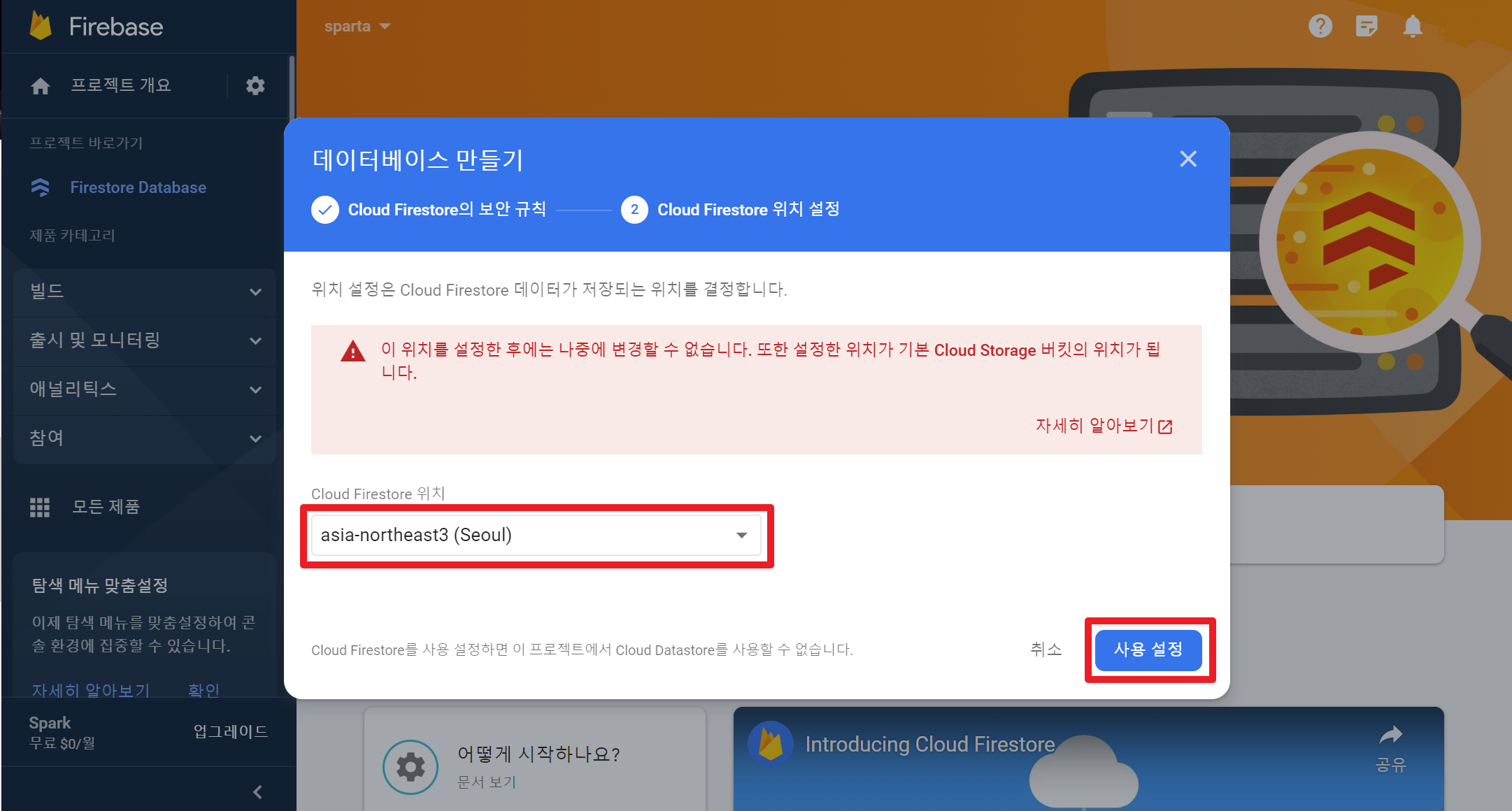
데이터베이스 만들기를 클릭한 후 "프로덕션 모드에서 시작하기"를 클릭한다. 그 다음 Cloud Firestore위치는 Seoul로 설정
-
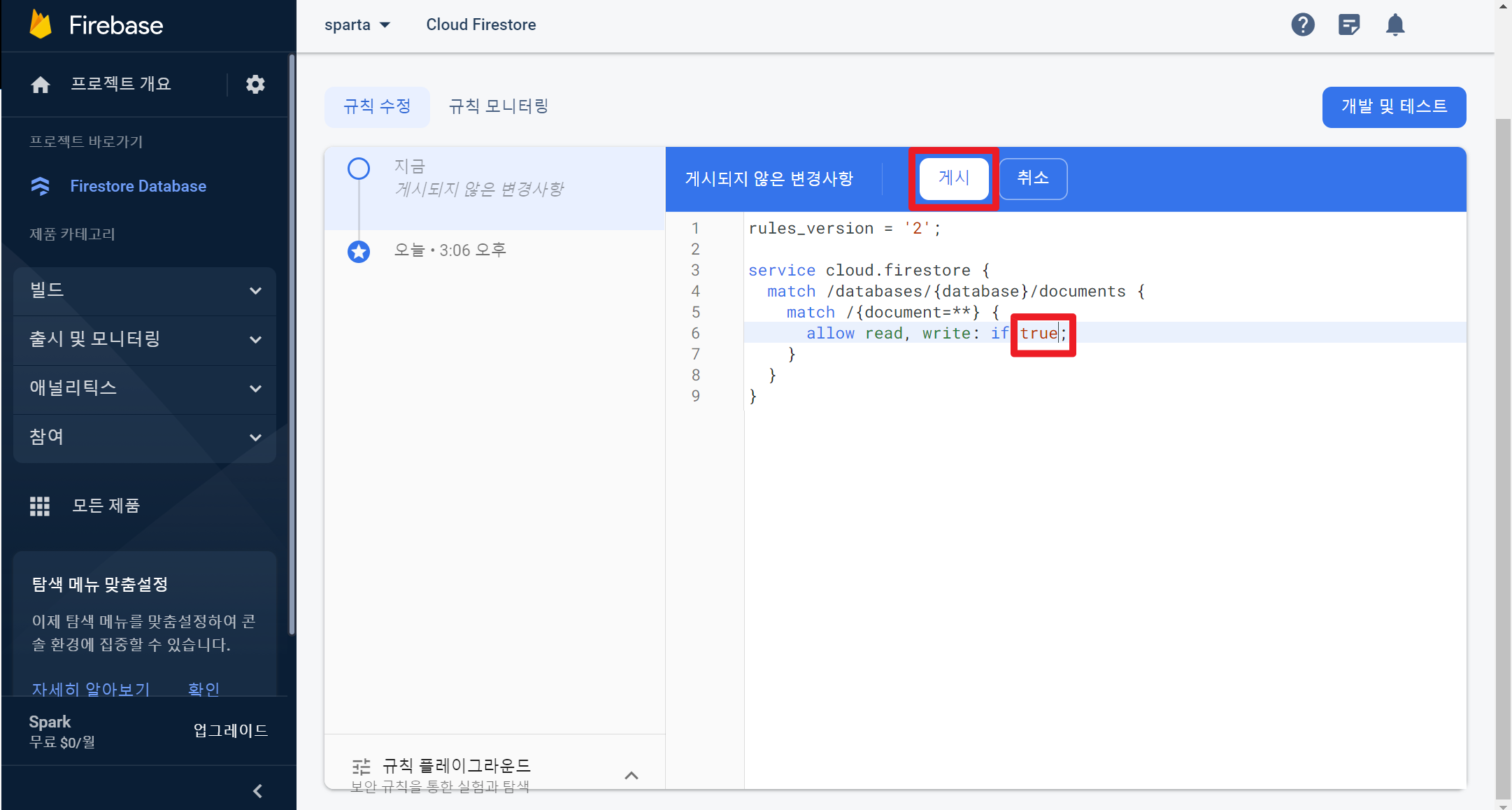
규칙도 수정해야 하는데 기존에 false라고 되어있는부분을 사진처럼 true로 수정
-
firebaseConfig 정보는 위에 script에 있던 각자의 정보를 넣으면 끝!인줄 알았으나 마지막 하나가 더 남았다.
-
아래의 코드처럼 본인의 필요에 맞게 firebase에서 제공하는 sdk를 이렇게 import 해와야 한다.
<script type = module>
	import { initializeApp } from "firebase/app";
    import { getFirestore } from "firebase/firestore";
    import { collection, addDoc } from "firebase/firestore";
    import { getDocs, getDoc } from "firebase/firestore";
    import { doc, deleteDoc, updateDoc } from "firebase/firestore";
    import { serverTimestamp } from "firebase/firestore";

    const firebaseConfig = {
      apiKey: "개인정보",
      authDomain: "개인정보",
      projectId: "개인정보",
      storageBucket: "개인정보",
      messagingSenderId: "개인정보",
      appId: "개인정보"
    };

    const app = initializeApp(firebaseConfig);
    const db = getFirestore(app);
    </script>
프론트 개발자 꿈꾸는 중