
🔗 useState Hook
useState( ) : state를 사용하기 위한 Hook
const [ 변수명, set함수명 ] = useState(초기state값)
state을 정의해줄 때 const[ name, setName ] = useState("") 와 같이 구조분해할당을 사용하여 변수와 함수를 정의한다. 변수이름 name은 getter로 초기 state값을 리턴하고, setName은 state의 상태를 업데이트하는 함수로 setter이며 state의 변경된 값을 리턴한다. 즉 setName을 이용해서 name의 state를 업데이트 시켜 줄 수 있다.
🔗 onClick 이벤트로 카운트 업데이트
App.js
import React from "react"
import Counter from "./component/Counter"

function App() {
  return (
    <>
      <h1>useState 사용해보기</h1>
      <Conter />
    </>
  )
}
export default App
Counter.js
import React, { useState } from "react"

export function Conter() {
  const [count, updateCount] = useState(1) // 초기값 1

  function onIncrement() {
    updateCount(count + 1) // 상태 업데이트 함수
  }
  return (
    <div>
      <h1>{count}</h1> // 업데이트되는 count (변경된 값)
      <button onClick={onIncrement}>증가</button>
    </div>
  )
}
🔗 onChange 이벤트로 카운트 업데이트
App.js
import React from "react"
import Conter from "./component/Counter"

function App() {
  return (
    <>
      <h1>useState 사용해보기</h1>
      <Conter />
    </>
  )
}

export default App
Counter.js
import React, { useState } from "react"

const Count = ({ count, handleCount }) => {
  return (
    <div>
      <label>내 맘대로 카운트</label>
      <input type="number" value={count} onChange={handleCount} />
      // input type을 숫자만 작성되도록, onChange이벤트를 handleCount함수로
    </div>
  )
}

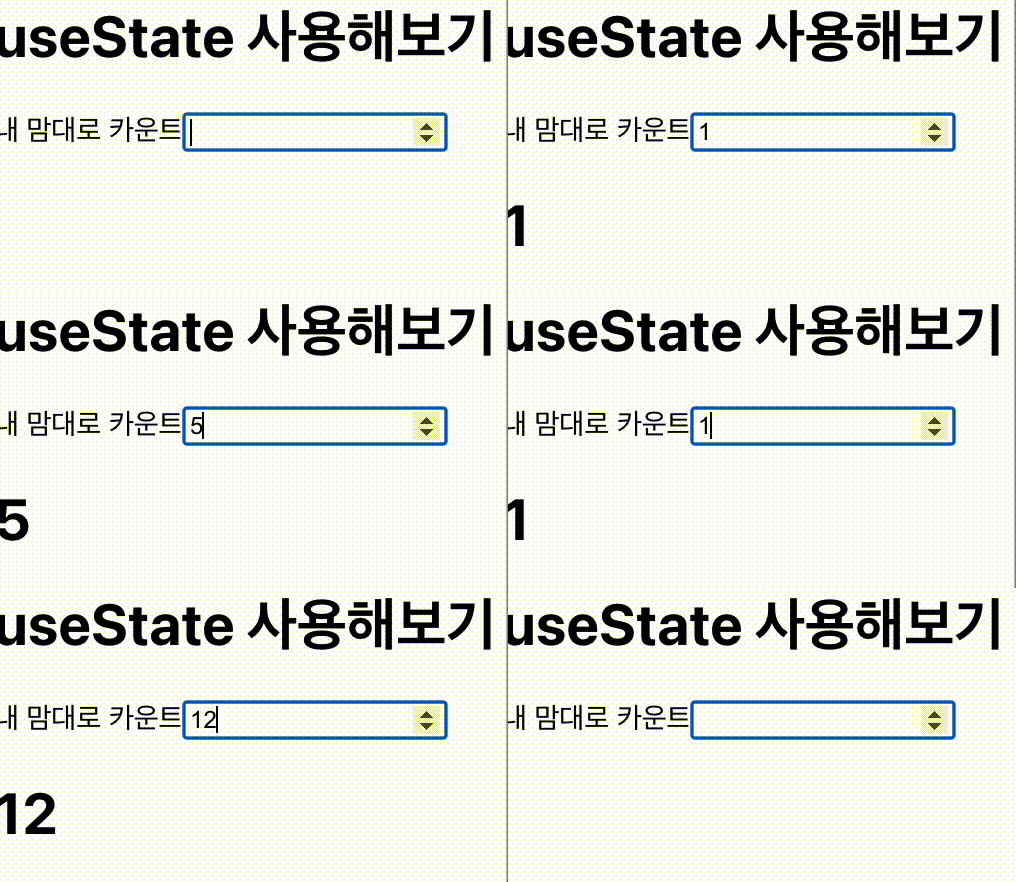
export function Counter() {
  const [count, setCount] = useState("")

  const handleCount = (e) => {
    setCount(e.target.value) // 이벤트발생시 count업데이트
  }

  return (
    <div>
      <Count count={count} handleCount={handleCount} />
      <h1>{count}</h1>
    </div>
  )
}

성장하는 과정에서 성취감을 통해 희열을 느낍니다⚡️