git global configuration
- user, email
git config --global [user.name](http://user.name/)  <name>
git config --global [user.email](http://user.email) <email>- CRLF
- 서버에서 가져올 때 LF → CRLF로 변경하고 서버에 보낼 때는 CRLF → LF로 변경
git config --global core.autocrlf true- editor
git config —global core.editor <editor>- 전체 설정 확인
git config —List- 항목별 설정 확인
git config <key>Local Repository
1. Local Repository 구성
- Local Repository는 Git 이 관리하는 3가지 단계로 구성되어 있음
- Working Directory (작업공간) - 실제 소스 파일, 생성한 파일들이 존재
- Index (Stage)- Staging area (준비영역) 의 역할, git add 한 파일들이 존재
- HEAD - 최종 확정본, git commit 한 파일들이 존재
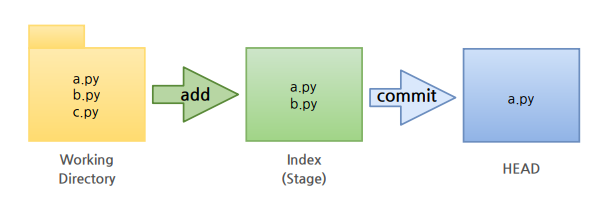
2. Local Repository 생성
- workspace 생성, working directory 생성
 mkdir <workspace>
 % cd <workspace>
<workspace> % mkdir <working directory>- git init : 작업한다는 명령어 (git이 관리)
- touch : 파일 생성하기
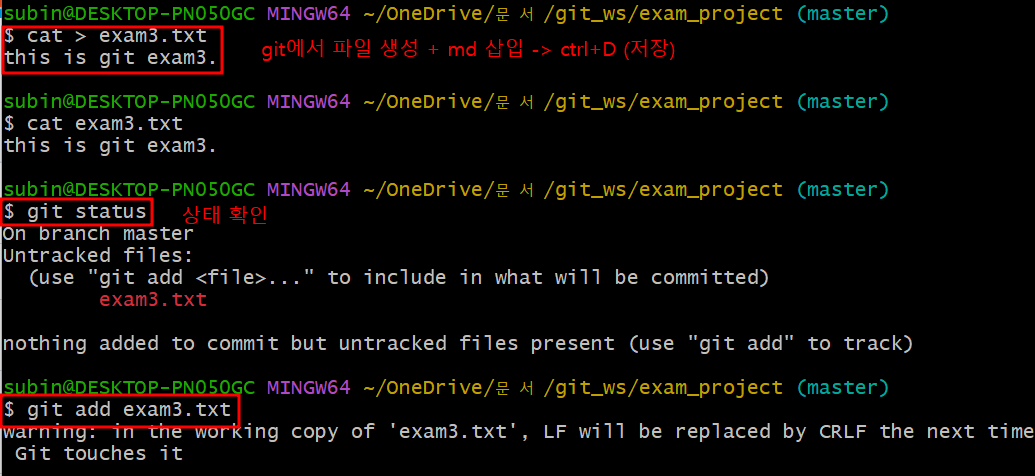
- git status : 상태 확인하기
- git add : working directory에서 변경된 파일을 index(stage)에 추가
git add <filename>
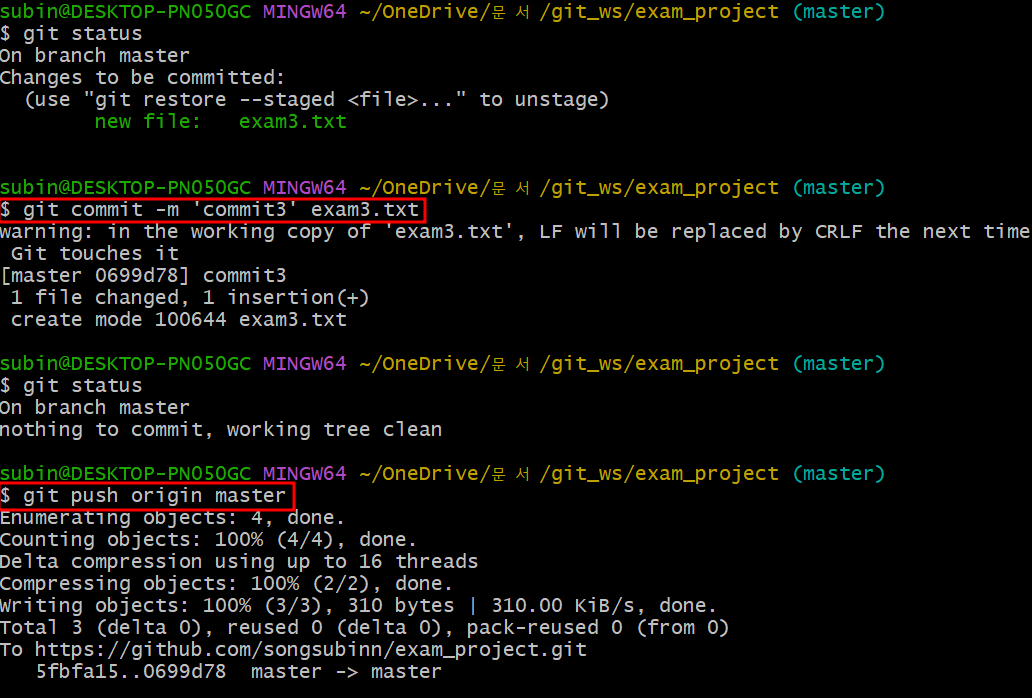
git commit -m ‘메모’ <filename>
git add -> git status -> git commit
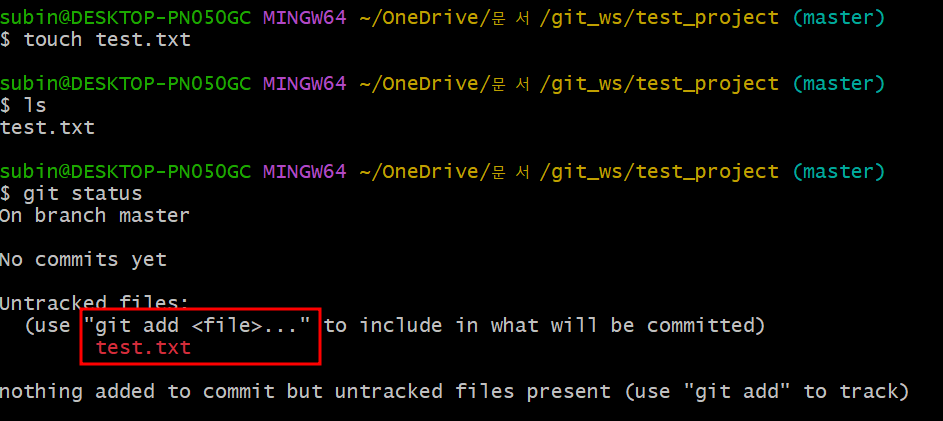
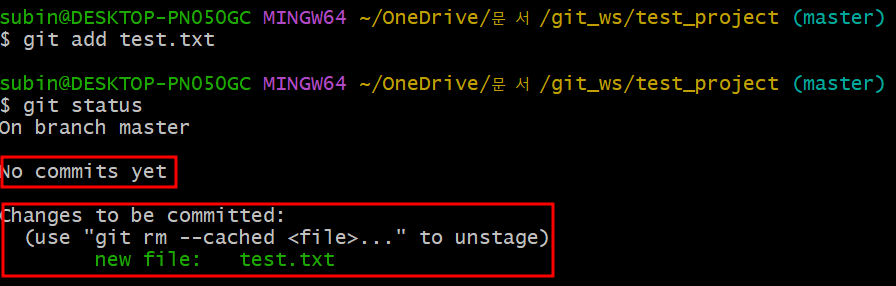
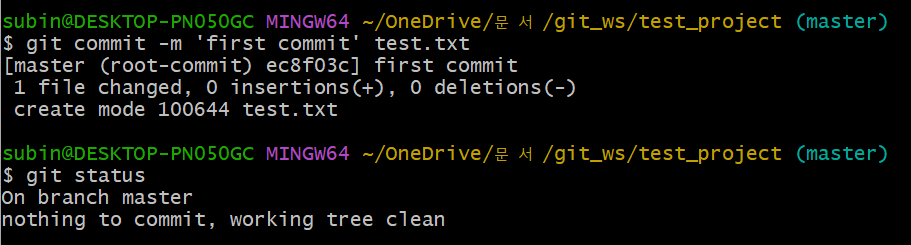
3. remote repository
- remote repository 등록
git remote add origin https://github.com/<repository >.git- 토큰 등록하기
git remote add origin https://<username>:<token>@github.com/<repository >.git- git remote -v : 정보 확인
4. remote repository에 변경내용 push 하기
- git push
git push origin <branchname>
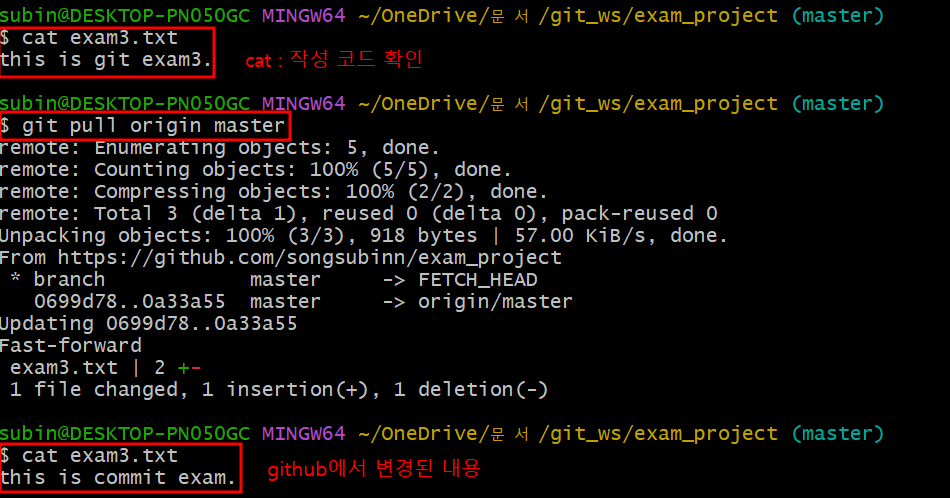
5. remote repository에 변경내용 pull 하기
- git full
git full origin <branchname>[실습]
- cat > '파일' : 파일 생성 후 코드 삽입 후 ctrl + D
- git add -> git commot -> git push
- cat : 작성 코드 확인
- git full 후 github에서 내용 변경 가능
Remote Repository
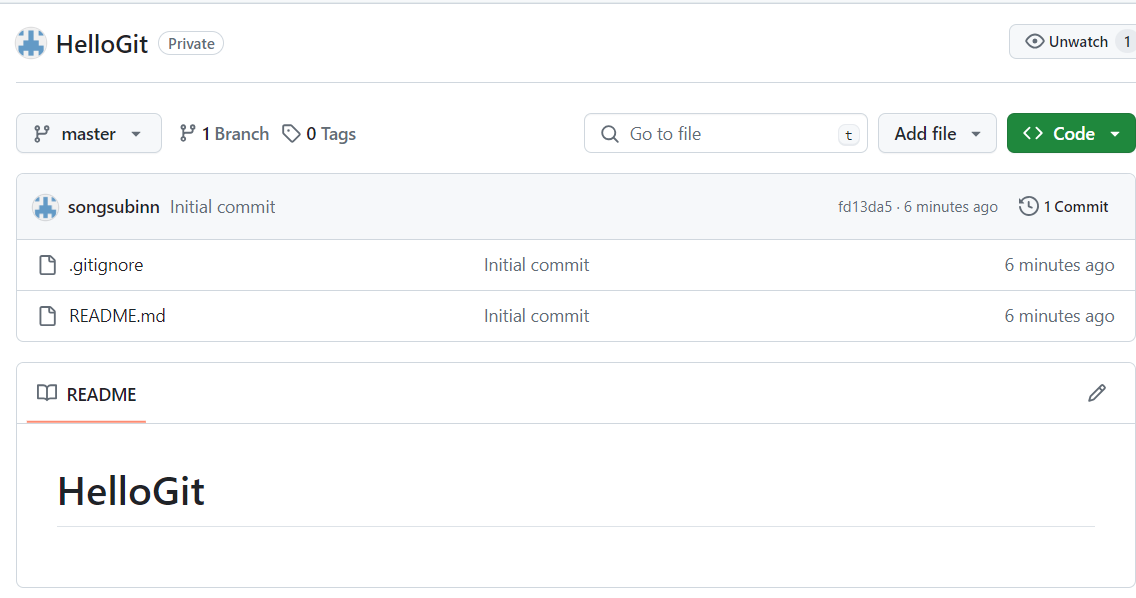
1. README File
- 프로젝트에 대한 설명, 사용방법, 라이센스, 설치방법 등에 대한 내용을 기술하는 파일 (나, 직장동료, 프로그램 사용자를 위해 존재)
2. gitignore
- git 버전 관리에서 제외할 파일목록을 저장하는 파일
- 사용자가 원하지 않는 파일들을 자동으로 commit 대상에서 제외시켜 줌
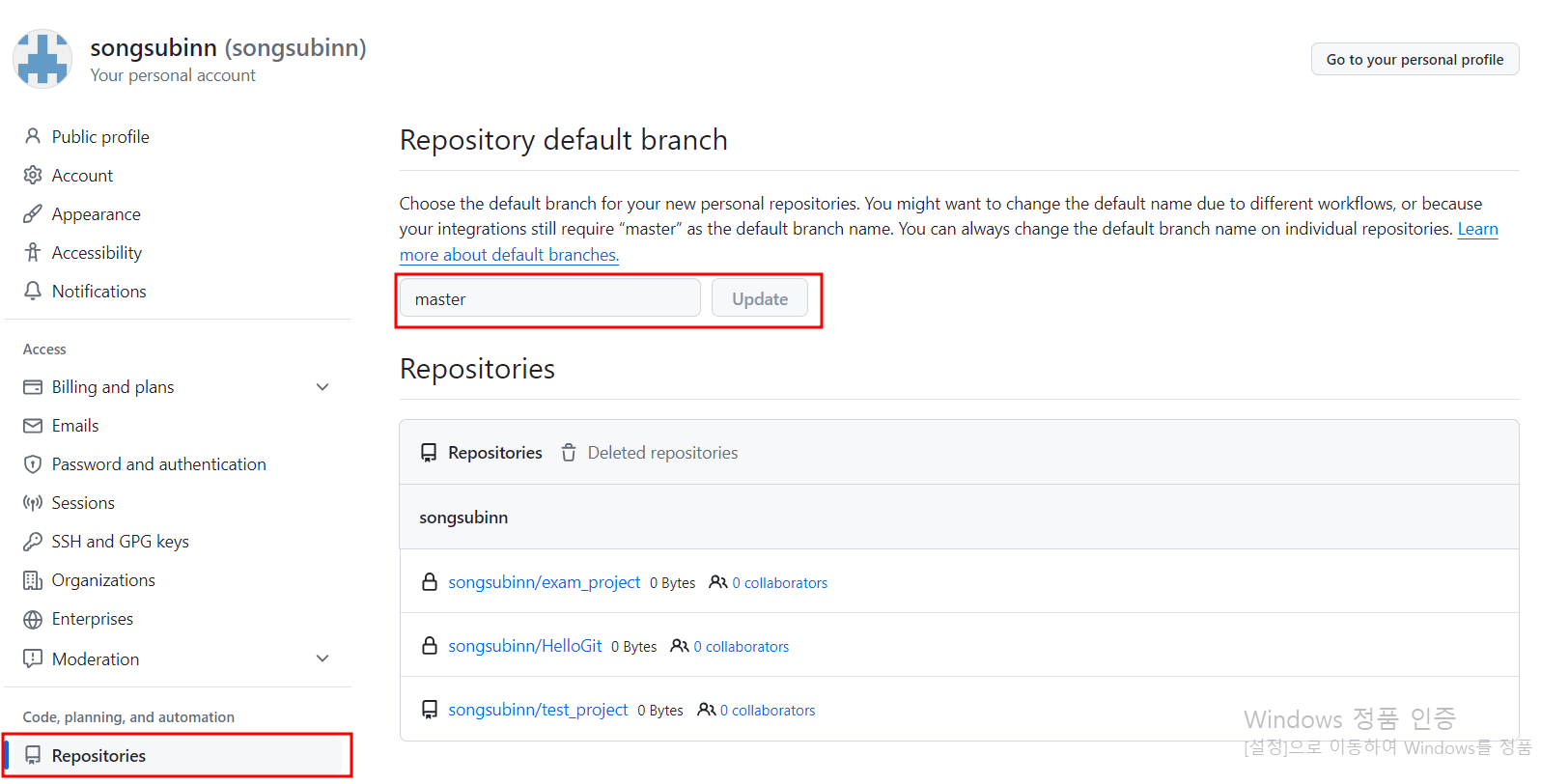
3. Default branch
- 수정이 가능 (수정은 신중히, 다른 팀원들까지 영향 받음)
- 설정 : Remote Repository를 생성할 때 default branch 이름을 설정할 수 있음
4. Remote Repository 복제하기
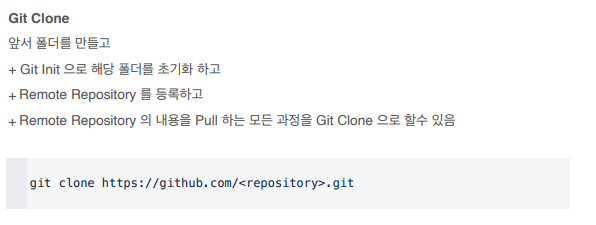
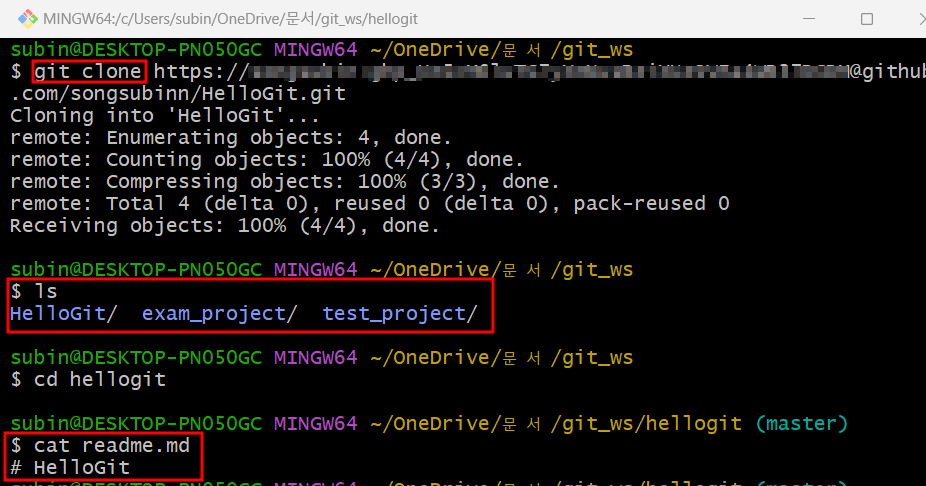
- local repository를 생성하지 않은 상태에서 git clone 명령을 사용하여 Remote Repository를 local에 복제할 수 있음
- git clone
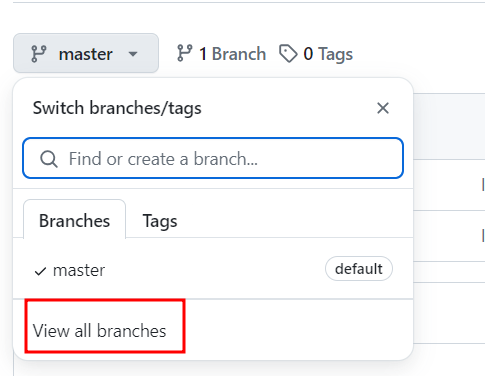
5. branch
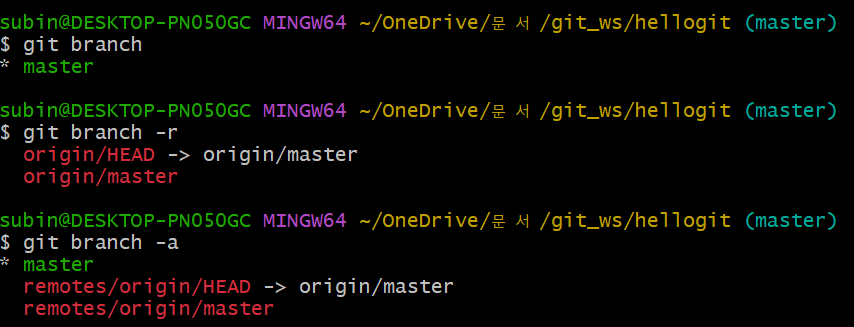
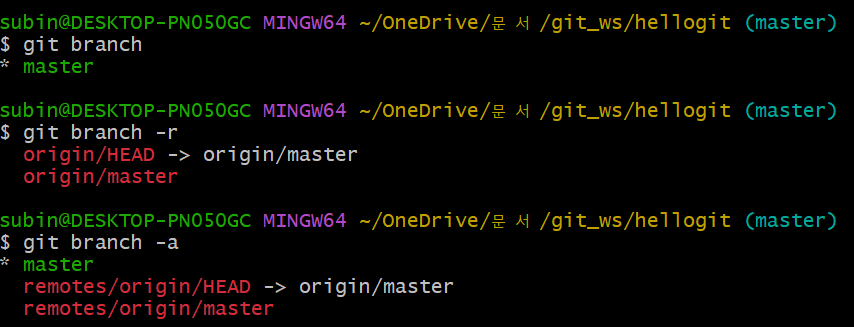
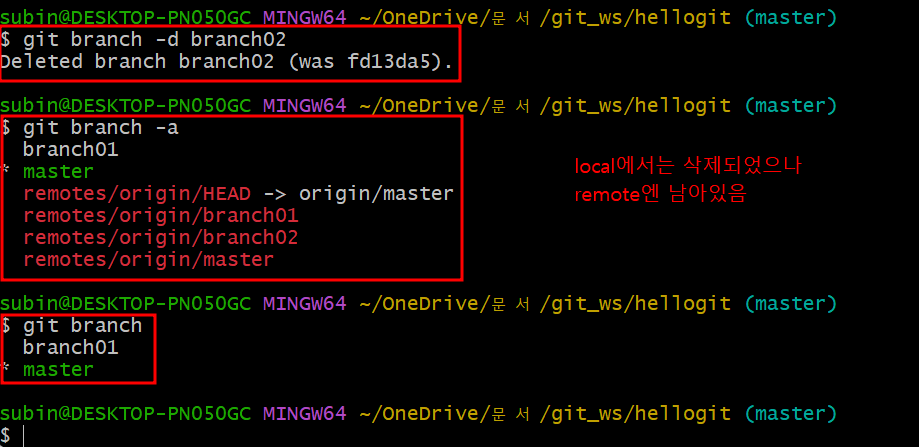
- branch 조회 (local branch)
git branch- branch 조회 (remote branch)
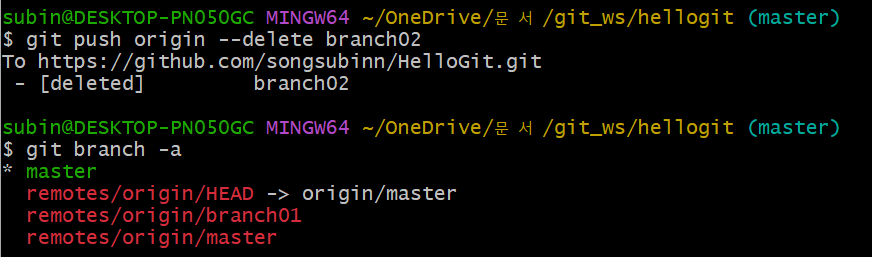
git branch -r- branch 조회 (local + remote)
git branch -a
- branch 생성
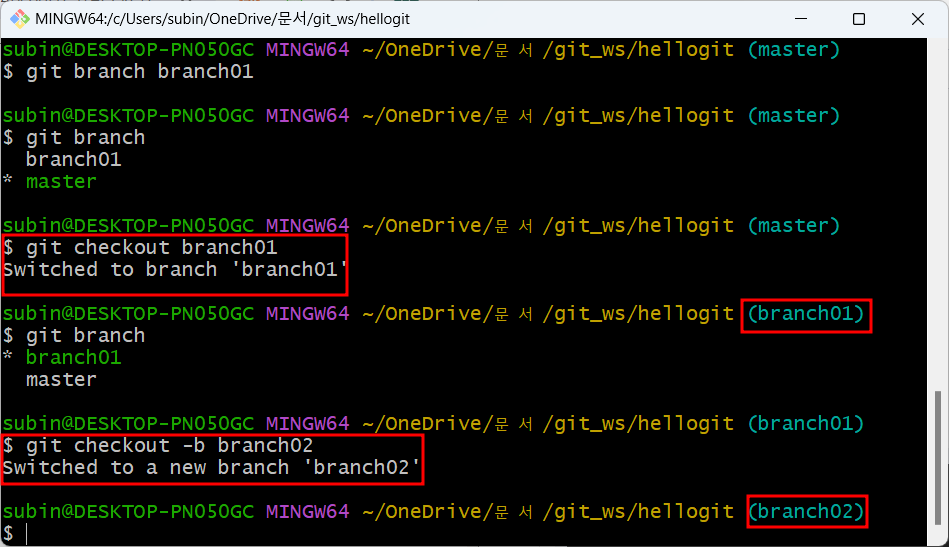
git branch <branchname>
- branch 이동
git checkout <branchname>
- branch 생성 + 이동
git checkout -b <branchname>
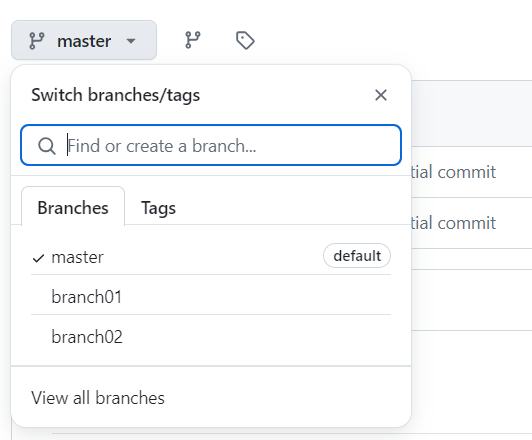
- branch 생성 (local → remote)
git push origin <branchname>
- branch 삭제 (local branch)
git branch -d <branchname>
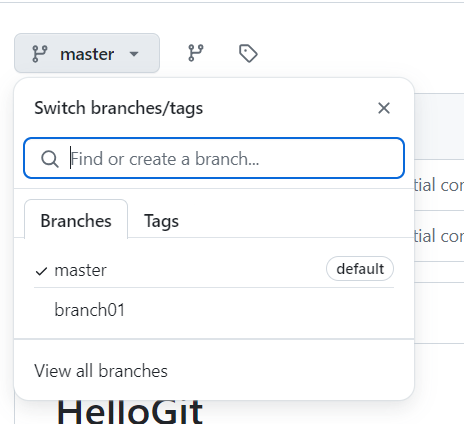
- branch 삭제 (remote branch)
git push origin —delete <branchname>
"이 글은 제로베이스 데이터 취업 스쿨의 강의 자료 일부를 발췌하여 작성되었습니다.”

데이터 공부 기록