자습-Jenkins_hello_world
"Hello, World!" 파이프라인 만들기
-
Jenkins 설치 (Docker로 설치하기)
-
Jenkins 초기 설정
-
새로운 파이프라인 Job 생성
-
파이프라인 스크립트 작성
Jenkins 설치 (Docker 또는 로컬 설치)
Git 설치 (옵션)
docker run -d -p 8080:8080 -p 50000:50000 jenkins/jenkins:lts
Jenkins가 http://localhost:8080 에서 실행됨.
- 웹 브라우저에서 http://localhost:8080 으로 접속
- 초기 비밀번호 확인 (Docker 로그에서 확인 가능)
docker exec cat
/var/jenkins_home/secrets/initialAdminPassword - 플러그인 설치 후 관리자 계정 생성
- Jenkins 대시보드에서 "새로운 Item(New Item)" 클릭
- "Pipeline" 선택 후 Job 이름을 입력
- "확인" 버튼 클릭
- "Pipeline" 섹션으로 스크롤
- "Pipeline script"에 다음 내용을 입력
pipeline {
	agent any
	stages {
		stage('Build') {
			steps {
				echo 'Building the project...'
		}
	}
	stage('Test') {
		steps {
			echo 'Running tests...'
		}
	}
	stage('Deploy') {
		steps {
			echo 'Deploying the application!'
			echo 'Hello, World!'
			}
		}
	}
}
설명:
- pipeline : Jenkins 파이프라인 정의 시작
- agent any : 파이프라인이 모든 에이전트에서 실행 가능함을 의미
- stages : 파이프라인의 단계 정의 (Build, Test, Deploy)
- steps : 각 단계에서 수행할 작업 (간단한 메시지 출력)
- 저장 후 "Build Now" 클릭
콘솔 출력(Console Output)에서 아래와 같은 메시지 확인
[Pipeline] Start of Pipeline
[Pipeline] stage
[Pipeline] { (Build)
[Pipeline] echo
Building the project...
[Pipeline] }
[Pipeline] stage
[Pipeline] { (Test)
[Pipeline] echo
Running tests...
[Pipeline] }
[Pipeline] stage
[Pipeline] { (Deploy)
[Pipeline] echo
Deploying the application!
[Pipeline] echo
Hello, World!
[Pipeline] }
[Pipeline] End of Pipeline
- Jenkins 개념
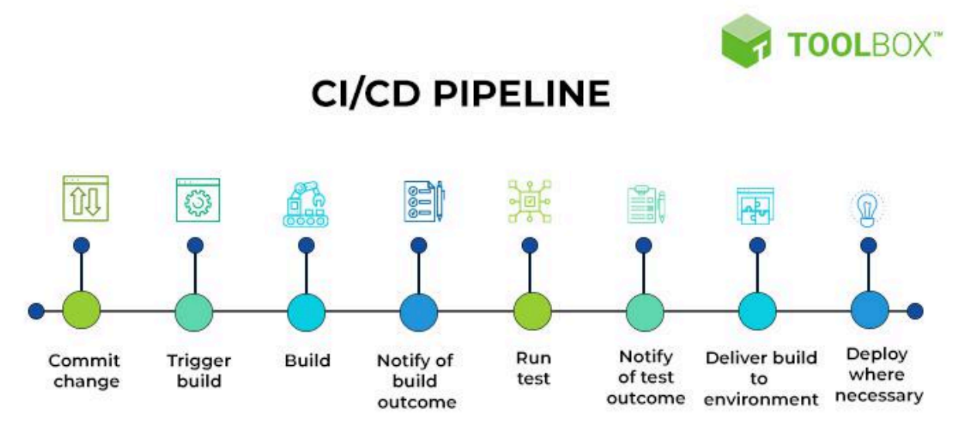
- Pipeline: 여러 단계(stages)로 구성된 자동화된 작업 흐름
- Stage: 파이프라인 내에서 논리적으로 구분된 작업 단계 (예: Build, Test, Deploy)
- Step: 각 단계 내에서 실제로 수행하는 명령 또는 작업
-
GitHub 연동
-
GitHub 저장소 생성 후 Jenkinsfile 추가
-
Jenkins에서 GitHub 저장소를 연결하여 자동 빌드 설정
pipeline {
	agent any
	stages {
		stage('Clone Repository') {
			steps {
				git 'https://github.com/ttottonuna/Code_Collection.git'
		}
  }
		stage('Build') {
			steps {
				echo 'Building from GitHub!'
			}
		}
	}
} 

혼자 보려고 만든 기록장 | 또또는 귀여워 🐈⬛